Picasso IA hosts 488 AI models across text to image, image to video, 3D generation, background removal, and more, but most of them were never built with adult content in mind. The typical safety design blocks or waters down anything flagged as explicit before it ever reaches you, which is fine for a product shot and a dealbreaker when you actually want a realistic NSFW portrait of a fictional character.
Seedream 4.5 is different. It sits inside a short list of six models on Picasso IA confirmed to generate NSFW content directly, with no filter standing between your prompt and the image it returns. You can open it right now from the toolkit or jump straight to its page at Seedream 4.5.
These are the six confirmed filter free models on Picasso IA today, so you always know which door is actually open before you spend a generation on it.
Every other model in the full catalog, including well known flagship names, still runs its own content filter and will refuse a prompt it flags as adult. When that happens, Picasso IA shows a plain message, Content Not Supported by This Model, and offers to switch you to one of the six models above without losing your prompt. That is the honest way to work around a refusal. Rewording or disguising a prompt to slip past a filter is not something we recommend, and it is not necessary here since Seedream 4.5 was built to handle this content directly.
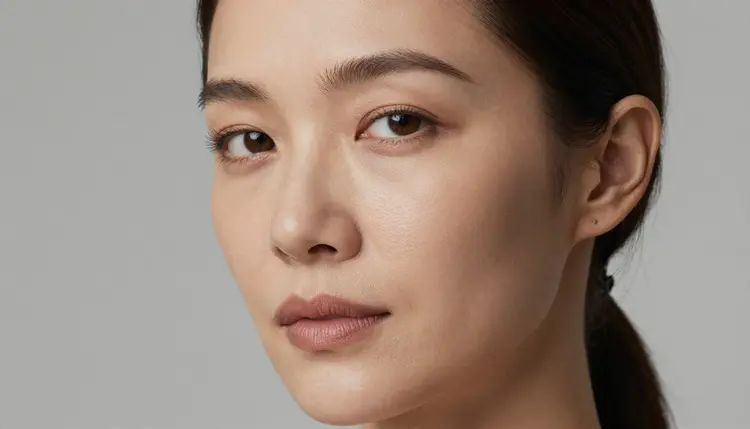
Seedream 4.5 is a text to image model, so its job is a single still portrait per generation rather than a video clip or a 3D asset. Within that lane it leans hard into photographic realism: convincing skin texture, natural light falloff across a face or body, and a sense of depth that keeps a portrait from looking flat or plastic.
It reads a detailed prompt well. Describe a character's hair, build, expression, pose, and the room or backdrop around them, and Seedream 4.5 will try to hold all of that together in one coherent image rather than smoothing it into something generic. That makes it a strong fit for character portraits specifically, as opposed to sweeping scenes with a lot of moving parts.
It is still an image model, not a video one. If what you actually want is motion, a short clip, or a character that moves and speaks, look at Picasso Video or LTX 2.3 Pro instead, both of which sit on the same confirmed filter free list. And if you already have a photo you want to adjust rather than generate from scratch, that is a job for Picasso Image Editor Pro, not for Seedream 4.5.
Most people use it one of two ways: a single standalone portrait built entirely from a text description, or a recurring fictional character they keep coming back to with the same physical description each time so the look stays consistent across a set of images. Both approaches work with the same model and the same generation panel, the only difference is how much of the prompt you reuse from one generation to the next.
You do not need any special setup to start. Everything happens inside the normal generation panel, the same one used for every other model on Picasso IA. Here is the process from opening the model to reviewing your first result.
- Open Seedream 4.5. Go to the toolkit and select Seedream 4.5 as your active model, or land on it directly from Seedream 4.5.
- Describe the character and the scene in detail. Write out who the character is, their appearance, their pose, and the setting around them. The more specific the prompt, the less Seedream 4.5 has to guess.
- Choose an aspect ratio. A portrait orientation generally suits a single character best, while a square or landscape frame gives you more room for the setting around them.
- Generate the portrait and look closely at the result. Check hands, proportions, and lighting consistency across the frame before you decide the image is finished.
- Refine with a follow up prompt if needed. Adjust the wording that did not land, whether that is the pose, the lighting, or a detail on the character, and generate again rather than starting the description over from scratch.
That loop, write, generate, review, refine, is the same one experienced users run through several times per character. Seedream 4.5 tends to reward a second or third pass more than a single long prompt.
A few habits make a real difference in how realistic and how close to your intent the output ends up being.
- Name concrete details instead of vague ones. "A woman with short auburn hair in a dim bedroom lit by a single lamp" gives Seedream 4.5 far more to work with than "an attractive woman in a room."
- Describe lighting on purpose. Soft window light, warm lamp light, and harsh overhead light all produce a different mood and a different level of realism on skin, so pick one rather than leaving it to chance.
- Keep the character's defining traits consistent across prompts. If you plan to generate the same fictional character more than once, repeat their hair color, build, and any distinguishing feature every time so the results stay recognizably the same person.
- Separate the character description from the scene description. A clear split between who they are and where they are tends to produce a cleaner composition than one long run on sentence.
- Treat your first result as a draft. Small wording changes, not a full rewrite, usually get you from a decent portrait to a genuinely good one.
Seedream 4.5 on Picasso IA is for adults generating fictional characters, full stop. It is not for recreating a real person's likeness, a public figure, or anyone who resembles a minor, and prompts aimed at any of those are against the rules regardless of which model you are using.
That line exists for a simple reason: a generated image of a fictional character harms no one, while a generated image built on a real, identifiable person's face does. Picasso IA does not have a mechanism to verify who a fictional description resembles in your head, so the responsibility for staying inside that line sits with you as the person writing the prompt.
If you are generating adult content, you are also confirming you are an adult and that what you are creating is intended for adult, fictional use only. Picasso IA's terms apply the same way here as anywhere else on the platform, and the six filter free models listed earlier are not an exception to them, they are simply the models that do not add a second filter on top of that baseline.
New accounts on Picasso IA start with free credits, so you can run your first few generations on Seedream 4.5 without paying anything up front. Every model, including Seedream 4.5, draws from the same credit balance, and the exact cost per generation depends on settings like resolution.
Once your free credits run out, plans range from a light starter tier up through higher volume options, and current pricing along with what each tier includes is kept up to date on the pricing page rather than repeated here, since it is the page that actually changes when a plan does. That page also covers subscription tiers if you generate often enough that a plan works out cheaper than paying per credit.
There is no separate NSFW surcharge on Seedream 4.5. It draws from your balance the same way any other image model does, so the deciding factor when you compare plans is simply how many portraits you expect to generate in a month, not the type of content in them.
Is Seedream 4.5 free to use on Picasso IA?
New accounts receive free credits that can be spent on Seedream 4.5 like any other model, and after those run out, generations draw from a paid credit balance or subscription. Exact costs and current plans are listed on the pricing page.
Can Seedream 4.5 generate images of real people?
No. Seedream 4.5 is meant for fictional characters only, and prompts aimed at recreating a real person's likeness, a public figure, or anyone resembling a minor are against Picasso IA's rules regardless of which model is used.
What makes Seedream 4.5 different from other image models for NSFW content?
Seedream 4.5 is one of six models on Picasso IA confirmed to generate NSFW content directly without a safety filter blocking or softening the result, while most other models on the platform apply their own filter and will refuse a flagged adult prompt.
What happens if I try an NSFW prompt on a model that has a content filter?
Picasso IA shows a message, Content Not Supported by This Model, and offers to switch you to one of the confirmed filter free models, Seedream 4.5 among them, while carrying your original prompt over so you do not have to retype it.
Can I use Seedream 4.5 for video instead of still portraits?
No, Seedream 4.5 only generates still images. For video, use Picasso Video or LTX 2.3 Pro, both of which are also on the confirmed filter free list.
What resolution can I generate with Seedream 4.5?
Aspect ratio and resolution options appear directly in the generation panel when you select Seedream 4.5, so you can see and choose the exact settings available at the moment you generate rather than relying on a fixed spec sheet.
Do I need special software to use Seedream 4.5?
No. Seedream 4.5 runs entirely inside Picasso IA in your browser through the toolkit; there is nothing to install or configure separately.
Can I edit an existing photo with Seedream 4.5?
Seedream 4.5 generates new images from a text prompt rather than editing an existing photo. To adjust or edit a photo you already have, use Picasso Image Editor Pro instead.
Is there an age restriction on generating NSFW content with Seedream 4.5?
Yes, generating adult content on Picasso IA requires you to be an adult and confirms that what you create is intended for adult, fictional use only, in line with the platform's terms.
What should I do if my portrait does not look realistic enough?
Add more concrete detail to the prompt, particularly around lighting and the character's specific features, and generate again rather than rewriting the whole description; small, targeted follow up prompts usually improve realism faster than starting over.