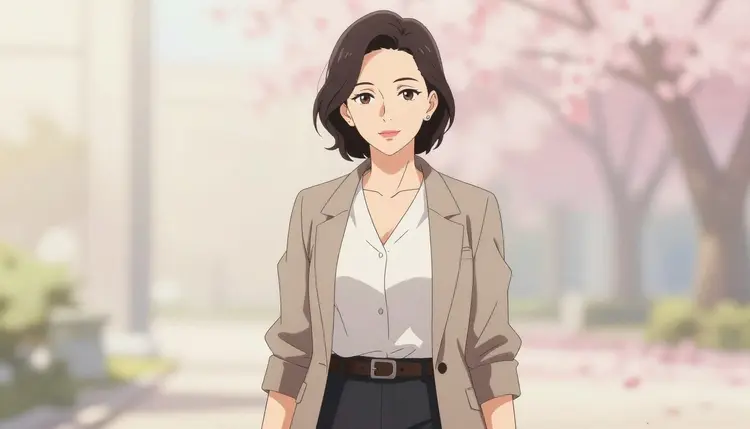
Visual novel art has a specific look: clean character portraits, expressive faces, sprite-ready poses, and a consistent style that has to hold up across dozens of scenes. Most general-purpose image models either refuse adult content outright or apply an aggressive filter that blocks anything remotely suggestive, even when the character is entirely fictional and clearly an adult.
Qwen Image 2 is one of only six models on Picasso IA confirmed to generate NSFW content directly, without a safety filter standing between your prompt and the output. That makes it a practical choice for visual novel creators, doujin-style artists, and hobbyists building adult-oriented character sets who need the model to actually follow the prompt instead of substituting a "safe" alternative or refusing outright.
This page is about generating art of fictional characters for personal creative projects: original characters, invented visual novel casts, established fictional archetypes reimagined in your own style. It is not about real people, and it never will be. More on that in the rules section below.
Qwen Image 2 is a text-to-image model available in the full catalog alongside the rest of the 488 models on Picasso IA. As a general-purpose image generator, it takes a text description and produces a full image from scratch, which suits visual novel work where you are building original characters rather than editing existing photos.
For visual novel art specifically, that means:
- Character portraits at a range of aspect ratios, so you can match a dialogue-box format or export a square icon and a taller standing pose from prompts written the same way.
- Prompt adherence across several details at once, useful when a character description covers hair color, outfit, pose, and expression together.
- Anime and semi-realistic art direction when the prompt calls for it, which is the visual language most visual novels use.
- No safety filter rejecting an adult prompt outright, which is the real difference between finishing a character set and hitting a wall halfway through it.
None of this means Qwen Image 2 gets a prompt exactly right on the first try, every time. Like any text-to-image model, results vary with how specific and well-structured the prompt is, which is why the steps below matter as much as the model choice itself.
Here is the actual workflow inside Picasso IA, from opening the model to reviewing the first result.
- Open the model page. Go to Qwen Image 2 directly, or search for it from the full catalog if you want to compare it against other models first.
- Write a character-first prompt. Describe the fictional character before the scene: age as an adult, build, hair, outfit or lack of one, pose, and expression. Add setting and lighting details after the character description, not before it.
- Set the aspect ratio for your use case. Pick a taller ratio for a dialogue-box sprite, a square for an icon, or a wider frame for a background scene, matching the format your visual novel engine expects.
- Generate and review the output. Check anatomy, proportions, and whether the outfit or pose matches what you asked for. Adult content still benefits from the same critical eye as any other generation, not less.
- Iterate on the prompt, not the filter. If a detail is off, rewrite that part of the prompt and regenerate. You are not working around a content filter here, since Qwen Image 2 does not apply one to begin with. You are simply refining the description like you would with any other model.
Every generation draws from your Picasso IA credits, so it is worth checking current costs on pricing before running a long batch of variations for one character.
A few habits make a real difference with text-to-image models, and Qwen Image 2 is no exception.
Front-load the character description. Put the fictional character's defining traits, meaning age as an adult, body type, hair, and distinguishing features, at the start of the prompt, before scene or lighting details. Earlier words tend to carry more weight, so leading with the character keeps it from getting lost in a longer prompt.
Separate style from content. State the art style once, clearly, such as "anime style character portrait" or "semi-realistic digital painting," rather than repeating stylistic words throughout the prompt. One clear style cue reads better than five scattered adjectives that half contradict each other.
Be specific about pose and framing. "Standing, three quarter view, hands at sides" gives the model something concrete to render. Vague pose language produces inconsistent results because the model has to guess what you actually mean.
Use the toolkit for follow-up edits. Once you have a base character image from Qwen Image 2, the toolkit's other tools can handle tasks like upscaling or format conversion on that same output, so you are not regenerating from scratch for every small change.
Keep a reference prompt saved. Visual novels reuse the same character across dozens of scenes. Save the exact wording that worked for a character's face and outfit, then extend it for new poses, rather than rewriting the description from memory each time you need that character again.
This is not ambiguous: Picasso IA's NSFW generation tools are for adult, fictional characters only. No real person's likeness, no public figure, and nothing resembling a minor, ever, regardless of how a prompt is phrased or what it claims to depict. This applies whether you are describing an original character, a fictional archetype, or a character inspired by an existing work, as long as the result is not a depiction of an actual identifiable person.
It also helps to understand how the rest of the catalog behaves, since Qwen Image 2 is the exception rather than the norm. Most models on Picasso IA, including well-known names, apply a content filter that refuses a flagged adult prompt. When that happens, the app shows a "Content Not Supported by This Model" message and points you toward the confirmed filter-free models instead, carrying your prompt over automatically so you do not lose the work you already typed. The six models currently confirmed to generate NSFW content without that filter are Qwen Image 2, Seedream 4.5, Recraft V4.1 Pro, Picasso Image Editor Pro, Picasso Video, and LTX 2.3 Pro.
If you hit a filter refusal on another model, the right move is to switch to one of those six, not to reword or disguise the prompt to try to sneak past the filter. That kind of workaround defeats the point of the safeguard and is not something Picasso IA supports or recommends.
Picasso IA runs on a credit system, and Qwen Image 2 generations draw from the same balance as every other model in the full catalog. New accounts get free credits to try the model before committing to a paid plan, so you can test a character prompt and see whether the style fits your visual novel before spending anything at all. Exact credit costs and current plan details live on pricing, since costs are tied to output settings and can shift as the catalog grows.
If you are building a full character set across multiple visual novel scenes, check the pricing page before a large batch run. Generating dozens of variations for one character adds up faster than a single test image, and knowing the cost per output ahead of time makes it easier to plan a full art pass for a project.
Is Qwen Image 2 actually uncensored, or does it still block some prompts?
Qwen Image 2 is one of six models on Picasso IA confirmed to generate NSFW content directly, without an added safety filter. It does not apply the same content-filtering layer that blocks flagged prompts on most of the other models in the catalog.
Can I generate images of real people with Qwen Image 2 on Picasso IA?
No. Picasso IA's NSFW tools are restricted to adult, fictional characters only. Generating a real person's likeness, a public figure, or anything resembling a minor is not permitted, regardless of the model used or how the prompt is written.
What happens if I try an adult prompt on a model other than the six confirmed ones?
Most other models apply a content filter and will refuse a flagged adult prompt. When that happens, Picasso IA shows a "Content Not Supported by This Model" message and suggests switching to one of the six confirmed filter-free models, carrying your prompt over so you can try it there instead.
Which other models besides Qwen Image 2 are confirmed to generate NSFW content without a filter?
The other five are Seedream 4.5, Recraft V4.1 Pro, Picasso Image Editor Pro, Picasso Video, and LTX 2.3 Pro. Picasso Video and LTX 2.3 Pro generate video rather than still images, which matters if a project needs moving footage instead of character portraits.
Is Qwen Image 2 good for anime-style visual novel art specifically?
Qwen Image 2 can produce anime and semi-realistic character art when the prompt asks for it, which fits the visual language most visual novels use. Results depend heavily on how clearly the prompt states the style and character details, so specific prompting matters as much as the model choice.
Do I need special software to use Qwen Image 2, or does it run in the browser?
Qwen Image 2 runs entirely inside Picasso IA in your browser. You open the model page, enter a prompt, choose an aspect ratio, and generate, with no separate software or local setup required on your end.
How many credits does a Qwen Image 2 generation cost?
Credit costs depend on settings like output resolution and are listed on the pricing page, since they can change as the catalog is updated. New accounts receive free credits to test the model before committing to a paid plan.
Can I edit or upscale a Qwen Image 2 output afterward?
Yes. Once you have a base image from Qwen Image 2, you can bring it into the toolkit for follow-up work such as upscaling or format conversion, so you are not regenerating the whole image from scratch for one small change.
Will Qwen Image 2 keep a character looking consistent across multiple images?
Consistency depends heavily on reusing the same detailed prompt wording for a character's face, hair, and outfit across generations. Saving the exact phrasing that worked for a character and reusing it for new poses is the most reliable way to keep that character recognizable from scene to scene.
Is there an age requirement to use Picasso IA's NSFW features?
Yes, NSFW generation on Picasso IA is restricted to adults, and every character depicted must be written and generated as a fictional adult as well. Content resembling a minor is never permitted, under any circumstances or prompt phrasing whatsoever.