A prompt that only adds "nsfw" or "adult" to an otherwise plain description comes back looking like every other adult image on the internet. The piece that actually reads as a fantasy poster, a 1950s pin-up print, or a rain-lit noir still comes from naming the style itself: the render language, the linework, the palette, the era. Style is the lever that turns a suggestive prompt into art with a specific look, whether that look leans toward candlelit fantasy or a smoke-filled office at midnight.
This guide covers the uncensored models actually built for stylized work, a five-step process for locking one style into any prompt, and nine finished examples spanning fantasy, vintage glamour, and noir, each with the recipe behind it. Every figure shown is a fictional adult.
Most adult prompts describe a subject and stop there: a woman, a pose, a setting. A style-first prompt adds a second layer on top, naming the visual language the image should be drawn in before it names anything else. "Fantasy illustration, ink outline, flat color, warm candlelight" behaves completely differently from "1950s pin-up print, halftone dots, saturated red and cream," even with the same figure and the same pose underneath.
That second layer is what a model actually reads first. An illustration engine like Recraft V4.1 Pro treats "comic panel" or "poster art" as a full set of instructions: line weight, color flattening, and composition all shift at once. Photoreal engines respond the same way to "film grain" or "35mm lens." The style words are doing more work per token than almost anything else in the prompt, which is why this page treats them as the main variable rather than an afterthought bolted onto a description.
Out of Picasso IA's full catalog, six models are confirmed to generate adult content with no content filter. Recraft V4.1 Pro leads this page because it is built as an illustration and design engine rather than a photorealism one, which makes it the strongest starting point for anything that should read as drawn: comic ink, flat poster color, painterly fantasy, or a clean vintage print look.
| Model | Type | Best for style work | Try it |
|---|
| Recraft V4.1 Pro | Image | Illustration, ink line, flat color, poster art | Recraft V4.1 Pro |
| Seedream 4.5 | Image | Photoreal style: grain, lighting, camera-era look | Seedream 4.5 |
| Qwen Image 2 | Image | Multi-element scenes that keep every detail consistent | Qwen Image 2 |
| Picasso Image Editor Pro | Image editor | Fixing one detail without breaking the style around it | Picasso Image Editor Pro |
| Picasso Video | Video | Carrying a locked style into motion | Picasso Video |
| LTX 2.3 Pro | Video | Cinematic style video from a scene brief | LTX 2.3 Pro |
Names like Nano Banana, Sora, Veo, Kling, GPT Image 1, and DALL-E 3 are familiar, but none of them sit on the confirmed list. Most are tuned for a broad, general audience and can refuse a suggestive prompt outright, regardless of how the style is worded. Newer entries such as Seedance 2.5 or Seedream 5 remain untested for adult prompts on this catalog and are worth trying on their own merits, but this page makes no filter claim about either one.
Locking a style into a result follows the same loop no matter which of the six models opens it.
- Name the style before the subject. Open with the visual language itself, fantasy illustration, film noir, vintage pin-up print, so the model sets its line, color, and lighting rules first.
- Pick the model that matches the look. Recraft V4.1 Pro for anything drawn or poster-like, Seedream 4.5 when the style should read as a photograph, Qwen Image 2 when several styled elements need to hold together at once.
- Add three concrete style anchors. A named era, a lighting condition, and a color pairing do more than a pile of adjectives; "1950s, tungsten light, red and cream" beats "vintage and warm" every time.
- Generate a batch and judge the style, not just the pose. A tight spread of results that all read as the same style means the anchors landed; a scattered batch means one of them was too vague.
- Refine with an edit pass, not a rewrite. Send the closest result to Picasso Image Editor Pro to fix a hand or a prop, keeping the style intact instead of starting the prompt over from zero.
Seeing the formula applied across different targets makes it easier to reuse than reading it in the abstract. Each piece below names the style, the anchors, and the model.
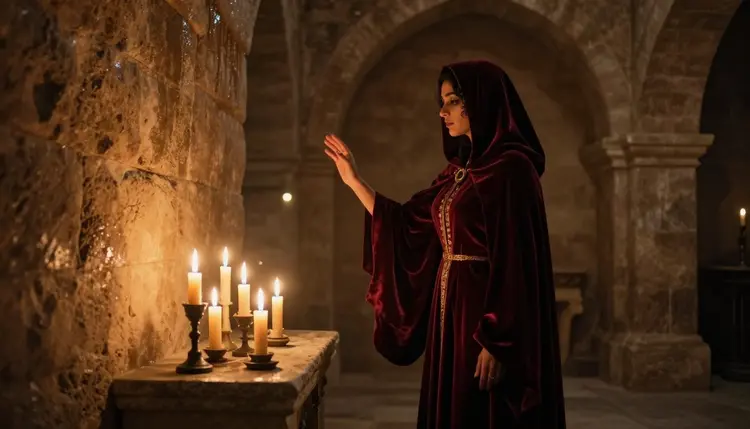
Fantasy illustration leans on atmosphere as much as costume. The recipe here is "stone chamber, candlelight, red hooded cloak, warm rim light," read by Recraft V4.1 Pro as a full scene rather than a list of props, so the flicker and the shadow carry as much weight as the fabric.
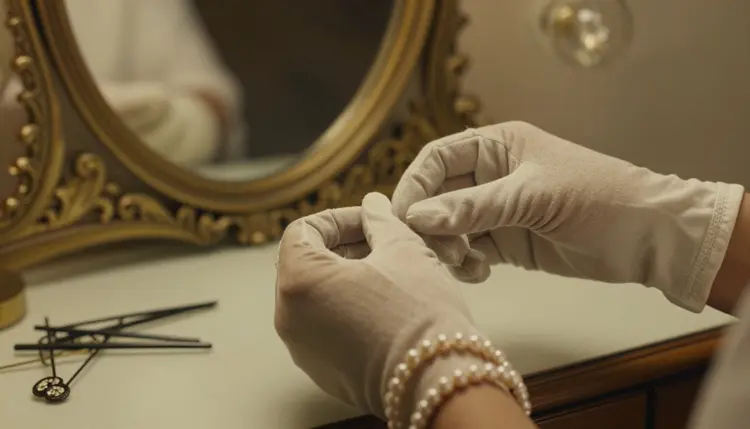
A tight, detail-first crop is its own style choice. "Vintage vanity mirror, pearl bracelet, gloved hands, soft window light" keeps the frame small on purpose, which is a recipe Recraft V4.1 Pro handles cleanly since there is no full figure or complex pose to hold together.
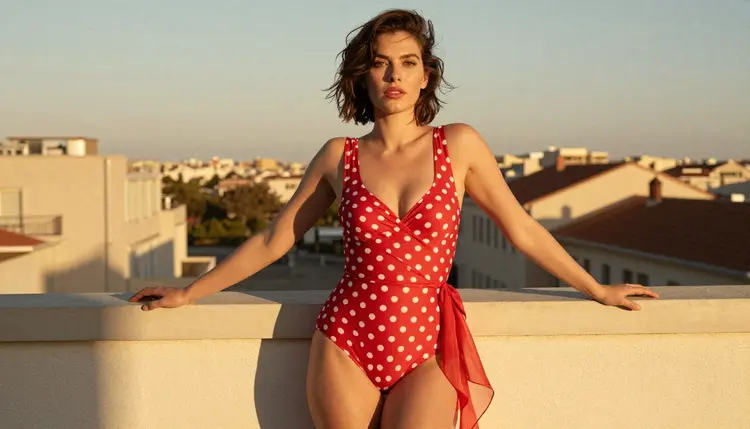
Pin-up style is built on a specific color and pattern language: "1950s pin-up print, red polka-dot swimsuit, rooftop at sunset, warm backlight." Naming the pattern by name, polka-dot rather than just patterned, is what keeps the print consistent across a batch.
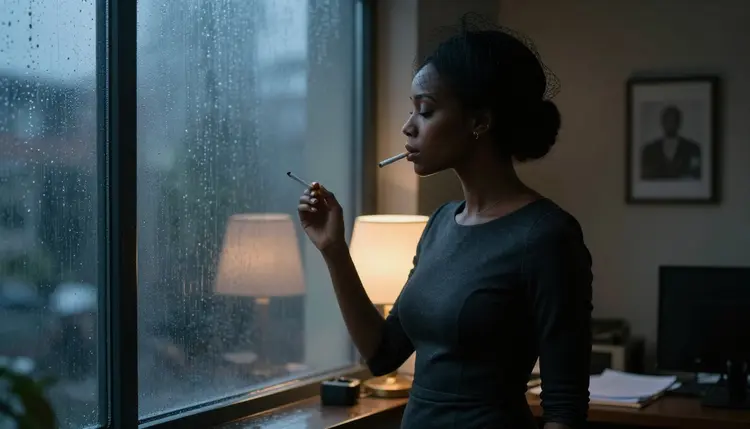
Noir style runs on contrast and weather. "Film noir still, rain-streaked window, venetian blind shadow, high contrast, cigarette smoke" gives a photoreal engine like Seedream 4.5 a full lighting setup instead of a single mood word.
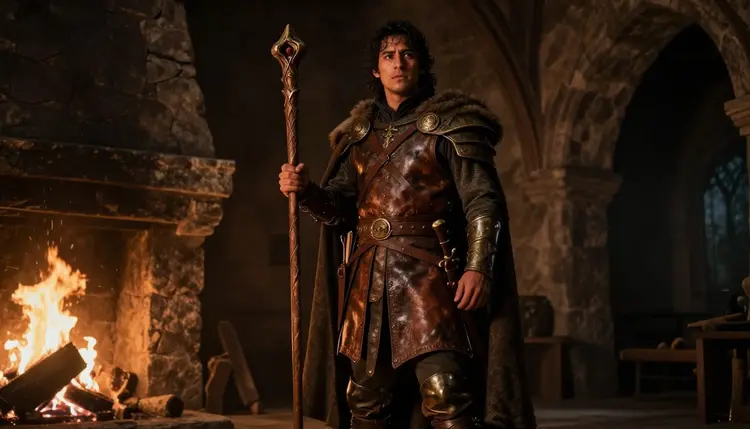
Fantasy style works for a male figure with the same anchors as the first example: "leather armor, carved staff, stone fireplace, firelight." Consistency of setting is what ties a series together, so reusing the same lighting anchor across several fantasy pieces keeps them feeling like one world.
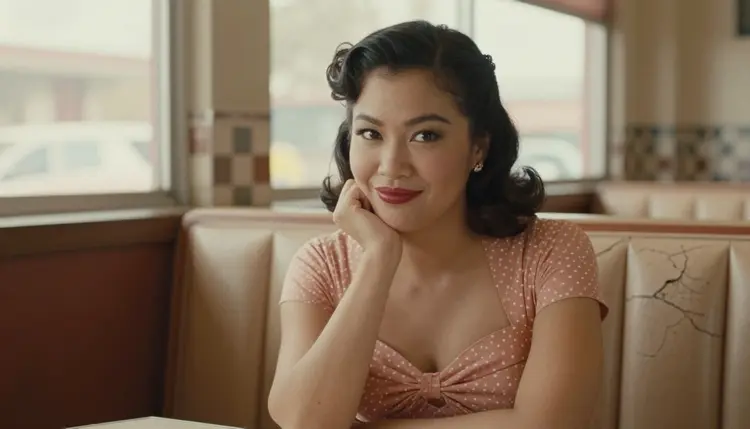
A lighter, playful register still counts as a style choice. "Retro diner booth, pink polka-dot dress, checkered floor, warm neon glow" reads as flirty rather than moody, and the recipe changes almost entirely by swapping the color pairing and the location.
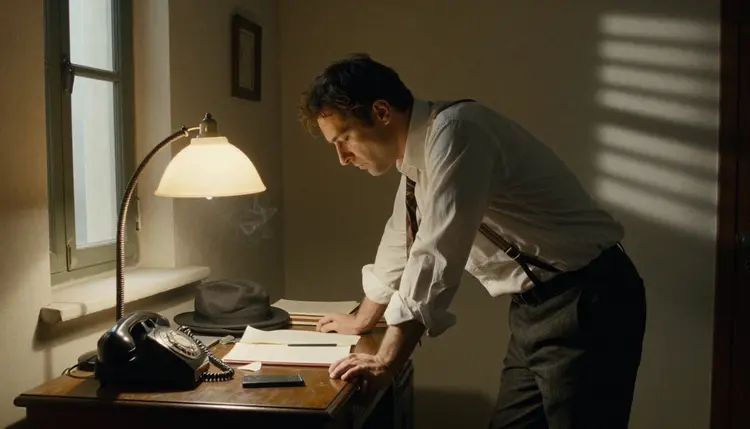
The noir anchors from earlier carry over to a male subject without changing: "lamplit desk, loosened tie, venetian blind shadow, low warm light." Reusing the same three anchors across two different figures is the fastest way to confirm a style recipe actually works.
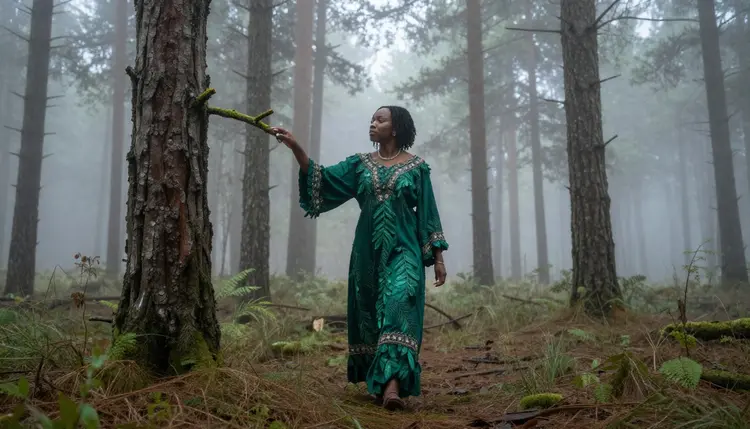
Moving fantasy outdoors changes the lighting anchor from firelight to fog: "emerald gown, misty pine forest, diffused morning light." Qwen Image 2 holds up well here since the gown, the mist, and the tree line all need to stay consistent in one frame.
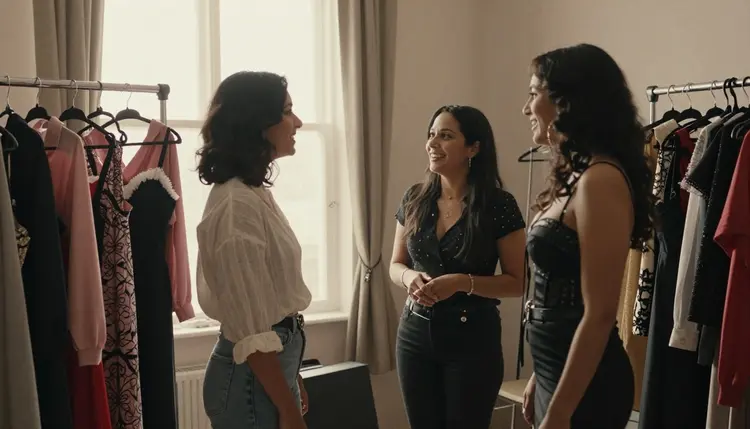
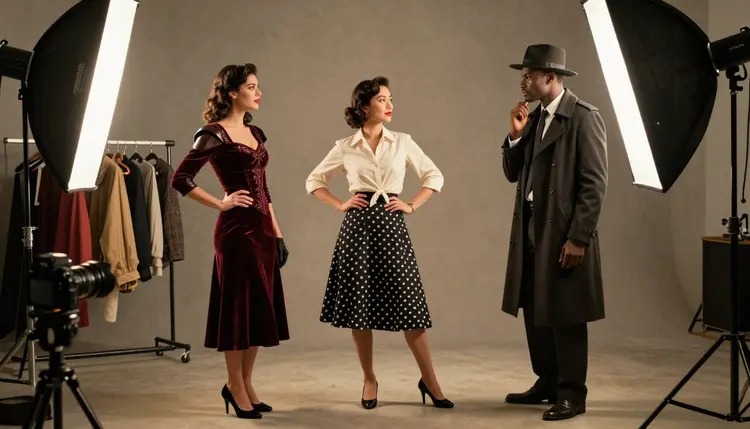
A dressing room scene is a useful way to compare styles side by side in one image: "sunlit dressing room, three costumes, fantasy cloak, pin-up dress, noir coat." Qwen Image 2 is the right choice whenever a single frame needs to keep several distinct looks readable at once.
A style choice never changes who is allowed to appear in it. Picasso IA is an 18+ platform, and every figure across the recipes above is a fictional adult, drawn from a text prompt rather than based on any real person. No real likeness without explicit consent, no public figures, and nothing resembling a minor in any costume, era, or art style, since a period setting or a drawn look does not change the rule.
Style also does not need to be paired with explicit description to work. A candlelit cloak, a rain-streaked window, and a polka-dot pattern do most of the work in every recipe above; a suggestive framing reads as intentional rather than as a wording trick to slip past a filter.
Generations stay private by default. What gets created on Picasso IA is not published or shared anywhere unless the account holder chooses to do that themselves, and that default does not change based on which model or style produced the piece.
Which uncensored model works best for a specific style?
Recraft V4.1 Pro is the strongest starting point for anything drawn: comic ink, flat poster color, or a painterly fantasy look. Switch to Seedream 4.5 when the style should read as a photograph instead, film grain and camera-era lighting included, or to Qwen Image 2 when several styled elements need to stay consistent in one frame.
How many models on Picasso IA actually run with no content filter?
Six, out of the full catalog: Seedream 4.5, Qwen Image 2, Recraft V4.1 Pro, Picasso Image Editor Pro, Picasso Video, and LTX 2.3 Pro. Every other model, including several familiar names, is tuned for a broad audience and can refuse a suggestive prompt regardless of how it is styled.
What should I write first in a style-focused prompt?
Open with the style itself rather than the subject. Naming the visual language first, fantasy illustration, film noir, vintage pin-up print, sets the line, color, and lighting rules the rest of the prompt then fills in, and it produces a far more consistent result than adding style words at the end.
Can the same style anchors work across different figures?
Yes, and reusing them is the fastest way to confirm a recipe actually works. The noir anchors in this guide, lamplit desk, venetian blind shadow, loosened tie or dress, produce a consistent look whether the figure is a man or a woman, since the anchors describe the scene rather than the person in it.
Does Nano Banana or another well-known model generate this kind of styled adult art?
Nano Banana is not on the confirmed list, and like most models built for a general audience it applies a safety layer that can flag a suggestive prompt regardless of the style around it. The same applies to Sora, Veo, Kling, GPT Image 1, and DALL-E 3; none are confirmed filter-free.
Is it safe to try newer models like Seedance 2.5 for this kind of prompt?
It is worth trying, but this page makes no filter claim about it. Seedance 2.5, along with newer Seedream releases, remains untested for adult prompts on this catalog, so a refusal or an inconsistent result is possible; the six confirmed models above are the reliable starting point.
Can a styled image be turned into a video in the same look?
Yes. Picasso Video and LTX 2.3 Pro are both confirmed filter-free and both generate video, so a fantasy or noir illustration built with the steps above can move into either one and come out as a short clip carrying the same style anchors.
What happens if a style-heavy prompt gets refused?
A Content Not Supported by This Model message replaces the image, and the app suggests switching to one of the six confirmed models, carrying the original prompt over rather than losing it. Switching models is the right move, not rewording the style description to try to slip past the filter that just refused it.
Who is allowed to appear in a specific-style NSFW piece on Picasso IA?
Only fictional adults, eighteen or older, generated from a text prompt. No real person's likeness without explicit consent, no public figures, and nothing resembling a minor, regardless of the era, costume, or art style the piece is drawn in.
Why do some style details, like lace gloves or armor plating, come out wrong?
Fine detail like lace, jewelry, or layered armor is genuinely hard for any image model to render cleanly, filtered or not; removing a content filter changes what a model will attempt, not how well it draws complex texture. A simpler first pass, then a follow-up through Picasso Image Editor Pro naming the exact detail to fix, solves it faster than rewriting the whole prompt.
Recraft V4.1 Pro and the rest of the confirmed catalog are already sitting in the toolkit. Pick a style, write the anchors first, and run the first prompt on the free credits that come with a new account.