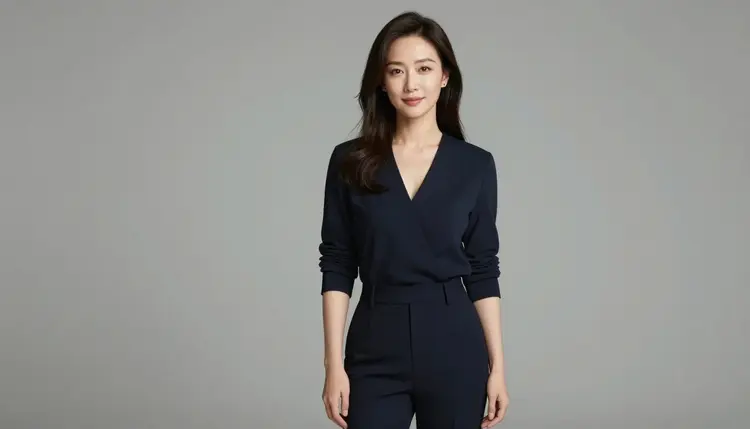
Most AI edits fail for one simple reason: the tool regenerates the whole picture when you only wanted to change one thing. Inpainting fixes that. Instead of asking a model to imagine a whole new scene, you point at a single area of an image you already have, a hand, a piece of clothing, a background object, and describe only what should replace it. Everything else in the picture stays exactly as it was.
For adult content, this matters even more. Most image editors on the market apply a content filter that blocks the request outright the moment it detects adult intent, even for a small, targeted edit on a fictional character. Picasso Image Editor Pro is one of a small number of models in Picasso IA's catalog of 488 models that is confirmed to generate NSFW content without that filter getting in the way, so a targeted adult edit goes through instead of bouncing back with a refusal.
This page walks through what the editor actually does, the five steps to inpaint an image correctly, how to word an edit instruction so the model understands exactly what to change, and the rules that apply to every edit made in the toolkit.
Picasso Image Editor Pro is an editing model, not a generation model. The difference is the starting point: a text-to-image model starts from nothing and builds a picture out of a prompt, while an editing model starts from a picture you upload and changes one part of it based on a plain instruction.
In practice that means two things. First, you always begin with an existing image, something you generated earlier in Picasso IA, a render from another tool, or a photo you own the rights to use. Second, you tell the model what to change in ordinary language, not in code and not through a brush tool with a hundred settings. You can either describe the area in words, the jacket, the object in her left hand, the wall behind the couch, or mark the region directly, and the model treats everything outside that region as fixed.
This is what makes it useful for adult edits specifically. You are rarely trying to remake an entire image; you are trying to adjust one element, a pose detail, an item of clothing, a prop, while keeping the character, the lighting, and the composition you already liked. Because the model only touches the area you name, the rest of the picture, including the face and the overall scene, comes back untouched.
It is worth being direct about the wider picture too. Out of the 488 models in the catalog, only six are confirmed to handle adult prompts without a safety filter: Seedream 4.5, Qwen Image 2, Recraft V4.1 Pro, Picasso Image Editor Pro, Picasso Video, and LTX 2.3 Pro. Every other model in the catalog may still apply its own filter, and a flagged adult prompt on one of those will come back as a "Content Not Supported by This Model" message rather than an image. When that happens, the app carries your prompt over and suggests switching to one of the six models above instead of asking you to reword or disguise the request.
- Open the image in the editor. Upload the picture you want to change, or pull in one you already generated in Picasso IA, and open it in the toolkit with Picasso Image Editor Pro selected.
- Name or mark the exact area to change. Point to the specific part of the image, a hand, a garment, an object in the background, either by describing it in words or marking the region, so the model knows what is in scope and what is not.
- Write one instruction for the replacement only. Describe what should appear in that area instead, in a single clear sentence. Leave out anything about the rest of the image, since the parts you did not mention are left alone by default.
- Run the edit and check the result. Generate the edit and compare it against the original. Confirm the changed area matches your instruction and that the untouched parts, especially the face and background, are still intact.
- Refine or repeat if needed. If the result is close but not quite right, run the same edit again with a small wording change, or inpaint a second area the same way. Each pass targets one region, so you can layer several small edits into one finished image.
The single biggest improvement you can make is narrowing the instruction. "Change her outfit to something else" gives the model too much room to guess. "Replace the jacket with a plain black tank top, keep everything else the same" gives it one clear job. The more specific the area and the replacement, the closer the first result lands to what you had in mind.
Keep the rest of the sentence empty of extra requests. If you want to change a hand pose and also darken the lighting, that is two edits, not one. Running them as separate passes, one region at a time, gives the model a cleaner task each time and makes it far easier to tell which change caused which result.
Match the description to what is actually in the frame. If the model cannot tell what "the object" refers to because there are two candidates in the shot, name it more precisely, the object in her right hand instead of just the object. Vague references are the most common reason an edit lands on the wrong spot.
Start from a clean base image. Inpainting works best on a source picture that is already sharp and well composed, since the edited region needs to blend into the lighting and detail level of everything around it. If the original image is blurry or low resolution, the edited area will inherit that quality.
Finally, treat a failed edit as a wording problem, not a dead end. If the first attempt changes too much or too little, tighten the instruction and run it again rather than starting over with a new image.
Every adult edit made with Picasso Image Editor Pro, or any other model in Picasso IA, must depict fictional, adult characters only. That rule has no exceptions. Do not upload or edit an image of a real person to add adult content, whether that person is a public figure, a private individual, or someone you know. Do not attempt to depict anyone who resembles a minor, in any context, under any wording. These limits apply to the source image you upload as much as they apply to the instruction you type.
Picasso Image Editor Pro being filter-free for adult prompts is not the same as being unrestricted. It means the model does not block a targeted, fictional adult edit the way a general-purpose filter would. It does not mean the platform's rules on real people or minors are relaxed in any way. Content that violates those rules is not permitted regardless of which model produced it.
If you are unsure whether a source image is appropriate to edit, the safest approach is to only work with images you generated yourself of clearly fictional characters, or images you have full rights to edit and that meet the same standard.
Picasso IA gives new accounts free credits to try image editing, including inpainting with Picasso Image Editor Pro, before spending anything. Exact plan details, credit amounts, and current rates are kept on the pricing page rather than repeated here, since that is the source that stays current.
In general, an inpainting edit costs less than generating a brand new image from scratch, because the model is only working on one region instead of building an entire scene. If you plan to make several small edits to the same image, doing them one region at a time, as described in the steps above, is usually the more economical path compared to regenerating the whole picture every time you want a change. Check pricing for current credit costs and available plans before you start.
What does inpainting mean in Picasso IA?
Inpainting means editing one specific part of an existing image while leaving the rest untouched. You name or mark the area you want to change and describe only the replacement, and the model applies that change to just that region instead of regenerating the whole picture.
Which model should I use to inpaint a NSFW image?
Picasso Image Editor Pro is the model built for this, and it is one of the six models in the catalog confirmed to handle adult edits without a content filter blocking the request. You can open it directly from the toolkit.
Do I need to upload my own image first?
Yes. Inpainting always starts from an existing image, whether that is something you generated earlier in Picasso IA or a picture you own the rights to edit. There is no inpainting without a starting image, since the model is changing part of a picture that already exists rather than creating one from nothing.
Can I edit a photo of a real person?
No. Adult edits are limited to fictional, adult characters only. Uploading a real person's photo, whether a public figure or someone you know, to add adult content is not permitted under any circumstances.
Why did another model refuse my edit request?
Most models in the catalog apply a content filter that blocks a flagged adult prompt outright, returning a "Content Not Supported by This Model" message instead of an image. That is expected behavior for models that are not confirmed filter-free. Switching to one of the six confirmed models, including Picasso Image Editor Pro for edits, carries your prompt over so nothing is lost.
What happens to the rest of the image when I inpaint one area?
Everything outside the area you named or marked is left as it was. The model treats your instruction as scoped to that one region, so the face, the background, and every other detail you did not mention should come back unchanged.
How specific should my edit instruction be?
As specific as possible. Name the exact area, such as the jacket or the object in her left hand, and describe only the replacement in one sentence. A narrow, single purpose instruction produces a more predictable result than a broad request covering several changes at once.
Can I make more than one edit to the same image?
Yes. Since each inpainting pass targets one region, you can run several edits on the same image one after another, refining a different area each time, and build up the final result in layers rather than in a single pass.
Is Picasso Image Editor Pro only for NSFW edits?
No. It is a general purpose image editing model that handles any targeted edit, adult or otherwise. Its relevance here is that it is confirmed to also handle adult edits without a content filter blocking the request, unlike most other models in the catalog.
Where can I check current pricing and free credits?
The pricing page has current plan details and credit amounts. New accounts receive free credits that can be used to try inpainting with Picasso Image Editor Pro before committing to a paid plan.