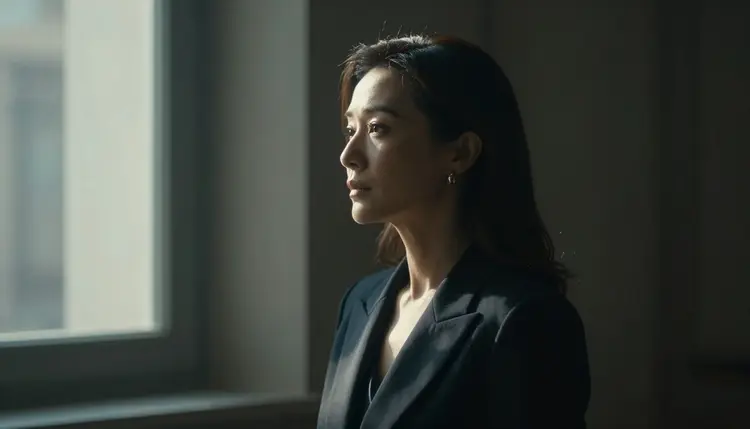
Luma Ray built its reputation on cinematic video generation, the kind of fluid camera moves, realistic lighting and coherent motion that made it a standard reference point for AI video quality. Picasso IA offers Luma Ray in the toolkit as one of dozens of text to video models, and it's worth trying if you value that visual polish.
What isn't settled is how Luma Ray behaves the moment a prompt turns explicit. We haven't run an exhaustive audit of every adult scenario against Luma Ray's content pipeline, and Luma hasn't published a policy that would let us state a definitive answer either way. So this page won't tell you that Luma Ray blocks adult content, and it won't tell you that it doesn't. What it will do is walk you through what actually happens on Picasso IA when you push a mature prompt through Luma Ray, why that outcome can vary from one prompt to the next, and which two video models on the platform are confirmed to generate NSFW content without a safety filter, so you always have a working fallback.
If you're here because you want a video model that reliably renders adult content, skip ahead to the confirmed picks below. If you want to actually test Luma Ray's cinematic strengths on a mature scene and see for yourself, keep reading.
None of this is unique to Luma Ray. Picasso IA runs 488 models across text to image, image to video, text to video, 3D generation and more, and each one arrives on the platform with its own moderation behavior already built in by the model's creator. Some are permissive with adult prompts, some are strict, and a handful sit somewhere in between depending on exactly how a scene is described. Luma Ray falls into that middle, undocumented territory for adult prompts specifically, even though its non adult output has been reliable and widely used for everything from product shots to short film experiments.
Most hosted video and image models ship with some form of content moderation built into the model itself, not bolted on afterward by Picasso IA. That moderation usually runs as a classifier on the prompt, the output, or both, and it can be tuned differently model to model, even version to version within the same model family. A prompt that renders fine on one model can get flagged on another, and the same prompt can produce different results on the same model depending on wording, framing, or context words that nudge the classifier one way or the other.
When a model's built in filter catches a prompt it considers unsafe, Picasso IA surfaces a "Content Not Supported by This Model" message instead of a generation. That's the model's own pipeline declining the request, not a Picasso IA policy layer sitting on top of it. When that message appears, the app recommends switching to one of the six models confirmed to handle adult content without a filter, and it carries your prompt over automatically so you don't have to retype anything.
Two things worth being direct about. First, this page isn't going to suggest rewording or disguising a prompt to try to slip past a filter. That's a losing game against classifiers that get retrained and updated, and it wastes credits on partial or corrupted outputs. Second, a refusal from one model says nothing about the platform as a whole. Picasso IA carries the full catalog precisely because different models have different strengths and different limits, and the fix for a filtered prompt is almost always switching models, not fighting the one you started with.
Video models in general also tend to have more moving parts to moderate than a still image, since a classifier may look at individual frames, overall motion, or both, which is one reason video filters can feel less predictable than image filters even when they're built on similar underlying logic. That's part of why this page treats Luma Ray's adult behavior as an open question rather than a settled fact, and why testing a specific prompt directly beats reasoning about it in the abstract.
Here's the practical path if you want to test Luma Ray on a mature scene and have a fallback ready the moment it's needed.
- Open Luma Ray in the toolkit. Head to the toolkit, select text to video, and pick Luma Ray from the model list.
- Write a clear, specific prompt. Describe the scene, the framing, the motion, and the fictional character in plain language, the same way you would for any cinematic shot.
- Generate and watch for the refusal message. If Luma Ray's filter catches the prompt, you'll see "Content Not Supported by This Model" instead of a video.
- Switch to a confirmed model with one tap. When that message shows, Picasso IA offers the confirmed uncensored models directly and carries your prompt over automatically.
- Re-run on Picasso Video or LTX 2.3 Pro. Generate again without retyping anything, and compare the result against what you were expecting from Luma Ray.
None of this costs you much beyond a couple of taps, and it means a single filtered attempt never turns into a dead end.
These are the two text to video models on Picasso IA confirmed to generate NSFW content directly, without a safety filter standing between your prompt and the output.
Picasso Video is built for exactly this use case on the platform, generating adult scenes from a text prompt without the refusal step you'd risk on a filtered model. It's the one to reach for when the scene itself, not the camera work, is what matters most.
LTX 2.3 Pro is the second confirmed pick, and it's worth trying if you want a closer match to the kind of cinematic motion Luma Ray is known for. The LTX line has generally leaned toward smoother camera behavior and motion coherence than a lot of competing video models.
Both models sit in the toolkit right next to Luma Ray, so switching between them costs a couple of clicks, not a new workflow. If your priority is a guaranteed adult result, start with one of these two rather than testing Luma Ray first. If cinematic quality matters more to you and you're willing to try Luma Ray and fall back if needed, the five step path above covers you either way.
It's also worth noting that these two aren't the only confirmed models on Picasso IA, just the two confirmed for video specifically. For adult image generation, Seedream 4.5, Qwen Image 2, Recraft V4.1 Pro and Picasso Image Editor Pro round out the six models confirmed to generate NSFW content without a filter. If a project needs stills as well as motion, those four are the ones to reach for.
Every model on Picasso IA, confirmed uncensored or not, is restricted to adults only and fictional characters only. That means no real person's likeness, no public figure, and nothing depicting or resembling a minor, under any circumstance. This applies whether you're prompting Luma Ray, Picasso Video, LTX 2.3 Pro, or any of the other 488 models on the platform.
These aren't soft suggestions you can talk your way around with clever phrasing. They're hard limits built into how the platform is meant to be used, and they hold regardless of which model happens to carry a content filter or not. A model being confirmed to generate NSFW content without a safety filter changes what kind of scene it will render. It doesn't change who or what is allowed to appear in it.
If you're generating original characters, invented scenarios, or fictional scenes for creative work, that's exactly what these models exist for. Keep it fictional, keep it adult, and the rest of this page applies to you.
This holds true even when a model's filter would technically allow a prompt through. Passing a content filter is not the same thing as the prompt being allowed under Picasso IA's own rules, and the fictional characters only, adults only standard applies independently of whatever a given model's classifier happens to catch or miss. Treat the filter as a technical detail of each model, and treat these rules as the actual boundary of what's acceptable to generate.
Picasso IA gives new accounts free credits to try models, Luma Ray and the confirmed uncensored picks included, before you commit to a plan. Costs vary by model since video generation pricing depends on factors like resolution and clip duration, so rather than quote a number that could go stale, check pricing for current plans and per model costs.
Worth knowing before you spend credits on a mature prompt: if Luma Ray's filter catches it, that attempt doesn't produce a usable video, so it's often more efficient to start with a confirmed model when the scene is explicit and you want a guaranteed result on the first try. Save the exploratory Luma Ray attempts for scenes where you're genuinely curious how it handles the material.
There's no separate NSFW pricing tier. Luma Ray, Picasso Video and LTX 2.3 Pro are billed the same way as every other model, through the same credit balance and the same plans. Pricing covers the full breakdown by plan and by model.
Does Luma Ray generate NSFW content on Picasso IA?
It's not confirmed either way. Luma Ray isn't on the list of models confirmed to generate adult content without a filter, but that doesn't mean every mature prompt gets refused either. The only way to know for a specific prompt is to try it, and switch to a confirmed model if you see the "Content Not Supported by This Model" message.
What happens if Luma Ray refuses my prompt?
Picasso IA shows a "Content Not Supported by This Model" message and offers the confirmed uncensored models as a next step, carrying your prompt over automatically so you don't have to retype it. From there, generating again on Picasso Video or LTX 2.3 Pro takes one tap.
Which video models are confirmed to work without a filter?
Picasso Video and LTX 2.3 Pro are the two text to video models confirmed to generate NSFW content directly, without a safety filter. Both are available in the toolkit right alongside Luma Ray.
Can I reword my prompt to get past Luma Ray's filter?
That's not something this page recommends. Trying to disguise or reword a prompt to slip past a content filter is unreliable, wastes credits on partial results, and the filter itself can simply get updated. Switching to a confirmed model is the straightforward path when a prompt gets flagged.
Is Luma Ray still worth trying if I want adult content?
If cinematic quality and camera motion matter to you and you're comfortable trying it and switching if needed, yes. If you want a guaranteed result on the first attempt, start with Picasso Video or LTX 2.3 Pro instead and save Luma Ray for scenes where filtering isn't a concern.
Are real people or public figures allowed in any prompt?
No. Every model on Picasso IA, including the confirmed uncensored ones, is restricted to fictional characters only. Real people's likenesses and public figures are never permitted, regardless of which model you're using.
Does Picasso IA have an age or content policy for these models?
Yes. All adult content generation on the platform is restricted to adults only and fictional characters only, with nothing depicting or resembling a minor under any circumstance. This applies across every model, confirmed uncensored or not.
How much does it cost to generate a video with Luma Ray?
Video pricing depends on factors like resolution and clip duration and varies by model, so check pricing for current costs rather than relying on a fixed number here. New accounts also get free credits to test models before committing to a plan.
Why does the same prompt work on one model but not another?
Each model runs its own content moderation, tuned differently and sometimes updated independently of the others. A prompt that a confirmed model like Picasso Video handles without issue can still get flagged by a different model's filter, which is exactly why having a confirmed fallback matters.
Can I switch models without losing my prompt?
Yes. When a model refuses a prompt with the "Content Not Supported by This Model" message, Picasso IA carries the prompt over to the model you switch to, so you can regenerate immediately without retyping anything.