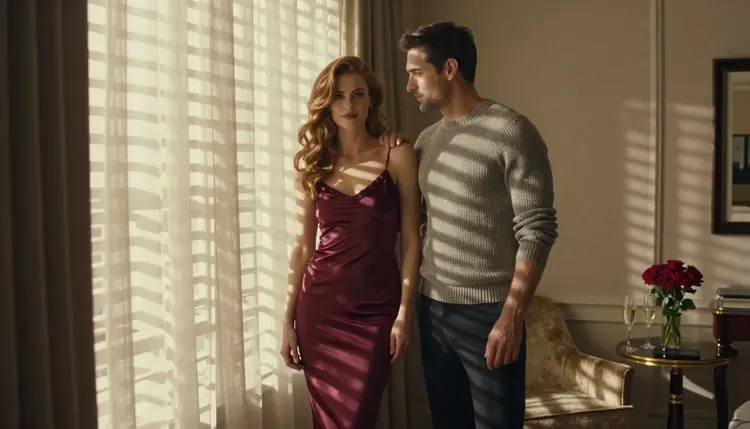
A couples card game lives or dies on its pictures. Each card asks two partners to try something: a slow dance in the kitchen, a compliment said out loud, a dare to pick the next date night. Flirty, warm and a little spicy, never crude. The art has to say that before anyone reads a word, and it has to look like one deck, not a pile of unrelated stock photos.
This page walks you through making that art with Picasso IA. You will plan a deck, write one clear description of the couple, generate a key picture, repeat it across the set and polish the result. Every character is a fictional adult, nothing is explicit, and the whole project stays private to your account unless you decide to take it somewhere yourself.

The project suits hobby designers who want a gift for an anniversary, small studios that sell printable games, and writers who already have the dares and need faces to go with them. You do not need a camera, models or a studio. You need a plan, a few well-built prompts and some patience with consistency.
Start with the deliverable, because it decides every other choice. A typical couples deck has a card back, a handful of category headers (Talk, Touch, Dare, Date) and a stack of illustrated fronts. Decide how many fronts you really need. A small deck with strong pictures beats a large one where half the cards repeat the same pose.
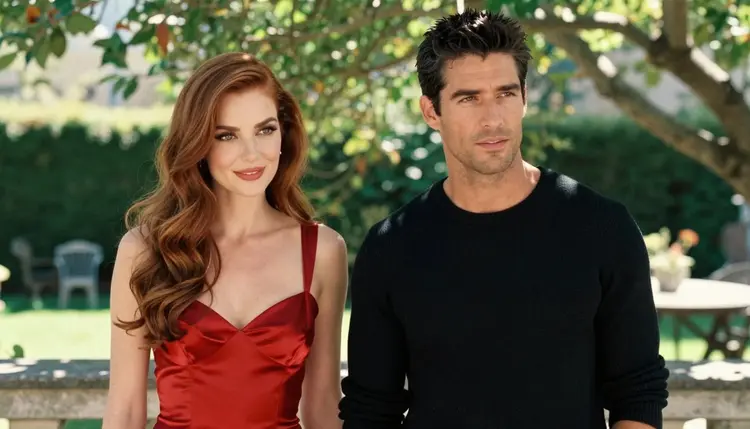
Then decide the format. Cards are usually portrait, but the images in this kind of project are easiest to build in landscape and crop afterwards, because a wide frame leaves room for the border, the title strip and the rules text. Leave an empty band at the top or bottom of each picture on purpose. Say so in the prompt: "clean negative space along the lower third". It is much easier to ask for that space than to repair a face that a text box has covered.
Consistency is the real requirement. Your deck needs the same two people on every card: the same woman, the same man, the same hair, the same style of wardrobe. Players notice drift immediately. The way you keep them steady is by copying one fixed description of each person into every prompt, word for word, and changing only the scene, the light and the camera. We come back to this in the planning section.
Finally, pick a mood and keep it. For a couples game that usually means warm light, satin and knitwear, a hand on a shoulder, a look across a room, a laugh. Chests covered, nothing graphic. That is what makes a deck safe to leave on a coffee table and still obviously made for adults.
Write down four things before you generate anything: the number of fronts, the crop ratio, the fixed description of the couple, and the list of scenes. With that sheet in hand the rest of the project is mostly copying and swapping.
Picasso IA keeps a short list of models it has tested with adult prompts, repeatedly, and watched generate instead of reject. Those are the ones called confirmed here. Confirmed is Picasso IA's own testing result, not a published setting of the model's maker, and it can change, so read what the app shows you at the time you generate. The table lists them with what each one does according to the catalog.
| Model | Best for | Format |
|---|
| Seedream 4.5 | Photoreal key pictures of the couple | Text to image, 4K |
| Recraft V4.1 Pro | Illustrated or designed card styles | Print-ready images, 2K |
| Picasso Image Editor Pro | Fixing and polishing an existing card | Photo editing, unlimited tag |
| LTX 2.3 Pro | A moving trailer or animated card | Video from text, 4K |
| Picasso IA Video | Turning a finished card into a short clip | Text or image to video, unlimited tag |
| Seedance 2.5 Lite | Short clips for a preview or a social post | Video, listed up to 10 seconds, unlimited tag |

For the card fronts themselves, Seedream 4.5 is the natural first choice. It makes 4K images from text, which gives you room to crop a portrait card out of a landscape frame without losing sharpness. It handles satin, skin light and fabric folds the way a photographer would, which suits a glamour couple.
Recraft V4.1 Pro is the one to try when you want the deck to look drawn or designed rather than photographed, for instance a retro pin-up style or a clean flat illustration. Its catalog title says print-ready and 2K, so it fits a deck you plan to send to a printer. Check the rules of the print service you use, because Picasso IA cannot promise what any printer accepts.
Picasso Image Editor Pro does the finishing: it changes an existing picture rather than inventing one. It carries the unlimited tag, so on the plans that include unlimited generation it does not spend credits. The video models matter only if you want a motion extra, such as an animated card back or a short teaser.
Other models in the full catalog are untested for adult prompts. They are worth a try if you want a different look, but they are not confirmed either way, so treat any result as an experiment. You can browse them on the full catalog page.
The sequence below is the shortest path from an idea to a set of matching cards. Work through it in order the first time, then reuse the same description for every future deck.
- Plan the set. List the card categories, how many fronts each needs and the scene for every one. Keep the wardrobe to two or three looks so the deck feels like one evening, not five.
- Write the couple description. Describe the woman and the man once, in a few lines, and save it. This block is pasted unchanged into every prompt from now on.
- Generate the key image. Open the toolkit, pick Seedream 4.5, paste the couple block and one scene, and generate. Keep the one picture that looks most like your deck.
- Build the rest of the set. Reuse the couple block, change only the scene, light and lens, and attach the key image as a reference when the model accepts several inputs. Repeat until every card has a front.
- Refine and export. Open each finished picture in Picasso Image Editor Pro to fix small flaws, then crop to your card ratio and save the files you will place in your layout.
Good prompts for this project read like a photographer's shot list. Name the wardrobe, the place, the light and the lens, then the one gesture that carries the card. For a "Compliment" card you might write: "a woman in a burgundy satin slip dress and a man in a charcoal knit sweater, standing close in a hotel suite, hard morning sun through blinds, his hand resting on her shoulder, 70mm lens, shallow depth of field, film grain". The wardrobe, light and lens change card by card. The couple block does not.
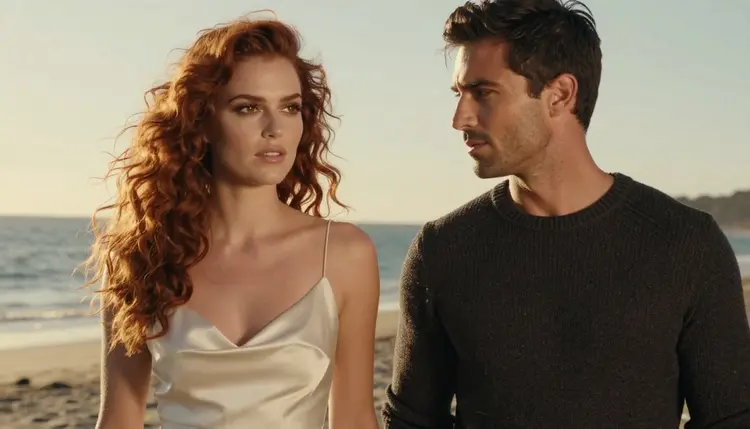
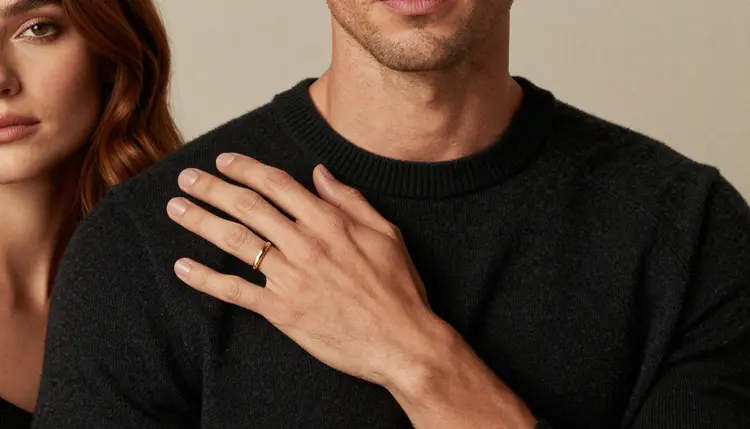
Vary the camera so the deck has rhythm. Use a wide environmental frame for cards that set a scene, an over-the-shoulder frame for a conversation card, a full-length standing frame for a dance card, and a tight cheek-to-cheek close-up for the most intimate cards. A profile against golden hour backlight works well for a card about a walk on the beach. A single hand resting on a sweater makes a clean card for a touch category, with only one hand in frame so the anatomy stays simple.
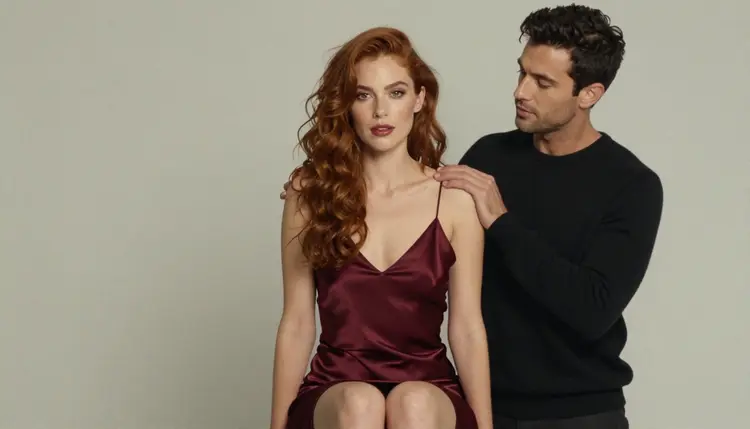
To keep the same two people across the whole deck, use three habits. First, paste the couple block verbatim and never paraphrase it. Second, keep a short list of fixed props such as a gold ring, a champagne glass, a satin robe, and reuse them. Third, when a generation drifts, do not regenerate from scratch: take the closest result into Picasso Image Editor Pro and ask for the specific fix, such as the hair colour or the sleeve. Where a model takes several inputs, the toolkit gives each attached image an @1 or @2 badge, and you can refer to it in the prompt. Picasso IA translates that reference to the syntax each model understands.
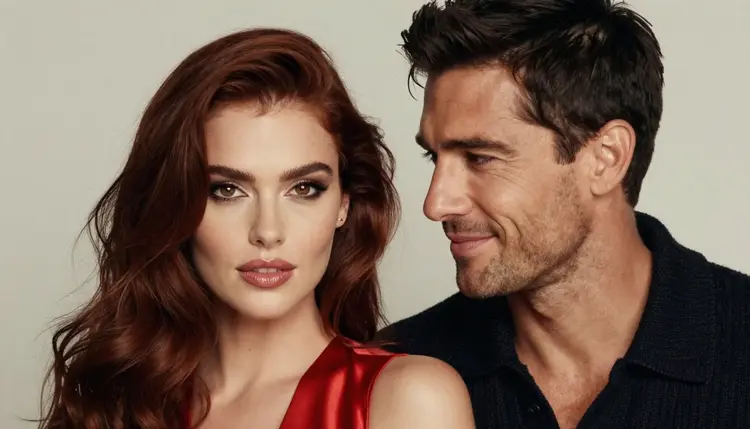
Write your negative space into the prompt too. A phrase such as "empty wall to the left, soft out-of-focus background" leaves room for a headline. For adult wording keep to what suggests rather than shows: lingerie, boudoir robes, bare shoulders, implied closeness. Prompts that stay on mood and wardrobe tend to give better pictures than prompts that stack adjectives.
If you want a trailer or an animated card back, move from stills to clips at the end. Picasso IA Video turns a finished picture into a short clip, and Seedance 2.5 Lite does short video listed up to 10 seconds. LTX 2.3 Pro makes 4K video from text when the clip needs more detail. Keep the motion small: a curtain moving, a glance, a smile. For more on style, see collectible card art, a ready prompt template for couples art and the Seedream 4.5 couples guide.
This is an 18+ project. Adults make it, adults play it, and the pictures are for adults. Do not use the pictures for any audience that could include minors, and do not post a deck where age checks are required but missing.
Every character in the deck is a fictional adult. Never base a card on a real or identifiable person, a celebrity, a former partner or a friend, and never create anyone who could read as a minor. If a generation produces someone who could read as a minor, discard it and rewrite the prompt with an older, clearly adult description.
Your work is private by default: what you generate is tied to your account and not published or shown to others. You choose whether to print, share or sell it. Before you publish, read the rules of wherever the deck will live, whether that is a print shop, a marketplace or a social site, because each one sets its own limits and they change. Picasso IA does not decide those rules for you. If a model refuses a prompt, the app shows a message titled "Content Not Supported by This Model", recommends models that accept adult prompts and carries your prompt over, so you do not retype it.

A new account can try a few generations for free on selected models: Picasso IA Image, Picasso Image Editor Pro, Picasso IA Video and Seedance 2.5 Lite. That is enough to test a couple block and a scene before you commit to a whole deck. Details on credits and plans live on the pricing page, and credits vary by model and by options such as resolution and duration.
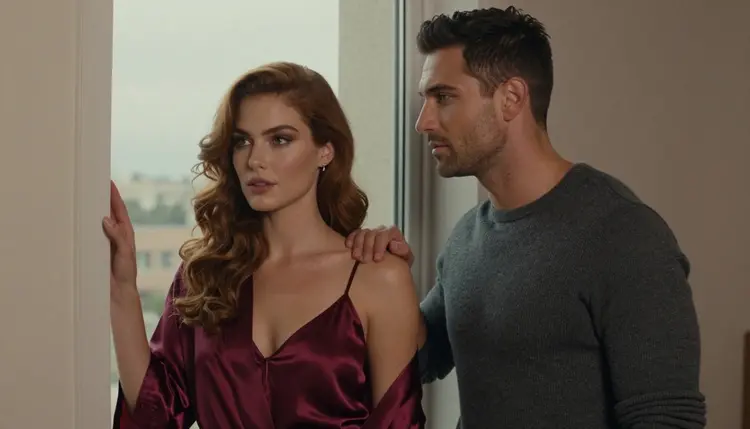
Models marked with the infinity tag do not spend credits on the plans that include unlimited generation, which is useful when you rework the same card many times. Seedream 4.5 and Recraft V4.1 Pro do not carry that tag, so plan your key images with some care and use the editor for the polishing passes.
If you want a different look, try other models from the full catalog. They are untested for adult prompts, so they may or may not accept your description, and nothing here says they are filtered or filter-free. Related reading for the same family of projects: couples art in general, retro game box art and art for game artists.
Can I really make a whole couples card game with Picasso IA?
You can make the art for it. Picasso IA produces the images and short clips, and you assemble the layout, rules text and printing yourself. A planned set of fronts, one card back and a title card is a realistic first project.
Which model should I start with for the card fronts?
Start with Seedream 4.5 for photoreal couples, or Recraft V4.1 Pro if you want an illustrated look. Both are confirmed in Picasso IA's own testing with adult prompts. Try the same scene in each and keep the one that fits your deck.
How do I keep the same man and woman on every card?
Write one fixed description of each person and paste it unchanged into every prompt. Change only the scene, light and lens. Reuse the same props, and fix drift in Picasso Image Editor Pro instead of regenerating from nothing. Attach a key image as a reference where the model allows it.
Does the content have to be explicit for a couples game?
No, and this page does not aim for it. The deck works better when the pictures suggest: satin, knitwear, a hand on a shoulder, a look. Everything stays provocative but never explicit, with chests covered and no graphic scenes.
Can I animate a card or make a trailer?
Yes. Picasso IA Video turns a still into a short clip, Seedance 2.5 Lite makes short videos listed up to 10 seconds, and LTX 2.3 Pro makes 4K video from text. Keep the movement slight so the faces stay stable.
What happens when a model refuses my prompt?
The app shows a message titled "Content Not Supported by This Model". It recommends models that accept adult prompts and carries your prompt over, so you do not retype anything. Rewrite toward wardrobe and mood, then try again with a confirmed model.
Are the people in the cards real?
No. Every character is a fictional adult. Never use a real or identifiable person, a celebrity or someone you know, and never create anyone who could read as a minor. If a result looks wrong for that rule, delete it and rewrite the prompt.
Is my deck private?
Generations are private by default: they are tied to your account and not published or shown to others. You decide what leaves your account. Before you share or sell the deck, check the current rules of the place where you publish it.
Can I print and sell the finished deck?
That depends on the print service or marketplace you choose, and Picasso IA cannot promise what any of them accepts. Read their current rules for adult material first. Recraft V4.1 Pro is listed as print-ready at 2K, which helps with layout.
Is there a free way to try it first?
A new account gets a small free trial on selected models. Open the toolkit, test one couple block and one scene, and look at the pricing page for how credits work. Plans and prices are listed there, not here.