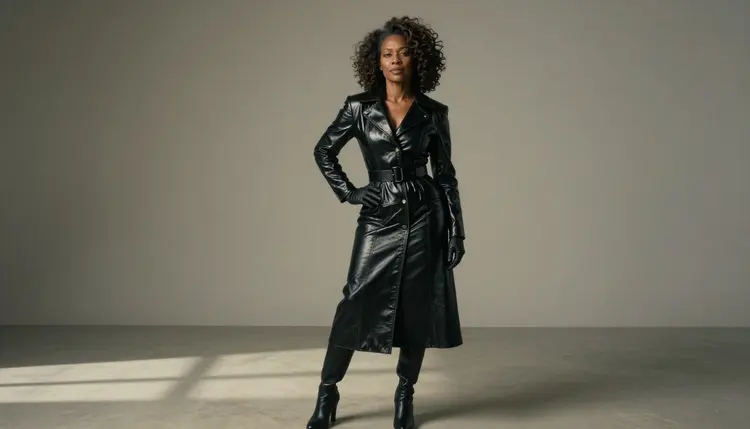
A 3D character render is the look of a polished game character: a glossy, structured outfit, sculpted hair, a studio rim light and a soft gradient backdrop with nothing else competing for attention. This page shows how to get that look from Seedream 4.5 on Picasso IA, with adult characters, confident wardrobe and prompts you can paste, change and run again.
Everything here stays provocative at most, never explicit. The characters are fictional adults, the styling comes from patent leather, corset jackets, gloves and metal buckles, and what you create is private to your account by default. If you would rather build a recurring cast, the NSFW original character generator covers that workflow, and the male character art page does the same for male leads.
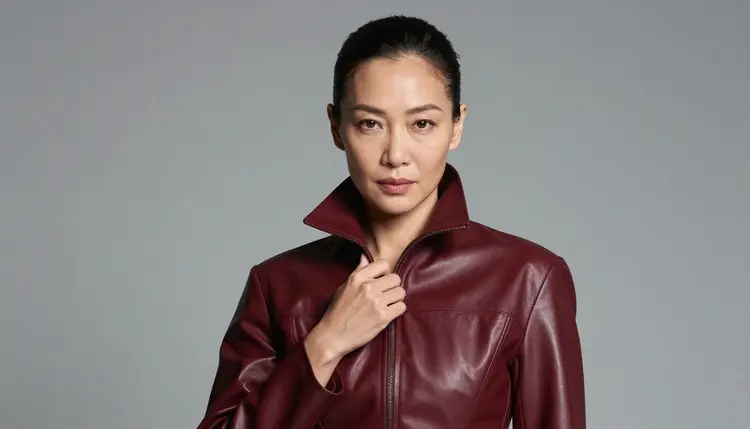
When people say a picture looks like a 3D render, they usually mean a handful of concrete things. The surfaces are clean and slightly too perfect. The materials have a clear sheen: patent leather, lacquered faux leather, polished metal. The silhouette is designed, with sculpted shoulders, a defined waist and a collar that holds its shape. The hair looks styled strand by strand rather than left to fall. And the backdrop is a smooth gradient, so the character stands out like a model on a turntable.
All of that can be written into a prompt without a single explicit word. The look lives in the wardrobe and the set, not in anything revealing. A structured bustier jacket in black patent leather, a high-waisted skirt, fitted gloves and a wide belt with a brushed metal buckle already say "game character" before you mention a render at all. Add a studio rim light that traces the hair and the shiny edges, and the picture reads as a finished character shot.
Seedream 4.5 is a text to image model that works at 4K, which matters here because the look depends on fine detail: the highlight rolling across a lapel, the stitching on a cuff, the curl pattern in sculpted hair. Picasso IA has also tested it against adult prompts repeatedly and watched it generate instead of reject, which is what the "confirmed" label means. That is the result of Picasso IA's own testing, not a published setting of the model's maker, and it can change. The confirmed models page explains the label in full.
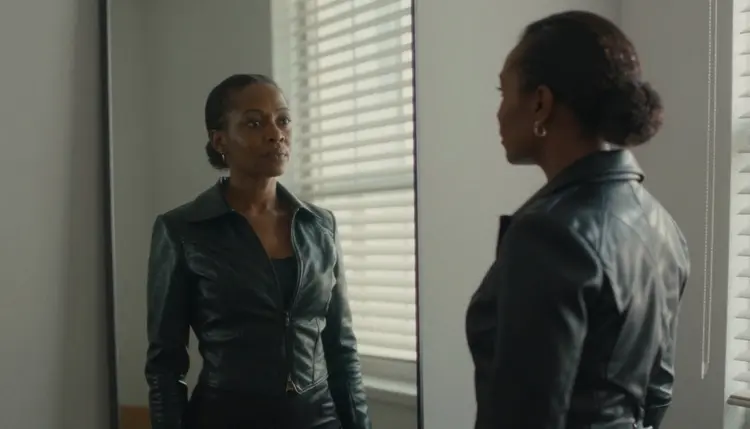
The realism of the finished frame is a choice you make in the prompt. If you ask for a photograph with film grain, you get a photographed character with real skin texture. If you ask for a smooth, stylized render, you get a cleaner surface with less pore detail. Both are valid readings of this look. Decide which one you want before you type, because mixing the two in one prompt tends to give a muddy middle.
Seedream 4.5 is the main model for this page, but it is not the only confirmed one. The table below lists the models that Picasso IA has confirmed for adult prompts, with what each is best for when you are building a 3D character render and what it produces. Every name links to its own page in the catalog.
| Model | Best for | Format |
|---|
| Seedream 4.5 | The main character frame: wardrobe, hair and rim light | Text to image, 4K |
| Recraft V4.1 Pro | A more illustrated or designed take on the same outfit | Print-ready images at 2K |
| Picasso Image Editor Pro | Fixing one detail on a render you already like | Edits an existing image |
| LTX 2.3 Pro | A slow turntable style clip of the character | 4K video from text |
| Picasso IA Video | Animating a finished render | Text or image to video |
| Seedance 2.5 Lite | A short loop of the character turning or smiling | Video, up to 10 seconds |
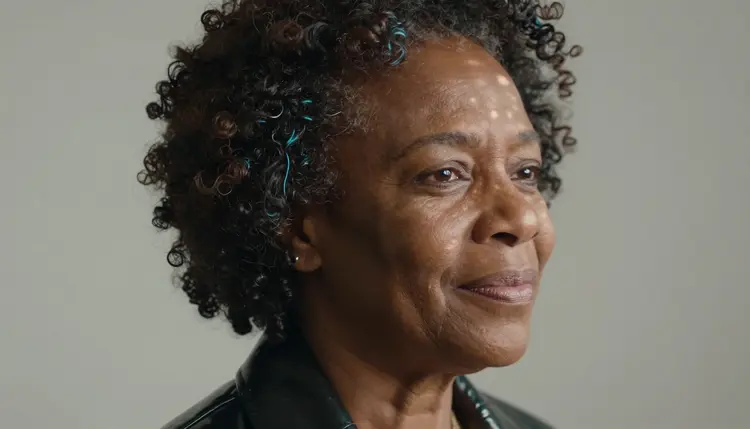
The rest of the catalog is untested. That means Picasso IA has not confirmed it either way, so it is worth a try but not a promise. Models such as Seedream 5, Qwen Image 2, Nano Banana and Flux are in that group. If you try one and it stops a prompt, nothing is lost: you can bring the same text back to Seedream 4.5. You can browse all of them in the full catalog.
The workflow is short. You pick the model, describe the character and the outfit, set the light, generate, and then refine. Each step below keeps the 3D character look in mind.
- Open the toolkit and pick Seedream 4.5. Go to the toolkit, choose text to image and select Seedream 4.5 from the model list. Nothing to install, it all runs in the browser.
- Describe the wardrobe and the set. Name the materials first (glossy black patent leather, structured corset jacket, metal buckle), then the character (a woman in her late thirties, sculpted curls) and the backdrop (soft grey to warm taupe gradient).
- Set the light and the mood. Write the rim light, the direction of the main light and the lens, for example "cool rim light outlining the hair, 85mm f/1.8, shallow depth of field". Add one line about the expression: calm, knowing, slightly amused.
- Generate and review. Look at the hands, the fabric folds, the buckle and the face before you do anything else. Those four places show a weak result first.
- Refine or switch. Use Picasso Image Editor Pro to change one detail, such as a glove or a collar, or move the same prompt to Recraft V4.1 Pro for a more designed finish.
If a model refuses your prompt, the app shows a message titled "Content Not Supported by This Model". It recommends models that accept adult prompts and carries your prompt over, so you do not retype anything.
These ideas are written as prose you can paste into the toolkit and adjust. Each names wardrobe, set, light and camera angle, because those four decide how close the result gets to a game character. Swap the details freely, but keep every character a clearly adult, fictional person.
Studio hero frame. A Black woman in her late thirties with natural curls sculpted into a shaped crown, in a glossy black patent leather bustier jacket with sculpted shoulders, a high-waisted matching skirt, fitted gloves and a wide belt. Soft grey to taupe gradient backdrop, dappled shade light with a cool rim on the hair, 85mm f/1.8, wide frame with a confident three-quarter pose.
Reflection in a tall mirror. A West African woman in her late thirties in a structured black leather bodice jacket and fitted trousers, seen both directly and in a tall studio mirror. Hard morning sun through window blinds throws stripes across the jacket, 35mm f/2. The stripes and the mirror give the render depth without any extra props.
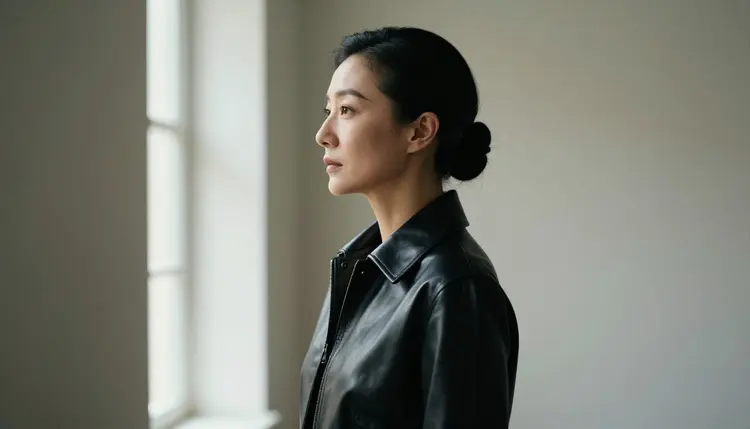
Profile silhouette. An East Asian woman in her early thirties with a sleek sculpted updo, in a high-neck black leather jacket, turned to the side in front of a bright window. Soft window light from the left, 24mm f/2.8. The outline of the collar and the hair carries the whole picture.
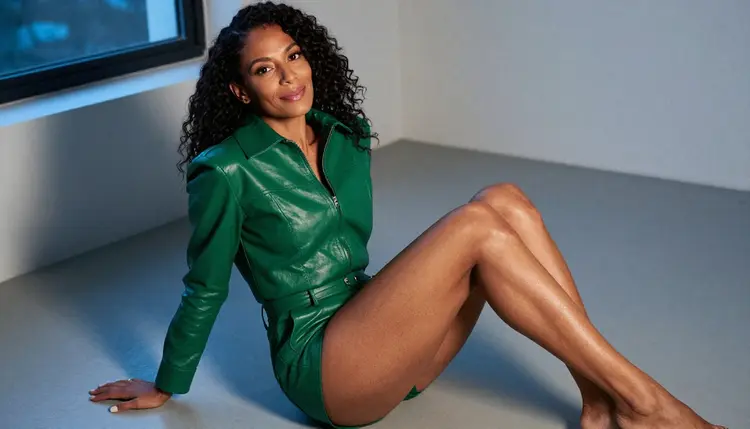
Overhead on the studio floor. An Afro-Latina woman in her mid thirties seated on a grey floor with her legs crossed to one side, in a glossy structured emerald faux leather jacket and matching trousers, looking up with a smile. Camera directly above, cool blue-hour light, 85mm f/1.8. The emerald against grey is a strong colour pair.
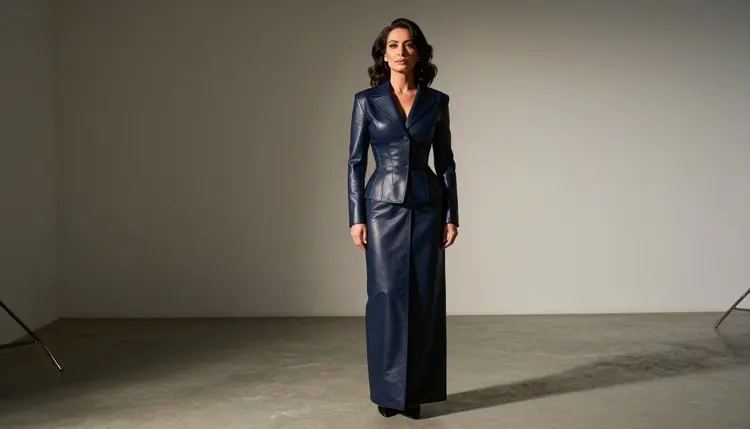
Wide environmental portrait. A Middle Eastern woman in her early thirties with sculpted dark waves, in a navy leather corset jacket over a long skirt, standing in a large empty photo studio with a gradient wall. Late-afternoon side light, 50mm f/1.4. The empty room makes the character feel like she was placed there by a designer.
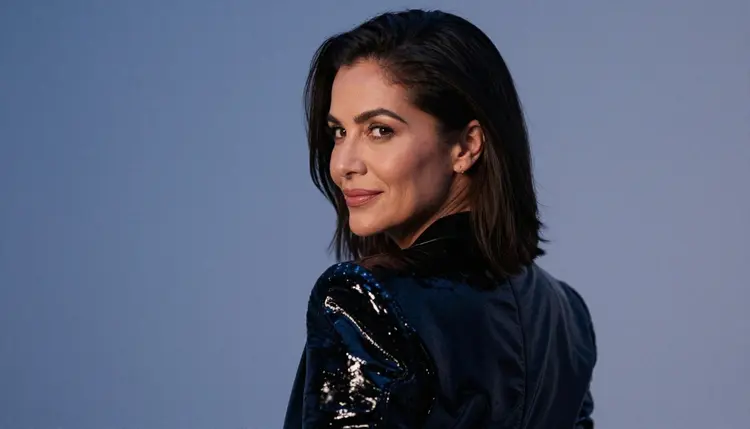
Over-the-shoulder glance. A Brazilian woman in her mid thirties in a black patent jacket with sculpted shoulders, head turned back with a soft smile. Cool blue-hour light, 85mm f/1.8. The shoulder line is the hero of this frame, so describe it in the prompt.
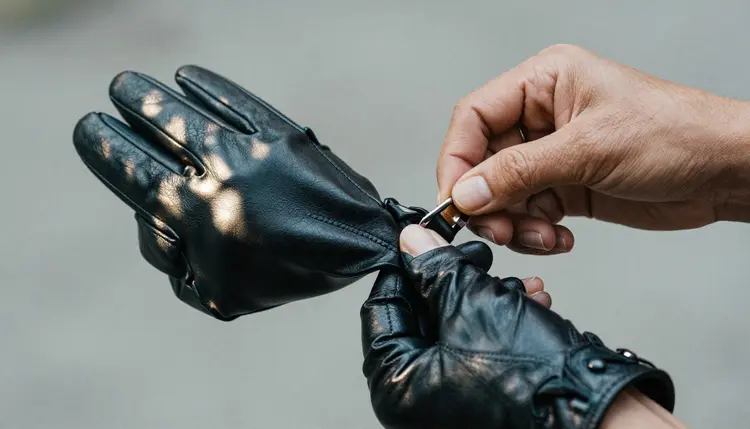
Detail of hands and metal. Close on the hands of a woman in her early thirties fastening a polished buckle on a glossy leather glove and cuff, dappled shade light, 35mm f/2. This is a good frame to cut between wider shots, and a quick way to test whether the model handles fine fastenings.
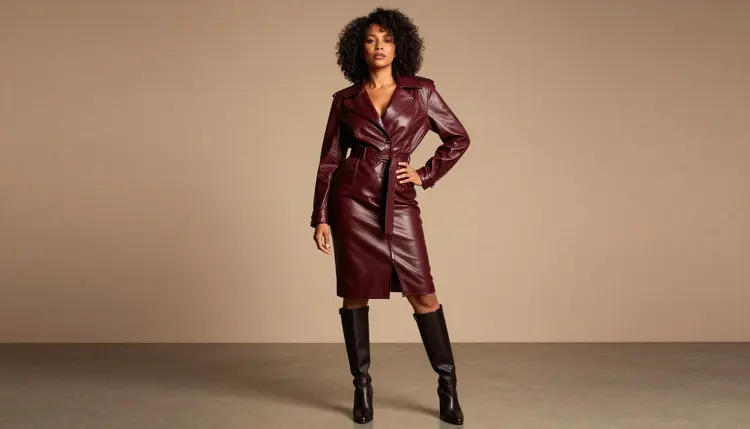
Low-angle full length. An Afro-Latina woman in her mid thirties in a burgundy leather jacket, long matching skirt and knee-high boots, one hand on her hip. Camera low, late-afternoon side light, 85mm f/1.8. The low angle makes the structured shoulders look built.
This section is short on purpose. Picasso IA is for adults only: you must be 18 or older to use it for this kind of content, and every prompt on this page assumes that.
Every character is a fictional adult. Do not use a real or identifiable person, and never describe anyone who could read as a minor. That means no school settings, no childlike features and no ages below the mid twenties. The prompt ideas above all name an age in the thirties for that reason.
What you generate is private by default. It is tied to your account and not published or shown to others. Keep it that way unless you decide otherwise, and keep the work within the law where you live.
A new account can try a few generations for free on selected models: Picasso IA Image, Picasso Image Editor Pro, Picasso IA Video and Seedance 2.5 Lite. It is a small free trial on selected models, not on the whole catalog. The pricing page explains how credits work, how they vary by model and by options such as resolution, and which models carry the infinity tag for unlimited generation on the plans that include it.
For a first test, a good path is to start with the editor and the free video models, then move to Seedream 4.5 once you know the character you want. Generate one still, edit a collar or a glove with Picasso Image Editor Pro, and animate the result with Picasso IA Video.
When you want to compare, try the same prompt on an untested model such as Seedream 5 or Qwen Image 2. They are worth a try, and you can always return to a confirmed model. For other looks, the NSFW waifu generator takes the same Seedream 4.5 flow toward anime styling, and the realistic portraits page pushes toward natural skin and light.
Which models are confirmed for this look?
Seedream 4.5, Recraft V4.1 Pro and Picasso Image Editor Pro for pictures, and LTX 2.3 Pro, Picasso IA Video and Seedance 2.5 Lite for video. Confirmed means Picasso IA tested adult prompts against that exact model repeatedly and watched it generate. The confirmed models page has the details.
Why use Seedream 4.5 for a 3D character render?
It is a text to image model that works at 4K, so fabric sheen, buckles and sculpted hair have room to show. It is also one of the confirmed models for adult prompts. You can read its catalog page for the full description.
How should I word the prompt?
Lead with the materials and the cut of the outfit, then the character, the backdrop, the light and the lens. Short, concrete phrases work better than a long list of adjectives. For example: glossy black patent leather bustier jacket, brushed metal buckle, soft grey gradient backdrop, cool rim light, 85mm f/1.8.
Can I put two characters in one scene?
Yes, describe each one separately with their own wardrobe and position, and say how they relate in the frame. For a scene built around a pair, see the couples art page, which covers that setup in more detail.
What happens when a model refuses a prompt?
The app shows a message titled "Content Not Supported by This Model". It recommends models that accept adult prompts and carries your prompt over, so you can run the same text again without retyping it. Seedream 4.5 is a good first choice to switch to.
Are the characters adults and fictional?
Yes, always. Every character is a fictional adult, never a real or identifiable person and never anyone who could read as a minor. Use that rule in your own prompts too, and give each character an age in the thirties or older to keep the result clear. Picasso IA is for people who are 18 or older.
Is what I create private?
By default, yes. Generations are tied to your account and are not published or shown to others. Nothing becomes public unless you decide to share it yourself somewhere else.
Can I turn a render into a video?
Yes. Take a finished still into Picasso IA Video, which does text or image to video, or write a text prompt for LTX 2.3 Pro, which makes 4K video from text. Seedance 2.5 Lite is a third option for a short clip of up to 10 seconds. A slow turn or a head glance suits this look well.
How do I fix one detail, such as a glove or a collar?
Open the image in Picasso Image Editor Pro, which edits an existing image, and describe only the change. Leave the rest of the character as it is. This is faster than regenerating from scratch and keeps the face and the pose that you liked.
Can I try this before paying?
Partly. A new account gets a small free trial on selected models, including Picasso IA Image, Picasso Image Editor Pro, Picasso IA Video and Seedance 2.5 Lite. Seedream 4.5 is not part of it. See the pricing page for how credits and plans work.