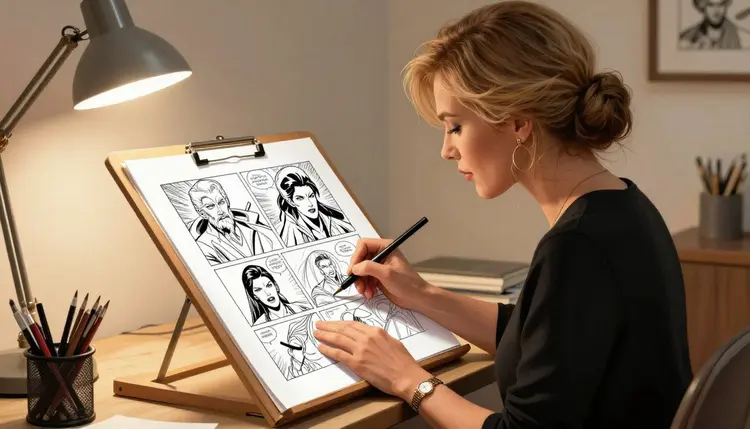
Making an adult comic or a mature graphic novel with AI is a different job than making one striking image. A single panel is easy. A finished chapter needs dozens of panels that hold together: the same character from three angles, a background that does not flicker between styles, a line art look that reads as comic art instead of a photograph with a costume on it. Most general purpose AI image models also apply a safety filter that blocks an adult prompt outright, which turns every panel with a mature scene into a wall before you have drawn a single line.
Picasso IA runs 488 AI models in one catalog, and only a small set of them are confirmed to generate or edit NSFW content directly, without a filter stepping in to block a fictional adult prompt. For comic work specifically, two of them do most of the job: Recraft V4.1 Pro for the panels themselves, because its illustration style, clean linework, flat color, graphic composition, reads as comic art instead of a stock photo, and Picasso Image Editor Pro for the pass after that, fixing a hand, a face, a background or an outfit on a panel that is almost right without redoing the whole thing.
This page covers both halves of that workflow: which models to reach for, how a page comes together panel by panel, and the rules that apply to every one of them. Everything here assumes adult, fictional characters. Never a real person's likeness, never a public figure, never anyone who could read as a minor, in any art style.
Webcomic creators, adult visual novel developers, and anyone building out a cast before commissioning a human artist for the finished chapter are the people this workflow fits best. A comic script rarely needs one perfect image, it needs a page of panels that all belong to the same story, generated fast enough to iterate on the ones that do not land the first time.
Picasso IA's catalog runs 488 models across image, video, 3D and more. Only six of them are confirmed to generate or edit NSFW content without a safety filter blocking a fictional adult prompt. Every other model in the catalog, however capable, is not confirmed filter free, and should not be assumed to handle an adult prompt the same way.
| Model | Type | Best for comic work |
|---|
| Recraft V4.1 Pro | Image | Panels themselves: ink linework, flat color, graphic composition |
| Picasso Image Editor Pro | Image editing | Fixing a hand, face, background or outfit on an existing panel |
| Seedream 4.5 | Image | A more photoreal or painted look, for a different comic style |
| Qwen Image 2 | Image | Dense prompts, crowded panels with a lot of background detail |
| Picasso Video | Video | Animating a finished panel into a short clip or trailer |
| LTX 2.3 Pro | Video | A second option for turning a still panel into motion |
Recraft V4.1 Pro is the one most comic pages lean on for the actual artwork, since it is built for illustration and design rather than photorealism. Picasso Image Editor Pro is the one almost every page ends up needing, since few panels come out perfect on the first try. The other four round out the toolkit: Seedream 4.5 and Qwen Image 2 for a different visual style or a busier scene, Picasso Video and LTX 2.3 Pro for the rare panel worth animating.
All six sit in the toolkit next to the rest of the full catalog, on the same account and the same credit balance.
- Open Recraft V4.1 Pro in the toolkit. Go to the toolkit and select it among the text-to-image models, or jump straight to its model page.
- Write a panel specific prompt. Name the characters, the pose, the setting and the art style, comic ink, cel shaded, flat color illustration, all in one prompt, the way you would write a panel description for an artist.
- Generate a first pass of panels. Run the prompt, check proportions and composition, and reuse the exact same character description word for word across every panel that character appears in.
- Send the rough panels to Picasso Image Editor Pro. Fix a hand, a face, a background or an outfit with a plain instruction, one change per pass, instead of regenerating the whole panel over a small flaw.
- Assemble the page and move on. Download the finished panels, lay out the page outside the model, and repeat the loop for the next page, or carry a standout panel into Picasso Video or LTX 2.3 Pro if it is worth animating.
Most NSFW AI tools are built around one image at a time: a prompt in, a picture out, done. A comic needs the opposite mindset, the same characters across dozens of panels, a consistent style from the first page to the last, and a way to fix a flawed panel without losing everything that was already right about it. That is the combination Recraft V4.1 Pro and Picasso Image Editor Pro cover between them.
Recraft V4.1 Pro's bias toward illustration over photorealism matters more here than it sounds. A model tuned for photoreal skin and lighting tends to produce adult content that reads like a stock photo with a costume swapped out, not comic art. Recraft V4.1 Pro's shading blocks, ink style outlines and confident color palettes read as an actual panel instead.
Consistency, not any single generation, is what makes a comic hold together, and it comes entirely from the prompt, not from the model remembering a face. Recraft V4.1 Pro has no memory between generations, so a recurring character stays recognizable only if the same physical description, hair, build, outfit, any distinguishing feature, gets repeated word for word in every panel's prompt. Loosening the description for variety is the most common way a character starts drifting halfway through a page.
Picasso Image Editor Pro is the other half of what makes this workable at comic scale. A generator that gets a hand wrong has to be rerun in full, which risks losing a pose or a background that was already right. An editor changes only the part named in the instruction, so a flawed hand gets a second pass without touching the rest of the panel. For a page with a dozen or more generations in it, that difference is the gap between finishing a chapter and reworking every panel from zero.
Neither model animates a page by itself. Once a panel is finished, Picasso Video and LTX 2.3 Pro are the two confirmed filter free video models, useful for a cover animation or a short trailer built from a still that is already done.
Picasso IA only allows adult content involving fictional characters. Every character in a comic panel must be clearly invented: not a real person, not a public figure, and not anyone whose appearance could read as a minor, in any art style, comic or otherwise. This applies across every model on the platform, Recraft V4.1 Pro and Picasso Image Editor Pro included, and no prompt or panel is exempt from it.
A filter free model is about content type, not about these rules. Filter free means the model will not refuse a fictional adult prompt for being adult, not that anything goes.
If a panel is attempted on a model that is not confirmed filter free, most others on the platform apply their own content filter and are likely to refuse it. When that happens, the app shows a "Content Not Supported by This Model" message instead of a panel. Picasso IA carries the prompt over automatically at that point and recommends the six confirmed models instead, so nothing gets lost. Rewording a refused prompt to try to sneak it past a filter is not the sanctioned move here, switching to a confirmed model is.
These limits hold on every account, free or paid, and for every panel in a comic, not just the cover. Content that breaks them is not something a filter free model is meant to be used for, and generating it is a violation of how Picasso IA expects the platform to be used.
New accounts on Picasso IA start with free credits, enough to try Recraft V4.1 Pro on a first few panels and Picasso Image Editor Pro on a touch up pass before spending anything. Each generation and each edit shows its exact credit cost before you confirm it, so a page's cost is never a guess. Once the free credits run out, pricing breaks down the subscription tiers and what each covers.
A comic project with dozens of panels per chapter and several edit passes per panel adds up faster than a single standalone image, which generally makes a subscription tier the more practical choice once a project is underway. Recraft V4.1 Pro, Picasso Image Editor Pro and the rest of the full catalog sit under the same account and the same credit balance, so switching between them for different panels or styles does not mean switching plans.
Can I make an entire NSFW comic or graphic novel on Picasso IA?
Yes, panel by panel. There is no single button that outputs a finished comic, but Recraft V4.1 Pro for the artwork and Picasso Image Editor Pro for touch ups cover the full loop of generating, fixing and assembling a page, repeated for as many pages as the project needs.
Which model should I use for comic style NSFW art?
Recraft V4.1 Pro is the strongest fit for most comic work, since it is built for illustration rather than photorealism and its clean linework and flat color read as comic art. Seedream 4.5 or Qwen Image 2 are worth trying instead for a more photoreal or more detail dense style.
How do I keep a character looking the same across many panels?
Reuse the exact same physical description, hair, build, outfit and any distinguishing feature, word for word in every prompt that character appears in. The model has no memory between generations, so consistency comes entirely from how precisely the description repeats, not from the model recognizing a face.
Can I fix a bad hand or face without redoing the whole panel?
Yes. Send the panel to Picasso Image Editor Pro with a plain instruction naming the exact part and the fix. It changes only what the instruction names and leaves the rest of the panel, pose, lighting and background, untouched.
Are all 488 models on Picasso IA usable for NSFW comic art?
No. Only six models are confirmed to generate or edit NSFW content without a safety filter: Recraft V4.1 Pro, Picasso Image Editor Pro, Seedream 4.5, Qwen Image 2, Picasso Video and LTX 2.3 Pro. The other models in the catalog are not confirmed filter free and should not be assumed to handle an adult prompt.
What happens if a panel gets refused by a model?
Most models outside the six confirmed ones apply their own content filter and are likely to refuse a flagged adult prompt with a "Content Not Supported by This Model" message. Picasso IA carries the prompt over automatically and recommends switching to one of the six confirmed models instead of rewording the prompt.
Can I animate a finished panel into a short video?
Yes. Picasso Video and LTX 2.3 Pro are the two confirmed filter free video models, useful for a cover animation or a short trailer built from a still panel that is already finished.
Can I generate real people or celebrities as comic characters?
No. Picasso IA only allows fictional characters in adult content. No model on the platform, including Recraft V4.1 Pro and Picasso Image Editor Pro, should be used to generate a real person, a public figure, or anyone whose likeness resembles a specific real individual.
Do I need a paid plan to start a comic project?
No. New accounts get free credits that cover a first batch of panels and a few edit passes before deciding whether to subscribe. See pricing for the tiers once those credits run out.
Can Recraft V4.1 Pro generate a full multi panel page in one image?
No. Each generation produces a single image. For a multi panel page, generate each panel separately with a consistent style and character description, fix each one in Picasso Image Editor Pro as needed, then assemble the page outside the model.