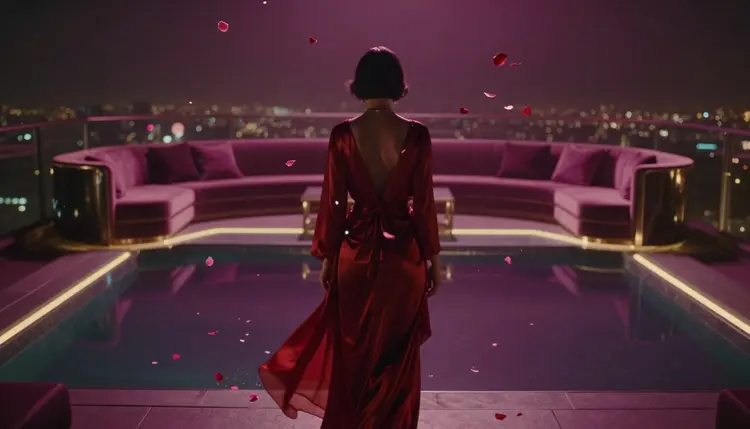
Most AI image generators stop at a swimsuit. Put an adult scene in the prompt and you get a refusal, a blurred tile or a picture of something you never asked for. An NSFW AI image and video generator is one whose models skip that filter. These notes cover how it works on Picasso IA: which of the 488 models leave the filter off, what each one is good at, where the hard limits sit, and how to iterate toward a result worth keeping.
Not safe for work is a wide label. In practice it covers pin-up illustration, boudoir-style portraits, suggestive fantasy and comic characters, lingerie mockups, adult art for a comic or a game, and anything else a workplace filter would flag on sight. Most of it simply trips a classifier trained to say no whenever skin shows up. Many models in the Picasso IA catalog apply that kind of filter and refuse a flagged prompt. When it happens the app shows a Content Not Supported by This Model tile and recommends open-source or filter-free models instead. This page is about those models.
Three facts first, because they shape everything below. The content is for adults, 18 and over. The subjects are fictional adult characters: never a real person's likeness without that person's explicit consent, never a public figure, never a minor or anyone made to look like one. Prompts that try get refused by the models and violate the platform's terms. And the tool does not take your responsibility off your hands: what you make and where you publish it are yours to answer for, under local laws and the rules of each platform.
One more, less dramatic: these are AI results. Hands, anatomy and text render wrong often enough that nothing should leave the toolkit without a look.
Six models are the ones the app points you to when a filtered model refuses. Four make or edit images, two make video, and picking by task matters more than picking by reputation.
| Model | Task | Pick it when |
|---|
| Seedream 4.5 | Text to image, hyper-realistic, no safety filter | A photographic look: skin, fabric, real light |
| Qwen Image 2 | Open-source text to image, no content filter | A busy prompt where every element must land |
| Recraft V4.1 Pro | Artistic illustration and design, no restrictions | Pin-up, comic, anime or stylized art, not a photo |
| Picasso Image Editor Pro | Edit and transform an existing image, uncensored | The image is right and one thing needs changing |
| Picasso Video | Animate a still image into video, uncensored | A keeper frame should move: a turn, a breeze, a push in |
| LTX 2.3 Pro | Cinematic-quality video, no safety filter | The clip needs a cinematic finish, not a moving still |
If you only try two, try Seedream 4.5 for realism and Recraft V4.1 Pro for anything drawn. Qwen Image 2 earns its place when a brief lists five things and other models keep dropping two. Picasso Image Editor Pro comes last, once the composition is right and only a hand or a background needs fixing. The rest of the full catalog is browsable, and the same tile appears whenever one of the others refuses.
The loop below assumes an idea and ten minutes. It is also what the app suggests when a filtered model refuses: switch the model and keep the prompt. Then change one thing per round.
- Write the scene in plain words. Subject, setting, mood, style and framing. A fictional adult woman in a red silk robe by a hotel window at dusk, shot on film, is a complete brief; words about light and lens do more work than words about the body.
- Open the toolkit and pick a filter-free model. Seedream 4.5 for a photographic look, Recraft V4.1 Pro for illustration. If a model answers with the Content Not Supported tile, switch to one of the six recommended models and leave the prompt alone.
- Generate a first batch and read it side by side. A few variants of the same prompt, read side by side, show whether the model understood you: a tight spread means the brief is precise, a wild one means the prompt needs another sentence.
- Iterate one variable at a time. Keep the winner, change the outfit, the framing or the light, and generate again. Rewriting the whole prompt restarts the search from zero; three or four rounds is normal before a keeper.
- Refine with Picasso Image Editor Pro and export. Fix a hand, swap a background or adjust the pose on the keeper with a plain edit instruction, then download the file and check it closely before it goes anywhere.
Two of the six recommended models make video, and they divide the work cleanly. Picasso Video animates a still image you already have: give it the keeper frame and describe the motion, and it returns a clip built from that frame. LTX 2.3 Pro is the cinematic option, for clips that need a cinematic finish rather than a moving still. Neither applies a safety filter.
The order matters more than the model. Get the still right first, on an image model, where each round is cheap, and only then animate it. Video costs more per run, so a clip made from an unfixed frame is the most expensive way to discover a hand is wrong. When you do animate, ask for one motion at a time: a slow push in, hair moving, a turn toward the camera. A clip that tries three things usually does none of them well, and a short clip is easier to review frame by frame, which every adult clip needs before it is shared.
An honest page says where the tool stops. For adult generation there are five places, and the first two are limits of the platform and the law, not of the model.
- Real people: no real person's likeness without that person's explicit consent, and no public figures at all. The models refuse these prompts, and trying violates the platform's terms.
- Minors: nothing involving a minor or anyone made to look like one, in any style, photographic or drawn. No prompt wording makes this acceptable.
- Anatomy and hands: uncensored models still draw six fingers, doubled limbs and joints that bend the wrong way. Check the edges of the frame, not only the face.
- Text and logos: lettering on a garment or a sign renders wrong often enough that you check every character, and a recognizable brand logo is a problem in itself.
- Where it gets published: the tool does not take on your responsibility. Local laws decide what you may make and each platform's rules decide what you may post; legal to generate is not the same as allowed to share.
Tip: when a filtered model refuses, do not rewrite the prompt with euphemisms to sneak past it. Switch to one of the six recommended models and keep the wording plain. A prompt engineered to fool a filter produces a worse image on a model that never needed the trick.
Commercial use adds one more check. The files are yours to download and work with, but review them by hand before anything ships and check the license of the specific model you used; terms vary between models.
Generations spend credits, and the amount depends on what you make. Single images sit at the cheap end; video costs more per run. New accounts start with free credits, enough to find out whether a direction holds before you spend anything. Current plans and prices live on the pricing page, and they change often enough that a number written here would be wrong within a month.
Iteration is the cost that matters, more than any single generation. Most people generate, look, change one variable and generate again, and three or four rounds is a normal distance to a keeper. Hence the order in these notes: iterate on images, where a round costs little, and spend video credits only on a frame you have already decided to keep.
Is Picasso IA an uncensored AI image generator?
Partly, and it says so. Many of the 488 models apply content filters and refuse a flagged prompt. When that happens the app shows a Content Not Supported by This Model tile and recommends open-source or filter-free models instead: Seedream 4.5, Qwen Image 2, Recraft V4.1 Pro, Picasso Image Editor Pro, Picasso Video and LTX 2.3 Pro. Those six run no safety filter. The honest description is a catalog where the app tells you which models do not filter, not an app uncensored end to end.
Which AI models on Picasso IA have no content filter?
Six, all recommended by the app itself. For images: Seedream 4.5 (hyper-realistic text to image), Qwen Image 2 (open-source, detailed text to image), Recraft V4.1 Pro (artistic illustration and design) and Picasso Image Editor Pro (edit and transform an image you already have). For video: Picasso Video, which animates a still image, and LTX 2.3 Pro, which produces cinematic-quality clips.
What happens when a model refuses my prompt?
The generation stops and the app shows a Content Not Supported by This Model tile in place of the image and recommends open-source or filter-free models instead. Switch the model and run the prompt again as written. What does not help is rewording it in euphemisms to get past the filter; a prompt built to fool a classifier tends to produce a worse image on the model that never needed fooling.
Can I generate NSFW images of a real person or a celebrity?
No. A real person's likeness needs that person's explicit consent, public figures are off the table entirely, and both are refused by the models and forbidden by the platform's terms. The same applies to uploading a photo of someone into Picasso Image Editor Pro: an edit is still a likeness. The subjects on this page are fictional adult characters, which is also where the models do their best work.
Can I make NSFW AI video, not only images?
Yes, with two models. Picasso Video takes a still image, ideally a keeper you already refined, and animates it into a clip built from that frame. LTX 2.3 Pro generates cinematic-quality video from a prompt. Both are uncensored. Video costs more credits per run than an image, so fix the still first and animate only the frame you would keep.
Do I need to install anything or have a powerful GPU?
No. Picasso IA is a web app: it runs in a browser on a phone or a laptop, and the models run on hosted infrastructure, so your device only displays results. There is nothing to download and no local model to set up, unlike running an open-source model on your own hardware. The interface comes in six languages: English, Spanish, Portuguese, French, Arabic and Hindi.
How much does an NSFW generation cost?
It is paid in credits, and the amount depends on the model and the output: a single image sits at the cheap end, video costs more per run. New accounts start with free credits, so the first rounds cost nothing. Plan prices live on the pricing page and change often enough that a number printed here would mislead you.
Can I use the images commercially?
The files you generate are yours to download and work with. Before any commercial use, review them by hand, because hands, anatomy and text still render wrong, and check the license of the specific model you used, since terms vary between models. Where the content is adult, the platform you sell or publish on has its own rules, which apply on top of the license.
Why do hands and anatomy come out wrong on uncensored models?
Because removing a content filter changes what a model will attempt, not how well it draws. Hands, overlapping limbs and unusual poses are hard for every image model, filtered or not, and adult prompts ask for more of them. The fixes are the usual ones: simpler poses, fewer people in frame, and a second round on the keeper through Picasso Image Editor Pro with an instruction naming the hand or limb to repair.
Is there an age requirement?
Yes. The content on this page is for adults, 18 and over, and the characters in it are fictional adults. That is not a form-filling formality; it is the line the models and the platform's terms enforce, and prompts that cross it get refused. Anything involving a minor or anyone made to look like one is out, in every style.
The six models are already in one place. Open the Picasso IA toolkit, pick Seedream 4.5 or Recraft V4.1 Pro, and run the first prompt on your free credits.