A blank prompt box is where most people stall. You know the mood you want, a silk robe, a low lamp, a calm look into the lens, but the words do not come out in an order a model can use. This page gives you 25 complete prompts to copy, each one a finished shot you can paste, run and then bend toward your own idea.
Every example is written for adults and fictional characters only. The wording stays on the provocative side of the line: lingerie, swimwear, boudoir light, implied intimacy. Nothing explicit, nobody real.
A good prompt reads like a shot list. It names who is in the frame, what they wear, where they are, what light falls on them and which lens took the picture. When one of those pieces is missing, the model fills the gap with its average guess, and the average guess is rarely the picture you had in mind.
Copying a working prompt solves the order problem. You see where the subject goes, where the wardrobe goes, how a light source is named and how a lens is written. After three or four runs you stop copying and start writing your own, because the pattern is already in your head.
The examples below all follow the same skeleton: the shot type, an adult woman or man with an approximate age, the wardrobe in plain words, the setting, the light, a lens such as 35mm f/2 or 85mm f/1.4, and a film feel such as Kodak Portra 400 with grain. Concrete words beat adjectives. "Warm tungsten lamp light from the right" gives a model something to draw. "Beautiful mood" gives it nothing.
The prompts work in the toolkit, where you pick a model, type the text and generate. Picasso IA keeps a short list of models it has tested with adult prompts, and those are the safest place to start. Confirmed means Picasso IA ran adult prompts against that exact model repeatedly and saw it generate instead of reject. It is not a promise from the model's maker, and the page on what confirmed means explains the difference.
| Model | Best for | Format |
|---|
| Seedream 4.5 | Photoreal portraits and full-length frames | Text to image, 4K |
| Recraft V4.1 Pro | Pin-up art, illustration and design | Print-ready images, 2K |
| Picasso Image Editor Pro | Changing wardrobe or light on a photo you already have | Photo editing, infinity tag |
| LTX 2.3 Pro | Slow cinematic clips from a text prompt | Text to video, 4K |
| Picasso IA Video | Bringing a still to life or writing a clip from text | Text or image to video, infinity tag |
| Seedance 2.5 Lite | Short clips | Video, up to 10 seconds, infinity tag |
Other models in the full catalog, such as Qwen Image 2 and Seedream 5, are untested. They are worth a try, but nothing here says how they react either way. If you want the long, dense prompt style that suits Qwen Image 2, read Qwen Image 2: Dense NSFW Prompts before you run it.
Treat each example as a starting frame, not a fixed recipe. The same five moves work on all 25 of them.
- Pick the Closest Example. Scan the prompts below and choose the one whose shot type matches the picture in your head, a close-up, a mirror frame or a walking shot.
- Swap the Subject. Change the wardrobe color, the hair, the setting and the age within adult range. Keep "adult woman" or "adult man" in the text and keep the character invented.
- Keep the Light and Lens. Leave the light source and the lens untouched on the first run. They carry most of the mood, and changing everything at once hides what worked.
- Paste and Generate. Open the toolkit, choose a model from the table above and run the prompt as it stands.
- Change One Thing and Rerun. Edit a single detail, the color of the robe or the side the window sits on, and generate again. Compare the two results side by side.
Examples 1 to 13 start from clothing and a room. The prompts are meant for a photoreal model such as Seedream 4.5, with one illustration example for Recraft V4.1 Pro. Each one is followed by a short note on what to change first.
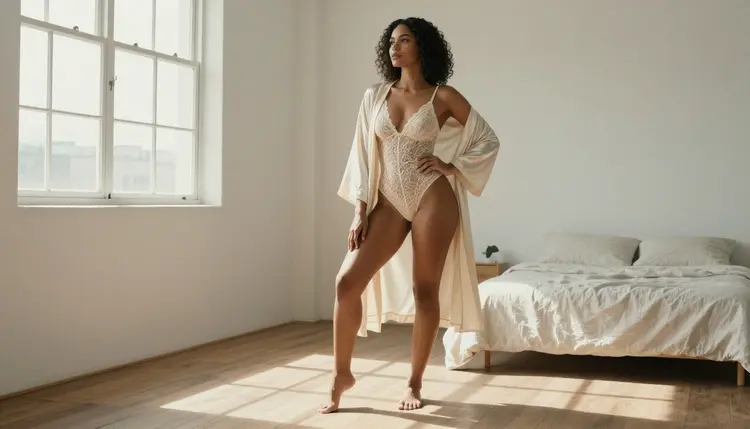
1. Lace Robe by the Window. "Low-angle full-length photo of an adult woman in her early thirties, cream lace bodysuit under a loose silk robe, bright loft, soft window light from the left, 35mm f/2, Kodak Portra 400, film grain." Swap the cream for black to darken the mood.
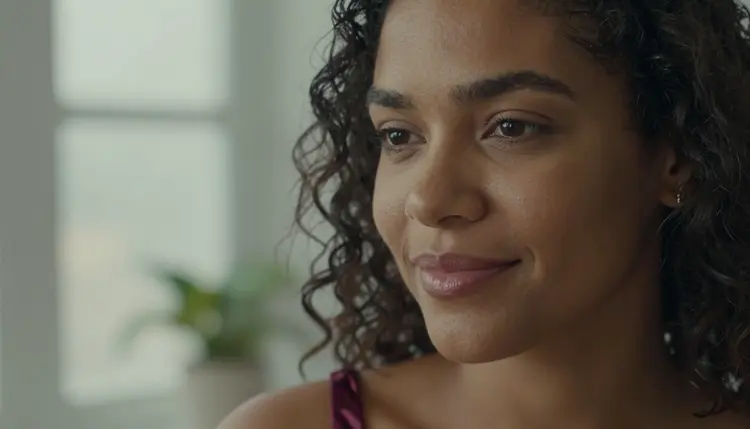
2. Burgundy Camisole Close-Up. "Tight close-up portrait of an adult woman in her early thirties, burgundy satin camisole, overcast soft daylight, calm direct gaze, 50mm f/1.4." Soft daylight keeps the skin even.
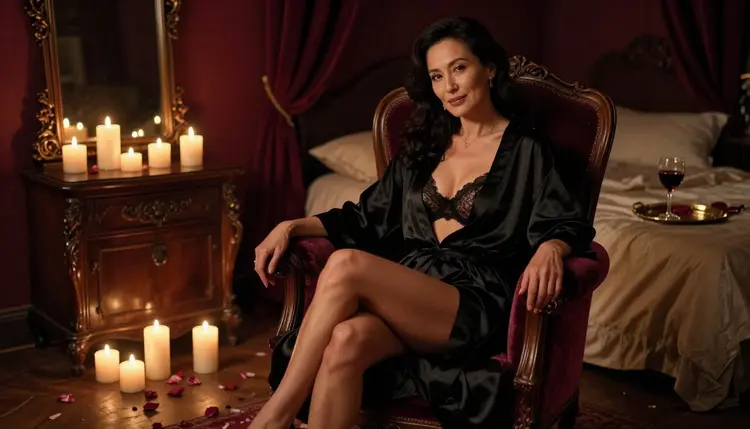
3. Black Silk by Candlelight. "Wide frame of an adult woman in her early thirties seated on a velvet armchair in a dim boudoir, black silk lingerie set with a satin robe, lit only by candles, knowing expression, 100mm macro f/2.8." Add more candles for a warmer glow.
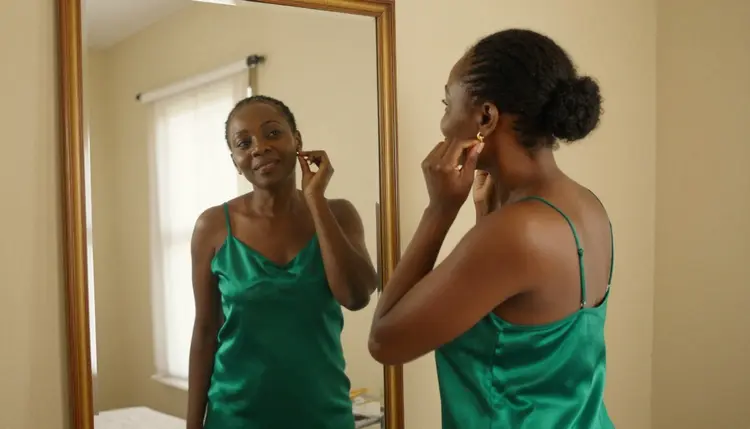
4. Emerald Slip at the Mirror. "Mirror reflection frame of an adult woman in her late twenties adjusting an earring, emerald satin slip and robe, tall antique mirror, late-afternoon side light, 70mm f/2.8." Name the mirror material to control the reflection.
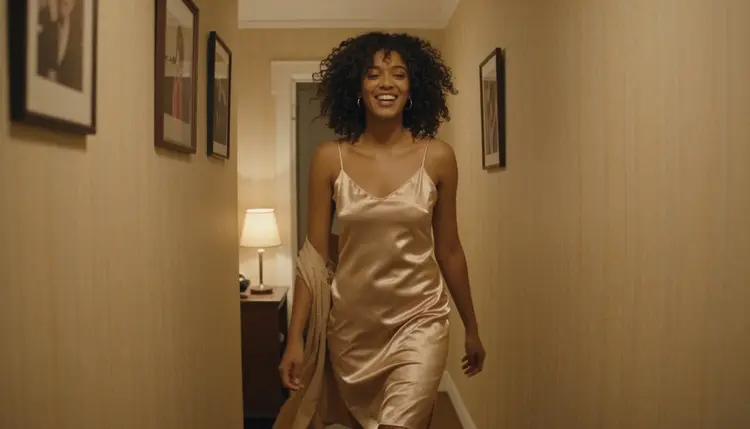
5. Champagne Slip in the Hallway. "Candid three-quarter walking shot of an adult woman in her early thirties laughing, champagne satin slip dress, lamplit hallway, warm tungsten light, 50mm f/1.4." The laugh makes it feel caught, not posed.
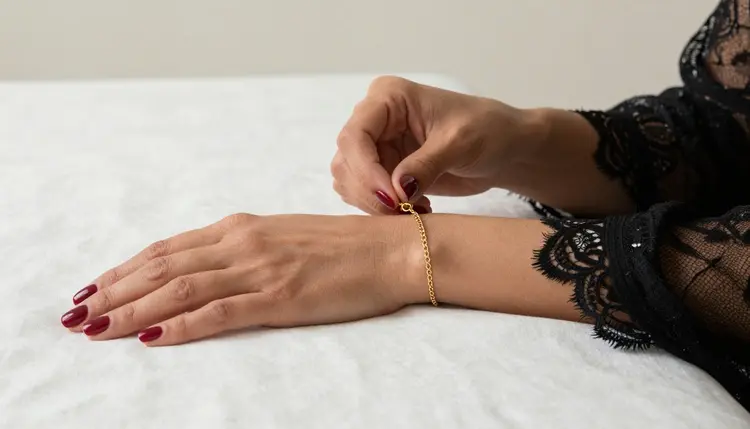
6. Gold Bracelet Detail. "Detail shot of the hands of an adult woman in her late twenties fastening a gold chain bracelet over a black lace robe cuff, soft diffused studio daylight, 35mm f/2." Detail frames suit jewelry and fabric.
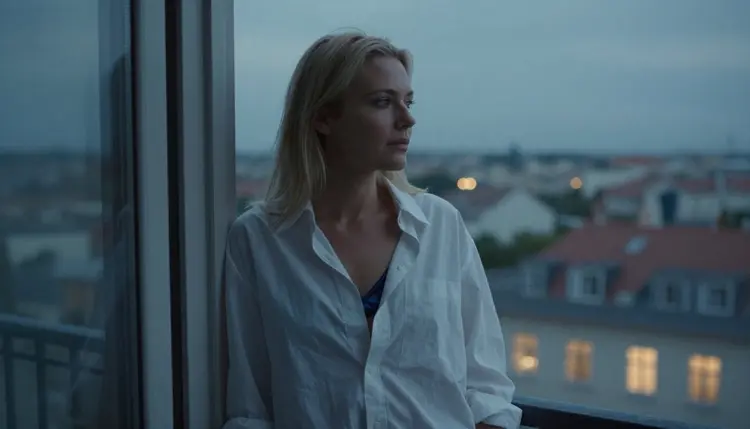
7. Navy Bralette on the Balcony. "Medium shot, waist up, of an adult woman in her mid thirties, navy silk bralette under an open white shirt, city balcony, cool blue-hour light, 135mm f/2." A long lens compresses the skyline behind her.
8. Silk Robe, Hotel Morning. "Adult man in his early thirties sitting on the edge of a hotel bed, charcoal silk robe open over lounge trousers, sheer curtains, soft morning light, 50mm f/1.8." Change the room to move the story.
9. Ivory Bustier at the Vanity. "Adult woman in her late twenties at a vintage dressing table pinning her hair, ivory bustier and sheer stockings, warm bulbs around the mirror, 50mm f/1.4." The bulbs give a theater backstage feel.
10. Retro Pin-Up Convertible. "Illustration in a retro pin-up style of an adult woman in a red halter swimsuit leaning on a vintage convertible, flat colors, clean outlines, print-ready." This one suits Recraft V4.1 Pro.
11. Sofa Embrace. "Adult couple in their thirties embracing on a sofa, she in a silk slip, he in an open linen shirt, foreheads touching, warm lamp light, 85mm f/1.8." Implied closeness, nothing more.
12. Red Satin Staircase. "Adult woman in her late twenties on a spiral staircase, red satin robe over black lingerie, one hand on the rail, glancing over her shoulder, warm tungsten light, 35mm f/1.8." Keep the rail in the prompt so the hand has a place to go.
13. Cream Knit and Lace. "Adult woman in her early thirties curled on a window seat, oversized cream knit sweater over lace shorts, rainy afternoon, soft gray daylight, 50mm f/1.8." A cozy variant that still reads as boudoir.
Examples 14 to 25 lean on light and angle first, then move to swimwear outdoors, edits to a photo you already own and three short clips. The edit prompts suit Picasso Image Editor Pro, and the clips suit the confirmed video models. Before you start piling on details, the top mistakes to avoid is a quick read that saves reruns.
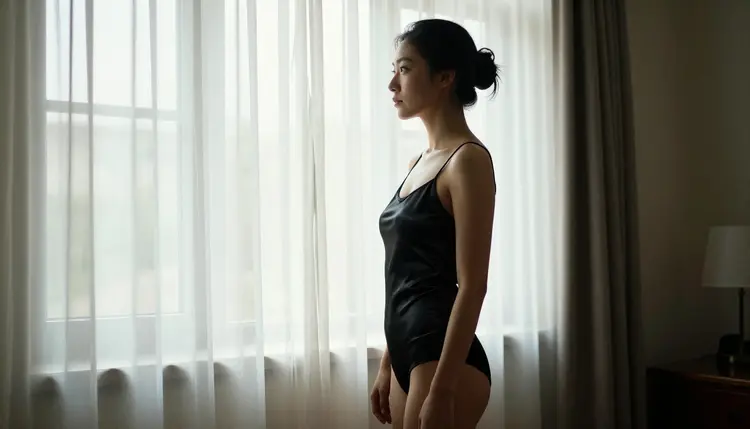
14. Curtain Silhouette. "Profile silhouette of an adult woman in her early thirties in a black satin camisole beside a sheer-curtained window, soft window light from the left, 50mm f/1.4." The light does the work here.
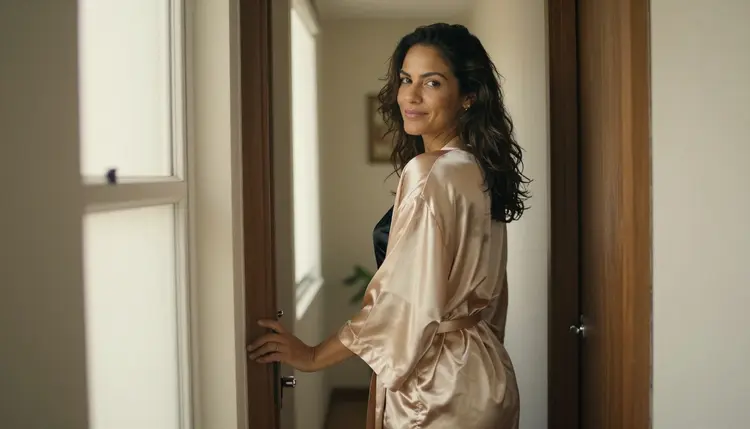
15. Hallway Satin Robe. "Side-angle frame of an adult woman in her mid thirties standing in a quiet apartment hallway, loosely belted champagne satin robe over a black silk slip, one hand on the door frame, glancing back with a relaxed smile, warm window light from the left, 50mm f/1.8." Keep the door frame in the prompt so the hand has a place to rest.
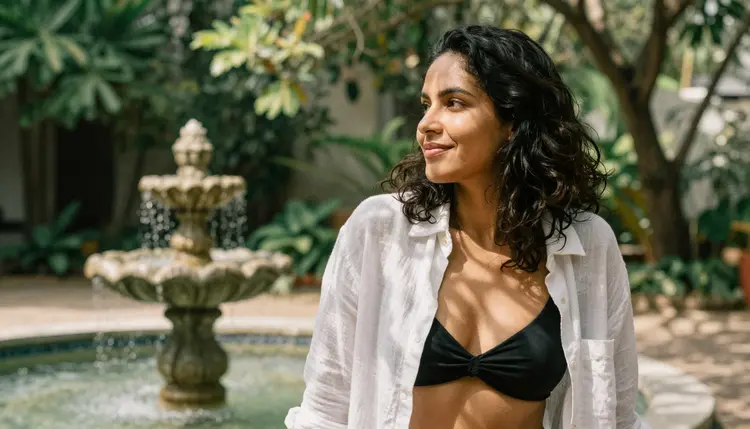
16. Linen Shirt Over a Swimsuit. "Over-the-shoulder frame of an adult woman in her early thirties in a white linen shirt over a black swimsuit, garden courtyard, dappled shade, 135mm f/2." Dappled shade makes soft patches of light.
17. Poolside at Noon. "Adult woman in her late twenties in a white two-piece swimsuit and straw hat, sitting at the pool edge with her feet in the water, hard midday sun, sunglasses, 50mm f/2." Hard sun means hard shadows, so expect contrast.
18. Rain on the Glass. "Adult woman in her late twenties in a black slip dress near a rain-covered window, blurred city lights, blue hour, 85mm f/1.4." Name the glass and the rain so they appear.
19. Hammock Between Palms. "Adult woman in her early thirties in an olive one-piece swimsuit lying in a hammock between two palms, low sun backlight, 35mm f/2, film grain." Backlight rims the hair with gold.
20. Poolside Man. "Adult man in his mid thirties in navy swim trunks and an unbuttoned white shirt on a stone terrace, late-afternoon light, 50mm f/1.8." Not every example needs a woman in the frame.
21. Edit: New Robe Color. "Edit the attached photo: change the robe to deep green satin, keep the face, the pose and the light exactly as they are." Run it in Picasso Image Editor Pro.
22. Edit: Warmer Evening. "Edit the attached photo: turn the light into warm lamp light with soft shadows, keep the outfit and the room." Edits like this change the mood without a new shot.
23. Video: Slow Push-In. "Slow push-in on an adult woman in a silk robe beside a window, curtains moving gently, soft daylight, steady camera." A good fit for LTX 2.3 Pro.
24. Video: Still to Motion. "Animate the attached still: she turns toward the camera and smiles, hair moves slightly, the light stays the same." Use it with Picasso IA Video, which takes text or an image.
25. Video: Hallway Glance. "Tracking shot in a lamplit hallway, an adult woman in a champagne slip dress laughs and looks back over her shoulder, warm tungsten light, short clip." Seedance 2.5 Lite is listed up to 10 seconds.
Adults only. Picasso IA is for people who are 18 or older, and every prompt on this page describes an adult. Write ages in the mid twenties or older and keep the words woman or man, never anything that could read as a minor.
Fictional characters only. Do not describe, upload or ask for a real or identifiable person, a celebrity or someone you know. If a prompt needs a face, invent one with words like "dark curly hair, green eyes, early thirties".
Private by default. What you generate is tied to your account and is not published or shown to others. A new account gets a small free trial on selected models, and the pricing page explains how generations are counted.
What is an NSFW AI prompt?
It is the text you give an image or video model to describe an adult, mature picture. On Picasso IA that means provocative but not explicit: lingerie, swimwear, boudoir light and implied intimacy, always with fictional adults.
Can I copy these examples word for word?
Yes. Each one is a complete prompt and runs as written. Most people change the wardrobe color, the hair and the room on the second run, and keep the light and the lens until they know what they like.
Which model should I try first?
For photoreal frames start with Seedream 4.5, which is confirmed. For illustration and pin-up art use Recraft V4.1 Pro. Both are on the confirmed list.
Will every prompt work on every model?
No. Only six models are confirmed, and the rest of the catalog is untested, so results can differ. If a model refuses, the app shows "Content Not Supported by This Model", recommends models that accept adult prompts and carries your prompt over, so you do not retype it.
Why do the examples name a lens and a film stock?
Lens and film words give the model a look to aim for. 35mm f/2 reads as a wide, natural frame, 135mm f/2 as a compressed portrait, and Kodak Portra 400 with grain as soft film color. Drop them if you want a different style.
Can I use a photo of a real person?
No. Picasso IA is adults only and fictional only: never a real or identifiable person and never anyone who could read as a minor. Use invented characters, and use the edit examples only on images of fictional adults.
Are my results private?
Yes. Generations are private by default, tied to your account and not published or shown to others. You choose what to do with them afterward.
Can I write prompts in my own language?
You can type in the language you think in. If a result looks off, run the English version of the same prompt and compare the two, because wording that works in one language does not always carry over.
How do I turn a still into a video?
Open Picasso IA Video, attach the still and describe the motion in one sentence, as in example 24. Keep the move small, a turn or a glance, and name what must stay the same.
Can I try this without paying?
A new account gets a small free trial on selected models, and models with the infinity tag do not spend credits on plans that include unlimited generation. The details are on the pricing page.