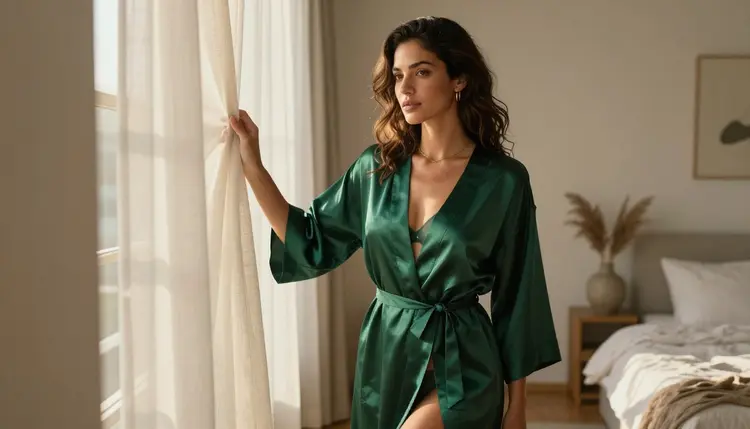
Most NSFW prompts don't fail because the idea behind them was too much. They fail because of a small set of habits that repeat across almost every rejected, blurred or oddly wrong generation: a vague noun standing in for a real description, a word chosen to sneak past a filter instead of to describe a scene, two characters folded into one tangled figure. Once you can name these mistakes, most of them take one extra sentence to fix.
This page walks through the ten mistakes that show up most often in NSFW prompts on Picasso IA, narrows the fix into five concrete steps you can run the next time you open the toolkit, names the models actually confirmed to generate adult content without a filter stepping in, and lays out the rules that stay fixed no matter which model you pick.
Half of the mistakes below happen before a prompt even reaches the scene it is supposed to describe, in the words chosen to build it in the first place.
Mistake 1: Being Too Vague
"An intimate scene, romantic mood" tells a model almost nothing it can act on. Vague prompts get filled in with generic defaults, and a generic default rarely matches what was actually pictured. Naming the subject, the setting, the pose and the mood in plain words gives the model something concrete to render instead of guessing.
Mistake 2: Stacking Too Many Ideas at Once
A prompt that tries to fit five outfits, three settings and two moods into one sentence usually gets none of them right. Models weigh every detail against every other one, so piling on conflicting instructions produces a muddled compromise. One clear scene beats three half described ones.
Mistake 3: Trying to Dodge Filters with Coded Words
Misspelling a word or swapping in a coded term to sneak an adult prompt past a filter almost never works, and it makes the description worse in the process. A filtered model still reads intent, not just spelling, so the prompt gets rejected anyway while losing the clarity a plain description would have had. The fix is not a smarter code word, it is switching to a model that is actually built to generate the scene directly.
Mistake 4: Never Naming a Style
Leaving style unspecified means the model picks one for you, and it is rarely the one imagined. Saying whether the result should read as a photograph or as an illustration changes the entire output, from skin texture to line work, so it belongs in the first sentence of the prompt, not left as an afterthought.
Mistake 5: Ignoring Lighting and Framing
A prompt that names the subject but skips the camera angle, the framing and the light source leaves the most visible parts of the image to chance. Soft window light and a harsh overhead flash produce two completely different moods from the same pose, and naming one costs only a few words.
The next five mistakes are not about wording anymore. They happen after the words are chosen, in how the scene is put together and where it is sent.
Mistake 6: Describing Two Characters as One Blended Figure
Writing one long description and expecting the model to split it into two separate people almost never works. Hands, hair and limbs blur together the moment two figures share a frame unless each character gets their own short, separate description before the pose and interaction are described. This one habit fixes more broken couple scenes than any other change on this list.
Mistake 7: Sending the Prompt to a Filtered Model
Most of the catalog on Picasso IA applies a safety layer somewhere in its pipeline, and an adult prompt sent to one of those models simply gets rejected no matter how well it is written. That is not a wording problem, it is a model problem, and no amount of rewording changes what a filtered model will and will not generate.
Mistake 8: Leaving Age and Context Ambiguous
Every character generated has to read clearly as a fictional adult, and a prompt that leaves age or context vague makes that harder to guarantee, not easier. Naming an adult setting and an adult context directly is not an optional flourish, it is part of what keeps a generation inside the rules this feature exists under.
Mistake 9: Expecting the First Generation to Be Final
Treating the first result as the only shot wastes the model's strongest feature, which is that a second or third pass with small wording changes usually lands much closer to the original idea. A prompt rarely needs to be rebuilt from scratch, it usually just needs one detail adjusted and run again.
Mistake 10: Skipping the Editor When Only One Detail Is Off
Regenerating an entire scene because one hand or one strap is wrong throws away everything that was already right about it. An existing image can be sent to an editing model and fixed in place, which is faster and keeps the rest of the composition exactly as it was.
Picasso IA runs a large catalog, but only a small, named set of models is confirmed to generate NSFW content directly, without a filter stepping in first. These six are the only ones worth relying on for adult prompts. Every other model on the site should be treated as filtered until proven otherwise, no matter how capable it is at other tasks.
Seedream 4.5 and Qwen Image 2 are the two to reach for when a photoreal still is the goal, Recraft V4.1 Pro covers the illustrated look, Picasso Image Editor Pro is the fix for Mistake 10 above, and Picasso Video and LTX 2.3 Pro carry the same confirmed generation into motion. Nothing about a prompt written for one of these six needs to be disguised or reworded to get through, which is the entire point of using them instead of guessing at a filtered model.
Everything above compresses into five steps. Run through them in order the next time a prompt comes back rejected, blurred or just wrong.
- Pick one of the six confirmed models. Open the toolkit and choose Seedream 4.5, Qwen Image 2 or Recraft V4.1 Pro for a still image, since a prompt sent to a filtered model gets rejected no matter how it is written.
- Write one clear scene, not five ideas at once. Name the subject, the setting, the mood and the style in plain language, and leave out the extra outfits and settings competing for space in the same sentence.
- Describe each character on their own. If more than one person is in the frame, give each one a short, separate description before describing what they are doing together, so their features do not blend into one.
- Name the light and the camera angle. A window, a lamp, a wide shot or a close up changes the entire mood of the same pose, and naming one costs only a few words.
- Generate, then refine instead of restarting. Look closely at the result, and if only one detail is off, send it to Picasso Image Editor Pro instead of rewriting the whole prompt from zero.
None of the ten mistakes above change what this feature is actually for. Picasso IA's adult generation is 18+ and built for fictional characters only. Every person in every generation has to read clearly as an invented adult, never the likeness of a real, identifiable individual, never a public figure, and never anyone who could be read as a minor no matter how the prompt is worded. There is no version of any of the ten mistakes fixed above that also excuses breaking this line, and none of the six confirmed models change it either. They only change whether a properly written adult prompt gets filtered before it reaches generation.
Privacy works the same way by default. What gets generated is tied to the account that made it, not surfaced to other users browsing the site, and the responsibility for how a result is used, saved or shared afterward sits with the person who generated it.
New accounts on Picasso IA start with free credits that work across the catalog, including the six confirmed models named above, so the five steps in this guide can be tested on Seedream 4.5, Qwen Image 2 or Recraft V4.1 Pro before deciding whether to subscribe. Image and video generations draw down credits at different rates depending on the model, and for some models the resolution or length selected changes the cost too. Full current numbers and what each plan includes live on pricing rather than being repeated here, since they change more often than this page does.
There is no separate paywall for NSFW generation specifically. The six confirmed models sit in the same catalog and the same credit system as everything else, they simply do not reject an adult prompt the way most of the other models on the site do.
Most of what separates a clean result from a wasted one is not luck. It is naming the subject instead of leaving it vague, choosing a confirmed model instead of a filtered one, describing two characters instead of blending them, and refining a near miss instead of throwing it away and starting over.
What is the single most common NSFW prompt mistake?
Vagueness. A prompt that names a mood without naming the subject, the setting, the style and the framing leaves too much to a generic default, and the result rarely matches what was actually pictured. Naming those four things directly fixes most rejected or oddly wrong generations on its own.
Why does my prompt keep getting rejected even after I reword it?
Rewording only helps if the model itself is not filtered. Most of the catalog on Picasso IA applies a safety layer that rejects adult prompts regardless of phrasing, so the fix is switching to one of the six confirmed models, not finding a cleverer way to phrase the same request.
Which models are actually confirmed to generate NSFW content without a filter?
Only six across the full catalog: Seedream 4.5, Qwen Image 2, Recraft V4.1 Pro, Picasso Image Editor Pro, Picasso Video and LTX 2.3 Pro. Every other model should be treated as filtered until proven otherwise, no matter how capable it is at other tasks.
Is it legal to generate NSFW art of fictional characters?
Picasso IA's adult generation is built for fictional, adult characters only, and is 18+. Responsibility for how a result is used, stored or shared afterward still sits with the person who generated it, and every character produced through the confirmed models has to be an invented adult, never a real person's likeness and never anyone who could be read as a minor.
Can I put two characters in the same NSFW scene without them blending together?
Yes, and it is one of the more common fixes on this page. Describe each character separately with their own short description before describing the pose and interaction between them, then generate with Seedream 4.5 or Recraft V4.1 Pro, both confirmed to handle two figures in one frame directly.
Do I need coded or misspelled words to get an adult prompt through?
No, and trying to do that usually makes the result worse, not better. A filtered model reads intent rather than exact spelling, so a coded word still gets rejected while losing the clarity a plain description would have had. The actual fix is switching to one of the six confirmed models.
How private are the images and videos I generate?
Generations are tied to the account that made them and are not surfaced to other users browsing the site. What happens to a result after it is generated, including saving or sharing it, is the responsibility of the person who made it.
Can I fix one detail in an image without regenerating the whole scene?
Yes. Picasso Image Editor Pro is one of the six confirmed models and edits an existing image directly, so a single wrong detail can be corrected in place instead of rewriting and rerunning the entire prompt.
Can I turn a fixed prompt into a video instead of a still image?
Yes. Picasso Video and LTX 2.3 Pro are the two confirmed models for adult motion, and both read the same kind of clear, specific prompt described in this guide, so a scene fixed as a still with Seedream 4.5 can be adapted into a motion prompt for either video model.
Is there a free way to test these five steps before paying?
Yes. New accounts start with free credits that work across the catalog, including the six confirmed models, so the five step fix in this guide can be tried on Seedream 4.5, Qwen Image 2 or Recraft V4.1 Pro before deciding whether to subscribe. Current plans are listed on pricing.