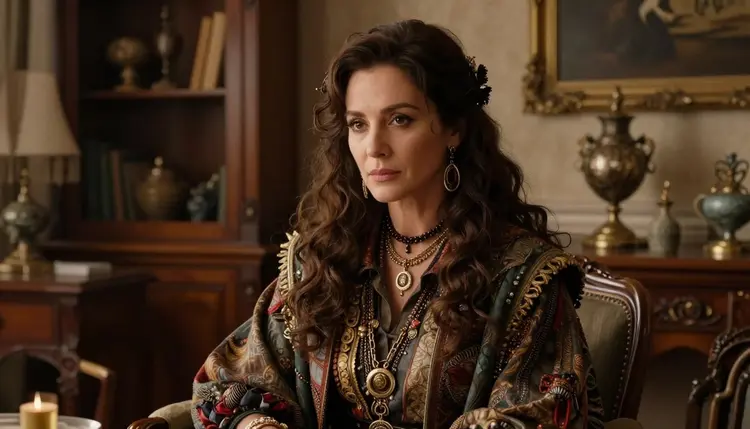
Most image models start dropping details the moment a prompt asks for more than two or three things at once. Add a specific outfit, a held prop, a particular pose, and a background with its own mood, and a lot of models pick two of the four and quietly discard the rest. Qwen Image 2 is one of the models Picasso IA users lean on for exactly this problem: it holds compositional structure across a busy prompt instead of averaging everything into a generic result.
For NSFW work specifically, that matters more than it does for a simple portrait. An adult scene almost always has several parts that need to agree with each other: what a character is wearing, or not wearing, what they are holding, how they are posed, and where the scene is set. If a model drops the prop or ignores the background instruction, the image stops looking intentional and starts looking like a template with a name swapped in. Qwen Image 2 is also one of six models on Picasso IA confirmed to generate adult content directly, without a safety filter intercepting the request, so the dense prompt you write is the dense prompt that actually renders, not a filtered placeholder. You can open the model directly from Qwen Image 2 or reach it through the toolkit along with every other model in the full catalog.
Qwen Image 2 is a text-to-image model. It takes a written prompt and produces a still image, it does not animate anything and it does not edit an image you already have. What it does well, and what this guide leans on, is prompt adherence across several elements at once: a character, an outfit, a prop, a pose, and a setting can all be specified in one prompt and Qwen Image 2 will generally keep all five in the final image rather than dropping the ones near the end of the sentence.
That reliability is the whole reason a dense, structured prompt is worth writing for this model instead of a short, vague one. A one-line prompt like "attractive woman, bedroom" gives the model almost nothing to work with beyond a generic composition. A prompt that names the garment, the fabric, the object in the character's hand, the exact position of the body, and the light source gives Qwen Image 2 real instructions to follow, and the model tends to use them. Because it is confirmed filter free on Picasso IA, that includes adult material involving fictional adult characters, generated without the prompt being intercepted and refused before it ever reaches the model.
A dense prompt fails for one of two reasons: the elements are named in a scattered order that gives the model nothing to anchor to, or there are simply too many competing instructions for any model to hold at once. The fix is the same either way, structure the prompt as a fixed sequence of five elements, in this order, every time.
- Anchor the subject in one clause. Open with the character type and any defining features before anything else. Qwen Image 2 reads a prompt roughly in the order it is written, and the opening clause becomes the anchor everything after it is checked against.
- Describe the outfit as a list, not a mood. Name the actual garments, their color, and their material instead of a vague style word like "sexy outfit." A concrete list of items gives the model something to render instead of something to guess at.
- Give the scene exactly one prop. Pick a single held or nearby object and say where it sits in the frame. Piling on two or three props at once is the fastest way to lose all of them, one prop described clearly almost always survives.
- State the pose as a physical action. Describe what the body is doing, such as kneeling, leaning against a wall, or reaching for something, rather than an adjective. A concrete action gives the model something to place limbs and weight against.
- Close with the background and the light source. Name the setting and where the light is coming from last, so it wraps around the other four elements instead of competing with them for the model's attention early in the prompt.
Written out as a single sentence, those five steps might read something like: an adult woman with short red hair, wearing an open black leather jacket and dark denim shorts, holding a lit cigarette near her hip, leaning back against a brick wall, lit by warm orange streetlight from the left. Every element from step one to step five is present, in order, and nothing is fighting for the model's attention.
The five-step order above is the backbone, these are the details that make it work better in practice.
- Keep adjectives literal, not tonal. "Wet hair" and "torn sleeve" describe something the model can draw. "Sultry" and "intense" describe a feeling, and Qwen Image 2 has to guess what that looks like, usually inconsistently.
- Do not repeat the same idea in two different words. Describing a pose as both "seductive" and "alluring" does not reinforce it, it just uses up prompt space that could describe something concrete instead.
- Put contradictions in the trash, not the prompt. "Innocent yet dominant" or "shy but confident" gives the model two directions at once, and it will average them into something that satisfies neither.
- If a scene genuinely needs more than five elements, split it into two generations instead of stuffing everything into one prompt. A tighter five-part prompt run twice, with the second image changing only the background or the prop, usually beats one twelve-part prompt run once.
- Keep the sentence structure consistent between attempts when you are iterating. Change one clause at a time, look at what moved in the output, then change the next clause. That tells you which part of the prompt controls which part of the image.
Everything generated through Qwen Image 2 on Picasso IA has to be an adult, fictional character. Never a real person's likeness, never a public figure, and never anyone who could be read as a minor. That rule is not a suggestion, it is the baseline for using the model at all, and it applies the same way whether the prompt is dense or a single sentence.
Qwen Image 2 is one of six models Picasso IA has confirmed generate adult content directly, alongside Seedream 4.5, Recraft V4.1 Pro, Picasso Image Editor Pro, Picasso Video, and LTX 2.3 Pro. Picasso IA runs 488 models in total, and most of the rest carry their own content filters that were never built to allow adult material, filters Picasso IA does not control or attempt to bypass. Send an adult prompt to one of those other models and it will typically refuse it, the app shows a "Content Not Supported by This Model" message and points you toward the six confirmed models instead, carrying your prompt over automatically so nothing you wrote is lost.
The only supported response to that message is switching to one of the six confirmed models. Do not try to reword or disguise a prompt to sneak it past another model's filter, that is explicitly against how Picasso IA intends the tools to be used, and it wastes a generation on a model that was going to refuse it anyway. Qwen Image 2 exists precisely so that step is unnecessary, write the prompt you actually mean and send it there directly.
New accounts on Picasso IA start with free credits, which is enough to run Qwen Image 2 and see how it handles a dense, structured prompt before spending anything. Generation cost depends on the model and the settings you choose, resolution and any extra options change the credit cost the same way they change generation time. The current credit costs and subscription tiers are listed on pricing, that page is the accurate source since costs vary by model and by output.
Qwen Image 2 is available through the toolkit alongside the other five confirmed filter free models and the rest of the full catalog, so switching between them for the same scene, or falling back to one of the six when another model refuses a prompt, does not require leaving the app or starting a new project.
Does Qwen Image 2 generate NSFW content without a filter?
Yes. Qwen Image 2 is one of six models Picasso IA has confirmed generate adult content directly, without a safety filter intercepting the request first. The other five are Seedream 4.5, Recraft V4.1 Pro, Picasso Image Editor Pro, Picasso Video, and LTX 2.3 Pro.
Can I use a real person's face with Qwen Image 2?
No. Every character generated through Qwen Image 2 on Picasso IA has to be a fictional, adult character. Real people, public figures, and anyone who could be read as a minor are not permitted, regardless of the prompt.
How long should a dense NSFW prompt be for Qwen Image 2?
Long enough to cover five elements in order: the subject, the outfit, one prop, the pose, and the background with its light source. That is usually one or two full sentences, adding more than that tends to introduce contradictions rather than useful detail.
What happens if another model refuses my adult prompt?
Most of Picasso IA's 488 models carry their own content filters and will refuse a flagged adult prompt. The app shows a "Content Not Supported by This Model" message and recommends switching to one of the six confirmed filter free models, carrying your original prompt over so you do not have to retype it.
Should I reword my prompt to get past a model's filter?
No. Disguising or rewording a prompt to sneak past another model's filter is not how Picasso IA intends the tools to be used, and it usually just wastes a generation on a model that refuses the request anyway. The supported move is switching to one of the six confirmed models, Qwen Image 2 among them.
Can Qwen Image 2 keep a character looking the same across multiple images?
Reusing the same subject description, the same opening clause from the five-step structure, across several prompts is the most reliable way to keep a character's core look consistent between generations, since that anchor is what the model checks the rest of the prompt against.
Is there a free way to try Qwen Image 2 on Picasso IA?
New accounts receive free credits that cover generations with Qwen Image 2, enough to test how it handles a dense, structured prompt before committing to a paid plan. Exact credit amounts and plan details are on the pricing page.
Does Qwen Image 2 handle video as well as images?
No. Qwen Image 2 is a text-to-image model only, it produces a single still image per generation. For adult video content, Picasso Video and LTX 2.3 Pro are the two confirmed filter free options on Picasso IA.
Why did my prompt lose the prop or the background?
Usually because too many elements were stacked into one sentence, or two adjectives contradicted each other. Following the five-step order, subject, outfit, one prop, pose, background, and keeping each element concrete instead of tonal, fixes this in most cases.
Is my content private on Picasso IA?
Picasso IA is built for adults generating fictional content for their own use, and the platform does not require or encourage sharing generations publicly. For account and data specifics, the pricing and account pages cover what applies to your plan.