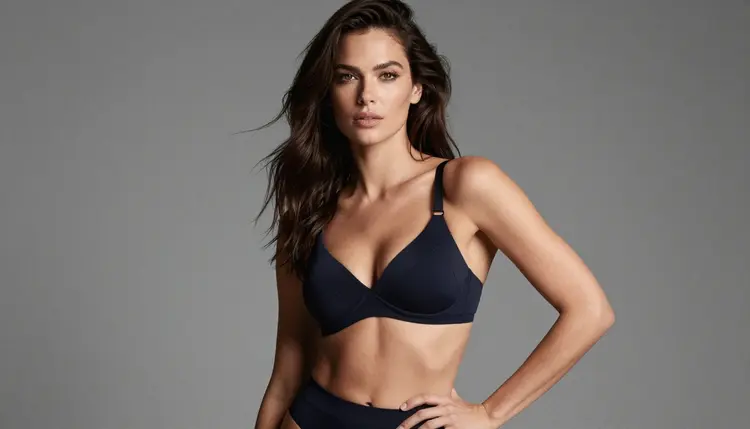
Picasso IA runs 488 AI models, and most of them are built to say no the moment a prompt turns adult. That is normal: a filter tuned for a broad audience does its job by refusing anything it flags, even a straightforward scene with a fictional character. Four models in the catalog work differently. Seedream 4.5, Qwen Image 2, Recraft V4.1 Pro and Picasso Image Editor Pro run no content filter on adult prompts, and they are the models the app itself recommends whenever another one refuses.
There is no single best NSFW image generator, there are four honest options, each strong at a different job. This page compares them side by side: what each is good at, a five-step path from a blank prompt to a finished image, why other named models in the catalog, Nano Banana, DALL-E 3 and Imagen 4 among them, tend to filter adult content, and the rules that apply to every generation no matter which model draws it.
One line before anything else, because it applies to the whole page: everything here is for adults, 18 and over, and every subject is a fictional character. Never a real person's likeness, never a public figure, never a minor or anyone made to look like one. That rule is enforced by the models and the platform's terms, and it holds for every step below.
Picasso IA is a web app, so none of this needs a download or a powerful GPU. Open the toolkit in a browser, pick a model from the table below, and the rest of this page walks through getting a usable result from it.
Four models, one shared trait: none of them runs a content filter that blocks an adult prompt. Past that they diverge, and picking the right one for the image in mind matters more than picking the most familiar name.
| Model | Best for | Try it |
|---|
| Seedream 4.5 | Photoreal scenes: skin, fabric and natural light | Seedream 4.5 |
| Qwen Image 2 | Busy prompts with several elements that all need to land | Qwen Image 2 |
| Recraft V4.1 Pro | Illustration, pin-up art, anime and stylized design | Recraft V4.1 Pro |
| Picasso Image Editor Pro | Editing an image already made: a pose, an outfit, a background | Picasso Image Editor Pro |
Start with Seedream 4.5 for a photographic result, it reads instructions about light, lens and skin the way a photo brief would. Reach for Recraft V4.1 Pro the moment the goal is drawn rather than photographed: pin-up, comic panel, anime cel, a stylized poster look. Qwen Image 2 earns its place on a crowded prompt, several props and a specific pose, where other models tend to drop details. Picasso Image Editor Pro comes last, once a generation is close and only a hand or a background needs fixing. All four sit inside the same toolkit as the rest of the full catalog.
The route from an idea to a finished NSFW image is the same five-step loop no matter which of the four models opens it. Ten minutes and a clear idea of the scene are enough to get through a full round.
- Write the scene in plain words. Subject, setting, mood, framing and style carry more weight than a list of adjectives; a fictional adult woman in a red silk robe by a hotel window at dusk, shot on film, is a complete brief on its own.
- Open the toolkit and choose the model that fits the look. Seedream 4.5 for photoreal, Recraft V4.1 Pro for illustration, Qwen Image 2 for a prompt with several parts that all need to appear.
- Generate a first batch and read the results side by side. A few variants of one prompt show whether the model understood the brief: a tight spread means the wording was precise, a wide spread means one more sentence is needed.
- Change one variable at a time. Keep the strongest result, adjust the outfit, the framing or the light, and generate again; rewriting the whole prompt from scratch restarts the search, and three or four rounds is a normal distance to a keeper.
- Finish the keeper with Picasso Image Editor Pro. Fix a hand, swap a background or adjust a pose with a plain edit instruction on the winning image, then download it and look it over closely before it goes anywhere.
Most image models on Picasso IA, and across the wider industry, ship with a safety layer that screens a prompt before generation and often checks the picture again afterward. Several well-known names in the catalog work this way. Nano Banana, DALL-E 3 and Imagen 4 are each built by a company whose product serves a broad, general audience, and their filters are tuned for that audience. Exactly where each one draws the line on a given prompt is not something to state with certainty from outside; what is certain is that a filtered model can flag and refuse an adult prompt, and that none of these three is on the confirmed list of models that skip the filter.
When a model does refuse, Picasso IA does not leave the result to guesswork. The generation stops, a Content Not Supported by This Model message appears in place of the image, and the app recommends switching to a model that runs no filter, carrying the original prompt over so nothing typed gets lost. Switching model, not rewording the prompt, is the intended fix. Rewriting an adult prompt with euphemisms to slip past a classifier is not something this app supports anywhere, and it usually produces a worse image even when it works. When the tile appears, pick one of the four models compared above and run the same prompt again, unchanged.
A good adult prompt reads like a photo or illustration brief, not a list of parts. Five habits make a real difference across all four models.
Describe the scene, not just the subject. Setting, light, mood and camera angle tell a model what kind of image to build far more than an extra sentence about the body does; "golden hour, window light, three-quarter angle" does more work than most people expect.
Keep the pose simple and the frame uncrowded. Overlapping limbs, more than one person, and complex poses are where every image model, filtered or not, tends to fail, and adult prompts ask for more of exactly that. A single subject in a clear pose gives Seedream 4.5 or Recraft V4.1 Pro the best shot at getting hands right on the first try.
Match the style words to the model. "Shot on film, 35mm, natural skin texture" belongs in a Seedream 4.5 prompt; "flat color, clean line art, comic panel" belongs in a Recraft V4.1 Pro prompt. Sending photographic language to an illustration model, or the reverse, is the most common reason a result looks off despite a strong prompt.
Let Qwen Image 2 carry the detail. When a scene needs several specific things at once, an outfit, a prop, a background element and a pose, it tends to hold onto more of the list than a model built primarily for a clean photographic look.
Save the fix-up for the edit step. Do not try to describe a perfect hand in the original prompt; generate the scene, pick the closest result, and send that image into Picasso Image Editor Pro with a plain instruction naming exactly what to change.
Adult generation on Picasso IA runs under a short, plain set of rules, and none of them are optional.
Every subject is a fictional adult character. No real person's likeness without that person's explicit consent, no public figures, and nothing involving a minor or anyone made to look like one, in any style. Prompts that cross these lines are refused by the models and violate the platform's terms; no wording gets around them.
Anatomy still needs a look before anything ships. Uncensored does not mean flawless: hands and joints can still render wrong on any of the four models, so check the edges of the frame and not only the face before calling an image finished.
Where an image ends up is on the person who made it. Local law decides what is legal to generate, and each platform's own rules decide what is allowed to be posted there, which is not always the same answer.
Generations spend credits, and the amount depends on the model and the output; a single image sits toward the cheap end of the range. New accounts start with free credits, enough to try prompts across the four models before spending anything. Current plans and exact prices live on the pricing page, kept there rather than printed here because they change more often than this page does.
Which AI model makes the best NSFW images on Picasso IA?
There is no single winner, the right pick depends on the image. Seedream 4.5 is strongest for a photoreal look, Recraft V4.1 Pro for illustration and stylized art, Qwen Image 2 for a prompt packed with several details. Picasso Image Editor Pro is not a starting point; it refines whichever of the other three produced the closest result.
What is the real difference between Seedream 4.5 and Recraft V4.1 Pro?
Seedream 4.5 is built for a hyper-realistic, photographic result: skin, fabric and light read the way a camera would render them. Recraft V4.1 Pro is built for artistic and illustrated output: pin-up art, comic panels, anime and stylized design. Sending a photographic prompt to Recraft, or an illustration prompt to Seedream, tends to produce a mismatched result.
Does Nano Banana generate NSFW images?
Nano Banana is not on the confirmed list of models that skip the content filter, and like most models built for a broad audience it applies a safety layer that may refuse an adult prompt outright. If it does, Picasso IA shows a Content Not Supported by This Model message and recommends switching to Seedream 4.5, Qwen Image 2, Recraft V4.1 Pro or Picasso Image Editor Pro, prompt carried over.
What about DALL-E 3 and Imagen 4?
The same general pattern applies. Both are built by companies whose products serve a wide public, and both ship with a content filter tuned for that audience, so an adult prompt run on either one may be refused. Neither is on the confirmed list of filter-free models; the four models compared above are.
What happens when a model refuses my prompt?
The generation stops and a Content Not Supported by This Model message appears where the image would have been, and the app recommends the models that run no content filter. The fix is to switch to one of them and generate the same prompt again as written, not to reword it with euphemisms to try to slip past the filter that just refused it.
Can Qwen Image 2 handle a long, detailed prompt?
Yes, that is where it tends to outperform the other three. A prompt listing several elements at once, an outfit, a prop and a background detail, is more likely to come through intact on Qwen Image 2 than on a model built primarily for photographic realism.
Is Picasso Image Editor Pro a generator or an editor?
An editor. It takes an image already made, whether generated on Picasso IA or uploaded, and changes one part on a plain instruction: fix a hand, swap a background, adjust a pose. It is the last step in the five-step process above, used on the closest result from one of the other three rather than as a starting point on its own.
Can I generate an image of a real person or a celebrity?
No. A real person's likeness requires that person's explicit consent, and public figures are excluded entirely; both are refused by the models and forbidden under the platform's terms. This includes uploading a real person's photo into Picasso Image Editor Pro, since an edit is still built on that likeness. Every subject on this page is a fictional adult character.
How much does an NSFW image cost, and are there free credits?
Generations spend credits, and a single image sits toward the cheap end of what any generation costs. New accounts start with free credits, enough to try prompts across all four models before spending anything. Exact prices are on the pricing page, since plans change more often than this article does.
Why do hands and anatomy still look wrong sometimes?
Because turning off a content filter changes what a model will attempt, not how well it draws hands. Overlapping limbs and unusual poses are hard for every image model, filtered or not, and adult scenes tend to ask for more of them. Simpler poses, one subject at a time, and a follow-up pass through Picasso Image Editor Pro naming the exact hand to fix are what actually solves it.
The four models are already sitting in one place. Open the toolkit, start with Seedream 4.5 or Recraft V4.1 Pro, and run the first prompt on the free credits that come with a new account.