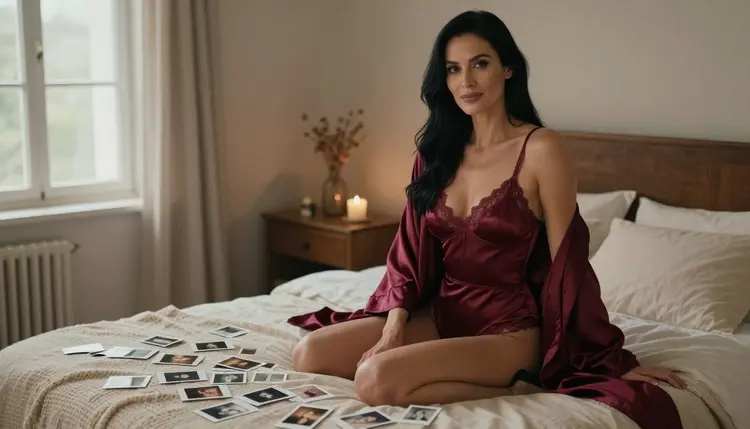
The instant-print look is one of the easiest ways to make an adult photo feel personal. A square frame with a wide white border, slightly lifted blacks, warm skin and a soft fade says "this was kept in a drawer", and that feeling does half the work before any wardrobe is described. On Picasso IA you can build that look from a text prompt, with a fictional adult in lingerie, a bedroom, a few prints scattered on the duvet and a light that looks like it came from a window and not from a studio.
This page shows how to ask for it. It covers the confirmed models, a five step workflow, seven prompt ideas and the rules that apply to every image. Everything here is provocative and never explicit: wardrobe, pose, light and mood do the talking, and every character is a fictional adult.
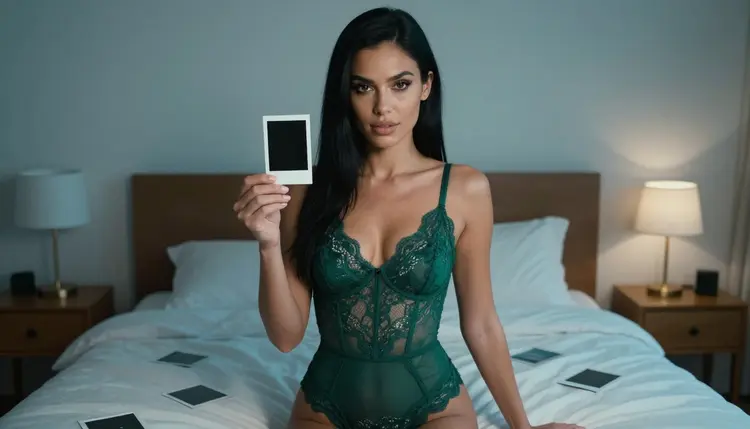
A good instant-photo image has a small list of ingredients, and each one can be written into a prompt. The frame is the first: a wide, plain white border, usually thicker at the bottom, with the picture itself a little smaller than the card. The colour comes next: warm highlights, a faint green or yellow cast in the shadows, and blacks that never reach full black. Then the softness: a lens that is not razor sharp at the edges, a bit of grain, and light that falls without a clear source.
What makes the style useful for adult content is the story it implies. An instant print is a private object. Nobody posts it, nobody retouches it on a phone. When the scene shows the woman holding one of her own prints, or a bed covered with them, the picture says that someone took these for themselves. That mood is flirty and intimate without needing anything explicit, which is exactly the line this section of Picasso IA keeps.
The look enters the prompt through props and setting, not through filters you apply later. Ask for the prints themselves: blank-bordered cards on a duvet, one held between two fingers with its white back toward the camera, a fan of them held at waist height. Ask for the room: a made bed, a doorway, a window with late light. Ask for the wardrobe: satin, lace, a loosely belted robe. Then describe the light in plain words, because light is what separates a convincing instant photo from a flat render.
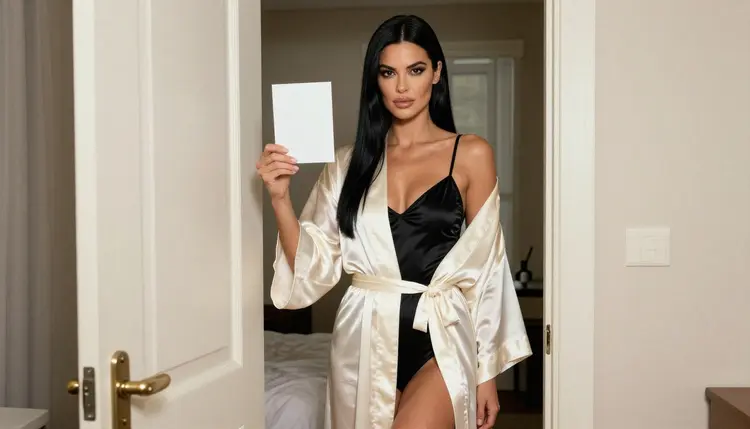
Seedream 4.5 is the model built around this page. Its catalog title says it creates 4K images from text, and for this look that matters in a practical way: fine fabric texture, the grain of the print border and small details such as the edge of a card are still readable when you zoom in. It is also one of the six models that Picasso IA has tested repeatedly with adult prompts and watched generate instead of reject. If you want to know exactly what that word means, the page about what confirmed means explains it, including the fact that a model maker can change a setting at any time.
Six models are marked as confirmed in the app, and three of them are images, which is what this look needs. Seedream 4.5 writes the base picture from your text. Recraft V4.1 Pro is strong on illustration and design, so it suits a more graphic reading of the style, such as a flat-colour card with a hand-drawn border. Picasso Image Editor Pro changes an existing picture, which is how you fix one detail without rewriting the whole prompt. The three video models are there for the day you want the print to move.
| Model | Best for | Format |
|---|
| Seedream 4.5 | Photoreal instant-print scenes with fabric and skin detail | Text to image, 4K |
| Recraft V4.1 Pro | Illustrated or design-led versions of the look | Print-ready images, 2K |
| Picasso Image Editor Pro | Changing one detail in a picture you already have | Photo editing, marked unlimited |
| LTX 2.3 Pro | Turning the scene into a short clip | Text to video, 4K |
| Picasso IA Video | Animating a picture or a text idea | Text or image to video, marked unlimited |
| Seedance 2.5 Lite | Short clips of the same scene | Video, listed up to 10 seconds |
Every other model in the catalog is untested for adult prompts. That does not make it filtered or unfiltered, it only means nobody at Picasso IA has run the repeated checks. Qwen Image 2, Seedream 5 and Nano Banana are examples of image models worth a try for this look, as long as you treat the result as an experiment and keep the confirmed models as your fallback. You can browse everything in the full catalog.
The workflow is short. Most of the time goes into the first prompt, and after that you are only adjusting wording. Keep the wardrobe, the room and the light in separate sentences so that you can change one without touching the others.
- Open the toolkit and pick the model. Go to the toolkit, choose Seedream 4.5 for a photoreal print scene, and select a square or near-square ratio if you want the instant-photo proportion.
- Describe wardrobe and setting. Write who is in the frame (an adult woman, mature, confident), what she wears, and the props: blank-bordered prints on a duvet, one held toward the camera, a doorway or a made bed behind her.
- Set the light and mood. Name one light source, such as soft overcast window light from the left, and add the film feel in plain words: fine grain, warm colour, faded blacks, a wide white border.
- Generate and review. Look at the hands holding the print, the edge of the card, the fabric folds and the face. If the border reads as a frame instead of a card in the room, say which one you want and run it again.
- Refine or switch. Use Picasso Image Editor Pro to change one detail, or try Recraft V4.1 Pro if you want a more graphic take on the same idea.
These seven ideas are starting points. Each names the wardrobe, the setting, the light and the angle, and you can swap any of them without breaking the rest. Write them as full sentences and add "mature adult" so the model has no doubt about the age of the character.
Burgundy satin on the bed. A woman in her thirties with long straight black hair sits upright on the edge of a bed in a burgundy satin slip and matching robe. Blank-bordered instant prints are scattered over the duvet beside her. Overcast daylight, a wide frame and a long lens at 135mm so the room softens behind her. The mood is calm and a little amused, as if she has just finished sorting them.
Emerald lace holding one print. She stands beside the bed in an emerald lace bodysuit, one print held at chest height with its plain white back toward the camera. Cool blue-hour ambient light from the window, a macro-style lens at 100mm so the lace and the card edge both stay sharp. The cool light against a warm lamp in the background gives the picture the slight colour split that real instant film has.
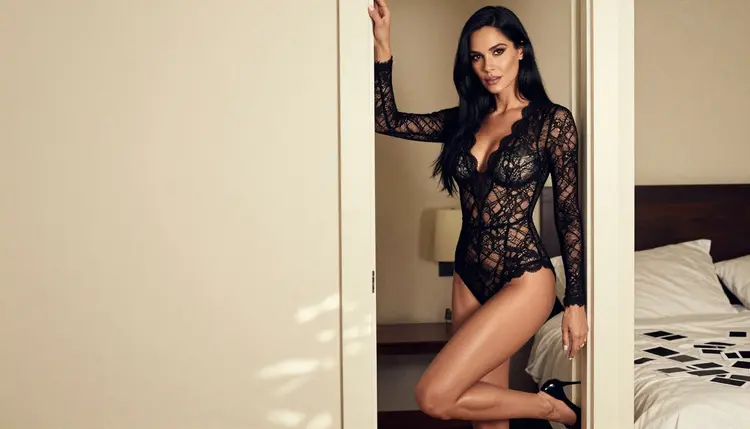
Ivory robe, black bodysuit. Standing near a bedroom doorway, she wears a black satin bodysuit under a long ivory silk robe, loosely belted, legs together, a print in one hand. Soft overcast light from the left, eye-level camera, 50mm. The prompt works because the robe covers and reveals in turns, which keeps it suggestive and not explicit.
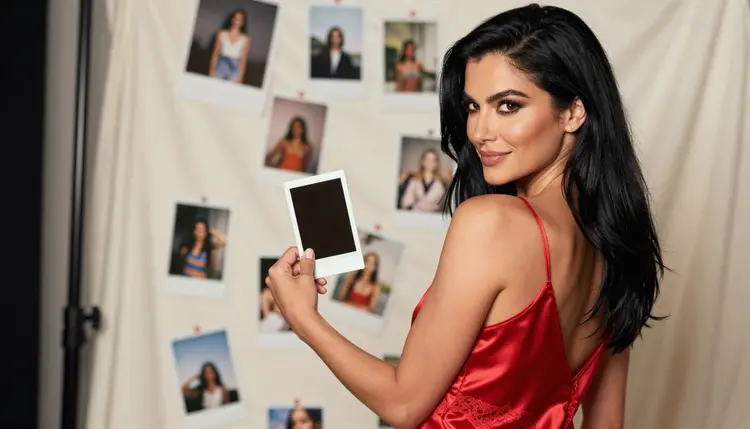
Over the shoulder in red. The camera sits behind her shoulder as she lifts a print toward the light in a red satin slip. Soft diffused studio daylight, 70mm, a shallow depth so the print is sharp and the background drops away. Ask for the print to show a different, blurred room, which gives the picture a nice picture-within-a-picture feeling.
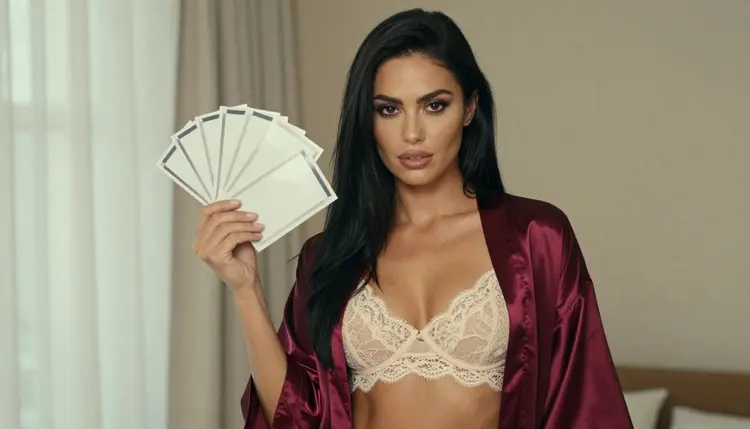
Ivory lace and a fan of prints. A waist-up portrait in an ivory lace bralette and burgundy robe, fanning four or five prints like a hand of cards. Window light from the left, 85mm, warm skin, a little grain. This one is good for testing whether the model keeps the fingers clean, since many small cards in a hand are a typical weak spot.
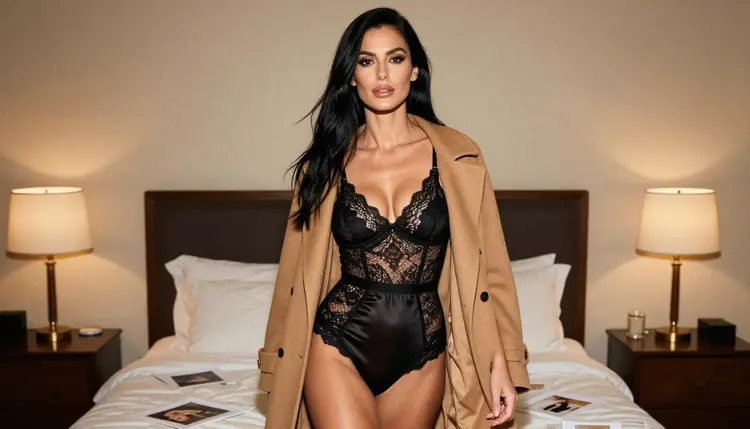
Camel coat in tungsten light. A candid walking shot through the bedroom in black lingerie with an open camel coat, a few prints in one hand. Warm tungsten lamp light, 135mm, slightly off-centre framing. The coat is the wardrobe trick here: it adds a layer, a texture and a hint of just-arrived or about-to-leave.
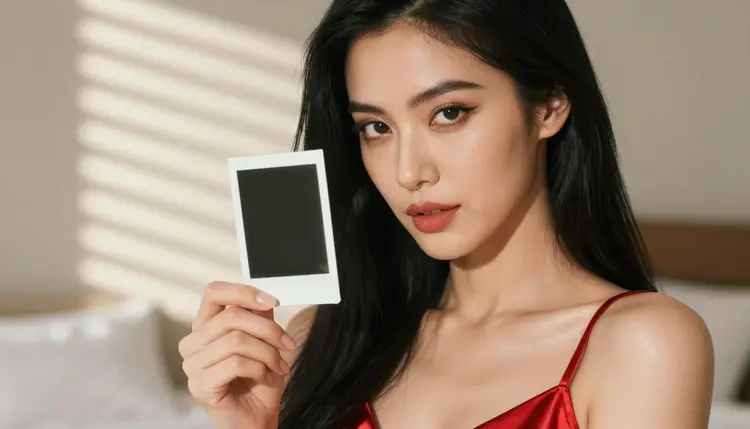
Morning blinds, close up. A tight portrait with a print held next to her cheek, hard morning sun through blinds drawing stripes across her face and shoulder. 85mm, glamour makeup, a calm direct look. The stripes of light are a strong cue for the instant-photo feel, because that kind of contrast is exactly what cheap film exaggerates.
This section of Picasso IA is for adults. You need to be 18 or older to use it, and every prompt on this page assumes that. If you are not an adult in your country, close the tab.
Every character is a fictional adult. Do not use the name or the likeness of a real person, and do not write a prompt that points to anyone who could read as a minor. That includes the age you give, the way the body is described and the setting. When in doubt, say "mature adult" and keep the wardrobe and pose to what the examples above show.
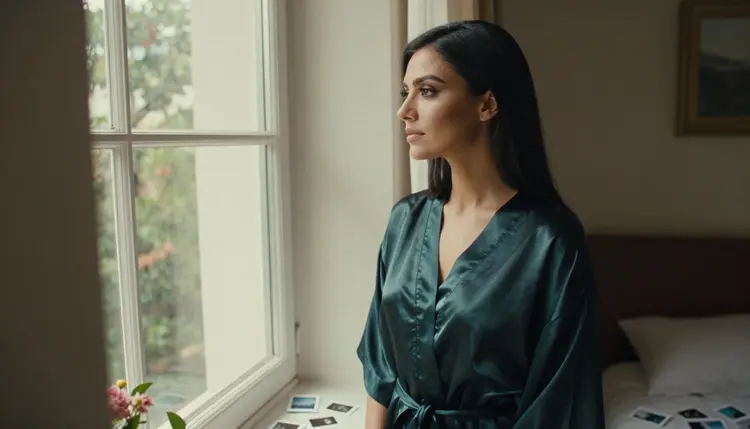
What you generate is private by default: it is tied to your account and not published or shown to anyone else. You decide what to keep and what to share outside the app. The images on this page stay on the provocative side of the line, with lingerie, robes, satin and lace, light and mood, and nothing explicit. A prompt that asks for more than that is outside what this page teaches.
A new account can try a small free trial on selected models. Picasso IA Image, Picasso Image Editor Pro, Picasso IA Video and Seedance 2.5 Lite are included, which means you can run a first instant-print prompt, fix one detail and try a short clip without paying anything. Seedream 4.5 itself is not on that list, so the plan details on the pricing page are where to check how credits apply to it. Credits depend on the model and on options such as resolution.
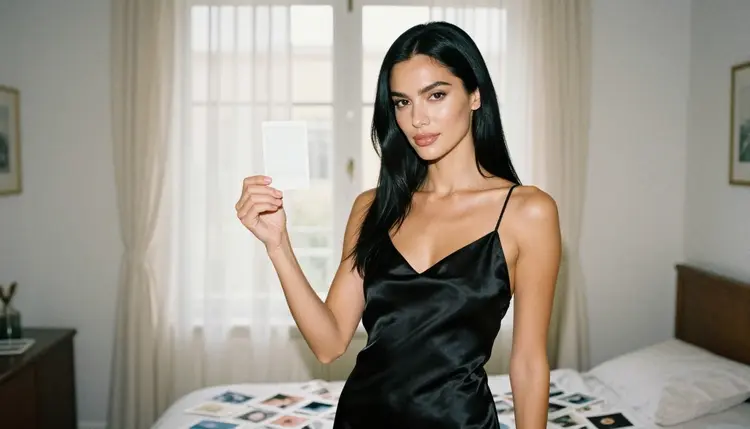
If you want to compare, the catalog has more image models than the three confirmed ones. Qwen Image 2 and Seedream 5 are untested for this kind of prompt, so treat them as worth a try, keep your best prompt copied and run it side by side with Seedream 4.5. Picasso Video (Pruna P-Video) is also untested and can be a useful second opinion for a short clip. Everything else is in the full catalog.
Related pages follow the same approach in other settings. Corset photos apply it to structured lingerie, hotel room photos move the scene to a suite, and boudoir photos with Seedream 4.5 go deeper on the bedroom light.
Which models are confirmed for this look?
Seedream 4.5, Recraft V4.1 Pro and Picasso Image Editor Pro are the confirmed image models, and LTX 2.3 Pro, Picasso IA Video and Seedance 2.5 Lite are the confirmed video models. Confirmed means Picasso IA tested adult prompts against each one repeatedly and saw it generate instead of reject. It is not a published setting of the maker, and the policy page explains the details.
Why use Seedream 4.5 for instant-print images?
Its catalog title says it creates 4K images from text, so small details such as lace, a card edge or a loose strand of hair stay readable when you zoom in. It is also one of the confirmed models. You can start from its model page and compare it with Recraft V4.1 Pro if you prefer a more graphic result.
How should I word the instant-photo look in a prompt?
Describe the object and the light, not just the word "instant". Mention a wide blank white border, faded blacks, warm colour, fine grain and a soft lens, and name one light source. Then put the prints into the scene: on the duvet, in a hand, or fanned like cards. Short, concrete sentences work better than a long list of adjectives.
Can I put two characters in one scene?
Yes, if both are fictional adults and you describe each of them separately in the prompt: who stands where, what each wears and where they look. Keep the prints as the shared prop, for example one person handing a card to the other. For a setting that suits two people, the hotel room page has useful framing ideas.
What happens when a model refuses a prompt?
Picasso IA shows a message titled "Content Not Supported by This Model". It recommends models that accept adult prompts and carries your prompt over, so you do not retype anything. You can then pick one of the confirmed models and run the same text again.
Are the characters always adults?
Yes. Every character on this page is a fictional adult, and no prompt should point to a real or identifiable person or to anyone who could read as a minor. The section is for adults only, 18 and older, and the examples are written to stay on the suggestive side of the line.
Are my images private?
By default, yes. What you generate is tied to your account and is not published or shown to other people. You choose what to download and where it goes after that. Details about how credits work are on the pricing page.
Can I turn a picture into a short video?
You can. Use Picasso IA Video to animate a picture or a text idea, LTX 2.3 Pro for 4K video from text, or Seedance 2.5 Lite for clips listed up to 10 seconds. A print being lifted or turned toward the light is a simple motion to ask for.
How do I change one detail without redoing the picture?
Open the image in Picasso Image Editor Pro and describe the change: a different robe colour, a cleaner hand, a print with a blank border instead of a pattern. It edits an existing picture, so the rest of the scene stays as it is, and the toolkit is where you start the edit.
Can I try this before paying?
A new account gets a small free trial on selected models: Picasso IA Image, Picasso Image Editor Pro, Picasso IA Video and Seedance 2.5 Lite. Check the pricing page for how plans and credits work, then open the toolkit and run your first prompt.