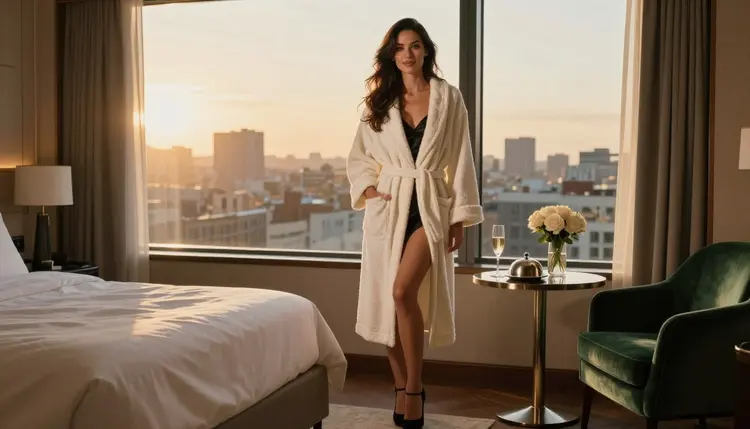
A hotel suite is one of the easiest sets to make look expensive and intimate at the same time. Crisp white linen, a tall window, a room-service tray, a plush robe and a city view already tell a story before anyone says a word. This page shows how to turn that scene into NSFW AI photos with Seedream 4.5, a model that Picasso IA has tested with adult prompts and watched generate instead of reject.
The look here is glamour, not anything graphic. Think of a fictional adult in a closed, belted robe over a satin slip, holding a champagne flute at golden hour, with the skyline blurred behind. It is suggestive through mood, wardrobe and light, which is exactly what makes it read as a real editorial shoot.
Everything below is written for adults only. Every character is a fictional adult, nobody is a real person, and what you make stays private to your account by default.
A hotel suite gives the picture a built-in context. The viewer does not need a caption: a plush robe, a tray with a covered plate and a pair of heels by the bed say "late morning, nowhere to be". That is why this look is so popular for NSFW AI art that wants to feel romantic and a little spicy without going anywhere near explicit.
Three things make the genre read well. First, the textures: white linen, terry cloth, satin, a velvet armchair and glass all react to light differently, and a good model renders each one with its own sheen. Second, the window: almost every strong hotel frame is built around one big light source, either golden hour backlight or soft overcast daylight, and the room fills in around it. Third, the pose: a person leaning on a window frame, seated upright in an armchair or walking down a corridor looks confident and unforced.
Seedream 4.5 is a text to image model that creates images up to 4K, and it handles those textures and that single-window lighting well. It is also one of the six models Picasso IA lists as confirmed for adult prompts. If you want to know what that word means and what it does not, the page about what confirmed means explains it in plain terms.
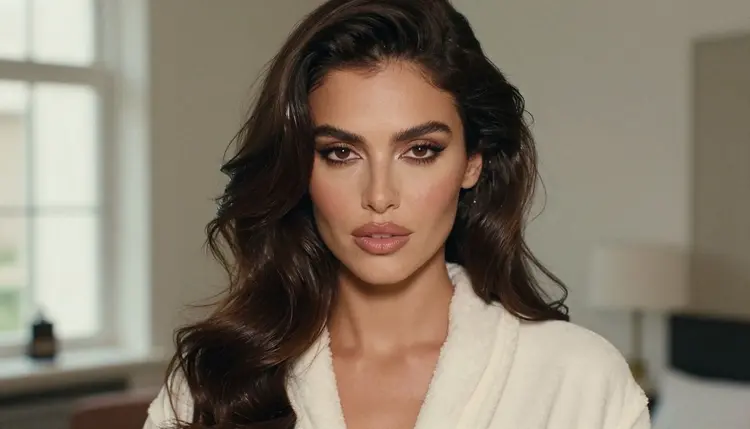
A close portrait is a good way to check the model before you build a bigger scene. Ask for a tight frame, soft window light from the left, a plush robe collar and polished glamour makeup. If the skin, the eyes and the fabric weave look right at that scale, the wide shots will hold up too.
For a related look built on a different garment, the corset photos generator works the same way: the wardrobe carries the mood and the light does the rest.
Hotel scenes need a model that is good at photographic detail: fabric, glass, reflections on a tray, a believable city view. The confirmed list in Picasso IA has three image models and three video models, and all of them can be reached from the toolkit. Confirmed means Picasso IA tested adult prompts against that exact model repeatedly and saw it generate. It is not a setting published by the maker of the model, who can change it at any time.
| Model | Best for | Format |
|---|
| Seedream 4.5 | Photoreal hotel scenes, robes, linen, window light | Text to image, 4K |
| Recraft V4.1 Pro | Illustrated or designed versions of the same suite, print-ready art | Image, 2K |
| Picasso Image Editor Pro | Fixing one detail in a finished frame: a hand, a strap, the tray | Edits an existing image |
| LTX 2.3 Pro | Turning the scene into a clip with camera movement | Text to video, 4K |
| Picasso IA Video | Short clips from a text prompt or from your finished image | Text or image to video |
| Seedance 2.5 Lite | Quick clips of a robe, a curtain or a champagne pour | Video, listed up to 10 seconds |
For this look, start with Seedream 4.5. Use Recraft V4.1 Pro when you want a poster or a design piece rather than a photograph, and keep Picasso Image Editor Pro open in a second tab for repairs.
The rest of the catalog is a different story: those models are untested for adult prompts. Some are worth a try for hotel scenes, such as Qwen Image 2, but nobody here can promise what they will do, so treat each one as an experiment. If a model declines, Picasso IA shows a message titled "Content Not Supported by This Model", recommends models that accept adult prompts and carries your prompt over, so you do not retype anything. You can browse the options in the full catalog.
The method is the same every time: pick the model, describe the clothes and the room, set the light, generate and look closely, then refine. Each step is short, and you can repeat the loop in a few minutes.
- Open the toolkit and pick Seedream 4.5. Go to the toolkit, choose the text to image mode and select the model. Choose a wide format so the window and the city have room.
- Describe the wardrobe and the setting. Name the robe (closed, belted, ivory terry), what is under it (a black satin slip), the shoes, and the room: white linen, a room-service tray, a velvet armchair, a tall window.
- Set the light and the mood. Write one light source, such as golden hour backlight or soft overcast daylight, plus a lens like 35mm f/2 and the words film grain. Add the mood: confident, calm, a little flirty.
- Generate and review. Check the hands first, then the belt and robe edges, then the face. Count the fingers, and look at the glass and the tray for odd reflections.
- Refine or switch model. Fix a single flaw with Picasso Image Editor Pro, or try Recraft V4.1 Pro if you want a more designed look.
These are written as starting points. Each one names wardrobe, setting, light and angle, and each one stays in glamour territory. Paste one, change a detail or two, and generate.
The first is the hero frame. A fictional adult woman stands at a tall suite window in a closed ivory terry robe over a black satin slip and black heels, one shoulder against the frame, a skyline behind her and a room-service table to the side. Golden hour backlight, 35mm f/2, eye-level, film grain. It sets the whole mood in one picture.
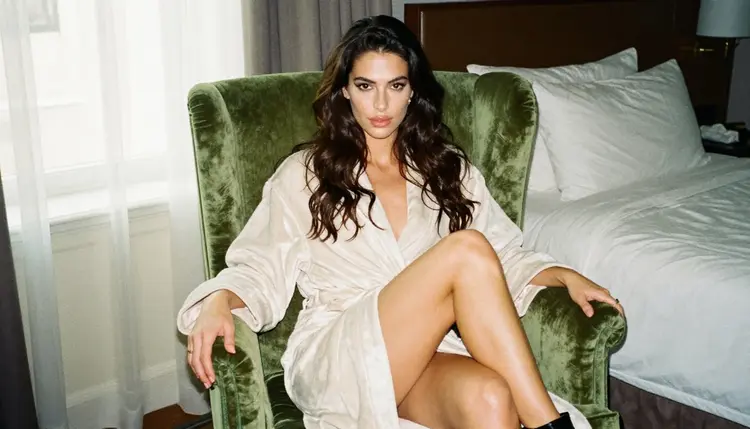
The second is the armchair portrait. The same woman sits upright on a green velvet armchair in a plush robe, legs crossed, one heel dangling, soft window light from the left, 24mm f/2.8, three-quarter view. The velvet against the white terry cloth gives you contrast without any extra props.
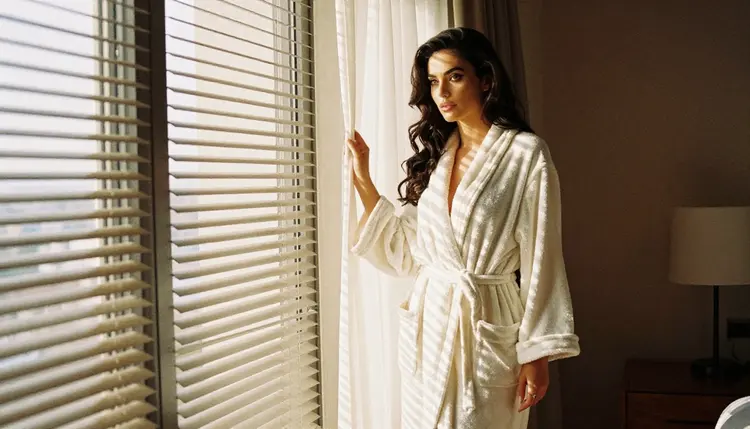
The third is the morning blinds frame. She stands near the window as hard morning sun cuts stripes through the blinds across the linen and the robe. Use 70mm f/2.8 and a wide environmental composition. The stripes add drama, and the bed behind her stays soft and out of focus.
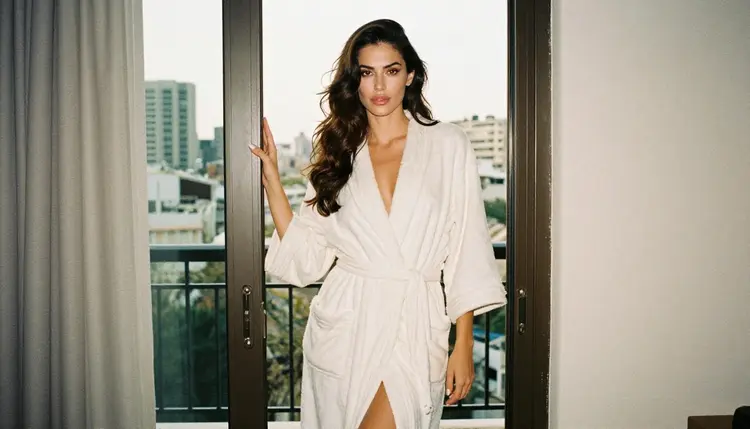
The fourth is the balcony doorway. She stands in the open door in a fully closed, belted white terry robe and black heels, one hand on the frame, golden hour side light, 50mm f/1.8. It looks like a candid editorial still.
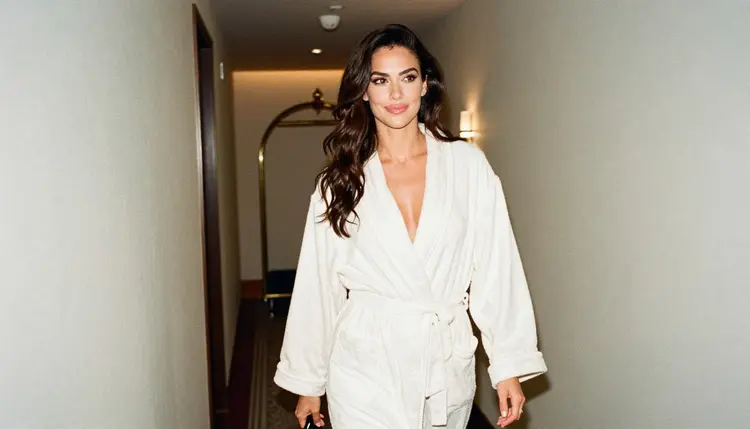
The fifth is the corridor walk. A candid three-quarter shot of her in a plush robe walking down a warm-lit boutique hotel corridor, golden hour backlight, 100mm macro f/2.8 for a shallow depth. The carpet pattern and wall lamps give the frame rhythm.
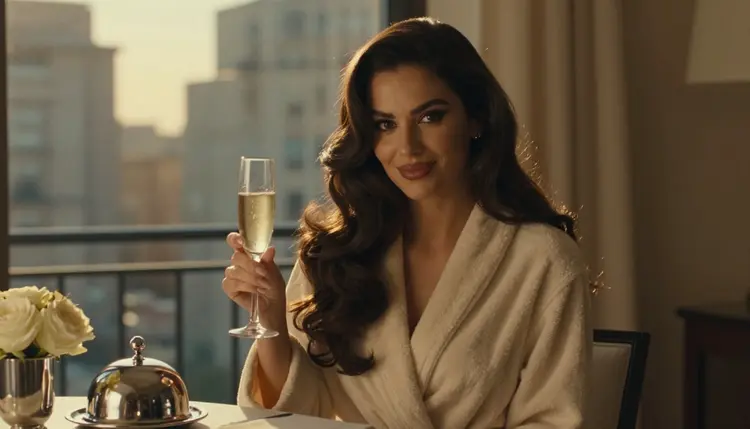
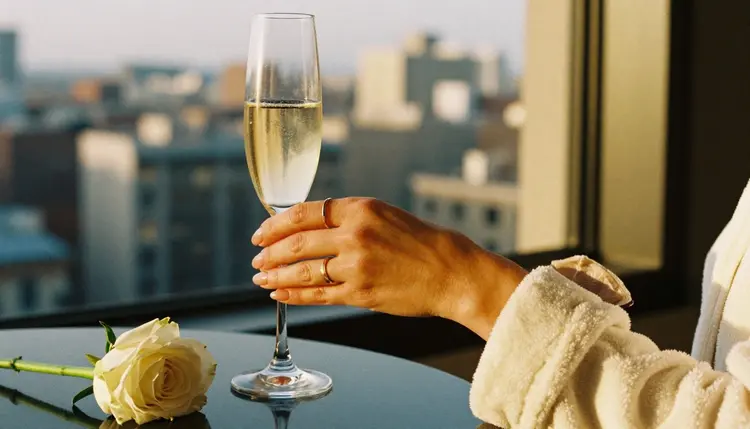
The sixth is the detail shot. Ask for exactly one hand in frame, manicured, holding a champagne flute next to white roses and the cuff of a robe, golden hour, 50mm f/1.4. Naming "exactly one hand" cuts down on extra fingers and doubled limbs.
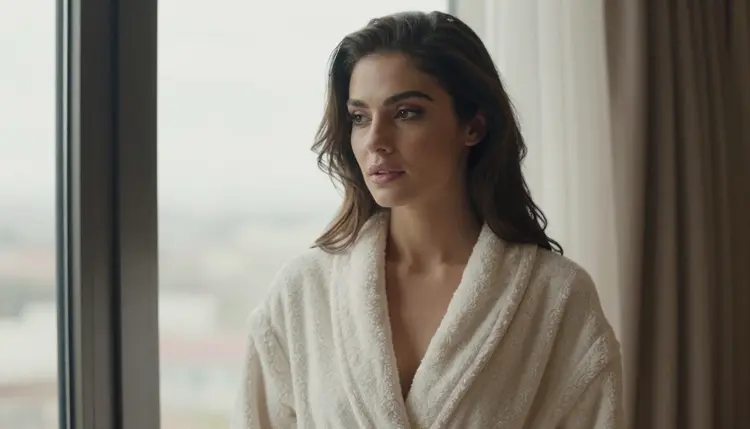
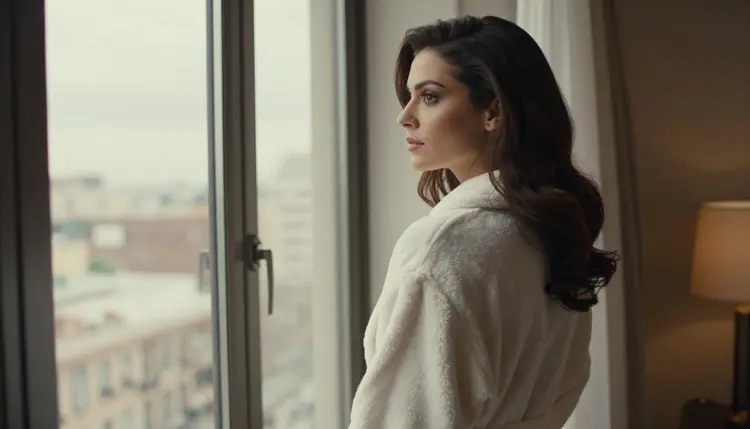
The seventh is the window view. The woman looks out over the city from inside the suite, overcast soft daylight, 135mm f/2, no mirror in the frame. It is a quiet, reflective picture and a good last frame in a set. If you need two people in one scene, the swimsuit photos guide shows how to write more than one character into a prompt, and the same wording carries over to a suite.
This page is for adults only. Use Picasso IA for NSFW content only if you are 18 or older, and keep your own local rules in mind.
Every character you create is a fictional adult. Do not use the name or likeness of a real person, and never describe anyone who could read as a minor. A hotel scene is no exception: if a prompt would produce someone who looks underage, rewrite it.
What you generate is private by default. It is tied to your account and not published or shown to other people, so you decide what leaves the app.
A new account can try a small free trial on selected models: Picasso IA Image, Picasso Image Editor Pro, Picasso IA Video and Seedance 2.5 Lite. That is enough to test a robe, a window and a clip without committing. Plans, costs and details live on the pricing page, and the cost of a generation varies by model and by options such as resolution or duration.
If you want to explore beyond the confirmed list, the same untested rule applies to everything else. Qwen Image 2 is a text to image model worth a try for hotel scenes, and Picasso Video (Pruna P-Video) is an option for motion. Both are untested, so look at what they return, and if one declines, move the prompt to Seedream 4.5 or Picasso IA Video. For sibling looks with the same wardrobe logic, see boudoir photos, lingerie photos and office glamour photos, or the pool party photos page for an outdoor mood.
Which models are confirmed for NSFW hotel room photos?
Three image models and three video models are on the confirmed list: Seedream 4.5, Recraft V4.1 Pro, Picasso Image Editor Pro, LTX 2.3 Pro, Picasso IA Video and Seedance 2.5 Lite. Confirmed means Picasso IA tested adult prompts against them repeatedly and saw them generate. Every other model is untested, not confirmed either way.
Why use Seedream 4.5 for this look?
It is a text to image model that makes 4K images, and it is strong on fabric, glass and window light, which are the three things a hotel suite depends on. It is also on the confirmed list, so an adult glamour prompt is not a gamble. See the model page for details.
How should I word the prompt?
Name the garment, the room, one light source and a lens, in that order. For example: closed ivory terry robe, black satin slip, white linen, room-service tray, golden hour backlight, 35mm f/2, film grain. Short, concrete phrases work better than adjectives. Avoid explicit words; this look works through mood.
Can I put two characters in the same scene?
Yes, describe each person with their own wardrobe and position, and say who is where, for example one at the window and one seated. Keep each description short. The swimsuit photos guide covers writing two people into one prompt, and the same approach works in a suite.
What happens when a model refuses my prompt?
Picasso IA shows a message titled "Content Not Supported by This Model". It recommends models that accept adult prompts and carries your prompt over, so you do not retype it. Pick one of them, or change the wording and try again.
Is this only for adults and fictional characters?
Yes. Picasso IA NSFW content is for adults aged 18 or older, and every character is a fictional adult. Never use a real or identifiable person, and never describe anyone who could read as a minor.
Are my hotel photos private?
Generations are private by default. They are tied to your account and are not published or shown to other people. What you share outside the app is your decision.
Can I turn a hotel photo into a video?
Yes. Take your finished frame to Picasso IA Video, which makes video from text or from an image, or to LTX 2.3 Pro for 4K video from text. Describe a small movement, such as a curtain moving or a champagne pour, rather than a big action.
How do I fix one detail, like a hand or a robe belt?
Open the frame in Picasso Image Editor Pro and describe only the change: one hand, a tied belt, a cleaner tray. Editing a single detail keeps the rest of the picture, which is faster than regenerating the whole scene.
Can I try this before paying?
A new account gets a small free trial on selected models, including Picasso IA Image, Picasso Image Editor Pro, Picasso IA Video and Seedance 2.5 Lite. Check the pricing page for how plans and credits work before you generate larger batches.