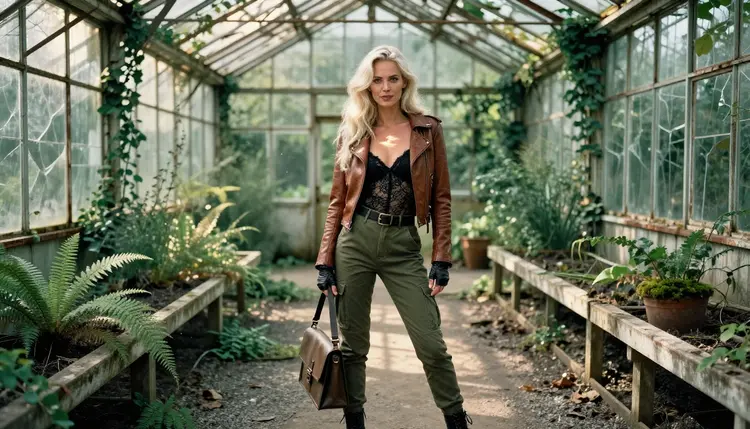
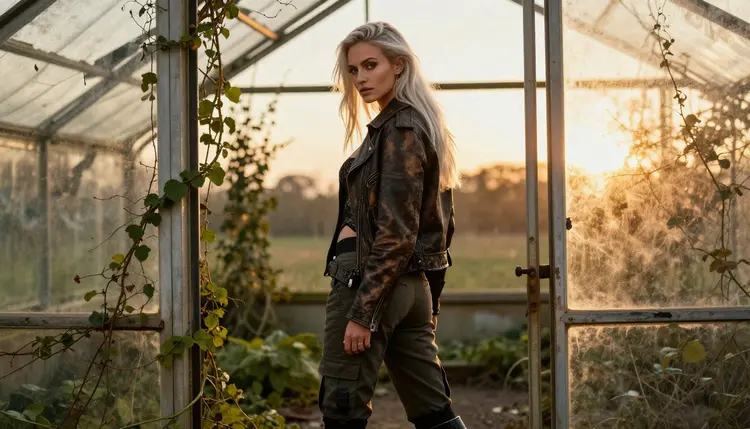
The post-apocalyptic survivor look is a quiet kind of glamour. Think worn leather over black lace, cargo trousers, combat boots and a face that still has polished makeup after the world fell apart. The setting does the storytelling: an abandoned greenhouse with ivy climbing the glass, ferns pushing through cracked tiles and dusty sunlight falling in broken shafts.
This page shows you how to build that look with Seedream 4.5 inside Picasso IA. You get the wardrobe vocabulary, the light settings that work, five steps from blank prompt to finished frame, and a set of prompt ideas you can copy and change. Everything here is for adults and for fictional characters only.
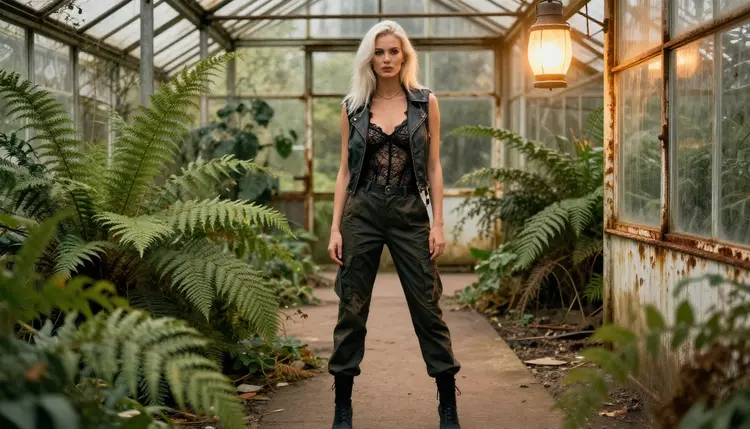
A survivor portrait lives on contrast. On one side you have rough, practical things: scuffed leather, canvas straps, rust, dust, brass fittings gone green. On the other side you have the parts that read as glamour: lace, a corset line, loose platinum hair, light eyes and finished makeup. The picture is provocative because those two worlds sit in the same frame, not because anything is shown that should stay covered. Every outfit in this style is opaque and fully covered, and the mood comes from attitude, fabric and light.
The greenhouse is the ideal set for it. Glass and iron give you hard geometry. Overgrown ivy and ferns give you soft, random shapes. Dirty panes scatter the sun, so a single window can give you dappled shade in the morning, warm gold at the end of the day and a cold blue ambient glow at dusk. A prompt that names the greenhouse and one light condition already has most of what it needs.
Seedream 4.5 suits this job for three reasons. It is a text to image model that outputs up to 4K, so worn leather grain, lace edges, rust flakes and brass scratches survive at full size. It follows long, specific prompts well, which matters when you list a jacket, a bodysuit, boots, a location and a lens in one sentence. And it is one of the models Picasso IA has tested repeatedly with adult prompts: it generated instead of rejecting. That is what "confirmed" means in the app. It is a result of our own testing, not a published setting from the model's maker, who can change it at any time.
The look also rewards photographic language. Name a lens (35mm for a walking frame, 50mm for a waist-up shot, 135mm for an over-the-shoulder frame), name the light, and add film grain and a warm analog palette. You are asking for a photograph, so the answer reads like one: natural skin texture, believable fabric folds, shallow depth of field.
A short list of models in the catalog is confirmed for adult prompts. The image models matter most for this style; the video models are for once your still frame is ready. Each name below links to its page.
| Model | Best for | Format |
|---|
| Seedream 4.5 | Photoreal survivor portraits with fine fabric detail | Text to image, up to 4K |
| Recraft V4.1 Pro | Illustrated or graphic takes on the same wardrobe, print-ready | Images at 2K |
| Picasso Image Editor Pro | Fixing one detail of a frame you already have | Photo editing, unlimited tag |
| LTX 2.3 Pro | Moving the greenhouse scene as a clip | Text to video, 4K |
| Picasso IA Video | Animating a still or writing a clip from text | Text or image to video, unlimited tag |
| Seedance 2.5 Lite | Short clips of the same scene | Video, listed up to 10 seconds, unlimited tag |
For a photographic survivor look, start with Seedream 4.5. Switch to Recraft V4.1 Pro when you want a poster or comic-cover feel with clean shapes and strong color. Keep Picasso Image Editor Pro for the last ten percent of the job.
The rest of the catalog is untested for adult prompts. That does not make a model bad, it means we have not confirmed it either way. Qwen Image 2, Nano Banana and Flux are worth a try if you want a different texture, and you can browse them in the full catalog. If one of them declines a prompt, you can carry the same text to a confirmed model.
The workflow is the same every time: model, wardrobe and set, light, review, refine. A first frame often takes a few minutes, and most of the quality comes from the second and third pass.
- Open the toolkit and pick the model. Go to the toolkit and choose Seedream 4.5 from the image models. Set the format to landscape if you want a wide environmental frame.
- Describe wardrobe and setting. Write the woman, the outfit and the place in plain words: worn leather jacket, opaque black lace bodysuit, olive cargo trousers, combat boots, abandoned greenhouse with ivy and cracked tiles.
- Set the light and mood. Add one light condition, such as dappled shade, golden hour backlight or blue-hour ambient light, plus a lens and film grain. Add the expression last: confident, calm, sultry.
- Generate and review. Look at the hands, the fabric edges and the face first. Check that every garment is opaque and that nothing in the background reads as a second person.
- Refine or switch. Fix a single detail with Picasso Image Editor Pro, or move the same prompt to Recraft V4.1 Pro for a different rendering.
These prompts are written as plain descriptions, so you can paste one in, then swap the garments, the light or the lens. Each one names a wardrobe, a setting, a light and an angle. Keep the same wording for the woman across prompts if you want the frames to look like one series.
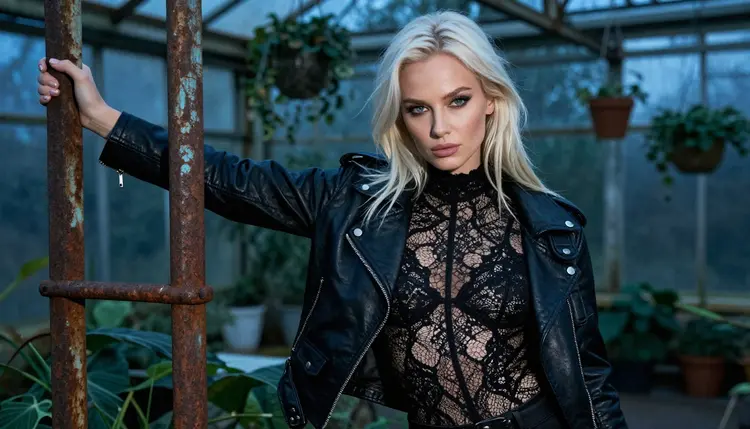
Blue-hour lean. A woman with long platinum-blonde hair and polished glamour makeup leans against a rusted iron post inside the greenhouse, medium shot from the waist up, worn leather vest over an opaque black lace top, cool blue-hour ambient light, 35mm lens, film grain. The cold light makes the blonde hair the brightest thing in the frame.
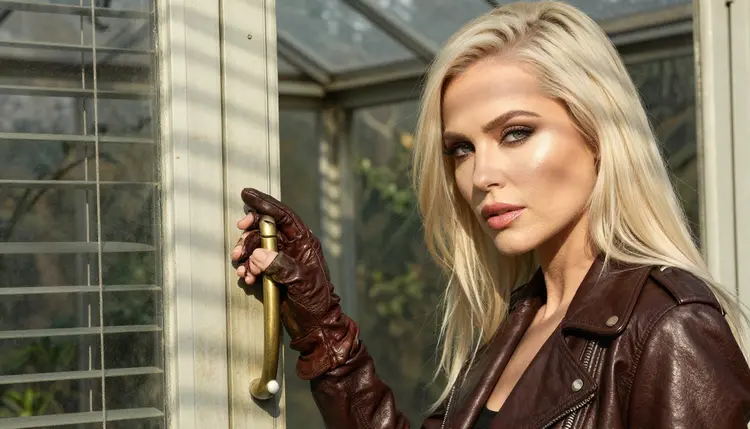
Glove on a brass handle. A detail shot of exactly one hand in a worn leather glove resting on a weathered brass door handle, hard morning sun cutting through blinds, shallow depth of field. Writing "exactly one hand" keeps the model from adding extra fingers or a second hand.
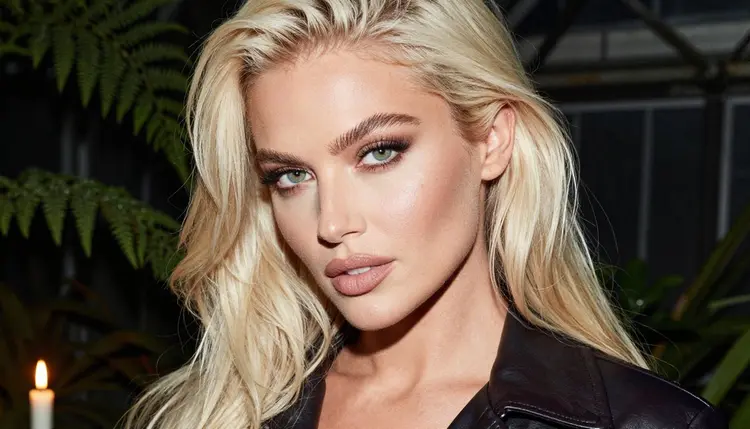
Candlelit collar. A tight close-up portrait, candlelight only, leather collar turned up, light eyes, soft platinum hair, calm and direct expression. A single flame gives warm skin tones and deep, soft shadows without any other prop.
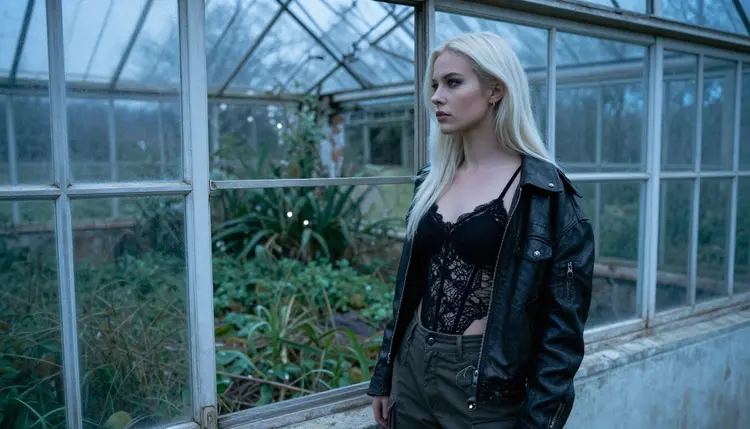
Window on the wild. The woman stands beside an open greenhouse window frame and looks out at an overgrown landscape, cool blue-hour light, 50mm f/1.4, corset top under a leather jacket. Ask for no mirror and no reflection if you want a clean glass area.
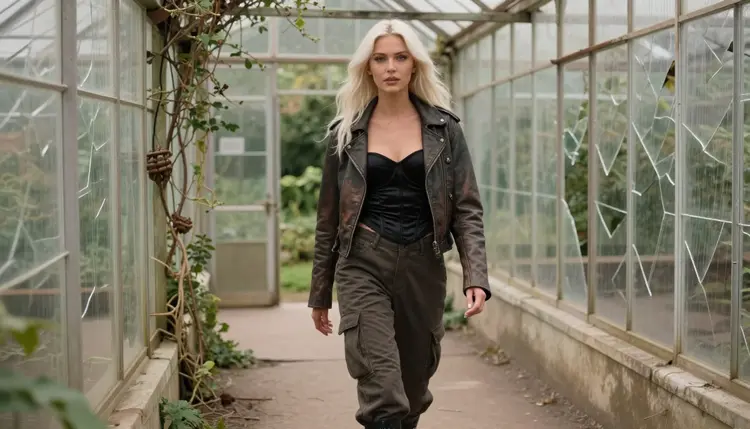
Walking the cracked path. A candid three-quarter shot of the woman walking along a cracked greenhouse path, soft window light from the left, leather jacket and corset top, cargo trousers and boots, 35mm f/2. The motion makes the fabric hang naturally.
Collapsed doorway at golden hour. A wide environmental portrait in a collapsed greenhouse doorway, golden hour backlight rimming the hair, 100mm lens, long jacket, opaque lace bodysuit, boots. Leave room around her so the ruin stays visible.
Over the shoulder. An over-the-shoulder frame from behind, soft window light from the left, 135mm f/2, leather jacket with the collar raised, ivy and glass blurred in the background. This one is good as a cover image because the face is half hidden.
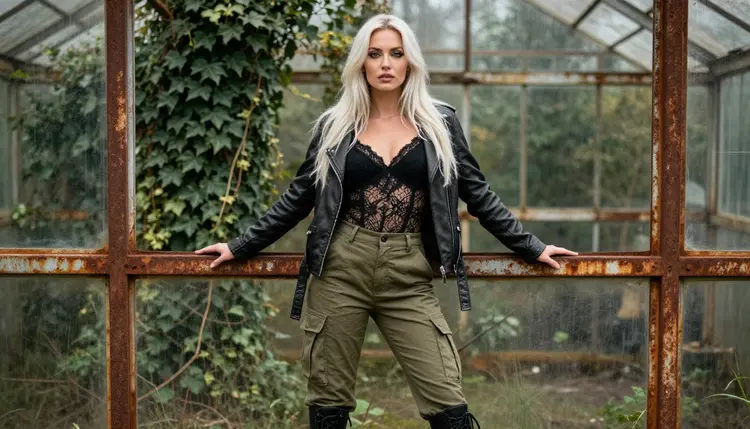
Standing against the frame. A full-length frame of the woman standing upright against a rusted greenhouse frame, soft overcast daylight, eye-level camera, 50mm f/2, worn jacket over a lined lace top. For a couple in the same scene, see Seedream 4.5 NSFW couples art.
This page is for adults. Picasso IA is an 18+ product, and the adult mode of the app is meant for people who are of legal age where they live. If you are under that age, close the page.
Every character you create here must be a fictional adult. Do not use a real or identifiable person, a celebrity or someone you know, and never describe or imply anyone who could read as a minor. The prompts on this page use a woman in her thirties for that reason, and your own prompts should keep that clear in the first words.
What you create is private by default. It is tied to your account and not published or shown to other people. The style here stays provocative, not explicit: lingerie layers under jackets, worn leather, implied attitude, nothing explicit. If you want a related look, try NSFW Viking shieldmaiden art or biker leather art, which follow the same rules.
A new account can try a few generations for free on selected models: Picasso IA Image, Picasso Image Editor Pro, Picasso IA Video and Seedance 2.5 Lite. That is a small free trial on selected models, not on the whole catalog. Seedream 4.5 is not in that list, so open the pricing page to see how credits work and which models carry the unlimited tag.
Credits vary by model and by options such as resolution or duration. If you want to test the survivor look before you spend anything on Seedream 4.5, write the same prompt for Picasso Image Editor Pro or Picasso IA Video, which are covered by the trial, then move the finished idea to the model you prefer.
When you want to explore further, open the full catalog and try untested models such as Qwen Image 2, Nano Banana or Flux with your best prompt. They are worth a try, nothing more is claimed. For a different subject with the same photographic approach, NSFW wallpaper art and witch art are good next reads.
Which models are confirmed for post-apocalyptic survivor art?
For still images the confirmed models are Seedream 4.5, Recraft V4.1 Pro and Picasso Image Editor Pro. For video they are LTX 2.3 Pro, Picasso IA Video and Seedance 2.5 Lite. Confirmed means Picasso IA tested adult prompts on that exact model and saw it generate.
Why use Seedream 4.5 for this look?
It is a text to image model with 4K output, so leather grain, lace edges, rust and brass stay sharp. It also follows long prompts that combine wardrobe, location, light and lens, which is how this style is written. Picasso IA has tested adult prompts on it repeatedly and it generated them.
How should I word a survivor prompt?
Start with the woman, then the outfit, then the place, then the light and lens. Use plain words such as worn leather jacket, opaque black lace bodysuit, abandoned greenhouse, dappled shade, 50mm f/1.4 and film grain. Say the garments are opaque and fully covered to keep the frame provocative but not explicit.
Can I put two characters in one scene?
Yes, describe both people clearly and give each one their own outfit and position, then check the hands and overlaps in the result. Our page on Seedream 4.5 NSFW couples art covers that kind of prompt in detail, and the lesbian couple page does the same for two women.
What happens when a model refuses my prompt?
Picasso IA shows a message titled "Content Not Supported by This Model". It recommends models that accept adult prompts and carries your prompt over, so you do not have to type it again. Pick one of the recommended models and generate again.
Is this content for adults only?
Yes. Picasso IA is 18+, and the characters are fictional adults only. Never use a real or identifiable person, and never anyone who could read as a minor. The style stays provocative, with fully covered outfits and no explicit content.
Are my images private?
Generations are private by default. They are tied to your account and not published or shown to other people. Keep that in mind when you download or share a file yourself, because from that point it is up to you.
Can I turn a survivor portrait into a video?
Yes. Take the still into Picasso IA Video, which works from text or from an image, or write the scene for LTX 2.3 Pro for 4K video from text. Short motions work well here: hair moving, dust in the light, a slow step along the cracked path.
How do I fix one detail without starting over?
Open the frame in Picasso Image Editor Pro and describe only the change: a cleaner glove, a different collar, softer shadows on the face. It is an editing model that is marked unlimited in the catalog, so it suits small repeated corrections.
Can I try it before paying?
A new account gets a small free trial on selected models, including Picasso IA Image, Picasso Image Editor Pro, Picasso IA Video and Seedance 2.5 Lite. Open the pricing page to see how credits work, then build your prompt in the toolkit.