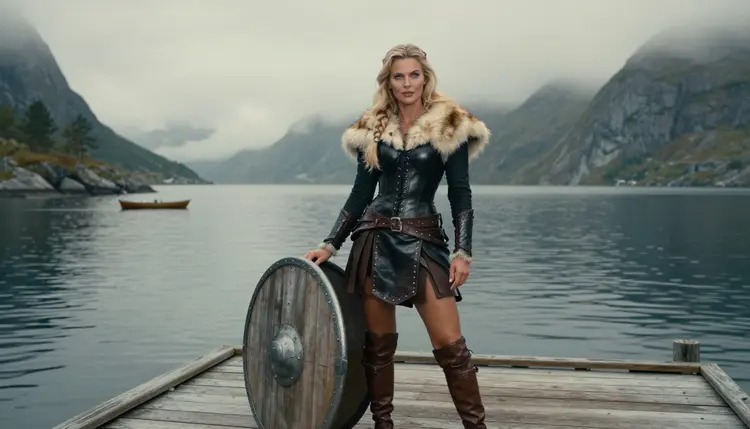
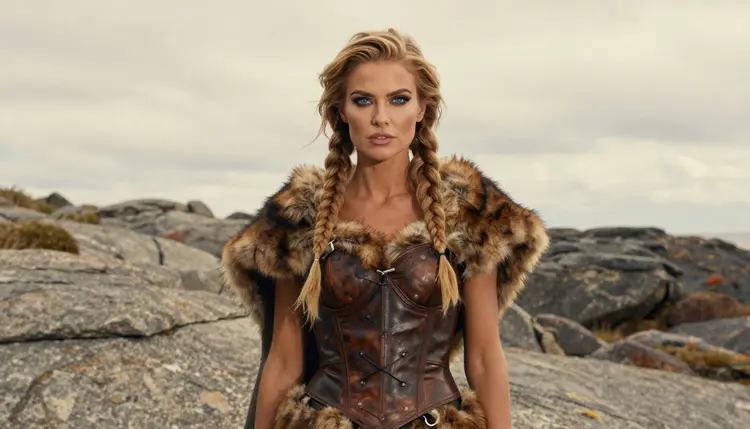
A shieldmaiden image works because everything in it is practical on the surface and a little provocative underneath. Black leather laced over a bodice, a collar of pale fur, braids pulled back from the face, a plain round shield leaning against a post. None of that needs to be explicit to carry mood. The skin you see is a bare shoulder, a forearm between bracer and glove, a collarbone under the fur. The rest is suggestion.
This page shows how to build that look with Seedream 4.5 inside the toolkit: which words to put in the prompt, how to set the light, and what to check before you keep a result. Everything here is for adults and about fictional characters only.
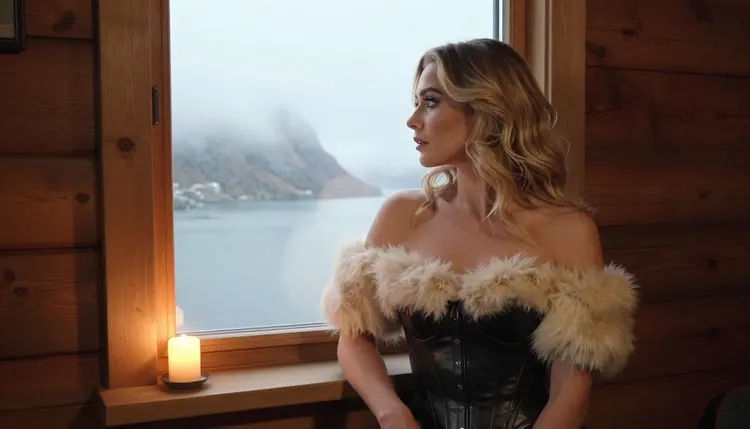
The Norse warrior woman is a character type with a ready-made wardrobe. Leather, wool, fur, iron rings, braided hair, a belt with a horn or a knife sheath. When you write those items into a prompt, the model has a lot of texture to work with, and texture is what makes a fantasy portrait look like a photograph instead of a drawing. Fur has a soft edge, leather has a sheen where it bends, and wood grain on a shield catches light differently than metal does.
The glamour side comes from how you dress and frame the character. A bodice cut low at the neckline, laced sides, a cloak slipping off one shoulder, sleeves cut away at the upper arm. These are suggestive choices, and they stay inside the line of provocative, never explicit. The mood you are after is a woman who looks like she could win a fight and knows you are looking.
Seedream 4.5 is the model this page is built around. According to its catalog title it creates 4K images from text, and Picasso IA has tested adult prompts against it repeatedly and watched it generate instead of reject. That is what "confirmed" means here: a result of our own testing, not a published setting from the model's maker, who can change it at any time. For a look that depends on fabric, hair and weather, a photoreal text-to-image model at that resolution is a sensible choice, because you can zoom into the braids and the stitching and they still hold up.
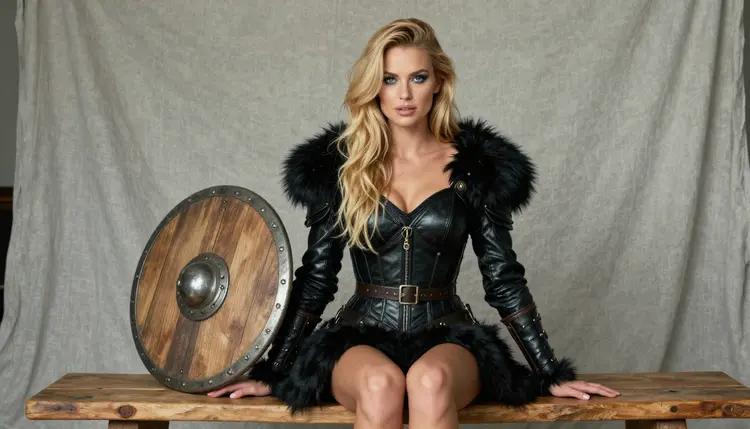
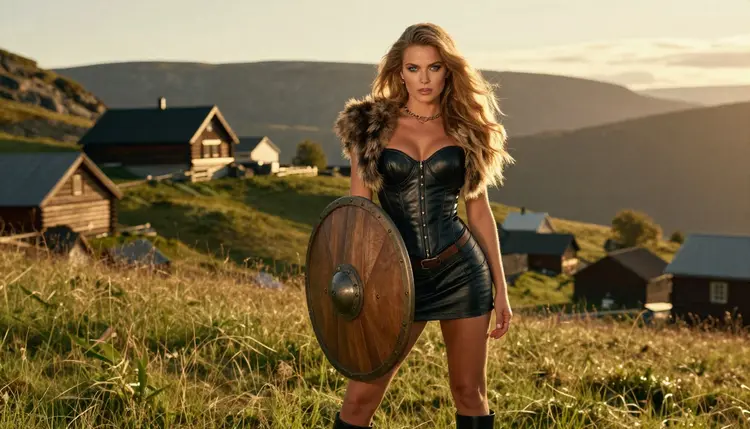
Setting matters as much as clothing. A fjord gives you grey water, low cloud and a cold, even light that flatters leather. A timber longhouse gives you candlelight and dark wood. A hillside at golden hour gives you backlight through the hair. Pick one place per prompt and describe it in a few words, because a prompt that tries to hold a fjord, a longhouse and a battlefield at the same time usually gives you a muddle of all three.
If you like this kind of character art in other genres, the same method works for witch art and for post-apocalyptic survivor art, where wardrobe and location carry the theme in the same way.
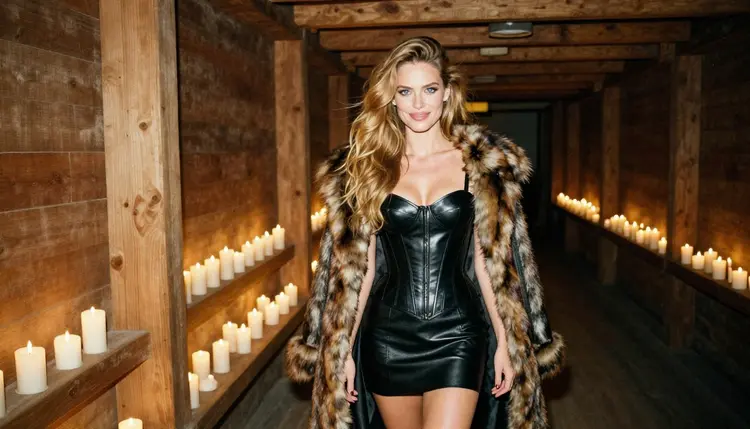
Shieldmaiden art is mostly about photoreal fabric and skin, so image models come first. The table lists the confirmed models of Picasso IA: the ones tested repeatedly with adult prompts. The three image models are the ones you will use for stills, and the three video models are for the follow-up when you want the cloak or the braids to move.
Seedream 4.5 should be your first pick. Recraft V4.1 Pro is the alternative when you want a poster look: strong outlines, a flat painted sky, a print-ready finish. Picasso Image Editor Pro comes at the end of the process, and it is marked with the infinity tag, so it does not spend credits on the plans that include unlimited generation.
The rest of the catalog is untested. Models such as Qwen Image 2, Seedream 5, Flux or Nano Banana are worth a try if you want a different texture or a different reading of the same prompt, but they are not confirmed either way, so treat them as experiments. You can browse them all in the full catalog.
The flow is the same each time, and it takes a few minutes once you know what you want. Write the prompt in plain sentences, in the order a photographer would brief a shoot: who, what she wears, where she is, what the light does.
- Open the toolkit and pick Seedream 4.5. Go to the toolkit, choose the image mode and select Seedream 4.5 from the model list. It is the model this page was built around.
- Describe wardrobe and setting. Name the leather bodice, the fur trim, the braids and the shield, then add one location such as a fjord jetty or a timber hall. Keep the character an adult woman in her thirties.
- Set the light and mood. Write the light in words a photographer uses: overcast soft daylight, candlelight, golden hour backlight, cool blue hour. Add a lens such as 85mm or 135mm for the compression you want.
- Generate and review. Look at the hands first, then the lacing, the fur edge and the shield rim. Check that the face looks like an adult and that there is exactly one shield, not two.
- Refine or switch. Fix one detail with Picasso Image Editor Pro, or run the same prompt on Recraft V4.1 Pro if you want an illustrated finish instead of a photo.
If a model refuses the prompt, the app shows a message titled "Content Not Supported by This Model" and recommends models that accept adult prompts. Your prompt is carried over, so you do not retype anything.
These are starting points. Each names wardrobe, setting, light and angle, so you can paste one and change a single element at a time. Replace the details with your own, and keep the character a fictional adult.
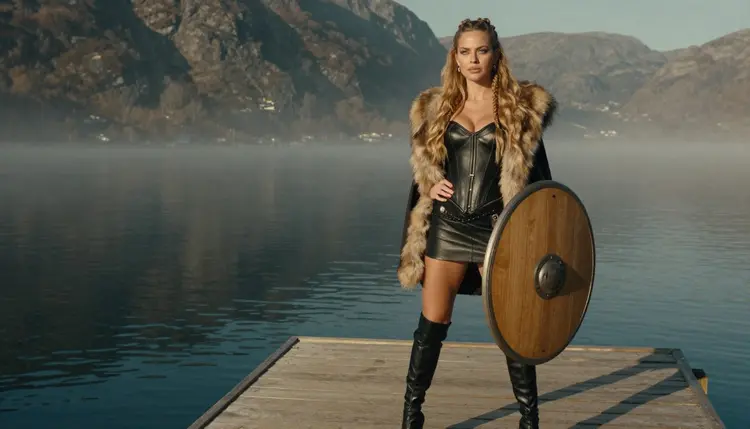
A wide hero frame at dawn: a woman in her thirties with long honey-blonde waves and braids at the temples, black leather bodice with a fur-trimmed collar, standing at the end of a wooden jetty on a fjord. Overcast soft daylight, 70mm lens, grey water and low cloud behind her, a round wooden shield propped against a mooring post.
A window-light frame: the same woman in a cabin, looking out at a misty fjord through a small window, leather armor with the fur mantle slipping from one shoulder. Warm tungsten lamp light on one side, cold blue light from outside, 24mm lens, wood beams in the foreground.
A walking shot in a longhouse: three-quarter view, a fur cloak over a leather bodice, candles on a long table, smoke in the rafters. Candlelight only, 85mm at f/1.8 so the background falls soft, a candid look as if she did not know the camera was there.
A profile silhouette on the shore: braids, fur collar and shoulder line against pale light, the water behind her flat and silver. Overcast daylight, 135mm lens, very little detail in the face, all the weight on the outline of hair and fur.
A golden hour hillside: wide environmental portrait, a wooden shield held at her side, wind in the hair, backlight turning the fur trim into a bright edge. 135mm lens, long grass in the foreground, a fjord far below in haze.
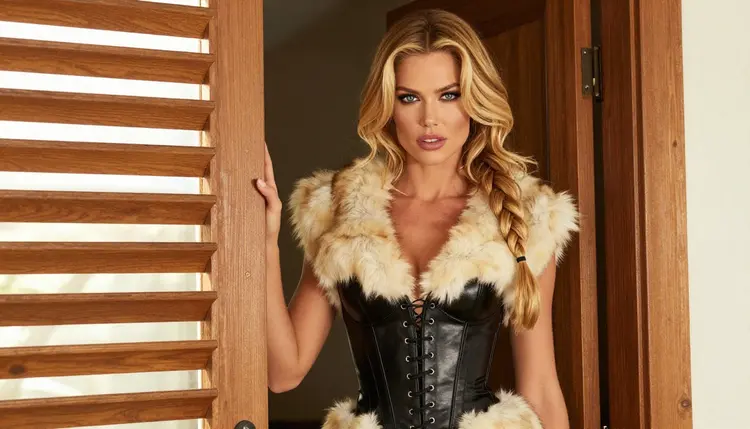
A waist-up doorframe shot: the woman leans on a timber doorframe, laced leather bodice, fur collar, hard morning sun through the slats of a shutter so that stripes of light cross her shoulder and the wall. 35mm lens, slightly warm color, a calm and amused expression.
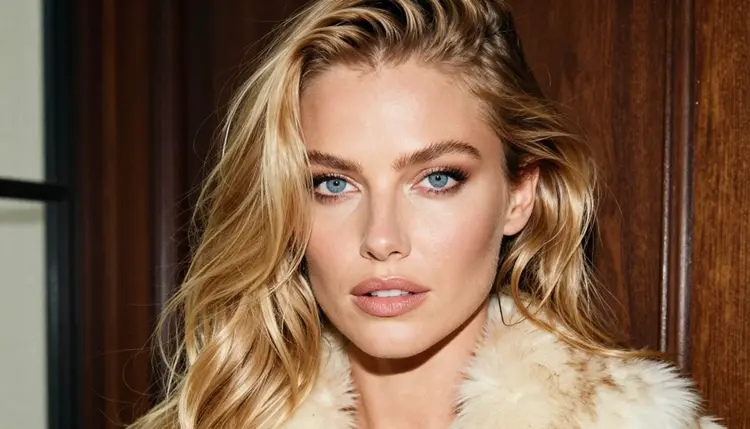
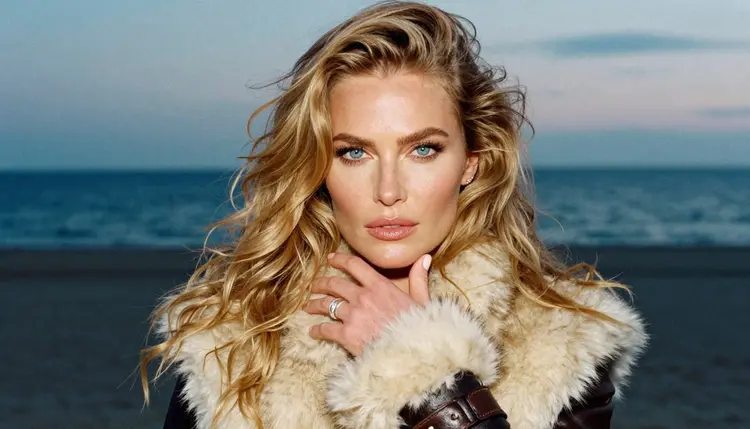
A tight close-up: braided blonde hair, a cream fur collar, glamour makeup, eyes toward the camera. Soft window light from the left, 24mm lens, shallow depth so that only the eyes and the fur tips are sharp.
A detail shot of one hand: a ringed hand resting on the fur trim and a leather bracer, cool blue-hour light, 35mm lens. Write "exactly one hand in frame" in the prompt, because hands are the most common thing to go wrong in a detail shot.
A full-length standing frame on a dock: eye-level, long leather coat open over the bodice, boots, the shield held beside her, hard morning sun through low mist, 100mm lens. This one works well as a wallpaper, and the page on NSFW wallpaper art covers framing for phone and desktop screens.
This is an 18+ page and an 18+ tool. Adult content on Picasso IA is for adults only, and you are responsible for using it that way. If you are under 18, this section of the site is not for you.
Every character you write must be a fictional adult. Never use the name or likeness of a real person, never describe anyone who could read as a minor, and give your characters an adult age in the prompt, in the thirties for this look. The page is provocative but never explicit, and the prompts here stay on wardrobe, pose, light and mood.
What you create is private by default. Generations are tied to your account and are not published or shown to others, so you decide whether anything leaves your own gallery.
A new account can try a few generations for free on selected Picasso IA models: Picasso IA Image, Picasso Image Editor Pro, Picasso IA Video and Seedance 2.5 Lite. It is a small free trial on selected models, not the whole catalog, so check the pricing page for how credits and unlimited generation work before you plan a big batch.
Credits vary by model and by options such as resolution or duration, which is why a 4K image from Seedream 4.5 and a quick edit in Picasso Image Editor Pro are not priced the same. Models with the infinity tag do not spend credits on the plans that include unlimited generation.
If you want to widen the look, a few catalog models are worth a try, all untested for adult prompts. Qwen Image 2 is one you can run against the same prompt to compare how it handles fur and leather. Picasso Video (Pruna P-Video) is untested too, so if you want to animate a still, start with the confirmed Picasso IA Video. When an untested model stops a prompt, the confirmed models above are the fallback and your prompt carries over.
For a different kind of character, the pages on biker leather art and couples art use the same wardrobe-first method with other settings.
Which models are confirmed for shieldmaiden art?
Seedream 4.5, Recraft V4.1 Pro and Picasso Image Editor Pro for images, and LTX 2.3 Pro, Picasso IA Video and Seedance 2.5 Lite for video. Confirmed means Picasso IA tested adult prompts against each model repeatedly and watched it generate instead of reject. It is not a published setting of the maker, so it can change. Every other model is untested.
Why use Seedream 4.5 for this look?
It creates 4K images from text, and leather grain, fur edges and braids hold up when you zoom in. It is also one of the models Picasso IA has tested repeatedly with adult prompts. You can see its page at Seedream 4.5 and compare it with the other models in the table above.
How should I word the prompt?
Write in plain sentences and put the wardrobe first: black leather bodice, fur-trimmed collar, braids, a round wooden shield. Then one location, one light and one lens. Avoid long lists of adjectives. Specific objects and light sources give better results than words like beautiful or dramatic.
Can I put two characters in one scene?
Yes, but give each one her own sentence of wardrobe and position, and say how they relate in the frame, for example standing back to back or sharing a fur cloak. Both must be fictional adults. The page on NSFW couples art explains how to handle two people in one prompt.
What happens when a model refuses my prompt?
The app shows a message titled "Content Not Supported by This Model". It recommends models that accept adult prompts and carries your prompt over, so you do not need to retype anything. Pick one of the suggested models and run it again, or soften the wording of the wardrobe.
Are the characters adults and fictional?
Always. Every character on this page is a fictional adult, and no one who could read as a minor is ever acceptable. Never use a real or identifiable person. If a result does not clearly read as an adult, delete it and rewrite the prompt with an adult age and a more mature styling.
Is what I generate private?
Generations on Picasso IA are private by default. They are tied to your account and are not published or shown to others. Nothing you create for this look is visible to anyone else unless you choose to share it yourself, outside the app.
Can I turn a shieldmaiden image into a video?
Yes. Open Picasso IA Video, which does text or image to video, and give it your still with a short note about the motion, such as wind in the cloak or a slow turn toward the camera. LTX 2.3 Pro makes 4K video from text if you prefer to start from words.
How do I fix one detail, like a hand or a clasp?
Use Picasso Image Editor Pro. Load the image, say what to change in one sentence, such as "make the shield rim plain wood" or "fix the fingers", and leave the rest of the picture as it is. It carries the infinity tag, so it does not spend credits on the plans with unlimited generation.
Can I try this before paying?
A new account gets a small free trial on selected models, including Picasso IA Image, Picasso Image Editor Pro, Picasso IA Video and Seedance 2.5 Lite. The trial does not cover the whole catalog. Plans, credits and the unlimited tag are explained on the pricing page, and the tool itself is the toolkit.