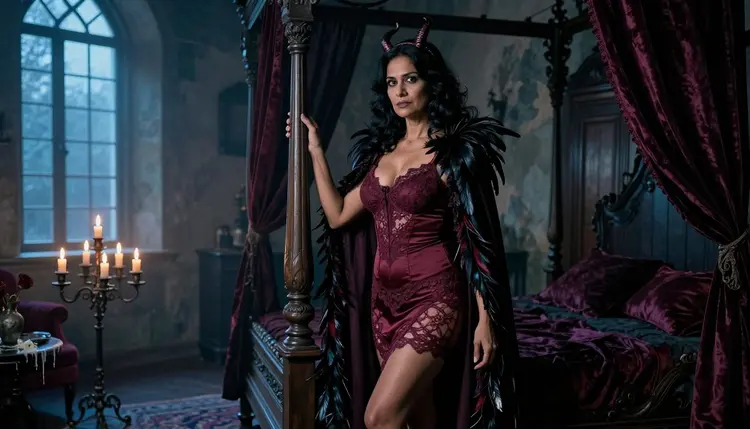
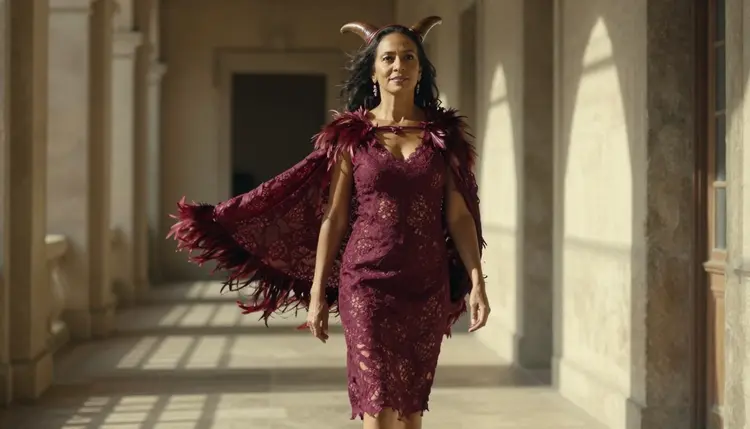
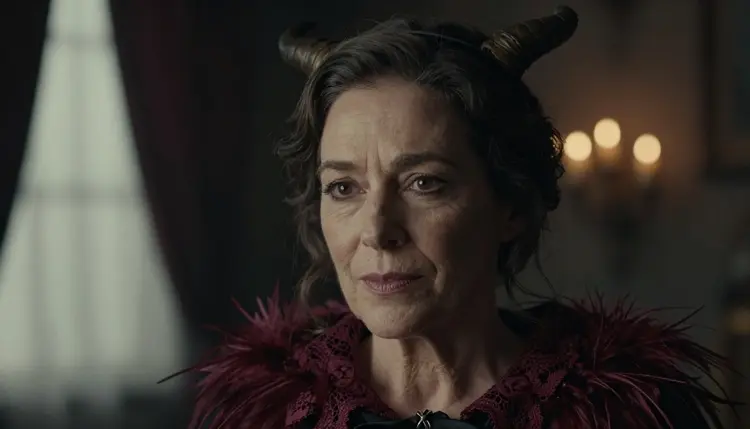
Succubus art is a gothic fantasy costume look: a curved horn headband, a feathered cape, burgundy lace, candlelight and old stone. This page shows how to build it with Picasso IA as a glamorous, suggestive photo series, using Recraft v4.1 Pro as the main model and two more confirmed models as backups. Every character is a fictional adult, and the result stays flirty and moody, never explicit.
You will find the models and what each one is good for, five steps from a blank prompt to a finished frame, seven prompt ideas written out in full, and the rules that apply to every image. If you like costumes in general, the Halloween costume page covers a wider range of outfits, and the monster romance page goes further into creature fantasy.
A succubus look is easy to recognize and hard to get right. The silhouette is simple, but the read comes from small things: how the horn headband sits above the hairline, whether the feathers on the cape have separated edges, whether the lace has a believable pattern instead of a smear. Costume details like these are where a design-minded model earns its place.
Recraft v4.1 Pro is listed in the catalog as a print-ready image model at 2K, and Picasso IA has tested adult prompts against it. "Confirmed" means the model generated those prompts instead of rejecting them in repeated tests. It is not a published setting of the model's maker, who can change it at any time, and the moderation page explains the term in full.
What you get in practice is clean lace and clasp geometry, readable fabric edges and a 2K frame that is meant for print. The look this page aims for is raw photography: natural or candle light, a little film grain, a real room with real textures. The gothic theme comes in through wardrobe, props and place, so the pictures read as a costume shoot and not as a cartoon.
One habit saves a lot of retries: write the costume first and the mood second. Wardrobe words such as burgundy lace, horn headband and feathered cape anchor the model. Light and room words such as candle, stone and velvet then set the scene around the character.
Six models in the app are confirmed for adult prompts. Three of them make images and are the ones to use for this look. The other three make video and come in once you have a frame you like. Pick by what you need from the picture, not by habit.
| Model | Best for | Format |
|---|
| Recraft v4.1 Pro | Lace, ornament and design-heavy costumes | Print-ready image at 2K |
| Seedream 4.5 | Photoreal portraits and rooms | Image from text, 4K |
| Picasso Image Editor Pro | Fixing one detail of an existing image | Photo editing, unlimited tag |
| LTX 2.3 Pro | A cinematic clip of the finished scene | Video from text, 4K |
| Picasso IA Video | Animating a frame or a prompt | Video from text or image, unlimited tag |
| Seedance 2.5 Lite | Short clips of a pose or a walk | Video up to 10 seconds, unlimited tag |
A quick way to choose: Recraft v4.1 Pro when the costume itself is the subject, Seedream 4.5 when the face, skin and room need to look photographed, and Picasso Image Editor Pro when a frame is almost right and one thing is off. The same prompt can travel between the first two, so it costs you nothing to compare.
The rest of the catalog is untested, which is not the same as filtered. Models such as Seedream 5 and Nano Banana may well handle a costume prompt, and they are worth a try in the full catalog. We have simply not confirmed them either way. If a model does stop a prompt, the app shows a message titled "Content Not Supported by This Model", recommends models that accept adult prompts and carries your prompt over, so nothing has to be retyped.
The flow is the same on every image model. Only the wording of the prompt changes from one look to the next.
- Open the toolkit and pick the model. Go to the toolkit, choose Recraft v4.1 Pro for ornament-heavy costumes or Seedream 4.5 for a photoreal look, and set the image format you want.
- Describe wardrobe and setting. Write one sentence for the character and costume, for example an adult woman in a burgundy lace costume with a curved horn headband and a long feathered cape, then one sentence for the room, such as a candlelit gothic bedroom.
- Set the light and mood. Name a single light source and a lens, for example candle glow with cool blue-hour light from a tall window, 35mm, soft film grain. One clear light beats a list of five.
- Generate and review. Look at hands, lace pattern, feather edges, the symmetry of the horns and the face before you keep a frame. Run it again with one change at a time if something is off.
- Refine or switch. Fix one detail with Picasso Image Editor Pro, or send the same prompt to another confirmed model and compare the two results side by side.
Each idea below names the wardrobe, the setting, the light and the camera angle, so you can paste it, change one word and run it. All of them describe a fictional adult woman or man, always mid twenties or older, and none of them needs more than the costume to carry the theme.
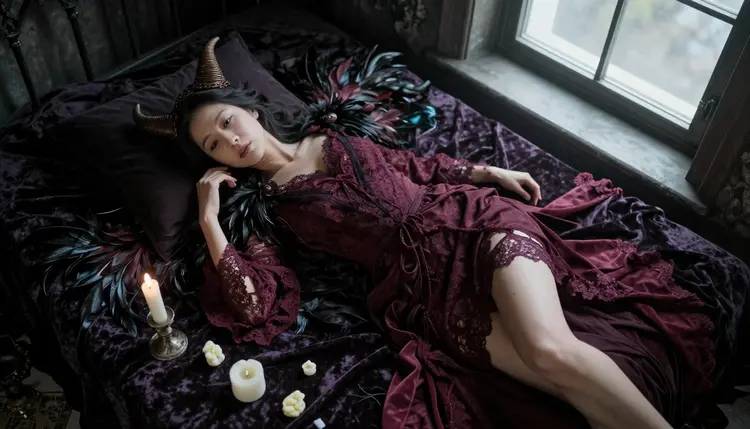
Velvet bedspread from above. An adult woman in her early thirties lying on her side on a dark velvet bedspread, burgundy lined lace costume, curved horn headband, feathered cape spread around her like a fan, overhead angle, soft overcast daylight from a window, 70mm lens, film grain. The cape shape gives the frame its graphic center.
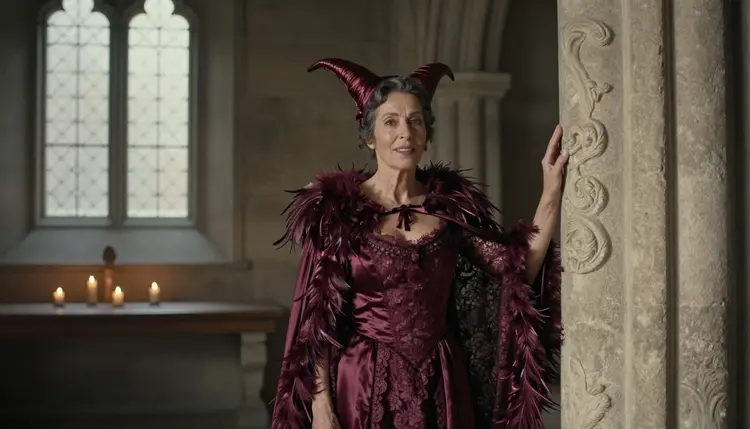
Stone hall, full figure. An adult woman in her late thirties standing in an old stone gothic hall, burgundy lace costume, horn headband, long feathered cape reaching the floor, wide environmental portrait, dappled shade light through a high window. Ask for visible stone texture so the room feels old and not built from plastic.
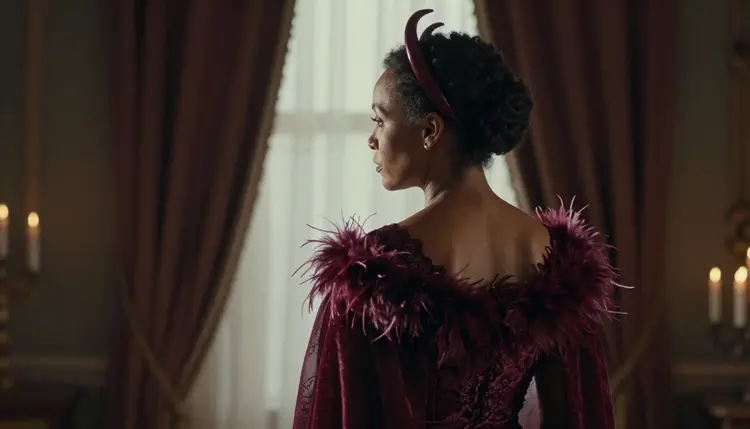
Over the shoulder toward the bed. An adult woman in her mid thirties seen from behind her shoulder, feathered cape, burgundy lace bodice, horn headband, looking toward a candlelit four poster bed, late-afternoon side light, shallow depth of field. The story is in the glance, so keep her face partly turned.
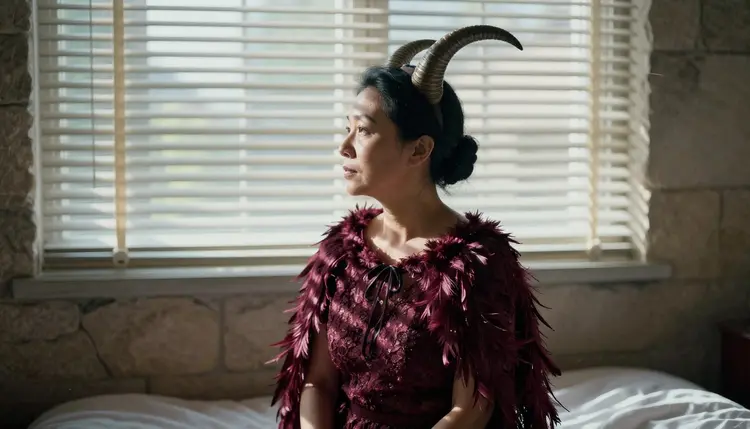
Profile against the window. An adult woman in her early thirties in profile before a bedroom window, horn headband and feathered cape outlined against hard morning sun through blinds, 24mm lens, high contrast. Blinds throw stripes across the fabric, which suits lace very well.
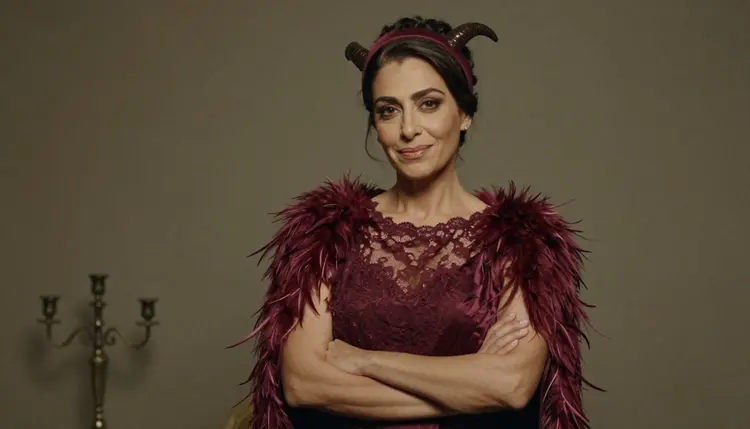
Waist-up studio portrait. An adult woman in her early thirties, burgundy lined lace top, horn headband, feathered cape, arms crossed loosely, confident look, soft diffused studio daylight, 70mm lens. This is the cleanest frame for checking lace pattern and feather detail.
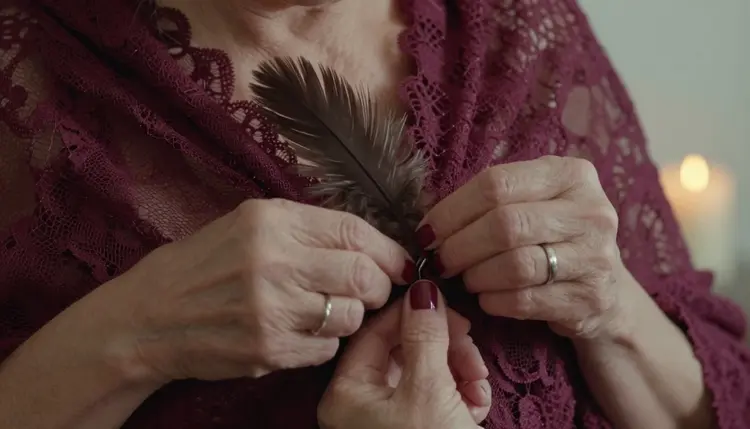
Hands and clasp. A close detail of an adult's hands with dark red nails fastening the clasp of a feathered cape over burgundy lace, a lit candle blurred behind, macro style at f/2.8. Detail shots like this make a series feel finished, and they are quick to generate.
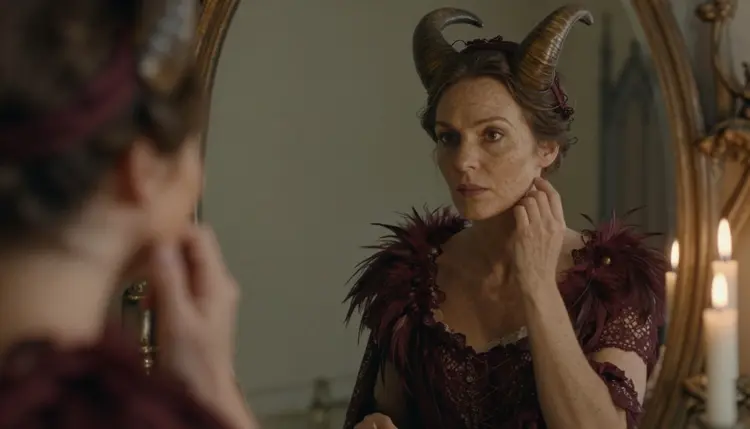
Antique mirror reflection. An adult woman with freckles in her early thirties reflected in an antique mirror on a candlelit dressing table, burgundy lace costume, horn headband, feathered cape, late-afternoon side light. Mention the mirror frame and the candle flames, and the model usually keeps both in the picture.
This section is for adults only. The 18+ rule is not a formality: the whole page assumes the reader is an adult who wants flirty, moody costume pictures, and it is written for that audience.
Every character is a fictional adult. Do not use the name or likeness of a real or identifiable person, and never describe anyone who could read as a minor. The prompts on this page set the age in the first line for that reason, and you should do the same in your own.
What you generate is private by default, tied to your account and not published or shown to others. The look stays suggestive: wardrobe, pose, light and mood do the work, and the pictures are glamorous without being explicit.
A new account can try a few generations for free on selected models: Picasso IA Image, Picasso Image Editor Pro, Picasso IA Video and Seedance 2.5 Lite. It is a small free trial and it does not cover the whole catalog. The pricing page lists plans and what each one includes, and credit costs vary by model and by options such as resolution.
Models marked with the infinity tag do not spend credits on the plans that include unlimited generation, and that covers Picasso IA Video and Seedance 2.5 Lite among the confirmed ones. When a frame is final and you want it to move, LTX 2.3 Pro makes 4K video from text, and a candle flicker or a swaying cape is a good first test.
Outside the confirmed six, everything in the catalog is untested for adult prompts, so treat any other model as a try, not a promise. Browse the full catalog when you want a different rendering style, and keep the confirmed models as your fallback. If you want to see how other looks are built, the best NSFW art generator page is a good neighbor to this one.
Which models are confirmed for succubus art?
Three image models: Recraft v4.1 Pro, Seedream 4.5 and Picasso Image Editor Pro. For video there are LTX 2.3 Pro, Picasso IA Video and Seedance 2.5 Lite. Everything else in the catalog is untested, which means worth a try but not confirmed either way.
Why use Recraft v4.1 Pro for this look?
The look depends on costume detail: lace, clasps, feather edges, ornament. Recraft v4.1 Pro is listed as a print-ready 2K image model with a strength in illustration and design, so those details tend to stay readable. For a more photographed feel in the face and the room, run the same prompt in Seedream 4.5.
How should I word a succubus prompt?
Start with the adult character and the costume, then the room, then one light source and a lens. Something like: adult woman, burgundy lace costume, curved horn headband, feathered cape, candlelit gothic bedroom, soft window light, 35mm, film grain. Change one element per run so you learn what each word does.
Can I put two characters in one scene?
Yes, describe both adults and say where each one stands, for example one by the bed and one at the mirror. Name the costume of each so the details do not blend. The Seedream 4.5 couples page goes deeper on two-person prompts and is worth a read first.
What happens when a model refuses a prompt?
The app shows a message titled "Content Not Supported by This Model". It recommends models that accept adult prompts and carries your prompt over, so you do not retype it. Pick one of the confirmed models and run it again. The moderation page explains what confirmed means.
Are the characters adults and fictional?
Yes, always. Picasso IA is for adults aged 18 and over, every character is a fictional adult, and there is never a real or identifiable person in the prompts on this page. Nobody who could read as a minor is ever described. Keep the same rule in your own prompts and set the age in the first line.
Are my images private?
Yes. Generations are private by default: what you create is tied to your account and is not published or shown to other people. You decide what to download, keep or share outside the app.
Can I turn a frame into a video?
Yes. Open Picasso IA Video and use your image as the starting frame, or try LTX 2.3 Pro for 4K video from text. Keep the motion simple: a cape swaying, a candle flickering, a slow turn toward the window.
How do I change one detail without redoing the image?
Open the image in Picasso Image Editor Pro and describe only the change, for example a darker lace color or a different horn headband. It is a photo editor, so the rest of the frame stays as it is, and it is marked with the infinity tag.
Can I try this before paying?
A new account gets a small free trial on selected models, which include Picasso IA Image, Picasso Image Editor Pro, Picasso IA Video and Seedance 2.5 Lite. It does not cover every model. The pricing page shows how credits and plans work, and the toolkit is where you start.