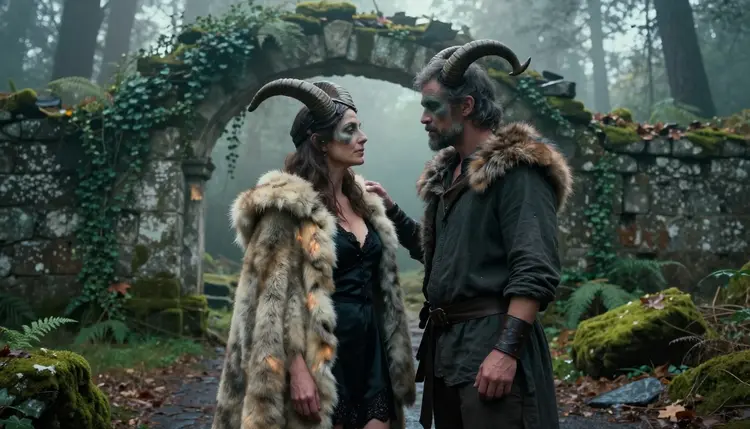
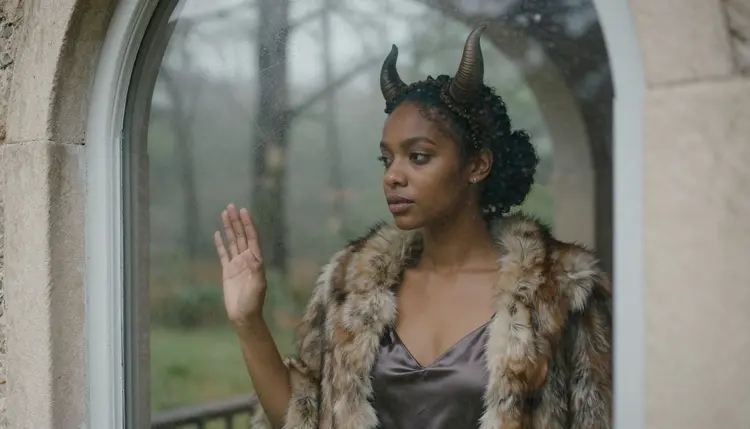
Monster romance is a fantasy-romance genre built on one idea: a character who looks inhuman, with horns, fur, claws or stone-grey skin, and a love story that treats them with tenderness. On the page it comes from novels and cover art. In pictures it comes from costume, makeup and mood. A horned headpiece, a heavy fur cloak and a misty ruin tell the whole story before anyone says a word.
This page shows how to make that look with AI. It is built around Recraft V4.1 Pro in the toolkit, with Seedream 4.5 as the photoreal option and Picasso Image Editor Pro for fixes. Every character is a fictional adult, the mood is suggestive and romantic, and nothing here is explicit.
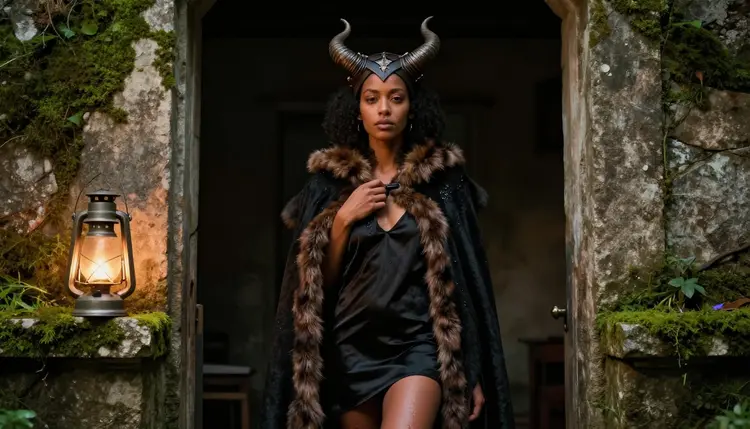
The genre lives in contrast. A soft satin slip next to a rough fur mantle. A gentle hand on a cheek, and above it a pair of curved horns. Readers of monster romance do not want a creature feature. They want the moment where a mythic figure goes quiet and careful with someone, and the picture has to carry that in one frame.
The easiest way to get there is to treat the monster as a costume and a performance. Think of adult cosplayers on a location shoot: resin horns on a leather headband, silicone appliqués blended into the brow, matte grey-green makeup, a faux-fur cloak, bracers, a linen shirt. Prompts written like that produce believable material, with visible seams, real fabric and skin that still looks like skin. They also keep the result suggestive rather than graphic, because the drama sits in the embrace and the styling, not in what is shown.
Recraft V4.1 Pro is a good starting point because of how it is described in the catalog: print-ready images at 2K, with strength in illustration and design. For this genre that means clean edges on horns, crisp fur texture and a composition that holds up when you want a poster, a book-cover mock-up or a phone wallpaper. It is also one of the models Picasso IA tested with adult prompts and watched generate instead of reject, which is what "confirmed" means in the app. That is a result of our own testing, not a published setting from the model maker, and it can change. You can read the full explanation on the page about what confirmed means.
Two things make a monster romance image read well. The first is a believable set: a collapsed stone arch, ferns, moss on flagstones, fog between conifers. The second is restraint in the pose. Foreheads almost touching, a hand at the jaw, a fur cloak slipping off one shoulder over an opaque slip. Implied intimacy is stronger than anything explicit, and it keeps the picture within the rules of this section.
Picasso IA keeps a short list of models that it tested repeatedly with adult prompts. For monster romance you will mostly use the three image models on that list, and the video models when you want the scene to move. Each name below links to its model page.
| Model | Best for | Format |
|---|
| Recraft V4.1 Pro | Illustrated and designed monster romance art, covers, posters | Image, print-ready at 2K |
| Seedream 4.5 | Photoreal cosplay-style portraits with fur and costume detail | Image, text to image up to 4K |
| Picasso Image Editor Pro | Editing one detail of an existing image, such as a horn or a cloak | Image editing, unlimited tag |
| LTX 2.3 Pro | Moving a scene from a text description | Video, 4K from text |
| Picasso IA Video | Animating a finished image or writing a clip from text | Video, text or image to video, unlimited tag |
| Seedance 2.5 Lite | Short clips of a finished scene | Video, up to 10 seconds, unlimited tag |
Use Recraft V4.1 Pro when you want a designed look, for example a cover with room for a title or a clean fantasy illustration of a horned adult in a ruin. Use Seedream 4.5 when you want the raw photograph feel: Kodak-style film grain, natural light, believable skin and fabric. Both accept the same kind of prompt, so you can run one description through each and keep the one you like.
The rest of the full catalog is untested for this kind of prompt. That does not mean those models refuse, and it does not mean they accept. It means nobody at Picasso IA has checked them yet. If a favorite model of yours is not on the confirmed list, it is worth one try with a mild version of the prompt. If it declines, the app tells you and points you to a model that accepts adult prompts.
The flow is the same each time, and it takes a few minutes once you have a prompt you like. Treat the first run as a draft and the later runs as polish.
- Open the toolkit and pick the model. Go to the toolkit and choose Recraft V4.1 Pro for a designed look or Seedream 4.5 for a photographic one.
- Describe the wardrobe and the set. Name the horns and what they are made of, the cloak, the underlayer, the makeup and the location, for example a mossy ruin in morning mist.
- Set the light and the mood. Pick one light source, such as late-afternoon side light or a warm tungsten lamp, and one emotion, such as tender or quiet.
- Generate and review. Check hands, the join between horn and hairline, the fabric folds and the faces. Look at the whole frame before you judge a single detail.
- Refine or switch. Fix one flaw with Picasso Image Editor Pro, or run the same prompt on the other confirmed image model and compare.
When you need to reuse a face or a costume between scenes, attach the earlier image in the toolkit. Models that accept several inputs show an @1 and @2 badge on each attached picture, and you can refer to them inside the prompt.
These ideas are written as starting points. Each names wardrobe, setting, light and angle, and each one keeps every character a fictional adult in fully opaque, tasteful clothing. Change the heritage, age band, horns and colors to make them your own.
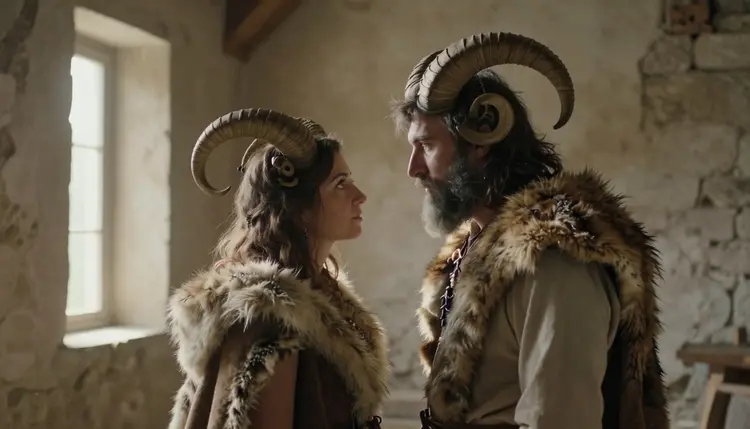
The ruin at dawn. A wide hero frame, 24mm lens. A mixed-heritage woman in her mid thirties with laugh lines stands in a collapsed forest ruin in morning mist. She wears curved resin horns on a leather headpiece, matte grey-green brow makeup and a heavy faux-fur cloak over a black satin slip dress. A bearded man in his late thirties with ram-style horns stands beside her, their foreheads almost touching. Late-afternoon side light through the fog.
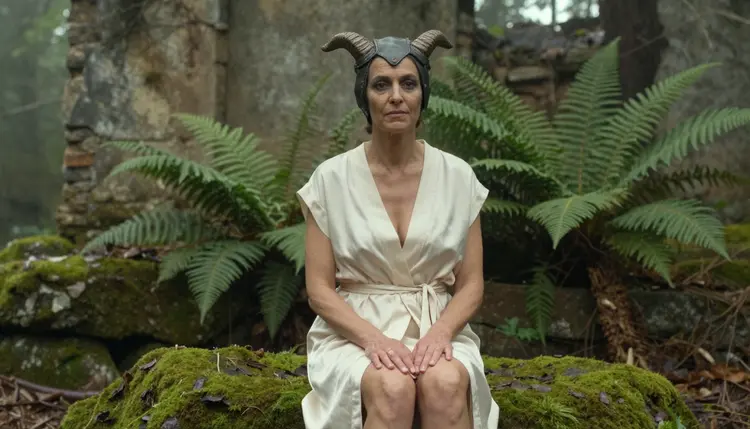
The mossy seat. A three-quarter view with an 85mm lens. A woman in her late thirties with visible laugh lines wears small curved resin horns on a leather headpiece and a closed cream satin robe belted at the waist, sitting upright on a mossy rock in a misty forest ruin with her knees together and her hands resting on her lap. Soft overcast morning light, ferns behind her.
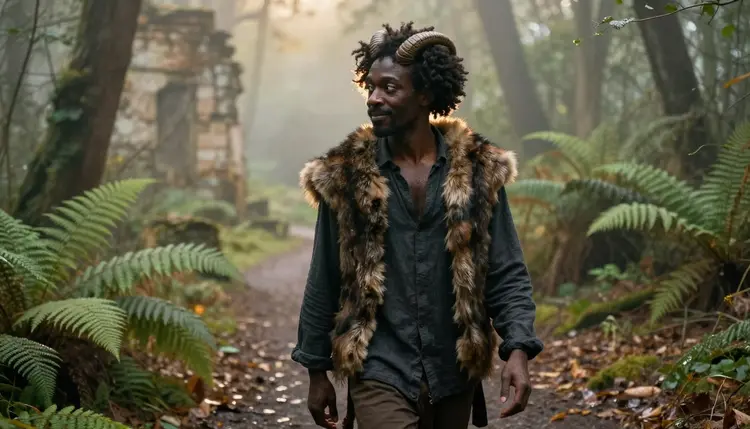
The walk through the ferns. A candid three-quarter walking shot with a 50mm f/1.4 lens. A Black man with natural curls in his late thirties wears small ram horns and a fur mantle over a closed linen shirt, walking a misty path between ferns. Golden hour backlight rims the fur and the curls. Ask for shallow depth of field so the ruin stays soft behind him.
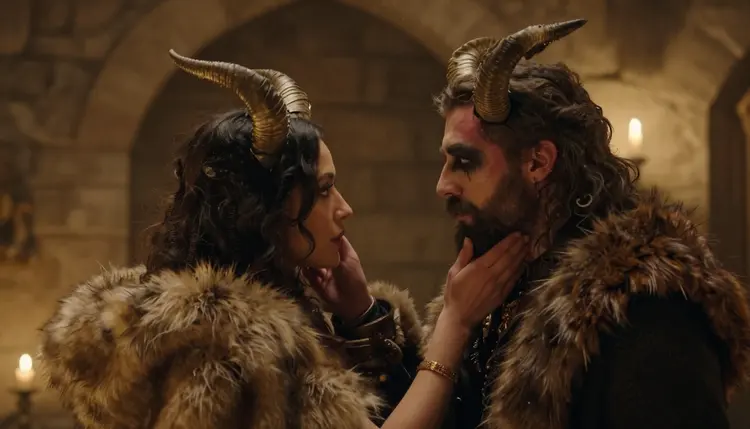
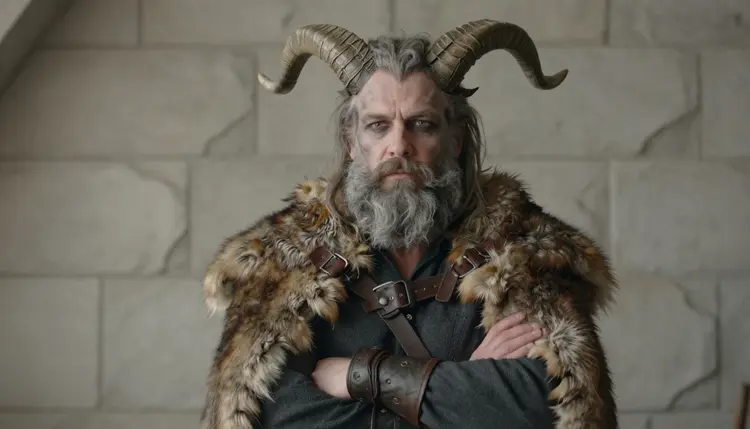
The candlelit chamber. An over-the-shoulder frame. A woman in a fur cloak and horns faces a bearded man in horns, his hand resting on her cheek. A stone chamber, candles on a ledge, warm tungsten light. This is the scene to try when you want two characters in one image, and the sibling page on couples art with Seedream 4.5 has more on how to keep both of them consistent.
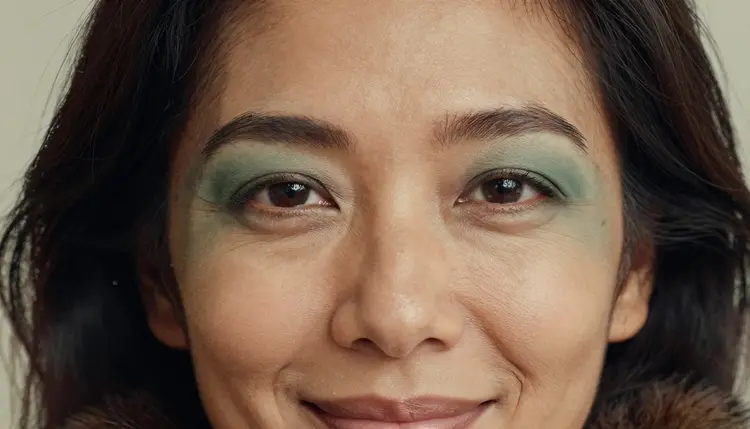
The costume close-up. A tight portrait at 70mm. Describe the join where a horn base blends into the hairline with a silicone appliqué and matte makeup, a fur collar, and laugh lines on a woman in her mid thirties. This is a makeup-artist shot. It is the best way to make the monster feel crafted instead of pasted on.
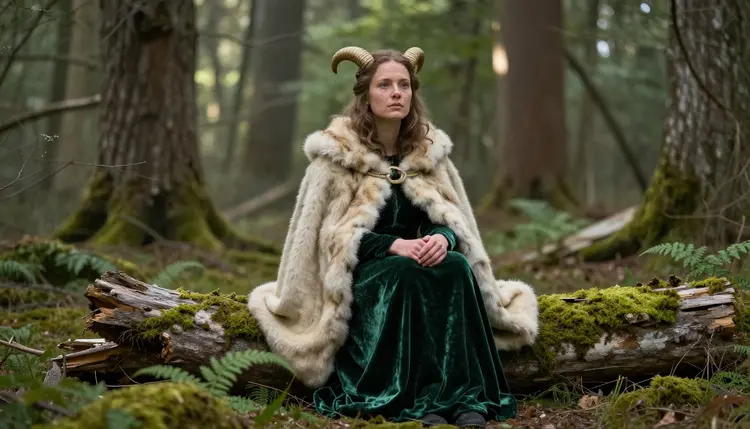
The fallen column. A wide environmental portrait. A freckled Northern European woman in her early thirties wears a horn headpiece and a cream fur cloak over opaque green velvet, seated on a fallen column in dappled shade. A 100mm lens at f/2.8 keeps the foreground soft and the face sharp.
The window reflection. A mirror or window frame. An adult woman in a horned headpiece and fur cloak over an opaque satin slip is reflected in a tall arched stone window on an overcast day. Soft, even daylight, no harsh shadows. The reflection lets you show the character twice, once as a person and once as an image.
For a darker, more seductive creature, the sibling page on succubus art covers horns and wings with a different mood. If you want fur and tails instead of horns, look at the page on furry art.
Everything on Picasso IA in this section is for people 18 and over. Adult content is available only to adults, and you should not use these prompts or models if you are under age. If you are unsure whether a topic is right for you, leave it.
Every character you write must be a fictional adult. Do not describe a real person, a celebrity or anyone who could be identified from the image. Do not describe, or hint at, anyone who could read as a minor. In a genre full of fantasy creatures this is easy to forget, so state the age in the prompt: a woman in her mid thirties, a man in his late thirties.
What you create is private by default. Generations are tied to your account and are not published or shown to other people. What you do with a finished image afterward is up to you, and so is the responsibility for it. Keep the work suggestive, keep the clothing opaque, and keep the story romantic.
A new account can try a few generations for free on selected models: Picasso IA Image, Picasso Image Editor Pro, Picasso IA Video and Seedance 2.5 Lite. That is a small free trial on selected models, not on the whole catalog. Details on plans and what each generation costs are on the pricing page. Cost varies by model and by options such as resolution or duration.
Models marked with the infinity tag in the catalog do not spend credits on the plans that include unlimited generation. Picasso Image Editor Pro, Picasso IA Video and Seedance 2.5 Lite carry that tag, which makes them a practical way to practice on edits and short clips before you spend anything on a larger render.
A good workflow is to draft in the image model you like, fix the one detail that bothers you in Picasso Image Editor Pro, and then send the finished frame to Picasso IA Video for a short loop of fog and fur moving in the wind. If you want a longer description turned into a scene, try LTX 2.3 Pro. Looking for a different costume genre? The pages on bunny costume art and Halloween costume art use the same wardrobe-first approach, and the best NSFW art generator guide compares the options.
Which models are confirmed for monster romance art?
For images, Seedream 4.5, Recraft V4.1 Pro and Picasso Image Editor Pro. For video, LTX 2.3 Pro, Picasso IA Video and Seedance 2.5 Lite. Confirmed means Picasso IA tested adult prompts on that exact model several times and watched it generate. Every other model in the full catalog is untested.
Why start with Recraft V4.1 Pro?
It makes print-ready images at 2K and is strong on illustration and design, which suits horned characters, fur texture and cover-style composition. It is also confirmed in the app. If you want a photographic look instead, run the same prompt on Seedream 4.5.
How should I word a monster romance prompt?
Start with the wardrobe and the props: what the horns are made of, the cloak, the underlayer. Then add the set, one light source, a lens and an angle. State every age, such as mid thirties. Describe the feeling in a few words, like tender, quiet or watchful, instead of piling on adjectives.
Can I put two characters in one scene?
Yes. Describe both in one prompt, give each its own wardrobe and age, and say how they stand, for example foreheads almost touching. The page on couples art with Seedream 4.5 goes deeper on keeping two people consistent across several runs.
What happens if a model refuses my prompt?
The app shows a message titled "Content Not Supported by This Model". It recommends models that accept adult prompts and carries your prompt over, so you do not retype anything. Pick one of the suggestions and generate again.
Are the characters always adults and fictional?
Yes. This section is for people 18 and over, and every character must be a fictional adult. No real or identifiable person, and no one who could read as a minor. If a prompt could be read another way, rewrite it with a clear adult age.
Is what I create private?
By default, yes. Generations are tied to your account and are not published or shown to other people. Sharing a finished image is your decision.
Can I turn a monster romance image into a video?
Yes. Send the finished frame to Picasso IA Video, which turns text or an image into a clip, or describe the scene from scratch in LTX 2.3 Pro, which makes 4K video from text. Seedance 2.5 Lite is a third option for a short clip of up to 10 seconds. Ask for slow movement, such as fog drifting and fur shifting in the wind.
How do I fix one detail, such as a horn or a cloak?
Open the image in Picasso Image Editor Pro and describe only the change. For example, ask for a smaller horn, a cream cloak instead of grey, or a calmer expression. Keep the rest of the prompt short so the model leaves the rest of the picture alone.
Can I try this before paying?
A new account gets a small free trial on selected models, including Picasso Image Editor Pro, Picasso IA Video and Seedance 2.5 Lite. The pricing page explains plans, costs and which models carry the unlimited tag.