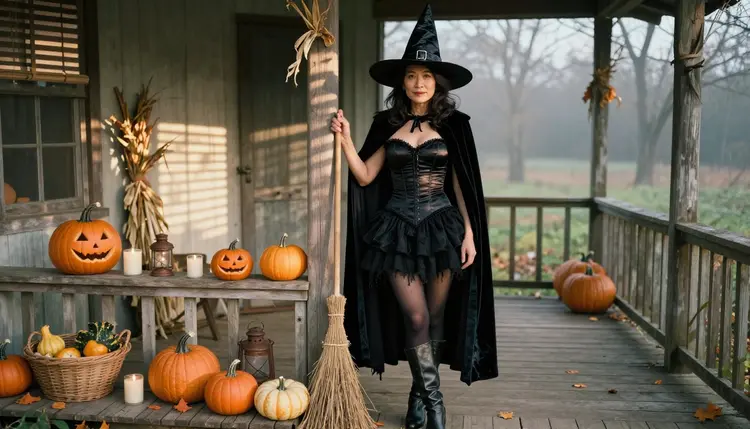
Halloween is the one night where a fitted bodice, a velvet cloak and a pointed hat all make sense in the same photo. This page shows you how to generate NSFW Halloween costume art: adults dressed as a witch, a vampire queen or a cat-ears character, standing among carved pumpkins on a candlelit porch. The mood is flirty and suggestive, built from wardrobe, light and pose, and it stays on the right side of explicit.
The page is built around Seedream 4.5, a text-to-image model that Picasso IA has tested with adult prompts and that is on the app's confirmed list. You will find the model lineup, five steps, seven prompt ideas written out in full, and the rules every image follows. Everything you generate with it is a fictional adult, and everything is private by default.
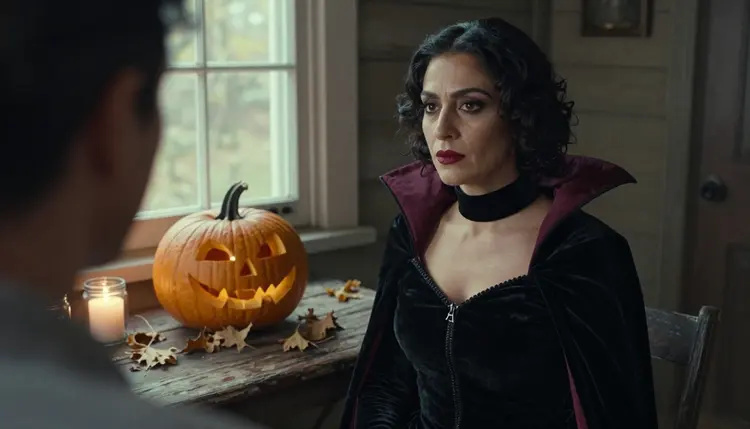
A good Halloween costume image is mostly contrast. Black satin, black velvet and black tulle sit against orange pumpkin light, a wooden porch and dry corn stalks. The costume carries the theme, so the camera only has to do three things well: show the fabric, show the face, and keep the porch believable. That is where a photoreal text-to-image model earns its place.
Seedream 4.5 creates images from text at up to 4K, and it is one of the six models Picasso IA lists as confirmed for adult prompts. Confirmed means the team ran adult prompts against that exact model many times and watched it generate instead of reject. It is not a published setting of the model's maker, who can change it at any time, and the page that explains what confirmed means says so in more detail.
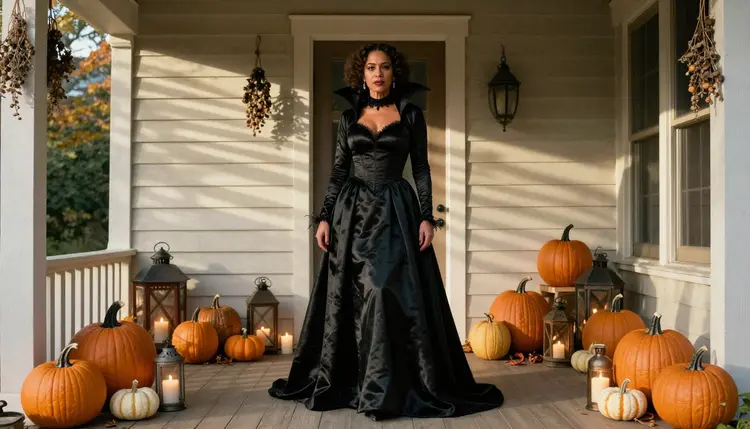
The costume itself is easy to describe. For a witch, think of a corset-style bodice with visible seams, a short layered skirt with a ragged hem, opaque stockings, worn leather boots and a wide-brimmed felt hat with a weathered buckle. For a vampire queen, a high-collared velvet gown with burgundy lining and a silver pendant. For cat ears, a black satin dress, a headband with soft ears and a lantern in one hand. None of that needs an explicit word, and none of it should have one.
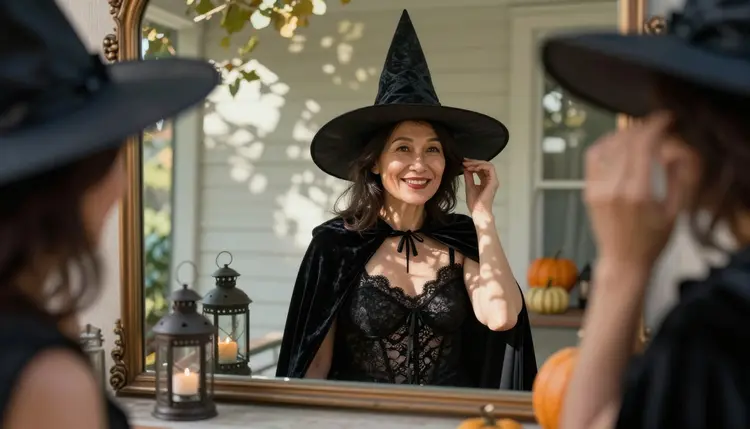
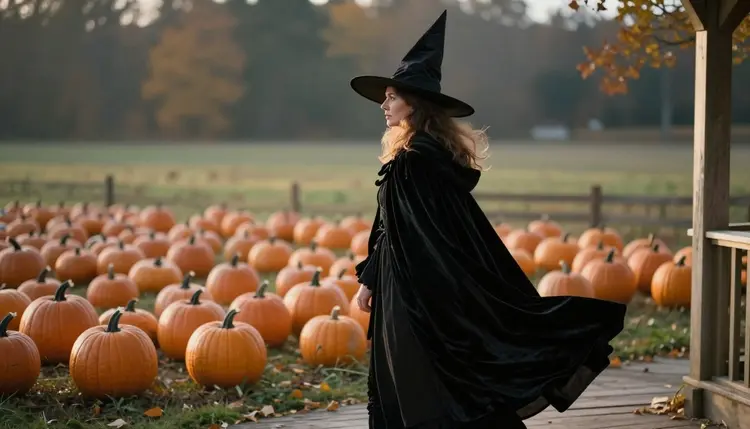
Photo language does most of the remaining work. Name a lens (85mm f/1.8 for a close portrait, 24mm f/2.8 for a porch wide shot), name a film stock such as Kodak Portra 400, and ask for film grain and real skin texture. The result looks like a photograph taken on the night, not like a render. A mirror shot with dappled shade, like the one below, is a good first test because it asks the model for a face, a hat, a reflection and a background all at once.
Picasso IA keeps a short list of six models it has tested with adult prompts: three for images and three for video. For a costume project you will probably use the image models first and the video models once you have a frame you like. Each name below links to its own page in the catalog.
| Model | Best for | Format |
|---|
| Seedream 4.5 | Photoreal costume portraits from a text prompt | Text to image, 4K |
| Recraft V4.1 Pro | Illustrated costume art, posters and print-ready designs | Images at 2K |
| Picasso Image Editor Pro | Changing one detail of a picture you already have | Photo editing, unlimited tag |
| LTX 2.3 Pro | A moving version of the porch scene | Text to video, 4K |
| Picasso IA Video | Candle flicker and cloak movement from a still or a prompt | Text or image to video, free and unlimited tag |
| Seedance 2.5 Lite | Quick short clips of the same costume | Video up to 10 seconds, unlimited tag |
Seedream 4.5 is the default for a photographic look. Recraft V4.1 Pro is the better choice when you want the costume as an illustration, a poster or a print-ready design, because it is strong on illustration and design work. Editor Pro is the repair tool: you hand it an existing image and change a hat, a pumpkin or a background without starting over.
Every other model in the catalog is untested for adult prompts. That is not a warning. It means Picasso IA has not run the same repeated test on them, so they are worth a try if you want a different look, and nothing here says they will accept or refuse a prompt. If one does refuse, the app tells you and points you to a model from the confirmed list. You can browse them all in the full catalog.
The workflow is the same whether the costume is a witch or a cat-ears dress. You work in the toolkit, the tool where you create in Picasso IA, and each step below takes a minute or two once you have done it once.
- Open the toolkit and pick the model. Choose Seedream 4.5 for a photographic result, or Recraft V4.1 Pro if you want an illustration. Nothing to install: it runs in the browser.
- Describe the costume and the porch. Write the wardrobe first (bodice, skirt, stockings, hat, cloak), then the props (pumpkins, candles in glass jars, an iron lantern, corn stalks), then the person: a fictional adult woman or man, with an age such as early thirties.
- Set the light and the mood. Pick one light source. Hard morning sun through blinds, golden hour backlight or a warm lamp each give a different feeling. Add the lens and Kodak Portra 400 with film grain, and one line about expression: calm, knowing, amused.
- Generate and review. Look at hands first, then fabric seams and the hat brim, then the face. If a hand has the wrong number of fingers or a pumpkin floats, change one phrase and run it again rather than rewriting the whole prompt.
- Refine or switch model. Use Picasso Image Editor Pro to fix a single detail, or move the same prompt to Recraft V4.1 Pro for an illustrated version. If a model refuses, the app carries your prompt over to a suggested model so you do not retype it.
These seven prompts are written as short briefs. Copy the structure, then change the wardrobe, the person and the light. Every one of them describes a fictional adult and none needs an explicit word to work.
Witch on the morning porch. A mature Southeast Asian woman in her early thirties leans one shoulder against a porch post on an old farmhouse. She wears a fitted black satin bodice, a short layered tulle skirt, opaque stockings, worn boots, a pointed felt hat and a velvet cloak falling from one shoulder, one hand on a straw broom. Pumpkins on the steps, candles in jars. Hard morning sun through blinds, 135mm f/2, Kodak Portra 400, film grain.
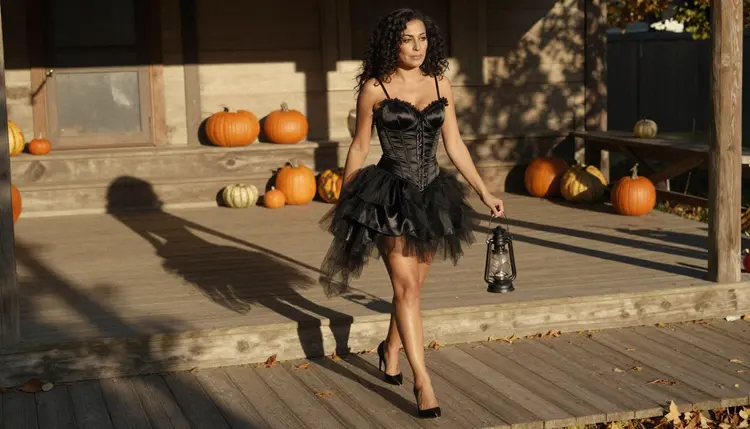
Lantern walk in black satin. A woman in her early thirties crosses a wooden porch in a black satin witch dress, an iron lantern in one hand, pumpkins lining the steps. Candid three-quarter walking shot, late-afternoon side light, 24mm f/2.8. The wide lens keeps the porch and the pumpkins readable, so the costume sits inside a real place.
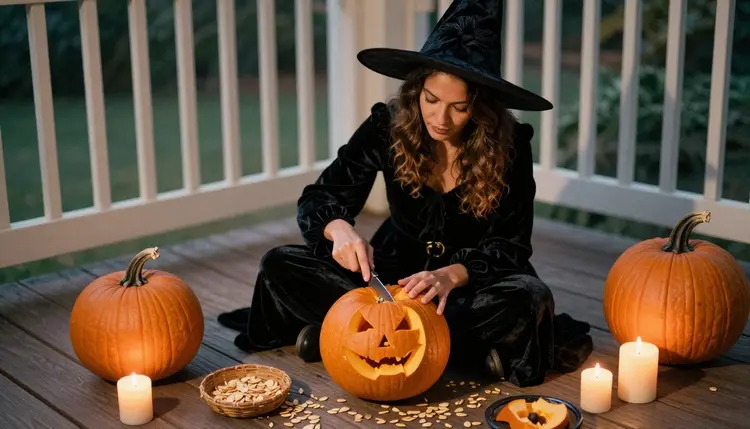
Carving by lamp light. A woman in her mid thirties sits on the porch floor in a black velvet witch costume, legs crossed, carving a pumpkin. Overhead angle, framed above the waist, warm tungsten lamp light, 24mm f/2.8. The overhead view shows the fabric of the skirt spread on the boards and the knife work on the pumpkin without any hard pose.
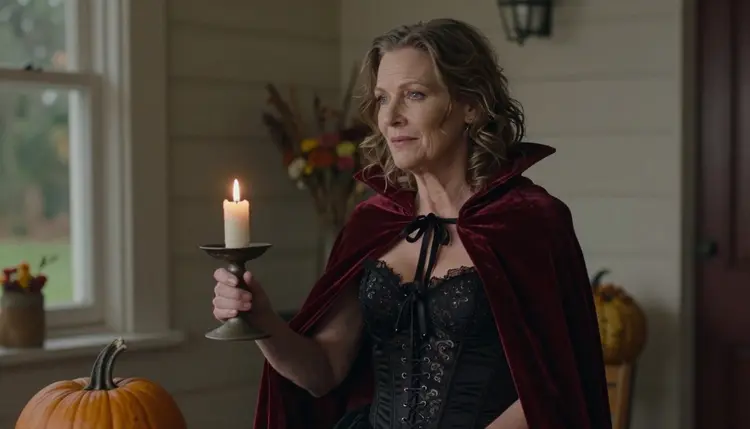
Vampire queen with a candle. A woman in her early forties wears a black lace-lined bodice and a red velvet cape, holding a candle beside a pumpkin. Medium shot, waist up, soft window light from the left. Ask for the candle flame to light the lace and leave the background dark. Burgundy lining, a silver pendant and a high collar are enough to say vampire queen.
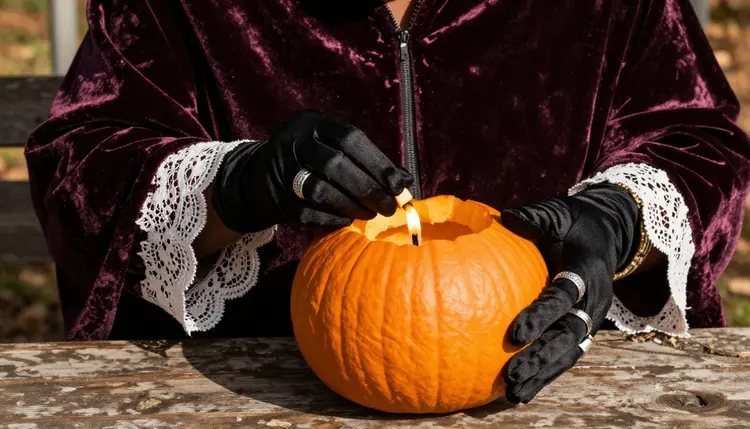
Gloved hands and a candle. A detail shot of the hands of a woman in her late thirties in black satin gloves and silver rings, lighting a candle inside a carved pumpkin. Hard morning sun through blinds, 50mm f/1.4. Detail frames are quick to generate and useful as inserts between wider pictures of the same set.
Cat ears and velvet. A man or a woman in their late twenties in a black satin dress or fitted waistcoat, a headband with soft cat ears and a short velvet cape, sitting on a porch swing with a pumpkin on the armrest. Warm tungsten light, 50mm f/1.4, a faint grin. Cat ears are a light, playful costume, so keep the pose relaxed.
Silhouette at low sun. A mature Nordic woman in her early forties in profile on the porch edge, wearing a pointed witch hat and a long black velvet cloak, pumpkins in the foreground. Late-afternoon side light, 50mm f/1.4. Ask for the face to stay as a clean outline against the light and the hat brim to be the strongest shape in the frame.
The rules are short and they apply to every image on this page. Everything here is for adults only: you must be 18 or older to use the adult prompts, and the page, the models and the examples are written for that audience.
Every character is a fictional adult. Write a woman or a man, give a mature age such as early thirties, and never describe a real or identifiable person or a celebrity. No one who could read as a minor belongs in a prompt, however the costume is styled, and a witch hat or cat ears does not change that.
What you create is private by default. It is tied to your account and not published or shown to anyone else. Picasso IA keeps the images provocative rather than explicit: wardrobe, pose, light and mood do the work, and the prompts on this page are written the same way.
A new account can try a few generations for free on selected Picasso IA models, so you can test the porch scene before you commit to anything. The pricing page lists the plans and shows how credits work. Credits per generation vary by model and by options such as resolution or duration, and models marked with the infinity tag do not spend credits on the plans that include unlimited generation.
Seedream 4.5 and the other models in the catalog follow the normal credit rules, which is why a short test prompt is a good first move. Try the witch brief once, read the result, and only then spend time on a longer series.
If you want to keep exploring costume art, the siblings of this page cover nearby looks. Halloween costume ideas goes through a longer list of outfits, bunny costume art is a lighter, playful sibling, succubus art leans darker and more theatrical, and superhero costume art uses Recraft V4.1 Pro. If you are planning a real outfit, plan a cosplay costume with concept art shows how to use pictures as a design sketch.
Models outside the confirmed list are untested, and the full catalog has hundreds of them. They are worth a try for a different texture of light or a different style, labelled untested here because Picasso IA has not run adult prompts against them repeatedly.
Which models are confirmed for Halloween costume art?
Six models are on the confirmed list: Seedream 4.5, Recraft V4.1 Pro and Picasso Image Editor Pro for images, and LTX 2.3 Pro, Picasso IA Video and Seedance 2.5 Lite for video. Confirmed means Picasso IA tested adult prompts on that exact model repeatedly and saw it generate instead of reject.
Why start with Seedream 4.5?
It creates photoreal images from text at up to 4K, which suits costume work where fabric, skin and candle light all need to look real. It is also on the confirmed list. You can open Seedream 4.5 directly from the catalog and compare it with Recraft V4.1 Pro on the same prompt.
How should I word a Halloween costume prompt?
Write in this order: wardrobe, props, the person (a fictional adult with an age), light, lens and film stock. Concrete nouns work better than adjectives, so say black satin bodice, velvet cloak and iron lantern rather than spooky or gorgeous. Browse more Halloween costume ideas for outfits to borrow.
Can I put two characters in one scene?
Yes, you can describe two adults in one prompt, for example a witch and a vampire queen sharing a porch step. Give each one their own costume and position, and keep the light the same for both. If the faces blend, generate each one separately and combine them with a related look such as bunny costume art.
What happens when a model refuses a prompt?
The app shows a message titled "Content Not Supported by This Model". It recommends models that accept adult prompts and carries your prompt over, so you do not have to retype it. Reword the prompt toward wardrobe and mood if you want to try again on the same model.
Are the characters adults and fictional?
Always. Every character is a fictional adult, with no real or identifiable person and no one who could read as a minor. The page is for adults only, 18 and older. Prompts that break those rules do not belong here, and the examples on this page follow them.
Are my images private?
Generations are private by default. What you create is tied to your account and is not published or shown to others. You choose what to do with it. The rules that decide what a prompt may contain are on the page that explains what confirmed means.
Can I turn a costume image into a video?
Yes. Picasso IA Video creates video from text or from an image, so a still of the porch can become a short clip with candle flicker and cloak movement. LTX 2.3 Pro creates 4K video from text, and Seedance 2.5 Lite is listed up to 10 seconds. All three are on the confirmed list.
How do I change one detail, like the hat?
Open the image in Picasso Image Editor Pro and describe only the change: a taller hat, a different buckle, one pumpkin removed. It edits the picture you already have, so the rest of the scene stays as it was, and it carries the unlimited tag.
Can I try before paying?
Yes. A new account can try a few generations for free on selected models, and the pricing page explains how credits and plans work. Start with a short prompt in the toolkit, check the hands and the fabric, and expand it once the first frame looks right.