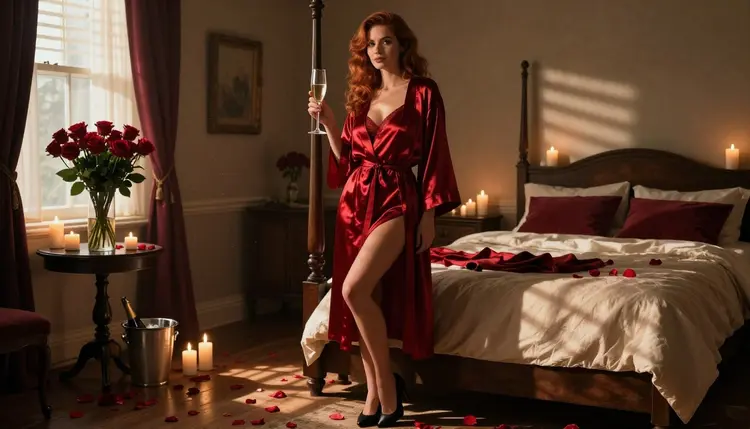
Valentine's Day pictures have a look of their own: red satin, roses, candles, a glass of champagne and a bedroom lit low. This page shows you how to build that look with Seedream 4.5, the photoreal 4K text to image model that Picasso IA has tested against adult prompts and found willing to generate. You write the wardrobe, the set and the light, and the model returns a flirty, suggestive frame of a fictional adult.
The approach here is practical. You will see why red lingerie and a satin robe photograph so well, which models in Picasso IA handle this style, a five step workflow, and a set of prompt ideas you can paste and change. Everything stays provocative but never explicit: lingerie, robes, heels, props and implied romance, nothing beyond that. If you want a wider list of seasonal concepts first, read the Valentine's Day ideas page and come back.
Valentine's Day imagery is a small set of repeated objects, and that is exactly why it is easy to prompt. A deep red lingerie set, a long satin robe, a bouquet of roses, a flute of champagne and a few candles are enough to tell the whole story. The viewer reads the occasion in half a second, so you can spend the rest of your prompt on the things that decide quality: fabric, light and the pose of the model.
Satin is the key material. It catches highlights along folds, it drapes with weight, and a robe worn over lingerie gives you layers to describe without going further than the style needs. Ask for fully lined, opaque deep red satin and the model keeps the wardrobe tidy and glamorous. Add black high heels or a thin gold bracelet and the frame gains a second accent colour against the red.
Seedream 4.5 is a good fit because it is built for photoreal text to image work and outputs at 4K, so skin texture, fabric weave and candle glow hold up when you zoom in. It also follows long, specific prompts well: a sentence about the lens, a sentence about the light and a sentence about the mood are all respected rather than averaged out. You can open it from its Seedream 4.5 model page or straight from the toolkit.
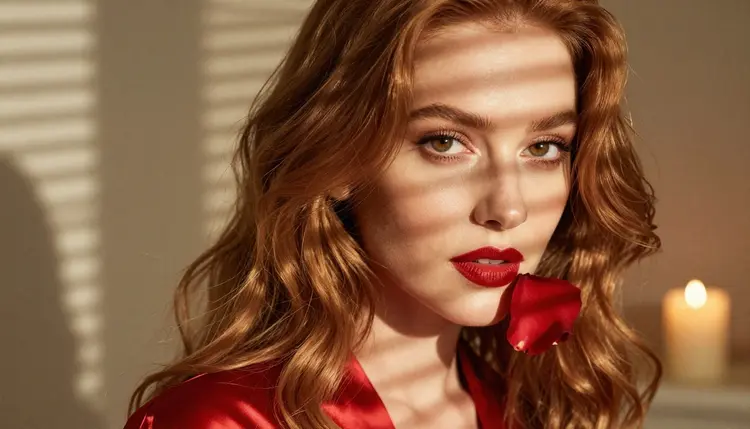
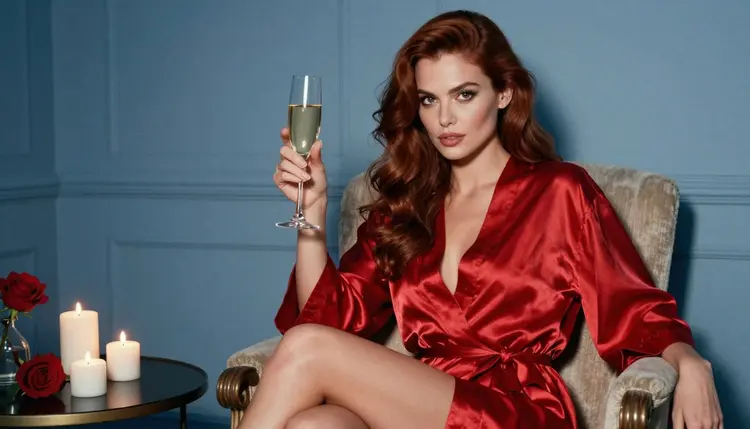
A few rules of thumb come from the pictures on this page. Hard morning sun through blinds gives striped light and a warm, lived-in feel. Golden hour backlight outlines hair and fabric. Blue hour at a tall window cools the whole frame and makes the red look richer by contrast. Pick one light per prompt and describe it plainly, because two competing light sources usually make the result look flat.
Think of the person in your frame as one glamour model, the same woman across a set, with polished makeup, long soft curls and a confident gaze. Keeping the description steady from prompt to prompt is what makes a series look like one shoot. Change the pose, the room and the light, and keep the model description identical.
In Picasso IA, "confirmed" means the team tested adult prompts against that exact model repeatedly and watched it generate instead of reject. It is not a published setting of the model's maker, who can change it at any time. Six models carry that label, and three of them make still images, which is what a lingerie portrait needs. The video models are there for the follow-up: once you have a frame you like, you can set it in motion.
| Model | Best for | Format |
|---|
| Seedream 4.5 | Photoreal lingerie portraits and candlelit rooms | Text to image, 4K |
| Recraft V4.1 Pro | Illustrated or design-led Valentine's cards and posters | Print-ready images, 2K |
| Picasso Image Editor Pro | Fixing one detail in a finished picture | Photo editing, unlimited tag |
| LTX 2.3 Pro | Turning a scene description into a short clip | Text to video, 4K |
| Picasso IA Video | Animating a still or a text prompt | Text or image to video, unlimited tag |
| Seedance 2.5 Lite | Quick clips of a candlelit moment | Video, up to 10 seconds, unlimited tag |
For the main picture, start with Seedream 4.5. If you would rather have a poster look, with flat shapes, a clean layout and room for a message, Recraft V4.1 Pro is the better pick, since the catalog describes it as print-ready at 2K and strong on illustration and design. Picasso Image Editor Pro comes in after generation, and it carries the unlimited tag, so small fixes do not have to cost you credits on plans that include unlimited generation.
The catalog holds hundreds of other models, and those are untested for adult prompts. They are worth a try, but nothing is promised either way: a model outside the confirmed list might generate your Valentine's frame, or it might show the app's refusal message. When that happens, Picasso IA recommends models that accept adult prompts and carries your prompt over, so you do not retype anything. You can browse the options in the full catalog.
This is the short version of the workflow. It takes a few minutes per picture, and most of the time goes into reading the result and adjusting a single sentence of the prompt rather than rewriting everything.
- Open the toolkit and pick Seedream 4.5. Go to the toolkit, choose the text to image mode and select Seedream 4.5 from the model list.
- Describe wardrobe and setting. Write the lingerie set, the robe, the shoes and the room in one or two sentences: color, fabric, props and where the model stands.
- Set the light and mood. Name one light source and one lens, such as hard morning sun through blinds at 24mm, then add one mood word like confident, playful or romantic.
- Generate and review. Look at the hands, the fabric folds and the face before anything else. Check that the candle flames, the champagne flute and the roses sit where you asked.
- Refine or switch. Fix a single flaw with Picasso Image Editor Pro, or change the model if the look is off, and rerun with the same prompt.
Reference images can help here. In the toolkit each attached image gets an @1, @2 badge and you can point to it in the prompt, so a favorite frame from an earlier run can steer the next one. Only models that accept several inputs show those badges, and Picasso IA translates the reference into the syntax the chosen model expects.
Each idea below names wardrobe, setting, light and angle. Paste one, replace the details with your own, and keep the model description steady if you want the pictures to read as one set. Add words like raw photograph, film grain and natural skin texture to keep the result photographic rather than glossy.
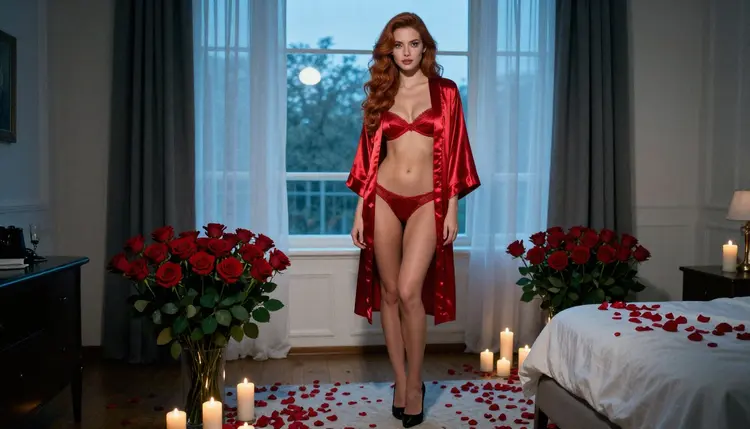
The bedpost morning. A 28-year-old woman with long soft-curled auburn hair and polished glamour makeup, in a fully lined deep red satin lingerie set and a long red satin robe, black high heels, one shoulder against a bedpost and a champagne flute in hand. Candles, rose petals, hard morning sun through blinds, 24mm, eye level, a wide frame that shows the whole room.
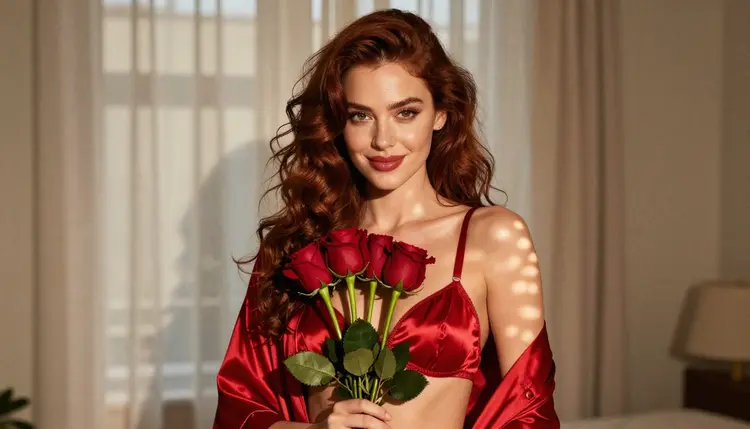
The rose bouquet. The same woman in a red satin bralette and robe, holding a bouquet of red roses at waist height and smiling toward the lens. Medium shot from the waist up, dappled light from a curtained window, 50mm at a wide aperture so the roses blur softly at the edge of the frame.
The champagne detail. One hand holding a champagne flute beside a single red rose on a dark wooden table. Soft window light from the left, 70mm, tight crop. This one is quick to generate, and it works as a quiet break between portraits in a set. Ask for exactly one hand so the model does not add extra fingers.
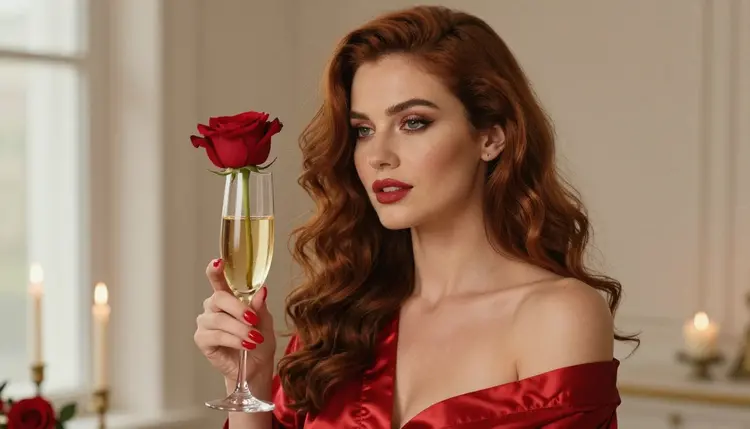
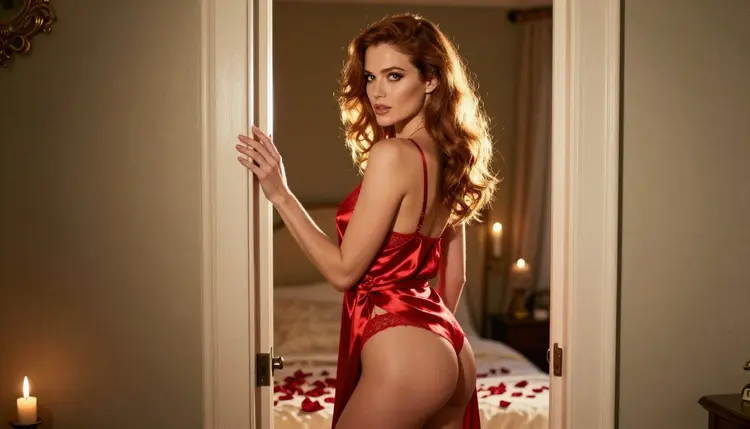
The over-the-shoulder glance. The woman in a red satin robe over lingerie, looking back over her shoulder at the lens. Golden hour backlight rims the hair, candles burn in the background, 50mm. The robe stays belted and closed, so the frame reads as flirty rather than revealing.
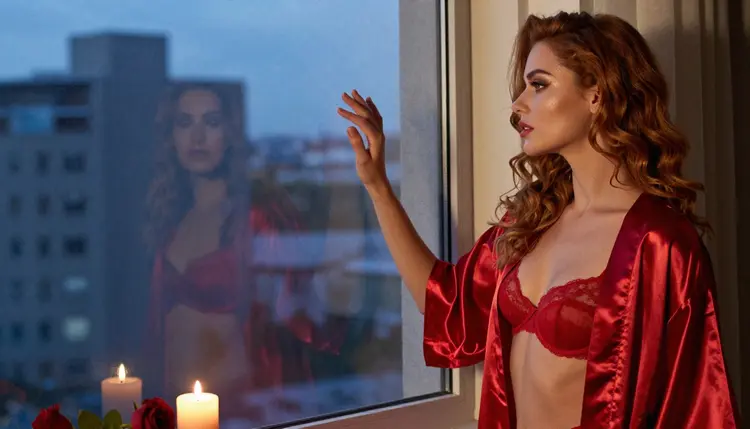
The blue hour window. She stands at a tall window in the red robe, looking out at the city. Cool blue-hour light from outside, warm candle glow from inside, 100mm macro for a tight, intimate crop. The contrast between the two color temperatures is the whole point, so name both in the prompt.
The armchair toast. The woman seated upright in an armchair in a closed, belted red satin robe, champagne in one hand, legs crossed at the ankle. Three-quarter view, eye level, blue-hour ambient light, 70mm. It is a calm, confident frame and a good one for a card background.
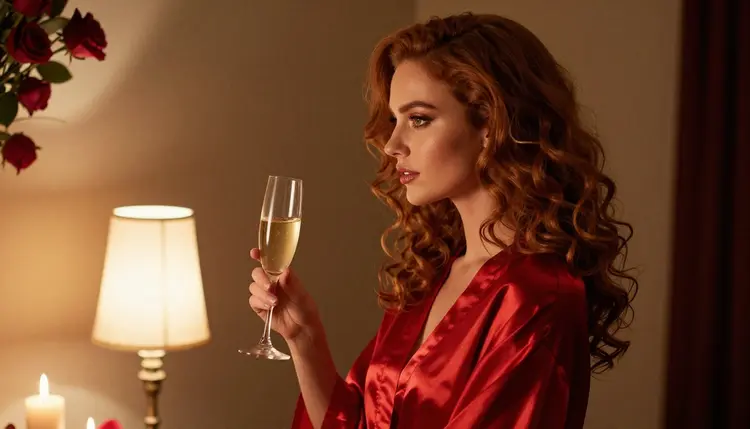
The silhouette in lamplight. A profile silhouette in a red robe with a champagne flute, set against a warm tungsten lamp. Long lens at 135mm, shallow depth, dark room. Little detail is needed in the clothing here, so the prompt can stay short and the model can spend its effort on the outline and the glow.
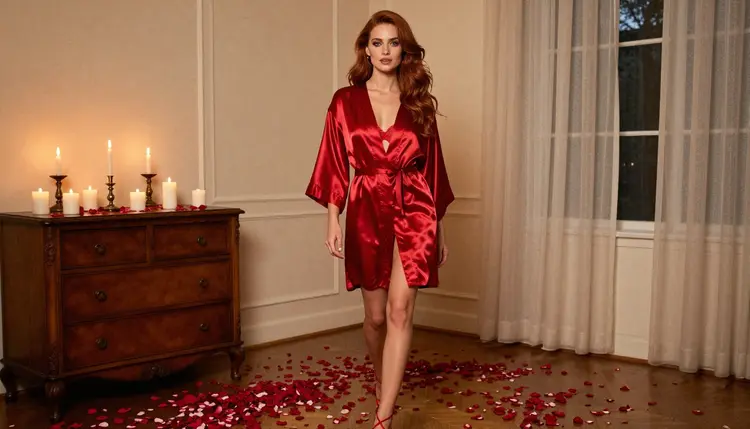
The long walk. A wide environmental portrait: the woman in a red robe and heels walking across a candlelit bedroom, late-afternoon side light, 35mm. This one is worth running a few times, because the walking pose changes with every seed and one of them will have the right stride.
This page, like every page in this section, is for adults only. Picasso IA is an 18+ service, and the adult tools here are meant for people who are of legal age where they live. If that does not describe you, close the page.
Every character you create must be a fictional adult. Do not describe or aim at a real or identifiable person, a celebrity or an acquaintance, and never write anyone who could read as a minor. Prompts say woman or man and give a grown-up age, wardrobe and setting. This is a hard line, and no style, theme or holiday changes it.
Generations are private by default. What you create is tied to your account and is not published or shown to other users. Share a picture only if you decide to, and only after thinking about who appears in it, even when that person is entirely made up.
A new account gets a small free trial on selected models: Picasso IA Image, Picasso IA Editor Pro, Picasso IA Video and Seedance 2.5 Lite. That trial does not cover the whole catalog, and the number of generations is small, so use it for the Picasso IA Video or Seedance 2.5 Lite follow-up once you have a still you like. For how credits and unlimited generation work, see the pricing page.
For stills, the confirmed Seedream 4.5 stays the first choice for photoreal Valentine's pictures. If you want to compare, Qwen Image 2 and Seedream 5 are in the catalog and are untested for this kind of prompt, which means they are worth a try without any promise about the result. Picasso Video (Pruna P-Video) is in the same position for clips. If one of them refuses, the app shows its refusal message and suggests a model that accepts the prompt.
A good routine is to run the same prompt on two models and keep the one that handles the satin better. Keep notes of the prompt wording that worked, since wardrobe and light descriptions carry over well from one model to the next. For sibling ideas to adapt, look at lingerie photos with Seedream 4.5 and couples art with Seedream 4.5.
Which models are confirmed for Valentine's lingerie art?
Six models carry the confirmed label in Picasso IA: Seedream 4.5, Recraft V4.1 Pro, Picasso Image Editor Pro, LTX 2.3 Pro, Picasso IA Video and Seedance 2.5 Lite. Confirmed means Picasso IA tested adult prompts against each one repeatedly and saw it generate. The model's maker can change its rules at any time, so the label is a test result, not a guarantee.
Why use Seedream 4.5 for this look?
It is a photoreal text to image model that outputs at 4K, and it follows long prompts with specific wardrobe, light and lens details. Satin, candle glow and skin texture hold up well at that size. You can open it on its model page or pick it inside the toolkit.
How should I word a Valentine's lingerie prompt?
Start with the person and wardrobe, then the room, then one light source, one lens and one mood word. Name colors and fabrics plainly, such as deep red satin, and list props like roses or a champagne flute. Add raw photograph and film grain to keep it photographic. Skip vague praise words, since they add nothing.
Can I put two characters in one scene?
Yes, describe both people, their wardrobe and where each one stands, and keep both fictional adults. Couples are harder to get right than single portraits, so run a few seeds. The page on couples art with Seedream 4.5 goes into the wording for two figures in one frame.
What happens when a model refuses a prompt?
Picasso IA shows a message titled "Content Not Supported by This Model". It recommends models that accept adult prompts and carries your prompt over, so you do not retype it. Models outside the confirmed list are untested, so a refusal there is just a reason to switch, not a verdict on the model.
Are the people in these pictures real?
No. Every character is a fictional adult, created from a text prompt. Never prompt with a real or identifiable person, a celebrity or anyone who could read as a minor. Picasso IA is 18+ only, and this promise applies to every picture on this page and every prompt you write.
Are my generations private?
Yes. Generations are private by default: what you create is tied to your account and is not published or shown to others. Any sharing is your own choice, so keep the adults-only and fictional rules in mind before you post a picture anywhere.
Can I turn a Valentine's picture into a video?
Yes. Picasso IA Video turns a text prompt or an image into a clip, and LTX 2.3 Pro makes 4K video from text. Seedance 2.5 Lite is listed up to 10 seconds. All three are confirmed, and candle flicker or a slow camera push suits this look.
How do I fix one detail without rerunning everything?
Open the picture in Picasso Image Editor Pro and describe the change: a hand that looks off, a robe collar, a candle that is too bright. It edits the existing image, so the rest of the frame stays as it was. It carries the unlimited tag on plans that include unlimited generation.
Can I try it before paying?
A new account has a small free trial on selected models: Picasso IA Image, Picasso IA Editor Pro, Picasso IA Video and Seedance 2.5 Lite. It does not cover every model. Check the pricing page for how credits and unlimited generation work, and browse the full catalog to see what else you can try.