Valentine's Day is the one date on the calendar built around candlelight, roses, champagne and a bit of flirting, which makes it a natural fit for NSFW AI art. This list gives you eleven ideas you can type into an image or video model today: each one names the wardrobe, the setting, the light and the angle, so you can copy the scene as written or change one detail and make it your own.
Every idea is suggestive and romantic, never explicit. Think satin robes, lace bodysuits, long coats, a single rose and two glasses on a table. The characters are fictional adults, and nothing here points to a real person. If you want a card for a partner, a print for a bedroom wall, a profile image or just a private moodboard, the same prompts work for all of them.
The ideas lean on the confirmed models from Picasso IA: Seedream 4.5 for photoreal images, Recraft V4.1 Pro for print and illustration, Picasso Image Editor Pro for edits, and three video models for the moments when you want a still scene to move. You will find the details further down, together with a short guide to picking one.
The first six ideas are wardrobe and setting studies. They work best as stills, so start with a text to image model, keep the prompt to one scene, and add the lens and the light at the end of the sentence the way a photographer would write a shot list.
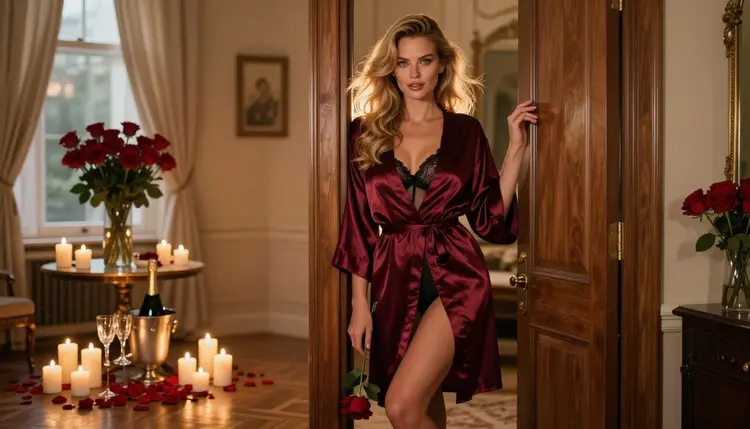
1. The Candlelit Suite Doorframe. A burgundy satin slip robe over a black lined bodysuit, the model leaning on a doorframe in a hotel suite with roses on the dresser and a bottle of champagne on ice. Late-afternoon side light, 50mm lens, wide framing so the room tells half of the story. This is the best opening frame for a series because it sets the palette: burgundy, black, warm gold.
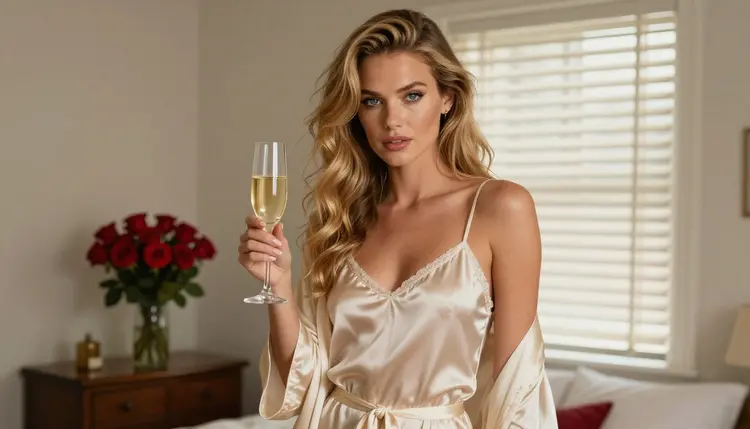
2. Morning Champagne in Ivory Satin. An ivory satin camisole with a loose matching robe, one champagne flute in hand, roses blurred behind. Hard morning sun through blinds draws stripes of light across the fabric. Use a medium shot from the waist up and a 70mm lens. The contrast with the evening scenes makes this a good pick if you want a Valentine's Day morning instead of the usual night.
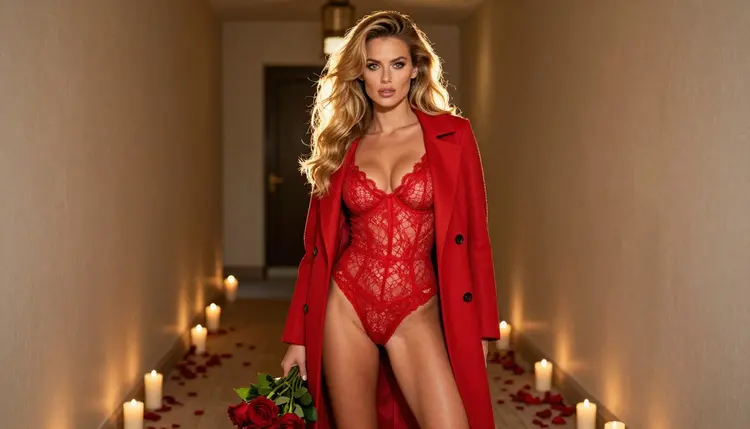
3. Red Lace Under a Camel Coat. A red lace bodysuit under an open camel coat, a bouquet of roses held low, a candlelit hallway behind. Golden hour backlight gives the coat a warm edge. Shoot it full length from eye level with an 85mm lens. The coat keeps the look polished and a little mysterious: it is the idea for someone arriving, not someone already home.
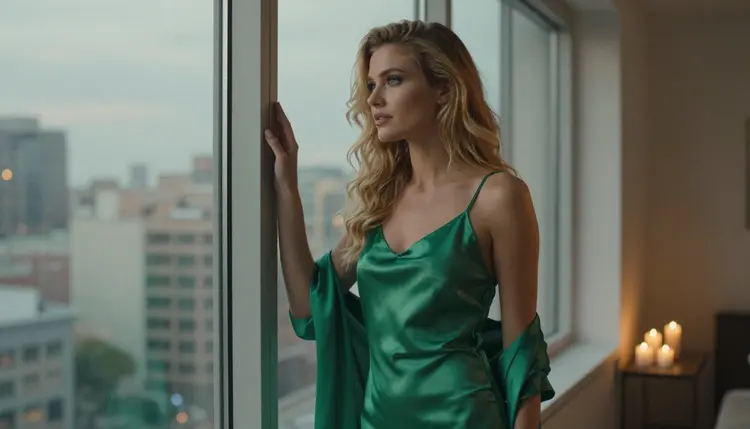
4. Emerald Slip at the Window. An emerald satin slip dress with a silk robe slipped off one shoulder, the model looking out of a tall window with candles on the sill. Soft diffused daylight, 35mm lens, no mirror in the frame. Green against a red and gold holiday palette is an easy way to stand out from the crowd of burgundy and black.
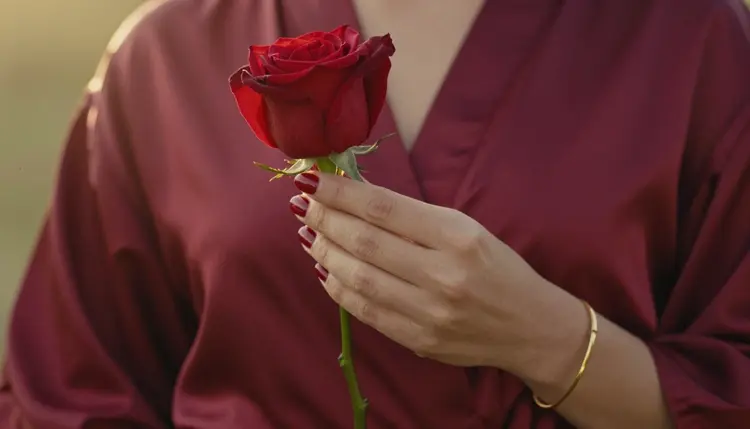
5. The Rose and the Burgundy Sleeve. A detail shot of one hand with a red manicure holding a single rose against a burgundy satin sleeve. Golden hour backlight, 70mm lens, shallow depth of field. Ask for exactly one hand, because models sometimes add a second. This is a good frame for a card or a message background, since the empty space on one side can hold text.
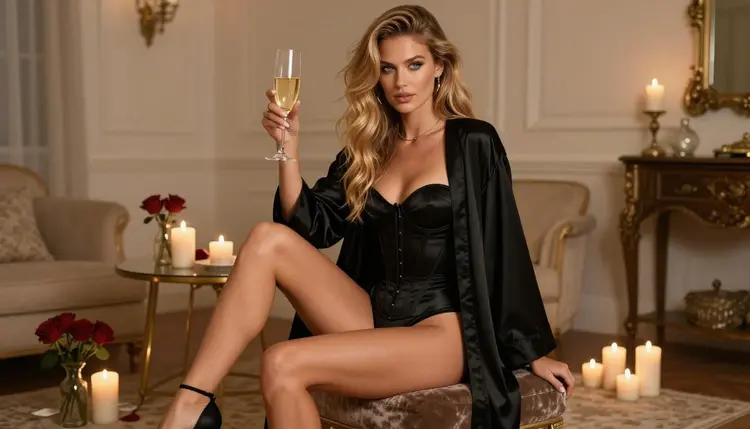
6. Black Satin on a Velvet Stool. A black satin bodysuit with a robe, the model seated on a velvet stool in a candlelit room, a wide environmental portrait with late-afternoon side light and a 70mm lens. Boudoir photography has used this setup for decades: low seat, soft fabric, plenty of room around the subject. Add a mirror only if you can check the result for odd reflections.
The second group has five ideas that depend on mood more than on wardrobe: tight crops, long lenses, a table set for two. Several of them work well as the first frame of a short clip, which the next sections explain.
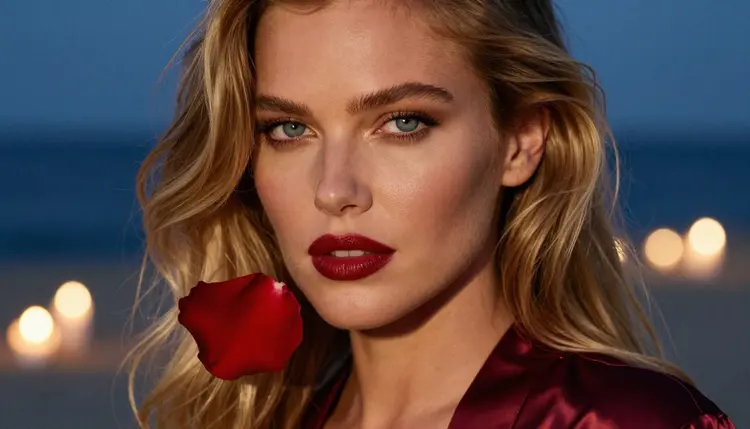
7. Rose Petal Close-Up. A tight portrait with deep red lips and one rose petal resting near the cheek, cool blue-hour light with candle bokeh behind, 50mm lens at a wide aperture. Skin texture and makeup do the work here, so mention film grain and natural light in the prompt to keep the result away from a plastic finish.
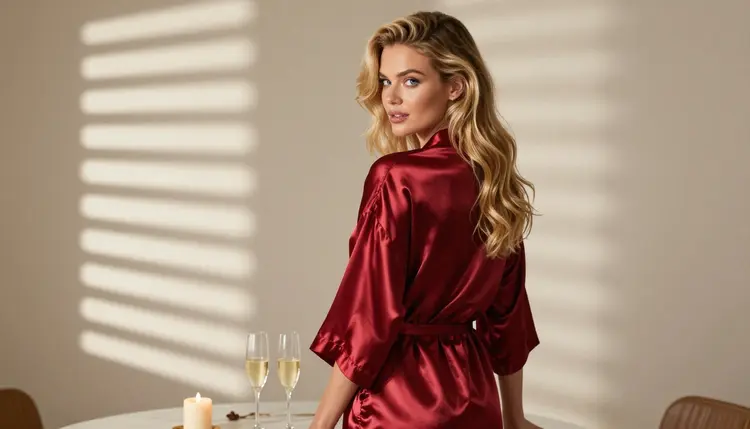
8. Dinner for Two, Over the Shoulder. A deep red satin robe seen from behind the shoulder, a table with two champagne flutes and candles, hard morning sun through blinds, 135mm lens. The second glass tells the story. You do not need a second person in the frame, and leaving the other chair empty keeps the scene simple for the model to render.
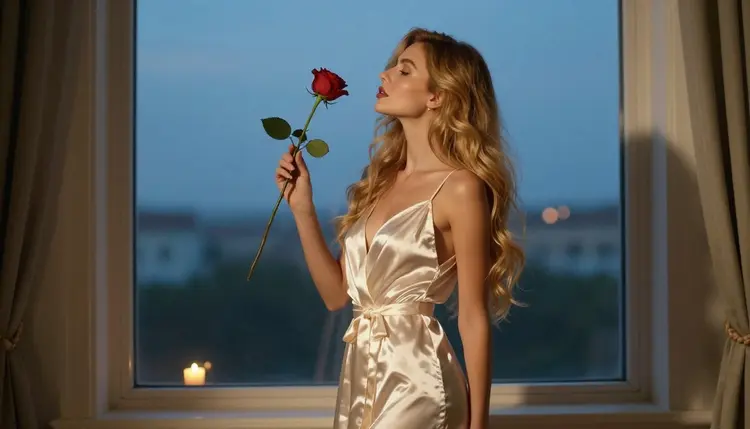
9. Blue Hour Silhouette. A profile silhouette against a softly lit window, satin robe, one rose held at chest height, cool blue-hour ambient light, 135mm lens. The shape does most of the work, so keep the prompt short and ask for a clean edge between the figure and the glow. It is a strong choice for a poster, because a silhouette reads from across a room.
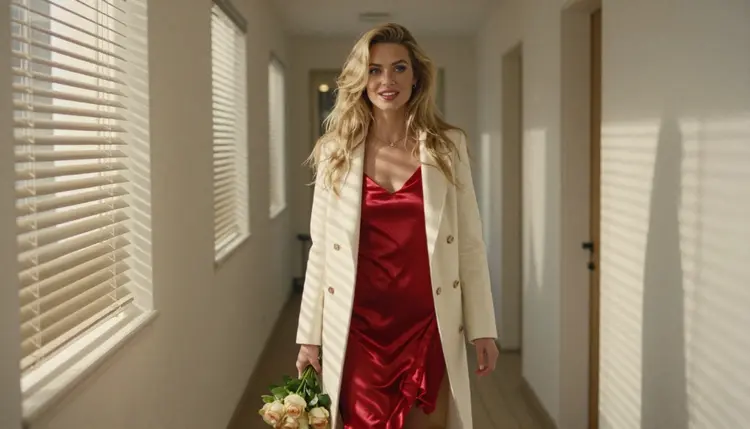
10. Hotel Corridor Walk. A red satin slip dress under an ivory coat, a bouquet of roses in one arm, walking down a sunlit hotel corridor in a candid three-quarter shot. Hard morning sun through blinds, 135mm lens. Ask for natural motion in the coat and keep the corridor simple, with one door and one light source, so the perspective stays believable.
11. Two Pairs of Hands. For a couple's scene, frame only the hands: two hands over a table with champagne flutes and a small bowl of rose petals, silk robe cuffs in the corners, candlelight from one side. Hands are hard for any model, so generate several versions, keep the best one and fix the rest with Picasso Image Editor Pro. If you want a longer couple's series, the page on NSFW AI generators for couples art goes deeper.
The steps below work for any of the eleven ideas, in an image model or a video model. The whole process fits in one sitting, and most of the time goes into step four, comparing versions.
- Pick one idea. Choose a single scene from the list above and decide whether you need a still, an edit or a short clip, because that decides the model.
- Open the toolkit. Go to the toolkit, choose a model from the confirmed list and paste the idea as a one-sentence prompt.
- Add light and lens. Finish the sentence with the light source and a lens such as 85mm, then add film grain and natural skin texture.
- Generate and compare. Create several versions, keep the one with the cleanest hands and fabric, and discard the rest.
- Edit or animate. Fix small details with an editor, or send the still to a video model for a short clip.
Confirmed means Picasso IA tested adult prompts against that exact model repeatedly and watched it generate instead of reject. It is not a published setting of the model's maker, who can change it at any time. Six models carry that label. Use the table to pick one for the job.
| Model | Best for | Format |
|---|
| Seedream 4.5 | Photoreal Valentine's Day portraits | Image, 4K |
| Recraft V4.1 Pro | Cards, posters and illustrated looks | Image, print-ready 2K |
| Picasso Image Editor Pro | Fixing hands, fabric and background | Image edit, unlimited |
| LTX 2.3 Pro | Cinematic clips from a text prompt | Video, 4K |
| Picasso IA Video | Animating a still or a scene from text | Video, text or image, unlimited |
| Seedance 2.5 Lite | Short romantic clips | Video, up to 10 seconds, unlimited |
Every other model in the catalog is untested for adult prompts. That means it is worth a try, but it is not confirmed either way, and you should not assume it will accept or refuse a given scene. Qwen Image 2 and Picasso Video (Pruna P-Video) belong to that group, as do the others in the full catalog. If a model does refuse, the app shows a message titled "Content Not Supported by This Model", suggests models that accept adult prompts and carries your prompt over, so you do not retype anything.
For related ideas, the list of outfit ideas for portraits covers wardrobe in more depth, and the page on Valentine's Day lingerie art with Seedream 4.5 walks through one model in detail.
This section is for adults only. Picasso IA's NSFW tools are 18+, and you should only use them if you are of legal age where you live. The scenes in this list are suggestive and romantic, and the pages in this section never ask you to create anything explicit.
Every character is a fictional adult. Do not use the ideas to depict a real or identifiable person, a celebrity, an ex or a coworker, and never write a prompt that makes anyone read as a minor. Describe the model as a woman or a man of mid twenties or older, and keep the styling adult.
What you create is private by default. It is tied to your account and is not published or shown to other users. What you do with a finished image afterward is your decision, so check the rules of any site where you plan to post it.
A new account can try a small free trial on selected models: Picasso IA Image, Picasso Image Editor Pro, Picasso IA Video and Seedance 2.5 Lite. That is enough to test a scene or two before you decide anything. The details sit on the pricing page.
Models marked with the infinity tag in the catalog do not spend credits on the plans that include unlimited generation. In this list that covers Picasso Image Editor Pro, Picasso IA Video and Seedance 2.5 Lite. Other generations cost credits that vary by model and by options such as resolution or duration, so a 4K image costs differently from a draft.
For next steps, build a small series: one wide frame, one detail, one close-up, one silhouette. Then animate the best still. If you are planning more themed sets, the list of NSFW AI art ideas to generate has plenty of other directions, and the full catalog lets you try models that are not confirmed yet.
What are the best NSFW AI art ideas for Valentine's Day?
The eleven ideas above are a good start: a candlelit suite doorframe, morning champagne in ivory satin, red lace under a camel coat, an emerald slip at the window, a single rose in one hand, and scenes for two. Each names wardrobe, light and lens, so you can paste it straight into a model.
Which model should I use for a Valentine's Day portrait?
For a photoreal portrait, start with Seedream 4.5, which creates 4K images from text. For a card or a poster with print in mind, Recraft V4.1 Pro makes print-ready images at 2K. Both are confirmed for adult prompts in Picasso IA, which means they were tested repeatedly and generated instead of rejecting.
Can I turn a Valentine's Day image into a video?
Yes. Send the still or the same prompt to Picasso IA Video, which accepts text or an image, to Seedance 2.5 Lite for clips of up to 10 seconds, or to LTX 2.3 Pro for 4K video from text. All three are confirmed models. Keep the motion simple, such as a coat swaying or candle flames moving.
How do I fix hands or small details in the result?
Hands are the usual weak spot. Generate several versions and keep the cleanest, then open Picasso Image Editor Pro to correct fingers, fabric folds or a stray object. It is an editing model marked unlimited, and it is part of the small free trial on selected models, so small fixes cost little to attempt.
Is this content explicit?
No. The ideas are suggestive and romantic: satin robes, lace, coats, candlelight and roses. Pages in this section never ask for anything explicit, and the prompts avoid explicit wording. The content is for adults, and every character is a fictional adult.
Can I use a real person or a celebrity in these scenes?
No. Characters must be fictional adults only. Never use a real or identifiable person, a celebrity or someone you know, and never write a prompt where anyone could read as a minor. Describe a woman or a man of mid twenties or older and keep the styling adult.
Are my Valentine's Day images private?
Yes. Generations are private by default: they are tied to your account and not published or shown to others. If you share an image yourself, check the rules of the site or app where you post it, because those rules can differ from ours.
What does confirmed mean for a model?
Confirmed means Picasso IA tested adult prompts against that exact model repeatedly and watched it generate instead of reject. It is not a published setting of the model's maker, who can change it at any time. Models that are not on the confirmed list are untested, not blocked.
What happens if a model refuses my prompt?
The app shows a message titled "Content Not Supported by This Model". It recommends models that accept adult prompts and carries your prompt over, so you do not need to retype it. You can also soften the wording, then try a confirmed model such as Seedream 4.5.
How much does it cost to make Valentine's Day art?
A new account gets a small free trial on selected models, and models with the infinity tag do not spend credits on the plans that include unlimited generation. Other generations use credits that vary by model and by options such as resolution or duration. See the pricing page for the details.