Picasso Video is one of only six models on Picasso IA confirmed to run no content filter, which makes it a starting point rather than a fallback for adult animation work. What it is built to do is narrower and more useful than "animate anything": it takes a still image you already have and puts a specific kind of motion into it, and the range of motion it handles well is wider than a single push in or turn. This page is about that range: the motion types Picasso Video actually produces, how to prompt for each one, and the full path from a still image to a finished clip.
Most video models in the Picasso IA catalog apply a content filter to adult prompts, the same way most image models do. That filter is not a Picasso IA rule; it is inherited from how each model's provider trained and shipped it, and it means a flagged prompt gets refused before generation even starts. Picasso Video is different: it is confirmed, directly, to carry no such filter, alongside five other models across image and video. That confirmation is not a guess based on how the model behaves elsewhere; it is established fact for this specific model on this platform.
What that means in practice is that an adult animation prompt on Picasso Video does not need a workaround, a disguised phrasing, or a second attempt on a different model. It runs the way any other prompt runs. The catalog still has dozens of video models that have not been tested this way, Sora 2 and Veo 3.1 among them, and none of those should be assumed to behave the same way; Picasso Video's status is specific to Picasso Video, confirmed rather than inferred.
The other half of what makes it worth reaching for first is the shape of the tool itself. Picasso Video is an image-to-video model: it starts from a still frame you provide and animates it, rather than inventing a scene from a text prompt alone. That constraint is also its strength. Because it is working from a real starting frame, faces, proportions and composition stay closer to what you already approved in the still, which matters more for adult content than almost any other category, where a small drift in anatomy or likeness is the difference between a usable clip and a wasted generation.
The honest way to describe Picasso Video's range is by motion category, because that is what changes from one generation to the next, not the subject matter. Four kinds of motion cover most of what it is asked to do well.
A turn is the character or subject rotating toward or away from the camera, a shift in angle rather than position. It is the motion type most forgiving of an imperfect prompt, because the model only has to move one axis, and it tends to preserve facial detail through the rotation better than more complex moves.
A push in, or its reverse a pull back, is the camera appearing to move closer to or further from a fixed subject, with the subject itself mostly still. This is the closest Picasso Video gets to cinematic camera work from a static frame, and it reads as intentional and controlled when the prompt specifies pace, slow rather than fast, since a push in that happens too quickly looks like a zoom rather than a dolly move.
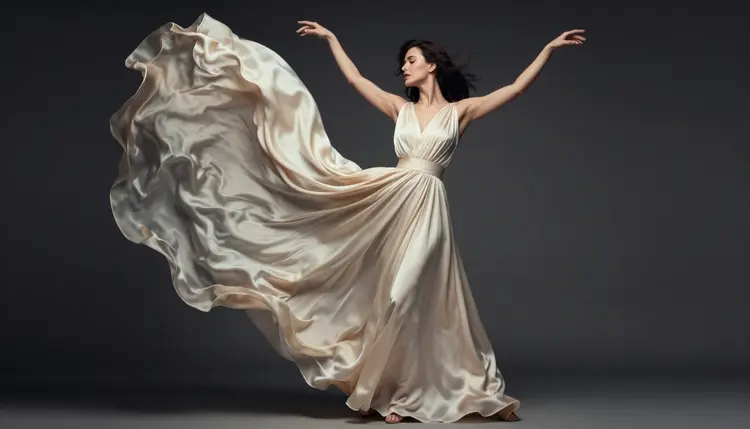
A breeze covers secondary motion: hair, fabric, loose clothing, anything that would move on its own in a light wind while the subject holds a pose. It is the motion type that adds the most life to an otherwise static still without changing the composition at all, and it is often the difference between a clip that looks animated and one that looks like a photo with a filter over it.
A loop is a clip built to return to its starting frame, so it can play on repeat without an obvious cut or jump. It suits a held pose more than an action, and it is the right choice when the output is meant to sit in a gallery or a profile as ambient motion rather than tell a short story.
These four are not the only motion Picasso Video can produce, but they are the ones it handles most reliably, and naming the type you want in the prompt, rather than describing the end state alone, is what separates a controlled result from a lucky one.
The process is the same regardless of which motion type you are going for; only the wording of step 3 changes.
- Start from a still you already trust. A photo from an image model like Seedream 4.5 or Qwen Image 2, or one you already own the rights to. Picasso Video animates what is in the frame; it does not fix a composition or a face that is already wrong.
- Open the toolkit and select Picasso Video. Upload the still as the starting image before writing the motion prompt.
- Name the motion type, then describe it in one sentence. "A slow push in" or "hair moving in a breeze" tells the model more than an adjective-heavy description of the scene, which it already has from the image.
- Set the pace explicitly. Slow, gradual and gentle read as intentional; leaving pace unstated tends to produce faster motion than most prompts actually want, especially on a turn or a push in.
- Review frame by frame before calling it done. Check hands, jewelry and background edges as the motion plays out, since these are the areas most likely to warp partway through a clip even when the first and last frames look clean.
Prompting an animation model is a different skill from prompting a still image model, because the prompt is describing change over time rather than a single composition. A few habits make the difference reliably.
Describe one motion, not three. "Turn toward the camera while the wind picks up and the camera pushes in" asks Picasso Video to resolve three separate movements at once, and it tends to blend them into something muddier than any one of them alone. A single clear motion, held for the length of the clip, reads better than a combination.
Use pace words on purpose. Slow, gentle and gradual are not filler; they are the main lever available for controlling how much the frame changes. Without one, Picasso Video tends toward a default pace that reads as more abrupt than most adult content wants, since a hard cut in motion draws attention to itself.
Match the motion to the image. A push in works best on a frame with a clear subject and simple background, since it is that background that will reveal any warping as the camera appears to move through it. A breeze works best when the still already shows hair or fabric with visible strands or folds for the model to animate, rather than a smooth, static surface it has to invent motion for from nothing. A loop works best on a held, stable pose rather than one caught mid-action, since a loop has to return cleanly to where it started.
Keep the background simple when the motion is a turn or a push in. Busy backgrounds are where camera-adjacent motion is most likely to show a seam or a warp, and a plain or softly blurred background gives Picasso Video less to get wrong.
No content filter does not mean no rules, and this deserves stating plainly rather than as fine print. Every clip Picasso Video produces must be of a fictional adult character, eighteen or older. Never a real person's likeness, with or without a claimed resemblance. Never a public figure. Never a minor, or anyone made to look like one, in any style or motion. These limits apply to the still image you start from as much as to the motion prompt: animating a photo of a real person is off limits the same way generating one from text would be, and prompts that attempt either violate the platform's terms regardless of how the request is phrased.
A separate, practical limit is about quality rather than rules: animation models, filtered or not, still get hands, fine jewelry and fast-moving fabric wrong often enough that nothing should be treated as final without a frame-by-frame check. A clip that looks right in the first and last frame can still show a warped hand two seconds into a turn. And a last limit is on you rather than the model: what you generate and where you publish it are yours to answer for, under local law and under the terms of whatever platform hosts it. Being allowed to generate a clip is not the same as being allowed to post it everywhere.
Generations on Picasso IA run on credits, and video costs more per run than a single image, since animating a frame takes meaningfully more compute than rendering one. New accounts start with free credits, which is typically enough to test a couple of motion types on Picasso Video before deciding whether to buy more, so there is no need to commit to a plan before seeing how a turn or a push in actually looks on your still.
Exact costs vary by model and by the settings you choose for a given run, and they are kept current on the pricing page rather than repeated here, where a number would go stale. A useful habit when testing motion types for the first time: try one short, simple prompt per type, a turn, then a breeze, then a push in, rather than combining several ideas into one expensive generation before you know which one the still actually suits.
Is Picasso Video confirmed to have no content filter?
Yes. Picasso Video is one of six models on Picasso IA directly confirmed to run no content filter, alongside Seedream 4.5, Qwen Image 2, Recraft V4.1 Pro, Picasso Image Editor Pro and LTX 2.3 Pro. An adult prompt runs the same way any other prompt does, without being refused ahead of generation.
What kinds of motion does Picasso Video handle well?
Four types come up most often and work most reliably: a turn, the subject rotating toward or away from the camera; a push in or pull back, the camera appearing to move closer or further; a breeze, secondary motion in hair or fabric while the subject holds a pose; and a loop, a clip built to return cleanly to its starting frame for seamless repeat play.
Does Picasso Video generate video from a text prompt alone?
No. Picasso Video is an image-to-video model, which means it needs a starting still image before it can animate anything. If there is no image yet, LTX 2.3 Pro generates a clip directly from a text prompt instead, and it is also confirmed filter free.
How do I get the best results from Picasso Video?
Start from a still you already trust rather than one you hope the animation will fix, describe one motion type per generation instead of combining several, and use explicit pace words like slow or gradual, since leaving pace unstated tends to produce faster, less controlled motion than most prompts actually want.
Can I loop a clip so it plays continuously?
Yes. A loop is one of the motion types Picasso Video handles well, built to return to its starting frame so it plays on repeat without a visible jump. It works best starting from a held, stable pose rather than one caught mid-action, since the clip has to return cleanly to where it began.
What happens if I try an adult prompt on a model other than the six confirmed ones?
Many other models apply a content filter and will refuse a flagged adult prompt before generating anything. When that happens, the app shows a Content Not Supported by This Model message and recommends switching to one of the six confirmed models, carrying your prompt over automatically so nothing has to be retyped.
Should I reword my prompt to get past a content filter on another model?
No. Disguising or rewording a prompt to slip past a filter is not reliable and is explicitly discouraged on Picasso IA. The sanctioned path when a model refuses a prompt is switching to a model confirmed to carry no filter, like Picasso Video, and running the same honest prompt there.
Can I animate a photo of a real person or public figure?
No. Real people's likenesses and public figures are off limits on every model on Picasso IA, filtered or not, whether the request is a still image or an animation. Prompts attempting either are refused and violate the platform's terms. Every subject described on this page is a fictional adult character.
Is there an age requirement for this kind of content?
Yes. Every subject animated with Picasso Video must be a fictional adult character, eighteen or older. Nothing involving a minor, or anyone made to look like one, is permitted in any style or motion, and prompts that attempt it are refused.
Do I need special software or a powerful GPU to use Picasso Video?
No. Picasso IA runs in a browser on a phone or a laptop, and Picasso Video runs on hosted infrastructure rather than your own device. There is nothing to install locally, for Picasso Video or any of the other 488 models in the full catalog.