Most AI image models on Picasso IA run a content filter that blocks adult prompts, even when the subject is a clearly fictional, adult character. Recraft V4.1 Pro is one of six models on the platform confirmed to generate NSFW content directly, with no safety filter standing between your prompt and the output. That makes it a solid choice for anyone who wants stylized adult illustration, whether that's a fantasy pin-up, a comic panel, or a character design that a filtered model would refuse outright.
The distinction matters because most of the catalog, including well-known names like Nano Banana, Nano Banana Pro, Seedream 5 Pro, Sora 2, Veo 3.1, and Kling, are not confirmed filter-free. When one of those models flags an adult prompt, the toolkit shows a "Content Not Supported by This Model" message and carries your prompt over so you can try a different model, nothing is retyped, nothing is lost. Recraft V4.1 Pro is one of the models it recommends switching to.
Recraft's specific strength is illustration and design-forward output rather than photorealism. If what you're after is stylized art, anime, comic, painterly, or vector-clean character work, Recraft V4.1 Pro is built for that register. If you want a photorealistic adult scene instead, Seedream 4.5 or Qwen Image 2 are the other confirmed filter-free options worth trying, and every one of them is fictional characters only, same as here.
If you've already run into a refusal elsewhere, this is usually the faster path anyway. Instead of rewriting a prompt three or four times to see what a filtered model will accept, you write it once, plainly, and Recraft V4.1 Pro either renders it or it doesn't, no guesswork about which words tripped the filter.
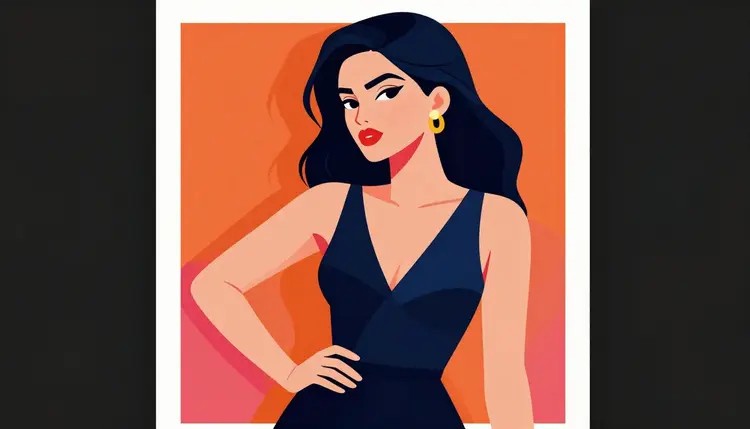
Recraft V4.1 Pro is a design and illustration model first. It leans into clean linework, stylized rendering, and compositions that read like finished art rather than a photo, which is exactly the register most NSFW illustration work wants: pin-up poses, comic style panels, fantasy or sci-fi character designs, anime and semi-realistic painterly styles.
Because it's built for design work, it also handles the kind of detail illustration needs: consistent color palettes, controlled backgrounds, and clean composition rather than the busy, over-detailed look some photoreal models default to. That makes it easier to direct toward a specific art style instead of fighting the model for one.
It responds well to explicit style language in the prompt, so naming the medium, digital painting, ink illustration, cel-shaded, watercolor, does real work here rather than being ignored. Combined with the lack of a content filter, that gives you a model that will actually attempt an adult illustration prompt on the first try instead of bouncing it back with a refusal.
What it isn't: a photorealistic portrait model. If your prompt describes a photo style scene rather than an illustrated one, a photoreal filter-free model will generally get you closer to what you pictured. Match the model to the style you actually want, and check the full catalog if you're not sure which one that is.
It's also a reasonable pick for series work. Because it takes style direction well, prompting the same character description with the same style keywords across several generations tends to produce a set that reads as one continuous piece rather than a handful of unrelated images, useful for a comic page, a set of character turnarounds, or a small illustrated story.
Getting a first result out of Recraft V4.1 Pro takes a few minutes, start to finish. Here's the process.
- Create an account and claim your free credits. Sign up on Picasso IA to get a starting credit balance, no card required to try your first generations.
- Open the toolkit and select Recraft V4.1 Pro. From the toolkit, search the model by name or find it in the full catalog under text to image.
- Write a detailed prompt. Describe the character, fictional and adult, the pose, the art style, and the setting in one clear prompt rather than a vague one, more detail gives Recraft more to work with.
- Generate and review the result. Run the prompt, check the output against what you described, and adjust wording, style terms, or composition details if it's not quite right.
- Refine or save. Tweak the prompt and regenerate as needed, then keep the version you want. Small wording changes often move the result more than a full prompt rewrite.
Each generation draws from your credit balance, and because Recraft doesn't apply a content filter, an adult prompt runs the same way a general prompt does, no refusal screen to work around.
Name the art style up front. Digital illustration, comic ink line art, anime cel shading, and painterly fantasy art each pull Recraft toward a different look, and being specific here matters more than it does with photoreal models.
Describe the character once, consistently. If you're working on a character across several generations, keep the same wording for hair, build, and outfit each time rather than rephrasing it, that consistency is what keeps the character recognizable from one image to the next.
Separate the subject from the scene. A prompt that clearly splits who, the character and pose, from where, the background and lighting, tends to render cleaner than one long run on description.
Keep it fictional and say so if it helps. Since Recraft V4.1 Pro is filter-free, there's no need to soften or disguise a prompt to get it through, just write what you want to see, clearly, and let the model do its job.
Iterate in small steps. If a result is close but not right, change one element, the pose, the style keyword, the lighting, and regenerate rather than rewriting the whole prompt from scratch.
Write plainly rather than euphemistically. Vague, coded phrasing tends to produce vague, unpredictable results on any image model. Since there's no filter here to soften a prompt for, describe what you actually want clearly and let the wording do its job.
Every model on Picasso IA, Recraft V4.1 Pro included, is for adults generating fictional characters only. That's a hard rule, not a suggestion.
No real person's likeness. Don't prompt for a specific named individual, a public figure, a celebrity, or anyone based on a real photo of a real person. That applies whether the result is meant to look realistic or stylized.
No one who could be read as a minor. Any character, however stylized, must read clearly as an adult. Prompts aimed at making a character look younger, or any depiction resembling a minor, are not permitted, in any style, for any model.
Don't try to route around a filter on another model. If a different model refuses your prompt, the answer is switching to a confirmed filter-free model like Recraft V4.1 Pro, not rewording or disguising the prompt to sneak past that model's filter. The toolkit makes the switch a couple of clicks and carries your prompt over automatically.
These limits exist to keep the platform usable for everyone and to keep generation squarely inside fiction. Accounts that violate them are subject to enforcement.
New accounts start with free credits, enough to try Recraft V4.1 Pro and see whether its illustration style is the right fit before spending anything. Each generation draws from your credit balance, and topping up or subscribing unlocks a larger allowance for ongoing use.
Full plan details, credit amounts, and subscription tiers are on pricing. If illustration isn't quite the style you're after, the same credit balance works across the full catalog, including the platform's other confirmed filter-free models and its text to video option, Picasso Video, for anyone who wants to take a finished character into motion.
There's no separate signup for NSFW generation and no extra tier to unlock it. Recraft V4.1 Pro sits in the same catalog and draws from the same credit balance as every other model, the only difference is that it won't stop an adult prompt at the filter stage.
Is Recraft V4.1 Pro actually uncensored?
Yes. Recraft V4.1 Pro is one of six models on Picasso IA confirmed to generate content, including adult content, without a safety filter blocking the prompt. Most other models on the platform do run a filter and can refuse a flagged adult prompt.
What happens if I try an adult prompt on a different model?
If a model applies a content filter and your prompt gets flagged, the toolkit shows a "Content Not Supported by This Model" message and carries your prompt forward so you can try it on a different model, like Recraft V4.1 Pro, without retyping anything.
Can I generate a real person with Recraft V4.1 Pro?
No. Every model on Picasso IA, including Recraft V4.1 Pro, is restricted to fictional characters only. Prompts aimed at a real person's likeness, a public figure, or a celebrity are not permitted.
Is Recraft V4.1 Pro good for photorealistic NSFW images?
Not primarily. Recraft V4.1 Pro is a design and illustration model, so it's strongest with stylized art like comic, anime, painterly, or vector-clean character work. For a photorealistic look, Seedream 4.5 or Qwen Image 2 are better matched to that style.
Do I need a subscription to try it?
No. New accounts get free credits that can be spent on Recraft V4.1 Pro or any other model in the catalog, so you can test the style before deciding whether to subscribe or buy more credits.
Why do some prompts still get refused on Recraft V4.1 Pro?
Recraft V4.1 Pro doesn't run a content filter, but every model still requires adult, fictional subject matter. A prompt describing a minor or a real identifiable person falls outside the platform's rules regardless of which model you're using.
Can I keep the same character consistent across multiple images?
Yes, within limits. Describing the character with the same wording, hair, build, outfit, style, in each prompt keeps results closer to consistent, though Recraft V4.1 Pro doesn't guarantee pixel identical characters between separate generations.
What art styles work best with Recraft V4.1 Pro?
Illustration forward styles work best: digital painting, comic or ink line art, anime cel shading, and painterly fantasy art. Naming the style directly in the prompt has a real, visible effect on the output.
How is credit cost calculated for a generation?
Each generation on Recraft V4.1 Pro draws credits from your account balance based on your plan. Exact plan allowances and credit costs are listed on pricing.
Where can I see other filter-free models if Recraft isn't the right fit?
The full catalog lists every model on the platform, including the other confirmed filter-free options: Qwen Image 2, Seedream 4.5, Picasso Image Editor Pro, Picasso Video, and LTX 2.3 Pro, alongside the general text-to-image and text-to-video lineup.