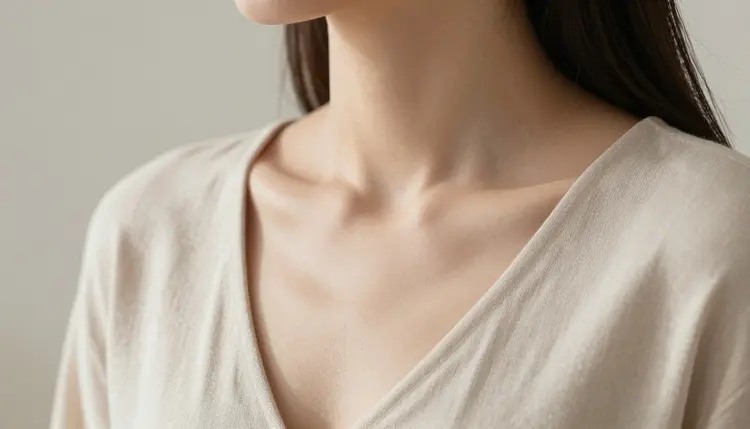
A photograph lives or dies in three places: the skin, the light, and the fabric. Seedream 4.5 is one of six models on Picasso IA confirmed to run with no content filter, and of that group it is the one built for a photographic result rather than a drawn one. This page skips the overview and goes into technique: the lighting words, the material words, and the prompt structure that turn a flat AI image into one where skin reads as skin and silk reads as silk. Every example below describes a fictional adult character, eighteen and over.
Skin is the hardest thing an image model has to render. Get it wrong and the result looks waxy or plastic in a way that reads as fake at a glance. Seedream 4.5 leans toward a photographic interpretation of a prompt by default, which means it tends to keep pores, texture, and the small imperfections that make skin look like skin, rather than airbrushing everything into a single flat surface. That same photographic instinct carries into light: a lamp behaves like a lamp, a window behaves like a window, and shadow falls the way it would in a real room instead of being flattened out.
Fabric benefits from the same instinct. Silk catches light differently than cotton, and cotton drapes differently than leather. A model tuned toward realism is more likely to render that difference when a prompt names it, because the underlying goal of the generation is a photograph rather than an illustration. None of this is automatic, the words in the prompt still do most of the work, but Seedream 4.5 is the filter-free model built to reward specific, material-aware, light-aware prompting. The rest of this page is about writing prompts that use that instinct instead of working against it.
Three areas are worth understanding before you write a single word of a prompt, because each one responds to different language.
Skin responds to light description more than to skin description. A prompt that says "smooth skin" or "flawless skin" tends to push toward the over-smoothed, plastic look this model otherwise avoids, because those words describe an absence of texture rather than a real surface. A prompt that instead describes the light source, soft window light, a single warm lamp, overcast daylight, gives the model something concrete to render skin under, and texture tends to survive because the model is reasoning about how light falls rather than trying to erase detail.
Fabric responds to material names, not color names. "Green robe" and "green silk robe" produce different results because silk has a known way of catching light, folding, and sitting against a body, and cotton, denim, or leather each carry a different one. Naming the material gives the model a physical rule to follow instead of only a hue to fill in.
Light changes the most for the least effort. The same subject and pose read differently under golden hour light, a bedside lamp, overcast daylight through a curtain, or a hard studio light, and naming one of these does more for realism than any adjective attached to the body itself. Recraft V4.1 Pro is the better tool when the goal is a drawn or illustrated look instead, since Seedream 4.5 will keep pulling toward a photographic read even when a prompt asks for flat color and clean linework.
Realistic detail is less about one clever phrase and more about a short, repeatable process built around skin, light, and fabric.
- Name the light source first. Before describing the pose or the outfit, decide what is lighting the scene: a lamp, a window, an overcast sky, a single practical light. Put it early in the prompt so it sets the tone for everything that follows.
- Name the material, not just the color. Replace a plain color word with a fabric or surface: silk, cotton, denim, leather, bare skin. This is what keeps clothing and skin from rendering as a flat, single-texture surface.
- Describe the scene in one continuous moment. A prompt that tries to describe a sequence, first this, then that, tends to blur several moments into one confused image. One pose, one light, one setting per generation.
- Generate a small batch and compare it as a set. Open the toolkit, select Seedream 4.5, and generate four or five variants from the same prompt. A tight, consistent batch means the light and material words landed; a scattered one usually means one of them was missing or vague.
- Zoom in before deciding anything is final. Check skin at the pore level, check where fabric folds and where it should catch light, and check hands and jewelry closely. These are the details that separate a realistic image from one that only looks realistic at a glance.
Lead with light, not with the subject. "Soft window light falling across a fictional woman seated by the glass" gives the model a scene to build rather than a subject to decorate. Starting with the light source, then the subject, then the setting, tends to outperform starting with a long list of physical adjectives.
Write skin as a surface under light, not as a set of qualities. Instead of "perfect skin" or "flawless skin," describe what the light is doing to it: "skin catching warm lamplight," "skin with visible texture under overcast daylight." This keeps the model reasoning about a physical surface instead of smoothing toward a plastic look.
A short reference table for material language:
| Say this | Instead of this | Why it helps |
|---|
| silk robe, satin sheets | shiny fabric | names how the material catches and folds light |
| worn cotton, soft denim | casual clothes | gives the fabric weight and texture instead of a generic surface |
| warm lamplight, cool window light | good lighting | tells the model what kind of light and shadow to render |
| close three-quarter shot | nice photo | sets framing and distance instead of leaving it undefined |
Keep every character fictional, even when the word itself is not typed into every prompt: invented names, invented features, nothing built to resemble a real or public person. Treat the first batch as a draft. Comparing four or five images and changing one variable, the light, the material, or the framing, reaches a keeper faster than one perfect, overloaded sentence written on the first attempt.
Every image on this page and every image Seedream 4.5 generates through Picasso IA must show a fictional adult character, eighteen and over. No real person's likeness, with or without a claimed resemblance, and no public figure at all. No minor, and no character built to look like one, in any art style. A prompt that crosses these lines is refused, and attempting it violates the platform's terms.
Seedream 4.5 having no content filter changes nothing about this. Removing the filter that blocks adult content in general is separate from the rules about whose likeness can appear or how old a character has to read as; those rules apply the same way regardless of which model is running the prompt.
What you generate and where you share it afterward are also governed by local law and by the rules of whatever platform you post to. Being able to generate something is not the same as being allowed to publish it everywhere.
Picasso IA runs on credits spent per generation rather than a separate subscription tier per model. A new account starts with free credits, enough to run the five-step process above across a few different prompts and a few rounds of adjusting light or material before deciding whether to buy more. Image generations sit at the cheap end of what the app offers, well below the cost of a video generation.
Exact credit amounts change as the catalog and the plans evolve, so current numbers live on the pricing page rather than printed here. What stays true regardless of the number: a small batch with one changed variable at a time spends credits more efficiently than one long, overloaded prompt run once.
What lighting language actually changes the final image?
Naming the light source, a lamp, a window, overcast daylight, golden hour, changes more about the final image than almost any other single word choice. It sets the color temperature, the shadow direction, and how skin and fabric catch highlights, so putting a light description early in the prompt shapes the result more than a long list of physical adjectives would.
How do I keep skin looking natural instead of overly smooth or plastic?
Avoid vague praise words like "flawless" or "perfect," which describe an absence of texture rather than a real surface. Describe what the light is doing to the skin instead, such as warm lamplight catching it or overcast daylight showing natural texture. This gives the model something physical to render rather than something to smooth away.
Why does fabric sometimes look flat or plastic-like in a generation?
This usually happens when a prompt names only a color, such as "green robe," instead of a material, such as "green silk robe." A material name gives the model a physical rule for how the fabric catches light, folds, and sits against a body, while a color name alone leaves that behavior undefined and the model tends to fill it in as a flat, uniform surface.
Can I describe camera and lens details in a prompt?
Yes, framing and distance words work the same way material and light words do: "close three-quarter shot" or "wider scene with the room visible" gives the model concrete composition to follow. Seedream 4.5 responds to this kind of descriptive detail the way it responds to any other specific wording in a prompt, since it follows a detailed prompt closely rather than filling in an undefined framing on its own.
What's the difference between naming a material and naming a color?
A color is one property; a material carries a whole set of physical behaviors, how it catches light, how it folds, how it drapes, how it feels against skin. "Silk" tells the model something a color word cannot, which is why "green silk robe" reads as more specific and more realistic than "green robe" even though both mention the same color.
Why do a few images from the same prompt look different from each other?
Each generation is a separate draw from the model, so a batch from one prompt naturally varies in pose, expression, and small detail even when the light and material stay the same. This variation is useful rather than a problem: comparing four or five results shows which parts of the prompt landed and which need a clearer word.
Does a longer, more detailed prompt always produce a better result?
Not automatically. A prompt that tries to describe several moments, outfits, or settings at once tends to blur them together rather than render any one clearly. A shorter prompt focused on one light, one material, and one moment, refined over a few rounds of generation, usually reaches a realistic result faster than one very long sentence written in a single attempt.
Is Seedream 4.5 the best of the six filter-free models for a photographic look?
Of the six models on Picasso IA confirmed to run with no content filter, Seedream 4.5 is the one built for a photographic, realistic result. Recraft V4.1 Pro is built for illustration and stylized art instead, and Qwen Image 2 is a stronger pick for a busy prompt listing several elements at once, so which one is "best" depends on whether the goal is a photograph or something else.
What's the fastest way to fix a small flaw without starting over?
Rather than regenerating an entire image over one flawed detail, Picasso Image Editor Pro can adjust a single part of an existing image, a hand, a fold of fabric, a light source, with a plain instruction. It is also filter-free, so an image built with Seedream 4.5 can be refined this way without running into a filter partway through.
Do the fictional-character rules still apply even if my prompt does not mention them?
Yes. The rule that every subject must be a fictional adult character applies to every generation regardless of whether the word "fictional" appears in the prompt itself. Naming a character is enough to require that the name, features, and likeness be invented rather than drawn from a real or public person, and prompts that clearly reference a real individual are refused whether or not that intent is stated outright.