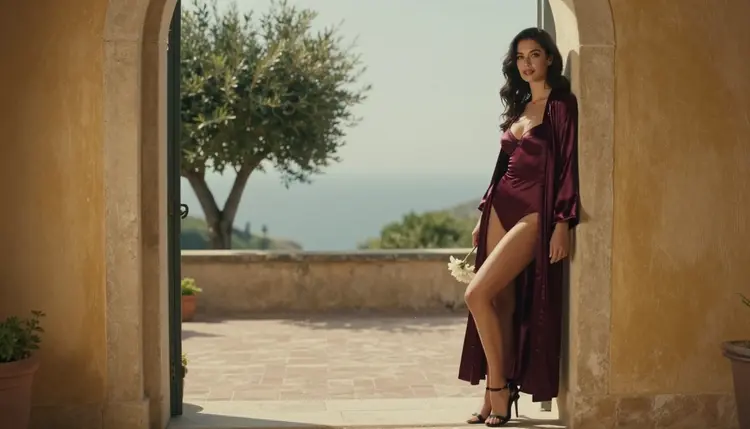
Anyone who wants a flirty, cinematic clip of a fictional adult will sooner or later ask the same thing: between Sora 2 and Veo 3.1, which one stops fewer prompts? This page does not pretend to hand you a winner. It tells you what is known, what is not, and how to find out on your own prompts in a few minutes, with a confirmed fallback ready if either model declines.
Both models are text-to-video options in the Picasso IA catalog, and both are untested here for adult prompts. That single fact shapes everything below. You will see what each model is according to its catalog title, a fair way to run the same prompt through both, a plain side-by-side table, the rules of the section, and what to do when a generation is refused. Everything stays suggestive and glamour-led: satin, lace, lamp light, slow camera moves, implied intimacy, never explicit.
Nobody can honestly tell you which of the two blocks less, and this page will not rank them. Sora 2 and Veo 3.1 are both catalog models that Picasso IA has not tested with adult prompts. Untested means exactly that: not confirmed either way, not called filtered, not called filter-free. The provider of each model publishes its own usage rules, those rules can change, and the safest habit is to check its current rules before you plan a project around it.
What is confirmed is a short list. Picasso IA tested adult prompts repeatedly against its video models Picasso IA Video, Seedance 2.5 Lite and LTX 2.3 Pro and watched them generate instead of reject. Confirmed is not a setting published by the model's maker, who can change it at any time. It is a record of what happened in our own tests. The page what confirmed means explains the term in full.
So the practical answer has two parts. If you want to find out for yourself how Sora 2 and Veo 3.1 react to your wording, run the same prompt on both and compare, as shown in the steps below. If you need a clip that will not depend on that experiment, start with a confirmed video model and keep the two cinematic options as a side test.
One more point about the question itself. "Which blocks less" sounds like a single number, but it is really many small things: the wardrobe you name, the setting, the camera language, whether there is a second person, how much the text implies. A prompt about a woman in a satin robe on a hotel balcony at dusk is a different request from a prompt full of heavy suggestion. Two models can treat those two requests differently for reasons unrelated to each other. That is why a fair test uses your real prompt, not a headline.
Here is what each model is, using only what its catalog title says.
Sora 2 is listed as "Sora 2: Text-to-Video with Synced Audio." That tells you three things: it takes text as input, it produces video, and the audio is synced to the picture. The model comes from OpenAI, according to its catalog entry. If your idea depends on sound arriving together with the frames, such as fabric rustle, room tone or a soft ambient bed behind a slow shot, that is the detail to remember. Open the Sora 2 page to see its current inputs.
Veo 3.1 is listed as "Turn Text into 1080p AI Video with Veo 3.1." Again the title gives the essentials: text in, video out, 1080p. The model comes from Google, according to its catalog entry. The title does not say anything about audio, so this page says nothing about it either. Its model page shows the options the catalog currently exposes.
Notice what is missing on purpose: no speed claims, no clip lengths, no rankings, no statements about either provider's rules. If a claim is not in the catalog title, it is not here. Picasso IA is not affiliated with OpenAI or Google, and every name on this page is used only to describe a catalog model.
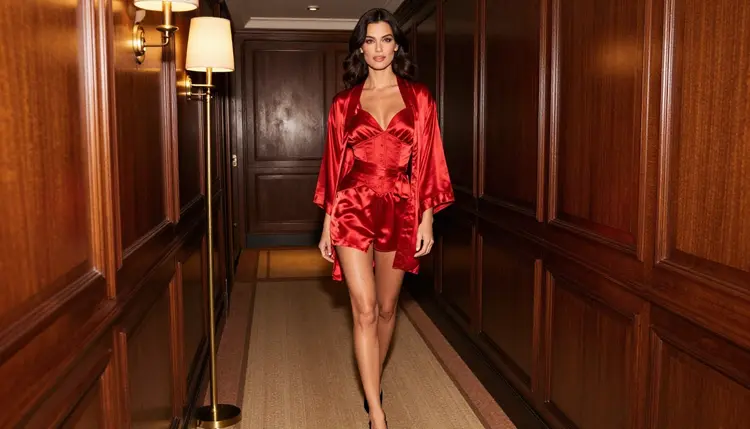
What both models share is the job. You describe a scene in words, the model returns a short clip, and you pick the best result. For adult glamour content that means the writing matters a great deal: concrete wardrobe, one clear action, one light source and one camera move will carry a clip further than a long list of adjectives. A line such as "a woman in a red satin corset set and robe walks down a lamp-lit hotel hallway, slow dolly-in, tungsten light, soft film grain" gives a model something specific to draw.
The only fair way to compare two models is to give them the same input and look at the same things in the results. This lead-in is short because the method is short: one prompt, matched settings, honest notes. Follow these steps in the toolkit.
- Write one prompt. Describe a fictional adult in a suggestive but clothed setting: wardrobe, location, one action, one light source, one camera move. Keep it under a few sentences and save it in a note so you can paste it unchanged.
- Run it on Sora 2. Select Sora 2 in the toolkit, paste the prompt and generate. Write down whether you got a clip, a refusal message or a clip that ignored part of the wording.
- Run the same prompt on Veo 3.1. Select Veo 3.1, paste the identical text and generate. Do not rephrase it to help one model, or the comparison stops meaning anything.
- Repeat with two or three variations. Change one thing at a time: the wardrobe, then the setting, then the camera move. A single result can be luck, and a pattern across several runs tells you more.
- Compare the notes. Put the results next to each other and judge the clip itself: how well the wardrobe was followed, whether the motion looks natural, whether the mood matches, and how many attempts it took.
When you judge the results, be fair to both. A refusal on one prompt is not proof about the next one, and a good clip on one wording is not a guarantee. Keep the prompts you ran and the notes you took, and you will have an answer that belongs to you and stays useful until a provider changes its rules.
The table below keeps to non-numeric attributes taken from the catalog titles and from what Picasso IA has tested. Nothing in it is a score.
| Sora 2 | Veo 3.1 |
|---|
| Task | Text to video | Text to video |
| Output named in the title | Video with synced audio | 1080p video |
| Provider | OpenAI | Google |
| Status here | Untested | Untested |
| Where to try it | Sora 2 page | Veo 3.1 page |
Read the table as a map, not a verdict. The "Status here" row is the honest part: both models sit in the same group, which means Picasso IA has not confirmed how either one handles adult prompts. If you want a model that has been confirmed, the next sections point to one. For a broader look at how Picasso IA stacks up against OpenAI's video product as a whole, the Picasso IA vs Sora comparison is the place to go. Another page worth opening is the Sora 2 NSFW video page, which looks at the same model from a different angle.
This section is about adults only. Picasso IA's adult section is for people aged 18 and over. If you are not an adult, this page and the tools it describes are not for you, and nothing here should be read as an invitation to anyone who is not.
Every character you create must be a fictional adult. Do not use a real or identifiable person, do not upload a photo of someone and ask for adult content, and never describe or hint at anyone who could read as a minor. This applies to every model in the catalog, including Sora 2 and Veo 3.1, and it is not negotiable. Write the character as a woman or a man in their late twenties or older, with an invented look, and keep the tone suggestive, not explicit.
Generations are private by default. What you create is tied to your account and is not published or shown to other people. That is a promise about your account, not a license to use someone else's likeness, and the rules above still apply to everything you make.
If your priority is to learn how each cinematic model reacts to your own wording, try Sora 2 and Veo 3.1 side by side with the steps above. Sora 2 is the one to open first when synced audio is part of your idea, because that is what its catalog title promises. Veo 3.1 is the one to open first when the 1080p output named in its title is what you are after. Both are reasonable places to spend an afternoon, and both remain untested here.
If you need a clip you can plan around, begin with a confirmed model. Picasso IA Video turns text or an image into video and is marked unlimited in the catalog, and Seedance 2.5 Lite is listed as free and unlimited, up to 10 seconds. LTX 2.3 Pro creates 4K video from text. A new account can try a small free trial on selected models, which include Picasso IA Video and Seedance 2.5 Lite, and the pricing page explains how credits and the unlimited tag work.
When a model declines, Picasso IA shows a message titled "Content Not Supported by This Model." It recommends models that accept adult prompts and carries your prompt over, so nothing has to be retyped. That is the fallback for a refused attempt on any model, and it keeps a testing session moving.
There is also a route that starts from a picture. Build a still frame first with Seedream 4.5 for photoreal output or Recraft V4.1 Pro for illustration and design, refine it with Picasso Image Editor Pro, then animate it with a video model that accepts an image. When several inputs are involved, the toolkit gives each attached image an @1 or @2 badge you can refer to in the prompt, on models that accept more than one input.
For more head-to-head reading, these pages cover related matchups: Wan 2.7 vs Seedance 2.5, Kling 3 vs Seedance 2.5 and LTX 2.3 Pro vs Picasso Video. To browse every option, open the full catalog.
A last practical habit: keep a small prompt library. Save the wording that worked, the wording that was refused, and the model each belonged to. A glamour clip tends to travel well from one model to another when the core is the same: a named garment, one location, warm practical light, a slow move. You will spend less time guessing and more time choosing between good takes.
Which blocks less for NSFW video, Sora 2 or Veo 3.1?
There is no honest ranking. Both are catalog models that Picasso IA has not tested with adult prompts, so neither is confirmed or called filtered. Run the same prompt on both and compare, and check each provider's current rules, which can change.
Are Sora 2 and Veo 3.1 uncensored?
They are not on Picasso IA's confirmed list, so this page does not call them uncensored and does not call them filtered either. They are untested here. The confirmed video models are Picasso IA Video, Seedance 2.5 Lite and LTX 2.3 Pro.
What does confirmed mean on Picasso IA?
Confirmed means Picasso IA tested adult prompts against that exact model repeatedly and watched it generate instead of reject. It is not a published setting of the model's maker, who can change it at any time. The full explanation is on its own page.
What does Sora 2 do according to its catalog title?
Its title reads "Text-to-Video with Synced Audio," so it turns a text description into video with audio matched to the picture. Open the Sora 2 page for the options currently shown in the catalog.
What does Veo 3.1 do according to its catalog title?
Its title reads "Turn Text into 1080p AI Video," so it turns text into 1080p video. The Veo 3.1 page lists the controls the catalog currently offers for it.
What happens if my prompt is refused?
Picasso IA shows a message titled "Content Not Supported by This Model," recommends models that accept adult prompts and carries your prompt over, so you do not retype it. Reword the prompt or switch to a confirmed model from the list it suggests.
Which video model should I start with if I need a result I can rely on?
Start with a confirmed one. Picasso IA Video, Seedance 2.5 Lite and LTX 2.3 Pro were tested with adult prompts, and the first two are marked unlimited in the catalog.
Can I try this for free?
A new account can try a few generations on selected models for free, including Picasso IA Video and Seedance 2.5 Lite. It is a small free trial, not access to the whole catalog. Details on credits and the unlimited tag are on the pricing page.
Are the characters real people?
No. Every character is a fictional adult, 18 plus, and never a real or identifiable person, never anyone who could read as a minor. Do not upload photos of real people to create adult content. This rule applies to every model, including Sora 2 and Veo 3.1.
Is my content private, and is Picasso IA affiliated with OpenAI or Google?
Generations are private by default and tied to your account. Picasso IA is not affiliated with OpenAI or Google, and their names are used only to describe catalog models. Compare the options in the toolkit and check each provider's current rules.