An outfit does most of the work in a glamour portrait. The same woman, the same window and the same lens can read as quiet, flirty or formal depending on what she wears and how the fabric catches the light. This list gives you nine outfits that work well in NSFW AI portraits: adult, suggestive and polished, never explicit. Each one comes with the fabric, the setting, the light and the camera angle to type into your prompt.
The ideas are written for photoreal generation. The confirmed images models in the list, Seedream 4.5 and Recraft V4.1 Pro, are the natural place to start, and Picasso Image Editor Pro is there when you want to change the clothes on a frame you already like. If you also care about posture, read the pose ideas for portraits next to this list.
These first four outfits are the safest starting points. They are simple to describe, they photograph well in soft daylight, and the fabric does the talking.
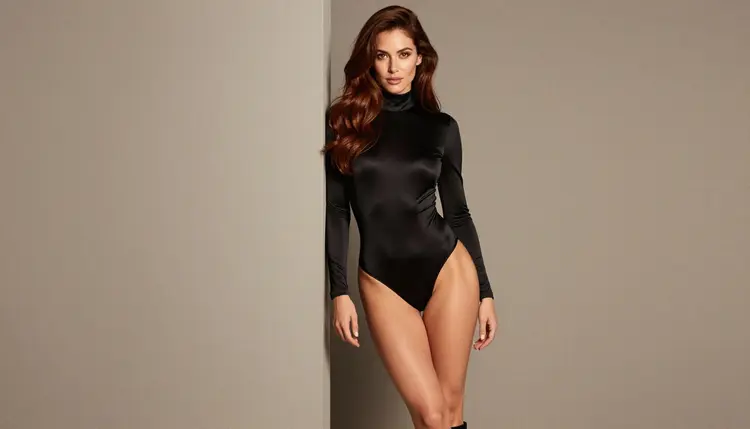
1. Black Satin Bodysuit. An opaque, high-neck black satin bodysuit is a clean way to get a boudoir feel without any fuss. Place the woman leaning on a doorframe in a bright studio, shot at a three-quarter angle with a 24mm lens and soft diffused daylight. Write "opaque" and "high-neck" in the prompt so the model keeps the cut elegant and the silhouette sharp.
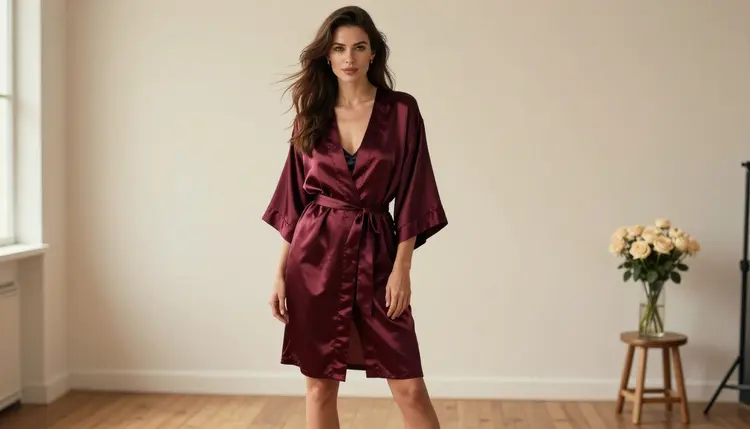
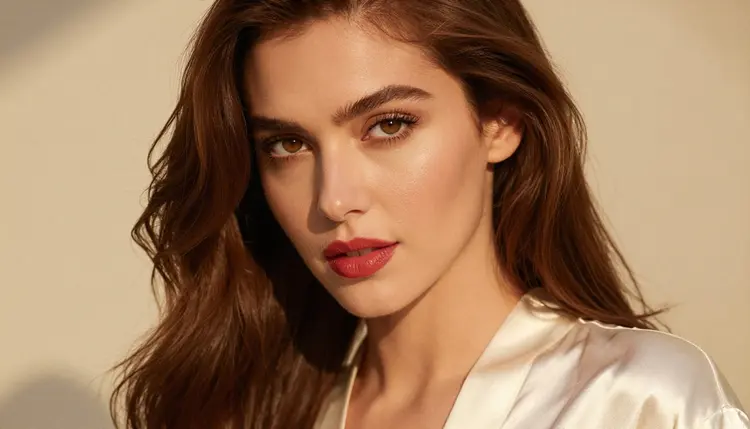
2. Satin Robe and Slip. A burgundy or ivory satin robe over a black slip is the classic morning-after look. Go close: an 85mm portrait with late-afternoon side light, red lips and the robe collar framing the face. Ask for "soft sheen on the satin" and "film grain" and the fabric folds will do the rest of the mood.
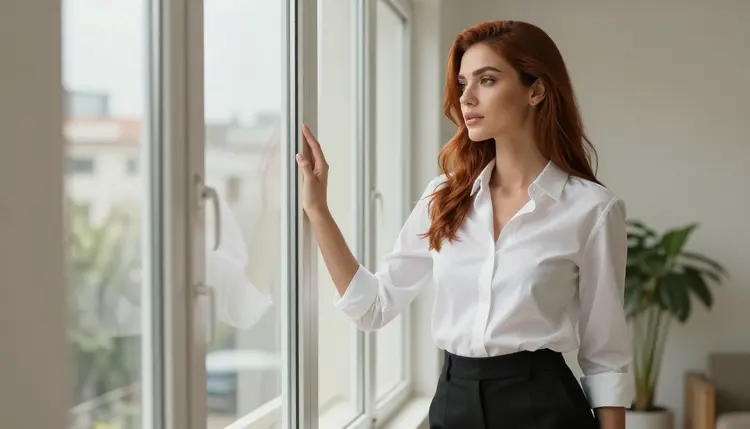
3. Tailored White Shirt With Shorts. A buttoned white tailored shirt with black shorts looks relaxed and flirty at the same time. Put the woman at a bright window looking out, overcast daylight, 24mm, no mirror in the frame. Mention "sleeves slightly rolled" and "one button undone" for a lived-in feel that stays suggestive without going further.
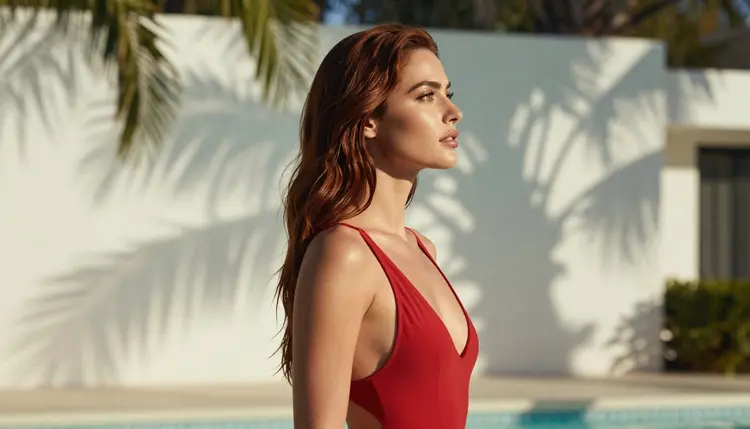
4. Red One-Piece Swimsuit. A red one-piece swimsuit by a pool gives you color and contrast. A profile silhouette against bright water works well, with dappled shade across the skin and a 24mm lens. Name the cut in the prompt (high leg, low back) and keep the setting to a quiet private pool or terrace so the frame feels like a holiday photo.
The second group asks for more styling: layers, jewelry, outerwear and long frames. Use these once the first four feel easy.
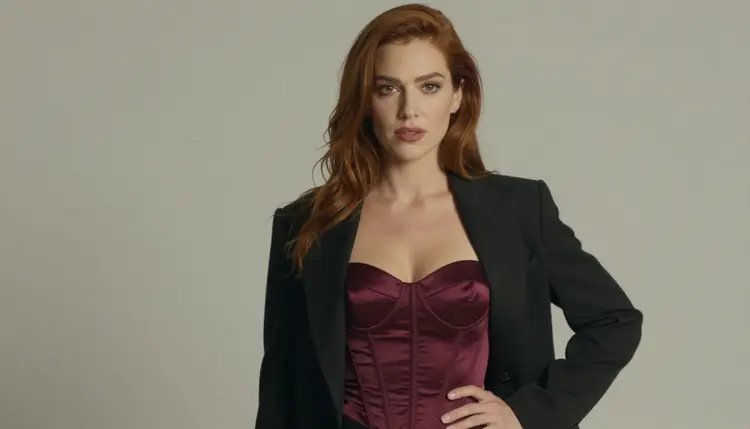
5. Corset Top With Blazer. A burgundy satin corset top under a black blazer mixes lingerie with tailoring. Shoot a medium waist-up frame with a 135mm lens and overcast soft daylight, which flattens the background and keeps attention on the fabric. Add "blazer open, structured shoulders" so the model does not collapse the two garments into one.
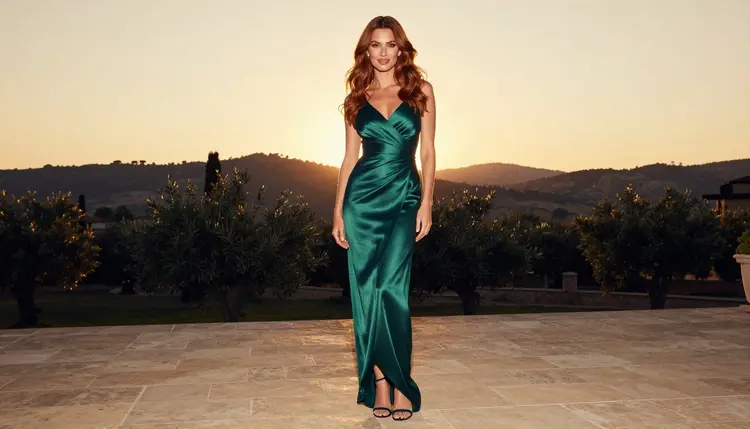
6. Emerald Evening Gown. An emerald satin evening gown on a stone terrace at golden hour is the formal option. Go full length, standing, with backlight and a 24mm lens so the hem and the train read clearly. Write "bias cut" and "liquid drape" and keep the background simple: balustrade, sky, nothing busy.
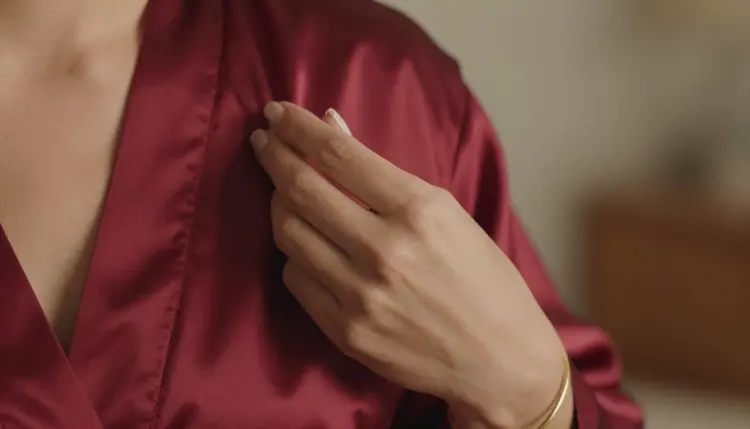
7. Jewelry And Lapel Detail. Sometimes the outfit is a detail. One manicured hand holding a satin robe lapel, with a gold bracelet, in late-afternoon side light makes a strong close shot for a series. Ask for exactly one hand in frame and a shallow depth of field, then use this shot between wider frames to slow the pace of a set.
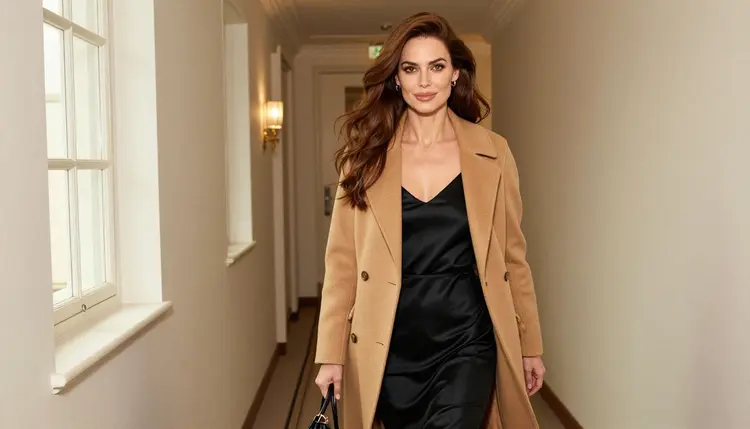
8. Camel Coat Over A Slip Dress. A belted camel coat over a black satin slip dress works as a candid walking shot in a bright hotel hallway. Use window light from the left and a longer lens around 85mm so the coat swings naturally. The coat adds a quiet, expensive layer and keeps the frame more mysterious than revealing.
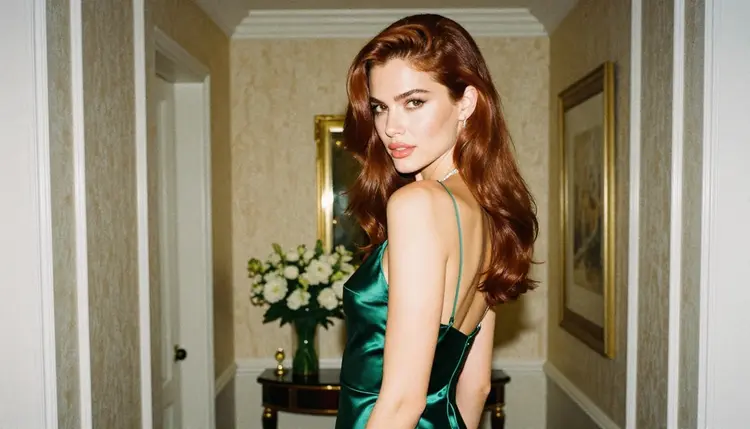
9. Emerald Slip Dress. A bias cut emerald satin slip dress, with the woman glancing back over her shoulder in a hotel corridor, is the closing look. Overcast soft daylight and a 35mm lens give a documentary feel. Keep the straps and neckline described in plain words and let the colour carry the image.
Choosing an outfit is easier with a routine. Use the steps below to go from a vague idea to a frame you can keep.
- Pick one fabric. Choose satin, lace, cotton or knit before anything else, because the model draws the light on the fabric first. Name it in the first few words of the prompt.
- Add cut and fit. Say what the garment does: high-neck, belted, bias cut, buttoned, open blazer. Two or three precise words beat a long list.
- Set the light and lens. Pair the outfit with soft daylight, side light or golden hour, and a focal length such as 24mm, 35mm or 85mm. Wide lenses show the whole outfit, long lenses isolate details.
- Generate a small batch. Run a few variations in the toolkit with the same prompt and compare how each one handles the fabric and the hands.
- Refine with an edit. If the outfit is right but one detail is off, open the frame in Picasso Image Editor Pro and describe the change instead of rewriting the whole prompt.
Confirmed means Picasso IA tested adult prompts against that exact model repeatedly and watched it generate instead of reject. It is not a published setting of the model maker, who can change it at any time. The moderation page explains how the label works.
Every other model in the full catalog is untested for adult prompts. They are worth a try, but they are not confirmed either way, so treat the result as an experiment and keep your prompt wording tasteful. When a model does not accept a prompt, the app shows a message titled "Content Not Supported by This Model" and recommends models that accept adult prompts, with your prompt carried over.
This section is 18+ only. Every outfit in this list is meant for adults, and Picasso IA is a tool for adult audiences. Do not use these prompts if you are under age or if the person viewing the result is.
Every character is a fictional adult. Never use a real or identifiable person, never a celebrity, and never describe anyone who could read as a minor. Write "woman" or "man" and give the age a clear adult range when a prompt needs it.
Your generations are private by default. What you create is tied to your account and not published or shown to others. Keep it that way, and share only what you have the right to share.
A new account can try a small free trial on selected models: Picasso IA Image, Picasso IA Editor Pro, Picasso IA Video and Seedance 2.5 Lite. It is a good way to test an outfit prompt before you spend anything. The details live on the pricing page.
Models marked with the infinity tag in the catalog do not spend credits on the plans that include unlimited generation. Picasso Image Editor Pro, Picasso IA Video and Seedance 2.5 Lite carry that tag, so they suit long experiments with fabrics, cuts and small edits.
When the outfit list feels familiar, move on to the lighting setups for NSFW portraits or the background and setting ideas. If you want motion, the video prompt ideas show how to move a finished look.
What is the best outfit for an NSFW AI portrait?
There is no single best outfit, but satin pieces are the easiest to start with. A black satin bodysuit or a satin robe photographs well in soft daylight, and the fabric gives the model a clear surface for highlights. Pick one outfit, describe the fabric first, then add cut, light and lens.
Which model should I use for outfit portraits?
Start with Seedream 4.5 for photoreal 4K images from text. Recraft V4.1 Pro suits illustrated or design led looks, and Picasso Image Editor Pro is best for changing clothes on an existing frame. All three are confirmed for adult prompts here.
How do I keep the outfit consistent across several images?
Reuse the same wording for the woman, the fabric and the light, and change only the setting or the angle. You can also attach a finished frame as a reference in the toolkit: each attached image gets an @1 or @2 badge that you can mention in the prompt, on models that accept several inputs.
Can I change the outfit on an image I already have?
Yes. Open the image in Picasso Image Editor Pro and describe the new garment, for example "replace the shirt with a burgundy satin corset top". It is a quick way to try several looks on one frame without regenerating the face or the background.
What should I write to get realistic fabric?
Name the material and what it does to light: satin with a soft sheen, matte lace, crisp cotton, heavy wool for a coat. Add one lighting phrase such as overcast soft daylight or golden hour backlight, and a lens such as 85mm. Short, concrete words work better than long strings of adjectives.
Are these outfits explicit?
No. The list stays provocative but never explicit: robes, bodysuits, swimwear, evening wear and layered looks on adult characters. The aim is glamour and mood, with implied intimacy at most. Prompts in this list do not need anything beyond ordinary fashion vocabulary.
Can I turn an outfit portrait into a video?
Yes. Take the finished frame to Picasso IA Video for a clip from text or an image, to Seedance 2.5 Lite for a short clip up to 10 seconds, or to LTX 2.3 Pro for 4K video from text. A slow turn or a walk down a hallway suits most outfits.
Does Picasso IA allow real people or minors in these prompts?
No. Every character must be a fictional adult. Do not use a real or identifiable person, a celebrity, or anyone who could read as a minor. The pages in this section are for adults only, and the same rule applies to every outfit on this list.
Are my outfit images private?
Generations are private by default. What you create is tied to your account and not published or shown to others. You decide whether anything leaves your account, so keep that in mind before you share a result anywhere else.
Is there a free way to test these outfit prompts?
A new account can run a small free trial on selected models, including Picasso IA Image, Picasso IA Editor Pro, Picasso IA Video and Seedance 2.5 Lite. Models with the infinity tag also do not spend credits on plans that include unlimited generation. Check the pricing page for the details.