The same pose lit five different ways can read as five different moods: golden hour turns skin warm and soft, a single candle makes a plain room feel private, a studio softbox turns a casual scene into something polished and deliberate. Most NSFW prompts spend every word on pose and wardrobe and never name a light source at all, and the result comes back flat, evenly lit and forgettable no matter how carefully the rest of the prompt was written.
This page names five lighting setups worth writing directly into a prompt, the steps that get a model to actually render them, the six models on Picasso IA confirmed to generate this kind of scene without a safety filter stepping in, and the rules every image on this page follows: 18+ only, fictional adults only, and private by default.
Ask most image models for a portrait with no lighting instruction and they default to something even and shadowless, technically correct and completely flat. That default works fine for a product photo. It does almost nothing for a suggestive AI portrait, where the mood usually comes from restraint, from what shadow hides as much as from what light reveals.
Naming a light source is one of the highest leverage changes available in a prompt, higher than adding another line about pose or wardrobe. A phrase like candlelight from one side or overcast light through a window tells the model where the highlights fall, how warm or cool the skin tone reads and how much of the frame stays in shadow. That single phrase can turn the same pose from a bland catalog shot into something that reads as intimate, without changing anything else about what is described.
The five setups below are not arbitrary. They cover the range a suggestive AI portrait actually uses: warm natural light, soft diffused daylight, warm artificial light, cool blue hour light and clean artificial studio light. Learning to name each one, rather than leaving lighting to chance, is the fastest way to get a result that looks intentional instead of generic.
Picasso IA runs close to 500 AI models, and most of them apply a safety filter that rejects an adult prompt the moment it reads as suggestive, no matter how the lighting is described. Only six are confirmed to generate NSFW content without that filter stepping in, and any of the five setups below can be prompted on any of them.
Seedream 4.5 and Qwen Image 2 are the two to reach for when the goal is a photoreal portrait and the light itself needs to look physically correct, the way a real candle or a real window actually behaves. Recraft V4.1 Pro renders the same setups in an illustrated style, useful when a photoreal result is not the goal. Picasso Image Editor Pro is the one to use when a lighting mood needs adjusting on a photo that already exists rather than generating a new scene from a blank prompt, and Picasso Video and LTX 2.3 Pro carry any of the five setups into a moving scene instead of a still one.
Every other model in the catalog, including names that come up often for adult prompts like Seedance 2.5, Seedream 5 Lite, LTX 2.5 Fast and PixVerse, is not confirmed to behave the same way. They are untested for this kind of content and worth a try on a prompt that does not depend on one of the confirmed six, but treating any of them as filter free is a guess, not something this page can promise.
Each of these five setups produces a distinct mood from the same pose, and all five were generated for this page across the confirmed models above. Name the setup directly in the prompt rather than describing brightness in vague terms, and the model has something concrete to render instead of guessing.
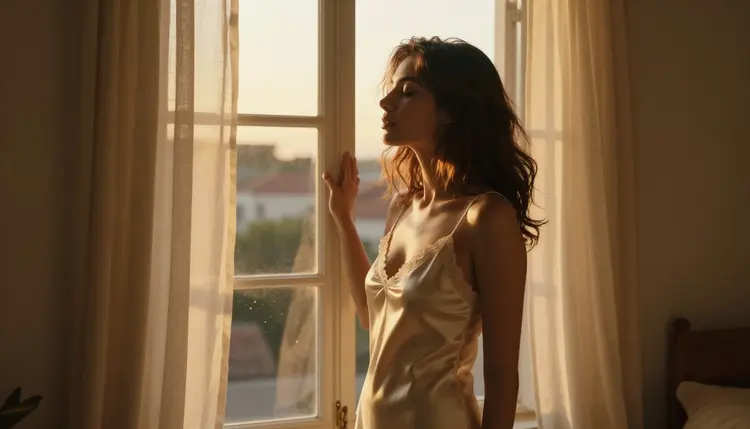
- Golden Hour Rim Light. Warm, low sun behind or beside the subject rims hair and shoulders in orange light while the front of the frame stays softer, the setup that reads as the most naturally romantic of the five.
- Soft Window Light. Diffused daylight through a window or on an overcast morning wraps evenly around the subject with almost no harsh shadow, the most forgiving setup for a first attempt at this kind of portrait.
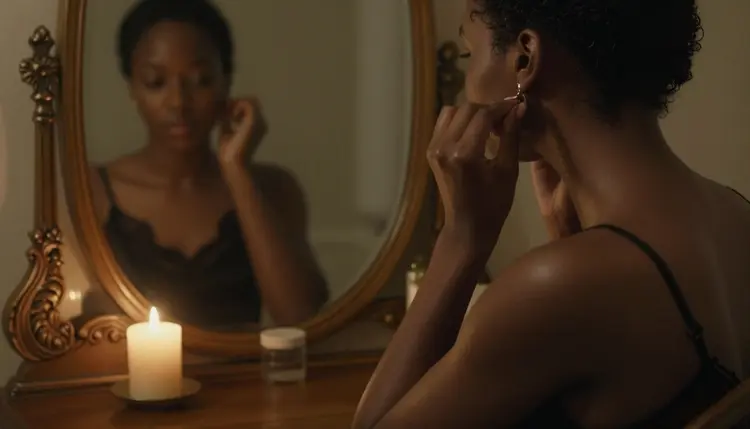
- Candlelight. A single warm flame close to the frame throws deep, moving shadows and turns skin gold, the setup with the most privacy built into the light itself since so much of the frame stays dark.
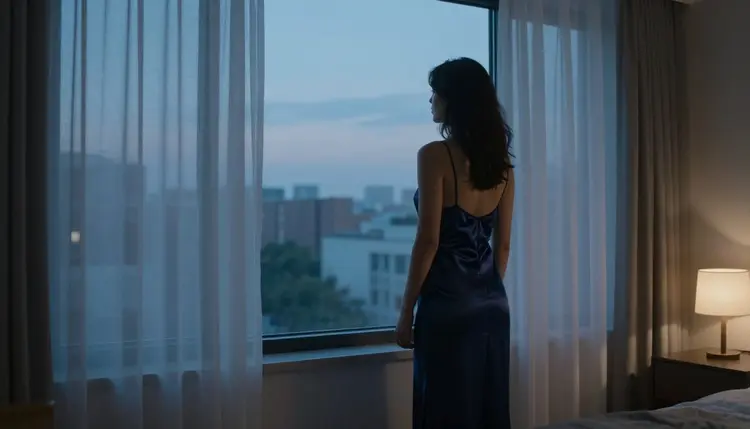
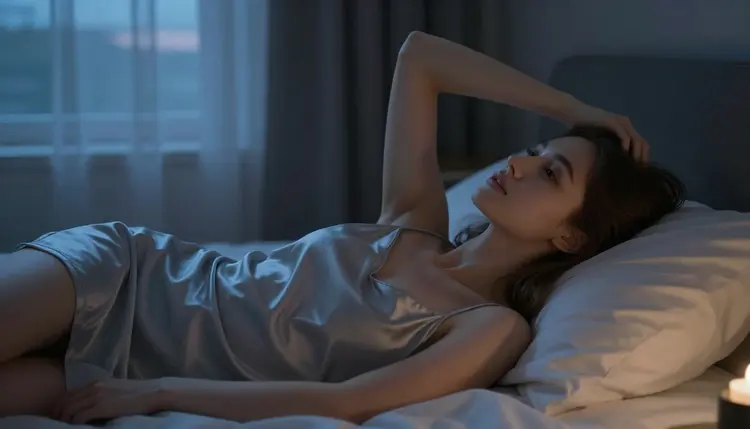
- Blue Hour. Cool light just after sunset, often mixed with a warm interior lamp or a city view through glass, gives a portrait a quiet, contemplative mood that daylight setups do not.
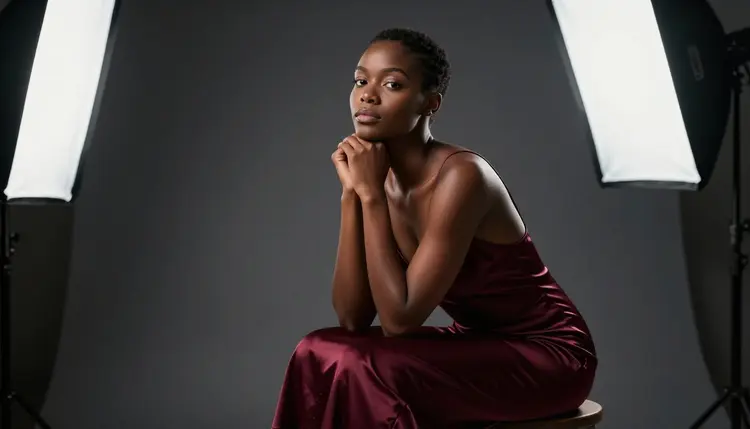
- Studio Softbox. One or two artificial softboxes give even, controlled light with a clean, deliberate look, the setup closest to a professional shoot rather than a candid moment.
Golden hour rewards a horizontal pose near a window or outdoors, where the low sun has room to skim across the frame at an angle.
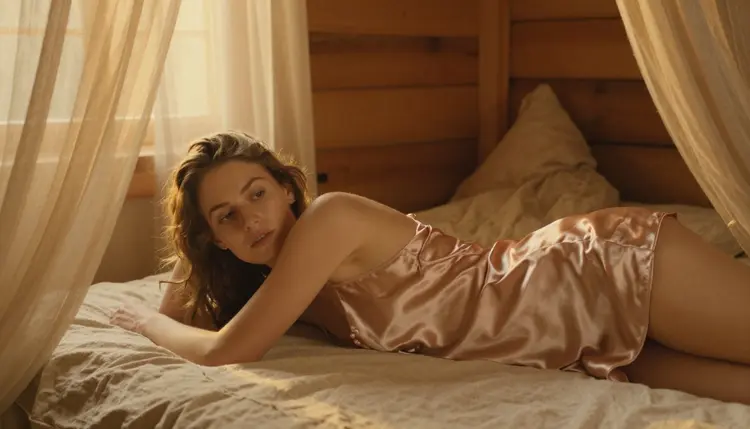
Soft window light is the most versatile of the five because it flatters almost any pose and any skin tone without the model having to guess at shadow placement. A seated pose reads calm and unhurried under it.
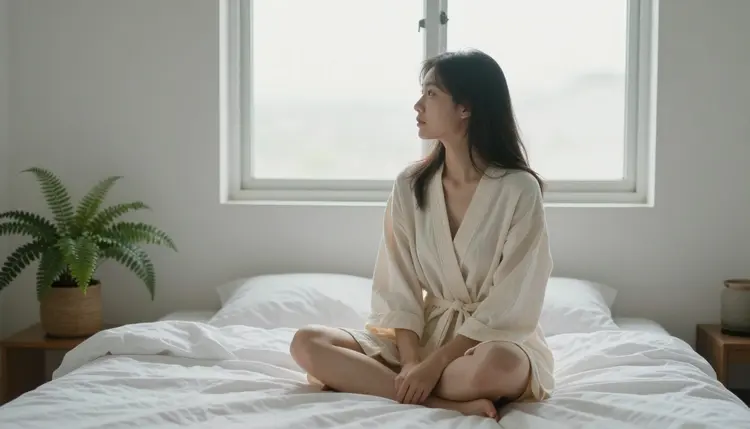
An overcast morning is the same family of light in a cooler key, useful when the golden warmth of a sunny window is not the mood a scene is going for. Standing rather than seated changes how the same soft light falls across the frame.
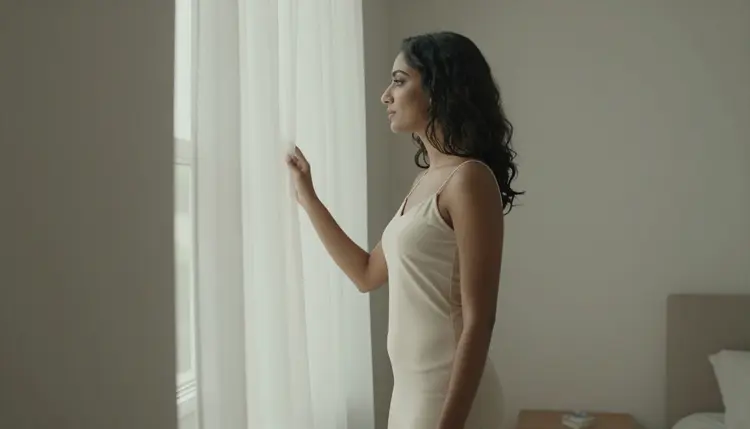
Candlelight is worth prompting on a reclining pose, where the low, warm light has more surface to travel across.
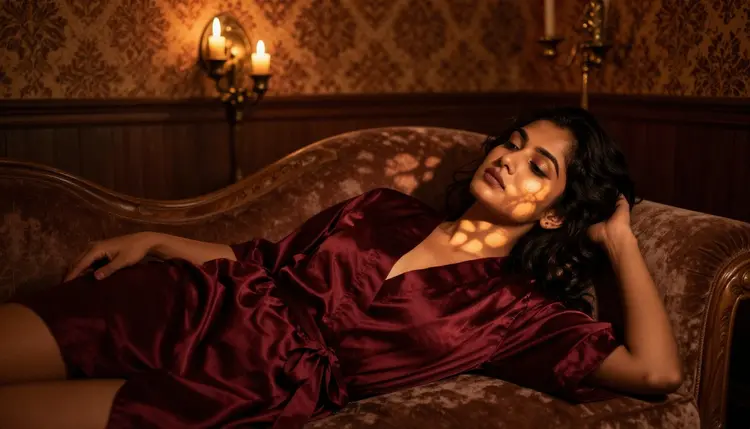
A close, still detail shot, a hand near a flame, works just as well under this setup and is one of the simplest ways to establish a candlelit mood before moving to a full portrait.
Blue hour reads best against glass, a window with a city or a skyline behind the subject, where the cool exterior light contrasts against warmer light inside the room.
The same blue hour setup on a reclining pose gives a quieter, more private read than the standing version, closer to the mood of candlelight but in a cool rather than a warm key.
A single softbox gives the most even, catalog-clean result of the five setups, the one to reach for when the goal is a polished portrait rather than a candid mood.
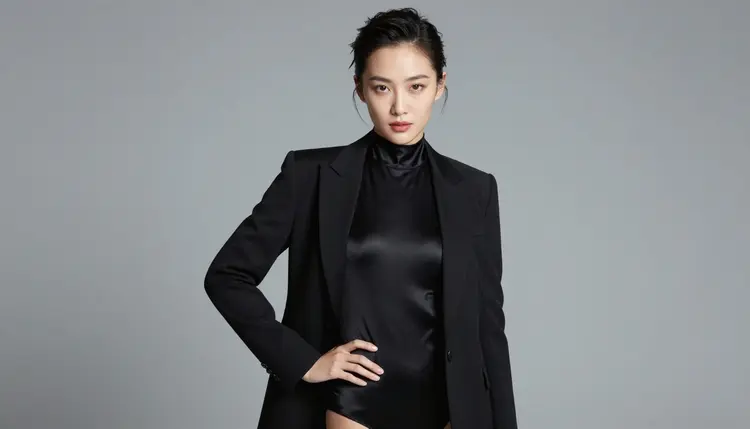
Two softboxes at different angles add depth and a more deliberate, dramatic shape to the same studio setup, useful once a single flat softbox starts to feel too plain for the scene.
Getting a model to render one of these five setups convincingly comes down to a handful of habits that apply across the confirmed models above.
Name the light source directly rather than describing brightness. Golden hour light, one candle to the left of frame and cool blue hour light through glass each give a model something concrete to render, where soft lighting or nice light on its own leaves the result to chance.
Keep the prompt to one light source per scene. Mixing golden hour and candlelight and a softbox in the same sentence asks the model to reconcile three different color temperatures and three different shadow directions at once, and the usual result is a muddy compromise between all three rather than a clean version of any of them.
Pair the setup with a pose that suits it. A reclining pose gives candlelight and blue hour more surface to travel across, while a seated or standing pose suits the even wrap of soft window light better, as the setup list above shows.
Review hands, hair edges and fabric folds first. Low light setups like candlelight and blue hour are the ones most likely to blur a hand or lose a fold of fabric in shadow, so check those details before treating a result as final.
Send a near miss to the image editor rather than starting over. Picasso Image Editor Pro can adjust the color temperature or brighten a shadow on a result that is almost right, instead of regenerating the whole scene from a blank prompt. For prompt wording beyond lighting itself, the prompt writing guide covers the rest of what makes a clean NSFW prompt.
Every image on this page, regardless of which of the five setups it uses, follows the same limits. Picasso IA's NSFW generation is 18+ only, and every character in a scene has to read clearly as an adult in age, build and context no matter how dim or flattering the light is. Nothing that could be read as a minor is allowed, in any lighting setup, under any circumstance.
Every figure has to be fictional. No real, identifiable person, celebrity or public figure can be described or implied, with or without consent, and low light or a partly obscured face never excuses a prompt that reads as underage. These limits apply equally across all six confirmed models and every lighting setup on this page.
Generations made on Picasso IA are private by default. What gets prompted and generated here is not surfaced publicly or shared without being asked for, which matters most for a candlelit or blue hour scene built around an intimate, private mood in the first place.
New accounts on Picasso IA start with free credits, enough to test two or three of the five lighting setups above before deciding which one suits a particular scene. Image and video generations draw down credits at different rates depending on the model and, for some, the resolution or duration selected. Current plans and numbers live on pricing rather than being repeated here, since they change more often than this page does.
Beyond the six confirmed models, a handful of others are untested for NSFW portraits specifically but worth a try if the confirmed six do not fit a particular scene: Seedance 2.5, Seedream 5 Lite, LTX 2.5 Fast and PixVerse all sit in the wider catalog. None of them carry a confirmed uncensored claim the way the six above do, so treat a result on any of them as a guess rather than something this page can promise. For guidance on choosing between the confirmed six for a specific project, the model picking guide covers that decision in more depth.
Which lighting setup is easiest for a first NSFW AI portrait?
Soft window light. It wraps evenly around almost any pose without the model having to guess where a harsh shadow should fall, which makes it the most forgiving of the five setups to start with.
Do I need to describe studio equipment to get the softbox look?
Naming a softbox or studio light is enough. The model does not need camera settings or brand names, only the light source and how many of them, one softbox for the even version or two at different angles for the more dramatic one.
Which model renders candlelight most convincingly?
Seedream 4.5 and Qwen Image 2 both render the warm, moving shadow of a single flame convincingly, since both are built for photoreal detail. Recraft V4.1 Pro renders the same candlelit setup in an illustrated style instead.
Can Recraft V4.1 Pro use these same five lighting setups?
Yes. All five setups work on any of the six confirmed models, and Recraft V4.1 Pro applies them in its own illustrated style rather than the photoreal look Seedream 4.5 or Qwen Image 2 produce.
What words describe blue hour lighting in a prompt?
Blue hour, dusk light or just after sunset all point a model to the same cool, quiet color temperature, especially when paired with a window, glass or a city view for the light to play against.
Why do my candlelight or blue hour portraits come out too dark or blurry?
Low light setups push a model toward more shadow than a daylight scene, which can hide a hand or blur a fabric fold if the pose is too busy. Simplifying the pose or sending the result to the image editor for a small brightness adjustment usually fixes it.
Are the people in these example images real?
No. Every image on this page is 18+ and strictly fictional, no real, identifiable person, celebrity or public figure is depicted, and every character has to read as a clear adult with nothing that could suggest a minor.
Is my generation history private?
Yes. Generations on Picasso IA are private by default, and that applies to every lighting setup on this page the same way it applies to any other prompt made on the six confirmed models.
Can these lighting setups be used for video instead of a still image?
Yes. Picasso Video and LTX 2.3 Pro are the two confirmed models for adult motion, and both can carry any of the five lighting setups described here into a moving scene instead of a still portrait.
Is there a free way to try these lighting setups before paying?
New accounts start with free credits that cover a handful of generations across the catalog, enough to test two or three of the five setups above before deciding whether to subscribe. Current plans are listed on pricing.