Most NSFW AI art guides are written for female characters, and the prompts you find in them rarely carry over to a man. A male character reads differently on screen. The silhouette comes from tailoring, the mood comes from fabric and light, and the pose does more work than any amount of skin. This page lists seven art styles that work for adult male characters, each one built around wardrobe, setting, light and camera angle. Every example keeps the chest covered, stays flirty and suggestive rather than explicit, and shows a fictional adult.
You can run all seven styles in the toolkit with the same man as your subject. The page was built the same way: one fictional character, seven looks, and the models that handled them. If you want to compare against a broader overview first, the guide to the best NSFW AI generator for male characters covers the generator side, while this list stays on style.
The first four styles lean on structure: a jacket that fits, a knit that clings, leather that catches light, a coat with a long line. They are the safest place to start because the garment does the framing for you, and the prompt can stay short.
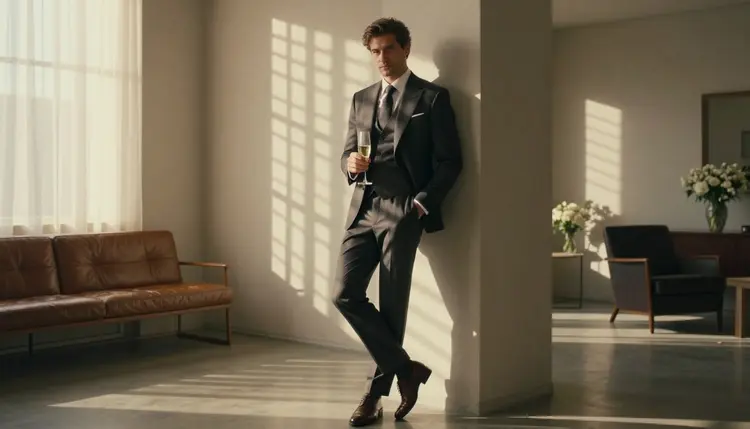
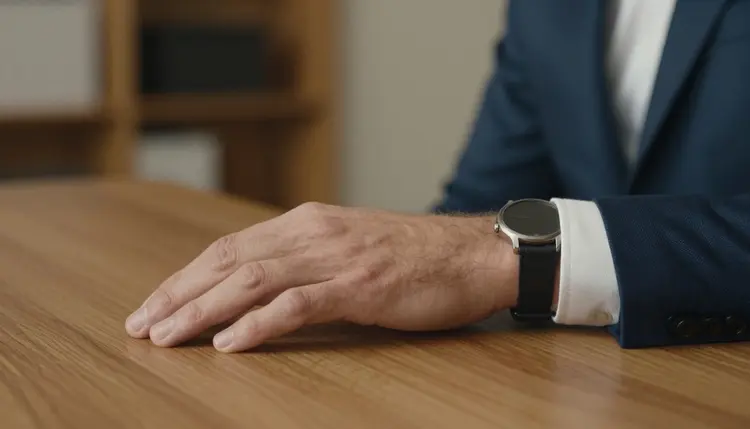
1. Tailored Suiting. A navy or charcoal three-piece suit, shirt collar open at the neck, tie loosened or left off. Shoot a detail of one hand resting on the lapel, or a waist-up frame beside a window with hard morning sun coming through blinds. Try a prompt such as "athletic man in a tailored charcoal three-piece suit beside a tall window, striped morning light, 135mm lens, shallow depth of field". The suit does the suggestive work through fit alone, so you never need to show more than the collar.
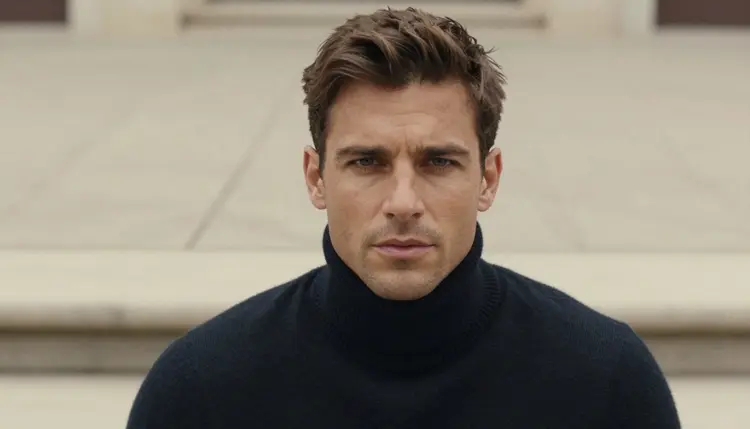
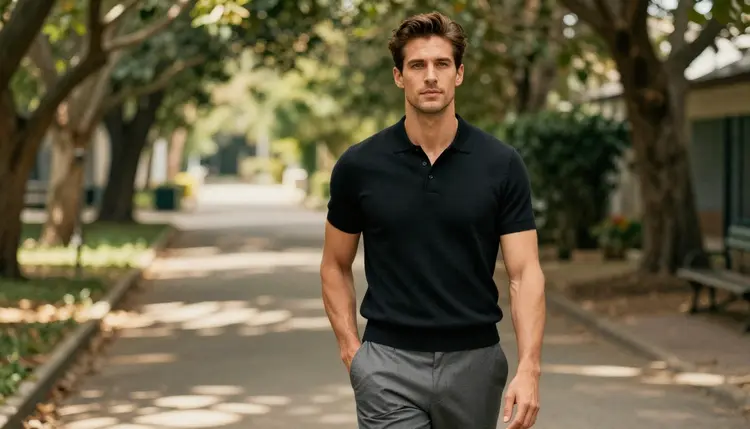
2. Fitted Athletic Knitwear. A black knit polo or a dark wool turtleneck on a lean muscular build, standing on a shaded garden path or in a quiet courtyard. The fabric follows the shoulders and arms, which is the whole point of the style. Use dappled shade or soft overcast light so the knit texture stays readable, and a three-quarter view at eye level. Mention the stitch pattern in the prompt, such as ribbed or fine gauge, and the model tends to render it.
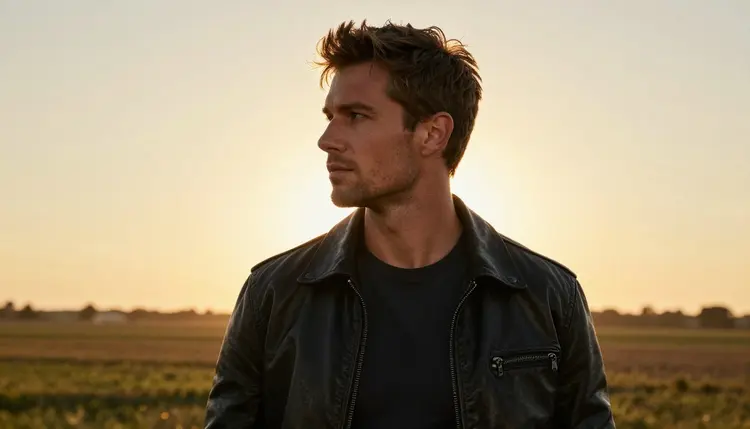
3. Black Leather Jacket. A fitted black leather jacket over a plain dark tee, shot as a profile silhouette against a golden hour horizon. Backlight turns the edge of the jacket into a bright outline and keeps the face in soft shadow, which gives mystery without any explicit content. Ask for an 85mm lens and a clean, open background such as a coastal road or a rooftop at sunset. Leather also works indoors with candlelight, but the backlit outdoor version is the cleanest first try.
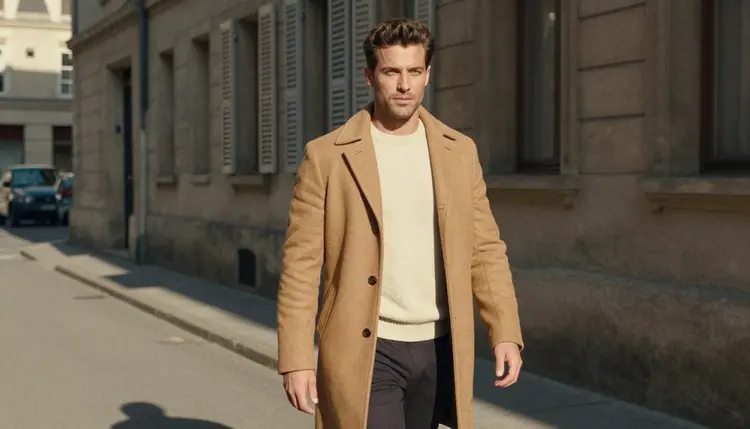
4. Vintage Overcoat. A camel overcoat with a turned-up collar, wool trousers and leather gloves, walking down a quiet stone street in hard morning sun. Candid walking frames suit this style best: ask for a three-quarter view mid-stride with the coat open. The retro feel comes from the coat cut and a slightly warm film color, so add "Kodak Portra 400, fine film grain" to the prompt rather than naming an era. This is the style where a subtle grain adds the most.
The last three styles are about setting. The clothes still matter, but the place and the light carry the mood: a dinner table, a terrace by the sea, a forest trail.
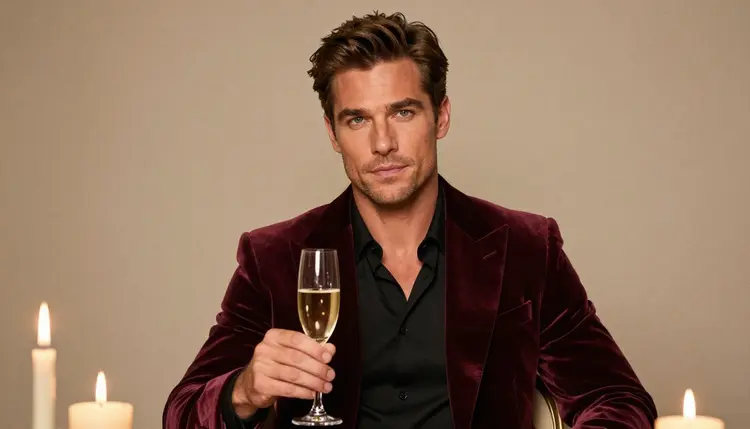
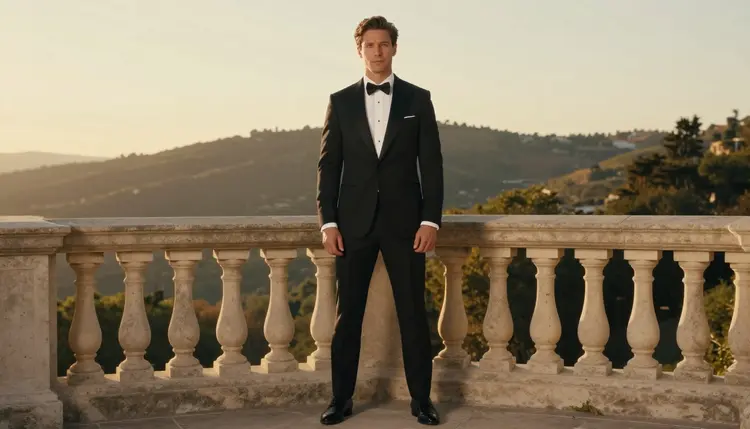
5. Black-Tie Formal. A black tuxedo or a burgundy velvet dinner jacket, bow tie undone, holding a glass of champagne by candlelight. Waist-up framing at around 70mm keeps the background soft and the face sharp. For a full-length variant, put the man on a stone balcony at golden hour with the city behind him and the camera at eye level. Formalwear is flirty without trying: the undone tie and the warm candle tone say the rest.
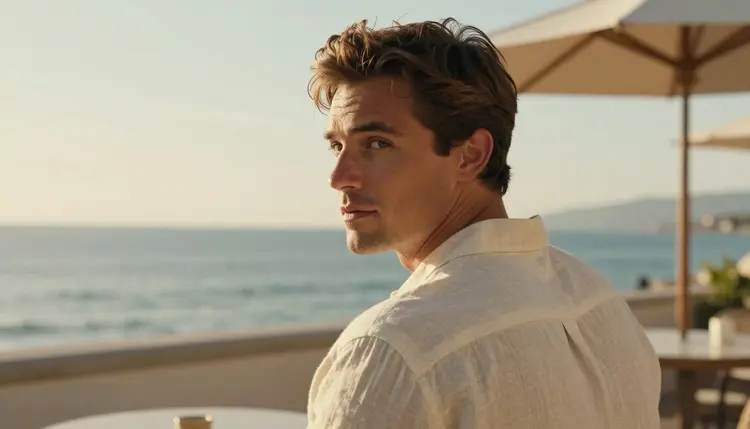
6. Relaxed Linen. A cream linen shirt with the top buttons open, rolled sleeves, light trousers, on a seaside terrace with whitewashed walls. The classic frame is over the shoulder, with the man glancing back toward the camera in late golden light. A 100mm macro lens setting gives a soft, close feel and lets the weave of the linen show. This style is the most casual of the seven and the easiest to keep tasteful, since the shirt stays on and nothing is staged.
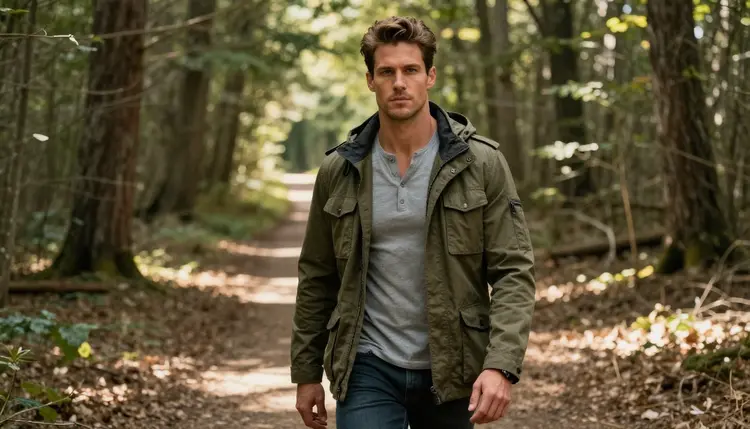
7. Outdoors and Field Wear. An olive field jacket over a henley, boots and a canvas bag, standing on a forest trail among tall trees with dappled light through the leaves. Wide environmental portraits work best here, because the man is part of a landscape. Ask for a 135mm lens so the trees compress behind him, and keep the pose still: hands in pockets, weight on one leg. Outdoor styles are a good break after several indoor ones, and they test how well a model handles natural light.
The five steps below turn the list into a repeatable routine. They work with any of the seven styles and with any model in the full catalog, though the confirmed ones are the best place to begin.
- Pick One Look. Choose a single style from the list and write down its garment, setting, light and lens in one line. One look per prompt keeps the result focused.
- Describe the Man Once. Write a fixed description of your character, such as age, hair, build and clean-shaven or bearded, and paste it at the start of every prompt. Always state that he is an adult.
- Generate on a Confirmed Model. Start with Seedream 4.5 for photoreal frames or Recraft V4.1 Pro for illustrated ones. Run two or three variations of the same prompt and keep the best.
- Refine With the Editor. Take the best frame into Picasso Image Editor Pro to change a jacket color, fix a hand or adjust the background without starting over.
- Animate If You Want Motion. Turn a still into a short clip with Picasso IA Video or Seedance 2.5 Lite, then save the results you like.
When the same man appears across all seven looks, the set feels like one photo shoot instead of seven random pictures. The guide to consistent characters goes deeper on that, and multiple art styles shows how to move the same subject between photo, illustration and other looks.
Picasso IA keeps a list of models it has tested with adult prompts. "Confirmed" means the app tested adult prompts against that exact model repeatedly and watched it generate instead of reject. It is not a published setting of the model's maker, who can change it at any time. Here are the six confirmed models and what each is good for in this style list.
| Model | Best for | Format |
|---|
| Seedream 4.5 | Photoreal tailored, leather and outdoor frames | Image, 4K, from text |
| Recraft V4.1 Pro | Illustrated and design-led versions of a look | Image, 2K, print-ready |
| Picasso Image Editor Pro | Changing wardrobe, color or background on a finished frame | Image edit, unlimited tag |
| LTX 2.3 Pro | Moving a style into a short film shot | Video, 4K, from text |
| Picasso IA Video | Animating a still of the same man | Video, text or image, unlimited tag |
| Seedance 2.5 Lite | Quick clips of a walking or turning pose | Video, up to 10 seconds, unlimited tag |
Every other model in the catalog is untested: worth a try, but not confirmed either way. Qwen Image 2 and Picasso Video (Pruna P-Video) are in that group, and so are most other image and video models. If you try one and the app does not accept the prompt, it shows a message titled "Content Not Supported by This Model", recommends models that accept adult prompts and carries your prompt over, so nothing is retyped. Wardrobe-led prompts like the ones above are the kind most likely to go through, because they describe clothes and light rather than anything explicit.
This page and the tools behind it are for adults. You must be 18 or older to use any of it, and the styles above are written for that audience only.
Every character you make is a fictional adult. Do not use a real or identifiable person, a celebrity or someone you know, and do not create anyone who could read as a minor. State the adult age in the prompt, keep the build and styling clearly adult, and discard any result that looks otherwise.
What you create on Picasso IA is private by default. It is tied to your account and is not published or shown to other people. Keep the same care when you share your own pictures elsewhere, and stay within the rules of whichever place you post them.
A new account can try a small free trial on selected models: Picasso IA Image, Picasso Image Editor Pro, Picasso IA Video and Seedance 2.5 Lite. That is enough to test one or two of the styles above before you decide anything. Plans, prices and what each one includes live on the pricing page.
Models marked with the infinity tag in the catalog do not spend credits on plans that include unlimited generation. In this list that covers Picasso Image Editor Pro, Picasso IA Video and Seedance 2.5 Lite, which makes them good for the trial-and-error part of the work: swapping a jacket, adjusting a background, animating a frame again. Other models spend credits that vary with the model and with options such as resolution or duration.
For next steps, open the toolkit and pick one style from the list. If you want a wider menu, the top 10 art styles to try first covers styles beyond male characters, and the full catalog lists every model you can test. Save your fixed character description somewhere handy, because that single paragraph is what keeps the whole set looking like one man.
What are the best NSFW AI art styles for male characters?
The seven in this list: tailored suiting, fitted athletic knitwear, black leather, a vintage overcoat, black-tie formal, relaxed linen and outdoor field wear. Each one relies on clothing, light and setting, so the result is suggestive and flirty without anything explicit.
Which model should I try first?
Start with Seedream 4.5 for photoreal frames. It is one of the confirmed models, which means adult prompts were tested against it repeatedly. For illustration, use Recraft V4.1 Pro.
Does every image keep the chest covered?
In the examples on this page, yes. Each look is a styled outfit: a jacket, a knit, a shirt or a coat. The page is about mood and wardrobe, not explicit content, and that is also what makes the prompts easy to repeat.
How do I keep the same man across all seven styles?
Write one fixed description with his age, hair, build and whether he is clean-shaven, then paste it at the start of each prompt. Change only the garment, setting and light. The guide to consistent characters explains the method in more detail.
Can I turn these pictures into video?
Yes. Use Picasso IA Video for text or image to video, Seedance 2.5 Lite for short clips, or LTX 2.3 Pro for 4K video from text. Walking and over-the-shoulder poses animate well.
What does "confirmed" mean on Picasso IA?
Picasso IA tested adult prompts against that exact model repeatedly and watched it generate instead of reject. It is not a published setting of the model's maker, who can change it at any time. Models outside that list are untested, not filtered.
What happens if a model does not accept my prompt?
The app shows a message titled "Content Not Supported by This Model", recommends models that accept adult prompts and carries your prompt over, so you do not retype it. You can switch model and continue from the same text.
Can I use a real person or a celebrity as the character?
No. Every character must be a fictional adult. Never use a real or identifiable person, and never create anyone who could read as a minor. This applies to every style on this page and to everything else you generate here.
Are my images private?
Yes. Generations on Picasso IA are private by default: they are tied to your account and are not published or shown to others. This page is for adults aged 18 or older, and the characters it describes are fictional adults.
Is there a free way to try these styles?
A new account gets a small free trial on selected models, including Picasso Image Editor Pro, Picasso IA Video and Seedance 2.5 Lite. Models with the infinity tag do not spend credits on plans with unlimited generation. See the pricing page for details.