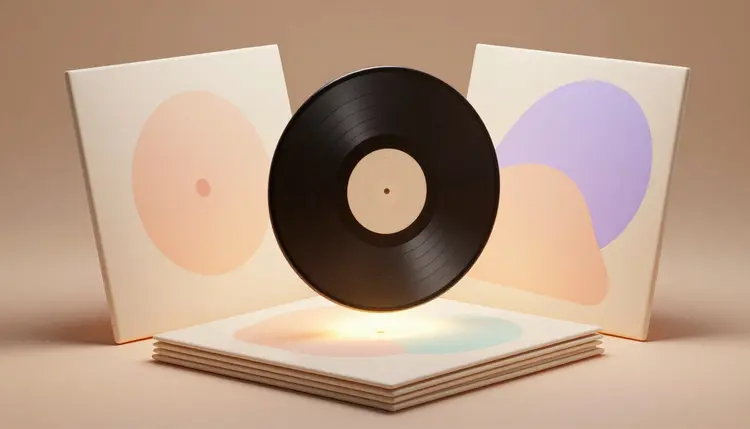
A finished track or a recorded episode still needs a face: the small square people scroll past in a feed before they ever press play. Cover art used to mean commissioning an illustrator or wrestling with a template that almost fits, then waiting days for something that might not match the sound at all. An AI image generator collapses that wait into a batch of drafts in under a minute, so the time goes into picking the right cover instead of waiting for one to exist.
A stock template says nothing about your specific release. Text-to-image models do better, because a cover brief is exactly the kind of input they read well: a mood, a genre, a palette, written as a plain sentence. Ask for a lo-fi cover in warm afternoon light and you get something built for that mood, not a template with the colors swapped.
Picasso IA runs 488 models behind one interface, including nano-banana-pro, Seedream and Ideogram, so the same brief can be tested across engines with different strengths; the full catalog is browsable if you want to see what else is in there. New accounts get free credits, enough to find out whether a direction works before spending anything, and a generation takes seconds, so changing your mind about the palette costs nothing but another prompt.
Genre and mood vocabulary does most of the work in a cover prompt. The same abstract shape reads differently described as neon synthwave gradient versus hand-lettered indie folk, and models respond to these terms because they were trained on labeled examples of each. Keep the composition idea fixed and rotate the mood words until one direction wins.
| Mood or genre | Prompt words that steer it | Where it tends to land |
|---|
| Lo-fi and chill | soft film grain, muted pastels, warm afternoon light | Study playlists, ambient EPs |
| Synthwave and electronic | neon gradient, chrome, retro grid horizon | Dance singles, electronic albums |
| Indie folk and singer-songwriter | natural light, film photo texture, handwritten feel | Acoustic releases, debut EPs |
| True crime and news podcasts | bold condensed type, dark palette, high contrast | Investigative shows |
| Comedy and interview podcasts | bright flat color, playful shapes, large portrait | Chat and comedy podcasts |
| Metal and hardcore | engraved linework, desaturated tones, sharp edges | Heavy releases, split EPs |
Two habits help. First, generate the mood art and any title text as separate passes, since a model asked for detail and clean lettering at once tends to compromise on both. Second, make four variants per prompt and compare them; a tight spread means the brief is precise, a wild one means the model is guessing. The effects page collects preset looks, and skimming it surfaces mood vocabulary faster than guessing at adjectives.
This is the workflow that ends with an export-ready cover rather than a folder of almost-right squares.
- Write the brief in one sentence. Mood, genre, palette, and any subject that has to appear, the way a cover artist would take a note before sketching.
- Generate a first batch in two or three moods. Run the same subject through nano-banana-pro or seedream-4.5, four images per mood, so you compare directions instead of single lucky rolls.
- Add the title with a text-focused model. Feed the winning square into ideogram-v3-turbo or recraft-v4.1-pro and ask for the album or show name placed in a specific spot, since legible lettering is a different skill from mood art.
- Fix the one detail that is off. Send the result through an editing model such as flux-kontext-pro and change a single thing, a color, a shadow, the kerning on the title, without regenerating the whole image.
- Export at the resolution your platform asks for. Square, high resolution, and clean of any watermark, ready to upload to a distributor or a podcast host.
In-image text is where AI models vary the most. Ideogram's models were built around legible lettering and hold up well for a short album title or a one or two word show name, and Recraft v4.1 Pro reads long prompts precisely and outputs up to 2048 pixels square, which keeps the type crisp at print size. Ask for the exact words in quotes, name the placement, and keep the phrase short; the shorter the string, the more reliably it comes back spelled correctly.
Longer taglines or a full sentence of liner text push past what any current model renders reliably, so treat baked-in text as good for a name and a short line, not a paragraph. When a cover needs more copy, generate the art without text and add the type in a design tool afterward, where every letterform is exact.
Pro tip: judge the title text at the size it will actually be seen. Zoom out until the cover is the size of a phone thumbnail, not a full screen, since that is the scale streaming apps and podcast feeds actually show it at, and lettering that reads fine at full size can blur into nothing once it shrinks that far.
Album art and podcast art both live at one shape: a square. Most streaming platforms and podcast directories ask for art at least 1400 by 1400 pixels and generally prefer something closer to 3000 by 3000, RGB, JPG or PNG with no transparency baked into the background. Generate at the model's highest available resolution, nano-banana-pro and seedream-4.5 both reach 4K, so there is headroom to spare rather than a scramble to upscale later.
A standalone single needs one strong cover. A podcast series or a multi-part album needs the same visual identity across many pieces, which is where a locked reference image earns its keep. The technique is the one described for consistent AI characters: generate one master image, a mascot or a recurring motif, then feed it back into a reference model for every new episode so the palette and the central shape stay recognizable while accent details change. Anyone drafting typography-heavy covers can also look at the book cover design workflow, since the text-legibility problem shows up on a spine too. For a studio weighing tools, the Picasso IA vs Canva AI comparison covers a single design app against a catalog of 488 models.
An honest tool page says where it stops working. For album and podcast cover art there are five places:
- Long taglines and small print: a two or three word title comes back reliably, but a full sentence of cover text often returns garbled letters, so keep baked-in text short and proofread every character before publishing.
- A mascot that drifts across episodes: without a locked reference image, the same recurring character or logo mark redraws slightly each time, so treat variation as the default unless a reference image is pinned down.
- Exact brand colors: a hex code pasted into a prompt is a suggestion, not a spec, and the rendered palette can land a shade warmer or cooler than the source you had in mind.
- Real logos and copyrighted characters: the model will not reliably reproduce an existing streaming platform's logo or a protected character, and covers should never be built to imitate one.
- Tiny thumbnail legibility: art that reads clearly on a monitor can turn into a blur at the roughly 60 pixel square a phone home screen actually shows, so the real readability test happens at thumbnail size.
None of these is a reason to skip the tool. They are the reasons a final proofread at real size still belongs to a human before anything ships.
Is there a free AI album cover generator?
Picasso IA gives new accounts free credits, and generating cover art sits at the cheap end of what you can spend them on, since a single image costs less than video or 3D work. That is enough to test two or three moods across a couple of models and see which direction fits the release. Past the free credits, paid plans are listed on the pricing page, and they change often enough that quoting numbers here would only mislead you.
Can I generate podcast cover art with my show's title already on it?
Yes, though it works better as two passes than one. Generate the mood art first, then feed the result into a text-focused model such as ideogram-v3-turbo or recraft-v4.1-pro with the exact title in quotes and where it should sit. Asking one prompt to nail both a detailed scene and crisp lettering at once tends to compromise on one or the other, so separating the steps gets a cleaner result.
Which AI model is best for album covers?
There is no single best, which is the argument for a catalog rather than one app. Nano-banana-pro and seedream-4.5 handle mood, texture and 4K output well for the artwork itself, Ideogram's models are the strongest choice once legible text needs to sit on top, and recraft-v4.1-pro adds print-ready resolution up to 2048 pixels square. A sensible session runs the same brief through two or three of the 488 models and keeps whichever understood it.
What size should my album or podcast cover be?
Square is the universal shape across streaming platforms and podcast directories. Most ask for art of at least 1400 by 1400 pixels, and many recommend closer to 3000 by 3000 for future-proofing, saved as RGB JPG or PNG. Generate at the highest resolution a model offers, several on Picasso IA reach 4K, so there is room to spare rather than a last-minute upscale before you export the final file.
Can I keep the same look across every episode of my podcast?
Yes, and it works the same way consistent characters do. Lock a reference image, whether it is a mascot, a symbol or a color block that anchors the brand, and feed that reference back into a model for each new episode alongside a short prompt describing what changes. The anchor stays recognizable while the rest of the cover adapts to the episode, which reads as a series rather than a set of unrelated images.
Who owns the rights to an AI-generated album cover?
It depends on where you live, and the law is still settling. Several jurisdictions give purely machine-generated images limited or no copyright protection on their own, which matters more for a commercial release with distribution deals than for a personal project. If you are releasing music or a show commercially, keep your prompts and generation history, rework the output where you can, and check the copyright rules that apply in your country before treating the cover as fully owned.
Can I use a photo of the band or hosts as part of the cover?
Yes, if you have the rights to the photo. Image editing models accept a reference photo alongside a text instruction, so a band shot or a hosting duo photo can become the starting point for a stylized cover rather than a plain product photo. Use photos you own or have permission for, since publishing a generated image built on someone else's photo without consent raises the same rights questions a manually edited photo would.
Does AI handle long taglines and subtitles well?
Not reliably yet. Current models render a short album name or a two or three word show title cleanly, especially on Ideogram's models, but a longer tagline or a full sentence of cover text comes back with broken or misspelled letters often enough that every character needs checking before publishing. For longer copy, generate the artwork without text and add the typography in a design tool afterward.
Can I match my cover to an existing brand or logo?
Partially. Describe the palette, the mood and the general shape language of your brand in the prompt, and a model will lean toward it, but it will not reproduce an existing logo mark pixel for pixel, nor should it be asked to. The reliable pattern is generating a new piece of art that shares the brand's color story and typography feel, then placing your actual logo file over it afterward in a design tool rather than asking the model to recreate the logo itself.
How much does generating cover art cost?
Generations are paid in credits, and the cost per image depends on the model and the resolution you pick, so any precise number written here would be wrong within a month. Images sit at the cheap end of the catalog compared to video or 3D generation, and 4K output from a model like seedream-4.5 costs more than a smaller preview render. New users get free credits to start with, and current plan pricing lives on the pricing page, which is the only place worth trusting for numbers.
Your release deserves a cover that matches what it actually sounds like. Open the Picasso IA toolkit and turn the brief in your head into a real square in the next few minutes.