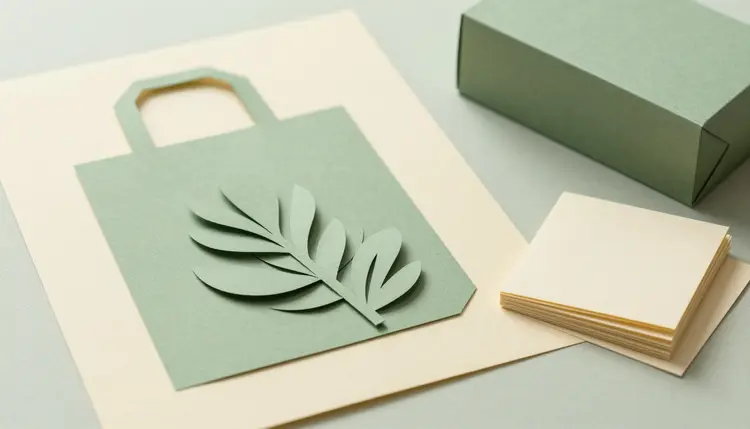
A brand kit usually starts as five browser tabs: one for logo ideas, one for palettes, one for fonts, one for mockups and one for the notes you keep losing. Supercomputer, the agent in a chat inside Picasso IA, folds that into a single conversation. You describe the business once, it plans the job, picks models from the catalog, renders the pieces and shows you the result. It proposes, you decide.
The hard part of a brand kit is not any single piece. It is that the logo, the colors, the type and the mockups have to look like they belong to one company. When each piece comes from a different tool, you re-explain the business every time, and the pieces drift apart a little with each round. In a chat, the brief stays in the thread, and every later request inherits it.
Supercomputer works from the same catalog as the toolkit: 502 models, 212 of them text-to-image, plus language models that can reason about names, palettes and type. It uses the same credit system, so a generation costs credits that depend on the model and the settings, and the pricing page is where the plans live. New accounts get free credits. Supercomputer is a chat in the web app, so there is no key to create and nothing to install.
It suits founders with a side project, freelancers who want to show a client a few directions before a designer is hired, and small shops that need something presentable this month. It does not replace a brand strategist, and the sections below are honest about where it stops. If you only need the mark, AI logo concepts goes deeper on that single piece.
A brief is a few plain sentences, not a form. The more of these it answers, the less the agent has to guess: what the business does and who it is for, a few words for the tone and a few for what it must never feel like, where the brand will show up first (an app icon, packaging, a storefront, a social avatar), any colors you already own or refuse, and reference images you attach if you have them.
The place where the brand lives first matters more than people expect, because it decides the shape of the logo. A mark that has to survive as a tiny round avatar wants a different construction than one that sits on the side of a box.
Name one thing the brand should never look like. A constraint such as nothing corporate blue, no mascot, no gradients narrows the field faster than another adjective for what you do want, because models fill every silence with the most common choice they have seen.
If the first round misses, you do not start over. You correct it in the same conversation: warmer, flatter, less ornate, closer to the second direction. The brief stays, and the correction sits on top of it.
You do not have to pick models yourself, because Supercomputer chooses them for each step. The table is for the moments when you want to know why a piece looks the way it does, ask for a different model by name, or test a prompt yourself in the toolkit, which runs the same catalog.
| Piece of the kit | What you ask for | Models worth knowing | What you still check |
|---|
| Logo directions | A few marks in different directions: wordmark, symbol, monogram | ideogram-v3-quality, recraft-v4, flux-2-pro | Every letter, and whether the idea already exists |
| Vector marks | A flat, scalable symbol you can open in a vector editor | recraft-v4-svg | How the shapes hold up at favicon size |
| Palette | Named colors with roles: main, accent, background, text | gemini-3-pro | Contrast between text and background, screen versus print |
| Type suggestions | A few font pairings with the reasoning behind each | gemini-3-pro | That the font exists, its license, and that it covers your language |
| Mockups | The mark on a tote bag, a box, a card or a shop sign | nano-banana-pro, gpt-image-2.0 | That the mockup has not quietly redrawn your logo |
The palette and the type suggestions come from a language model, so they arrive as words: color names with a role for each, and font names with a reason. That is useful for a first decision and not a substitute for opening the fonts and looking at them. Browse the full catalog if you want to see what else could join the job.
This is the journey in plain words. Everything happens in one chat in the web app, and anything you want to test first can be run in the toolkit with the same models.
- Write the brief. Say what the business does, who it serves, the tone you want, the tone you refuse and where the brand shows up first. Attach reference images if you have them.
- Ask for logo directions. Supercomputer plans the job and renders a few marks in different directions, using models such as ideogram-v3-quality and recraft-v4. Say which one is closest and what to change.
- Settle the palette and the type. Ask for named colors with roles and a few font pairings with reasons. If you want a flat, scalable version of the chosen mark, ask for it and recraft-v4-svg can draw it.
- Render the mockups. Ask for the mark on the places you named in the brief, such as packaging, a card or a storefront sign. An editing model like nano-banana-pro can place your logo on them.
- Review, check and download. Compare every mockup against the original logo, run the trademark and font license checks yourself, then download the files from the chat.
The first mistake is asking for the whole kit before choosing a direction. If the mockups are rendered from a logo you were only half sure about, every later piece inherits the doubt. Pick the mark first, then let the palette, the type and the mockups grow from it.
The second is accepting the first logo that looks professional. Generated marks tend to drift toward the average of every brand in the same field, so a plumber ends up with a wrench and a droplet, like every other plumber. Ask for a direction that avoids the obvious symbol and see what comes back.
The third is a palette with no roles. A handful of nice colors is a mood board, not a system. Ask which color carries the text, which one is the accent and which one is the background, and check the contrast between them before you commit.
The fourth is skipping the small-size test. A logo that looks rich at full size can turn into a smudge as an app icon. View it small, in one color, and on a dark background. For mockups that stay true to the logo, the habits in AI product mockups carry over directly, and vector graphics and SVG icons covers the flat versions.
A kit made this way is a strong first round, not a finished identity. These are the places where you take over:
- Trademark checks: a model cannot search a trademark register, and a mark that looks original may sit close to one that exists, so search the registers where you will trade, or ask a qualified professional, before anything is printed.
- Font licenses: a suggested font name is only a suggestion, and the license depends on the font and on how you use it (web, app, print, logo), so read the terms from the font's own source before you commit.
- Letters inside logos: image models still misspell, merge or mirror letters now and then, so proofread every character, and consider setting the name in a real font in a vector editor.
- Consistency across pieces: a mockup can redraw your mark slightly, so compare it against the approved logo, and attach the logo as a reference when you ask.
- Time, credits and review: each step takes time and costs credits, more steps cost more, and every output needs your eyes, because the agent does not know your market and cannot judge fit.
None of this is a reason to skip the tool. It is the reason the last decisions stay with you, and they are the ones with legal weight.
Can I use a generated logo for my business?
In general you can use images you generate, but whether a purely machine-made logo gets copyright protection varies by country and is still settling. The bigger risk is not who owns it but whether it resembles a mark that someone else already holds. This is general information, not legal advice. Before you print or register anything, search the trademark registers in your market or have a qualified professional review it.
What does Supercomputer produce from one brief?
From a single written brief it plans the job and renders logo directions, then helps with a palette, font suggestions and mockups of the mark in the places you named. You see each result in the chat and steer it with plain sentences. It does not produce a legal trademark, a licensed font or a finished brand strategy, and every output needs your review before it goes anywhere public.
Do I need an API key or any setup?
No. Supercomputer is a chat in the web app, so there is no key to create and nothing to install. You sign in, describe the result you want and it takes it from there. Keys only come into play for the API, the MCP server and the connectors, where you create one in your account and treat it like a password. For a brand kit, the chat is all you need.
Which models make the logo, the palette and the mockups?
Supercomputer picks them from the catalog for each step. Image models such as ideogram-v3-quality, recraft-v4 and flux-2-pro are the usual candidates for logo directions, recraft-v4-svg draws flat vector marks, a language model like gemini-3-pro reasons about palettes and type, and nano-banana-pro or gpt-image-2.0 handle mockups. You can ask for a different model by name at any point.
Can it check whether my logo is trademarked?
No, and no image model can. A model generates pictures, it does not search a trademark register, so a mark that feels original can still be close to an existing one. Checking is your job: search the registers where you plan to sell, in the relevant categories, or ask a qualified professional. Treat any generated logo as a candidate until that check is done.
Can I use the fonts it suggests?
Use them as suggestions, then verify. A language model can name fonts that pair well and explain why, but it cannot read a license for you. Whether you can use a font on a website, in an app, on packaging or inside a logo depends on the font and on its terms, so check the license at the source. Also confirm the font covers the language and the characters your brand needs.
Can I get a vector version of the logo?
Yes, for a flat symbol. recraft-v4-svg generates SVG files with editable paths, which open in a vector editor and stay sharp at any size. Ask for a simple, flat mark with few colors, since intricate illustration does not suit a logo anyway. A raster logo from another model can be redrawn as a vector with a model such as recraft-vectorize, and you should compare the result against the original.
How much does a brand kit cost to generate?
It costs credits, and the amount depends on the models and the settings the job uses, so a kit with many mockups costs more than one with a few. This page does not quote a number because any number would go out of date. New accounts get free credits to start, and the pricing page shows the current plans.
How do I keep the logo identical across the mockups?
Settle the logo first, then attach the approved file as a reference whenever you ask for a mockup. Editing models such as nano-banana-pro work from the image you give them, so the mark enters as a picture instead of being re-imagined from a description. Even so, compare each mockup against the original, because small changes to shapes and spacing can slip in.
Can I try the models before using Supercomputer?
Yes. The toolkit is the manual workspace where you pick the model yourself, write a prompt or attach files and generate, and it runs the same catalog, so you can test a logo prompt on ideogram-v3-quality or recraft-v4-svg today. Questions about credits or about how a model behaves go to the support page.
Ready to see what your brief looks like as a kit? Open the toolkit to test a logo prompt on the same models, or ask support if something is unclear.