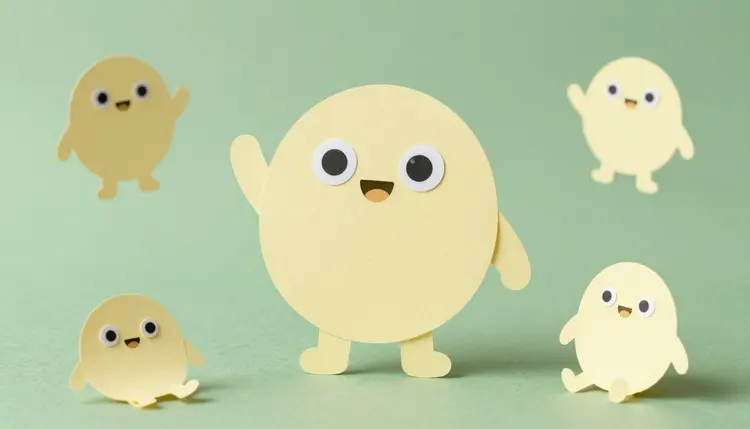
A mascot is the one part of a brand that people can wave at. Getting one used to mean a commissioned illustrator, a round of sketches and a fresh invoice for every new pose. With image models you can explore a dozen characters in an afternoon, pick the one with personality, and reuse it in as many poses and scenes as your campaigns need, while the final polish and the legal check stay with a human.
A mascot earns its keep by repeating: on the packaging, in the app, in the newsletter header, on the sticker, in the short video. The expensive part has always been the repeating. Paying for one good character is a normal budget line; paying for forty poses of it is a different conversation. Image models flip that. Exploring is cheap, so you can look at a fox, a robot and a talking dumpling before you decide, and every variation of an approved character costs one generation.
Picasso IA puts 212 text-to-image models and 121 text-to-video models in one workspace, the toolkit, so the same character can go from concept sheet to short animation without leaving it. New accounts get free credits to test a direction first, and the full catalog is open if you want to try other engines. It is a working tool for exploring and producing, not a substitute for deciding what your brand stands for.
Models can draw anything, which is exactly the problem: without a brief you get the average cute character, the same one everybody else got. Spend ten minutes on decisions first. What does the mascot do for the brand: reassure, joke, guide, explain? What is it: an animal, an object, an invented creature? Choose one distinctive shape, such as a tall rectangle, a teardrop or a pair of triangle ears, because a silhouette that reads at thumbnail size is what people remember. Take two or three colors from your brand palette and add one signature detail, like a scarf, round glasses or a gap in the teeth.
Then write all of it as plain sentences, in the same order every time: species or object, body shape, colors, face, signature detail, art style, background. Keep that paragraph. It becomes the anchor you paste into every later prompt. Do not name existing characters, studios or franchises as style references, because that is how a mascot ends up resembling something that already belongs to someone else. Describe qualities instead: flat vector shapes, thick outlines, a soft clay look.
No single model is best at every step, so here is how the ones worth trying divide the work.
| Job | Model to try | What it gives you | Watch out for |
|---|
| First concept round | google/nano-banana-pro | Strong prompt reading, 1K, 2K or 4K output, many aspect ratios | A vague brief returns a generic cute character |
| Reference sheet and new poses | google/nano-banana-pro | Accepts up to 14 reference images next to your text | Small details can shift between generations |
| Brand-styled artwork and lettering | recraft-ai/recraft-v4.1 | Art-directed composition and readable text inside the image | Its inputs are text and size only, so consistency comes from reusing your wording |
| Banner with mascot and headline | recraft-ai/recraft-v4.1 | Fourteen aspect ratios and long prompts | Proofread every letter of the headline |
| Short animation | kwaivgi/kling-v3-video | Start and end frame, clips up to 15 seconds, optional audio | Longer clips give the character more room to drift |
Run the same brief through two models for the first round. They read it differently, and the disagreement shows you which parts of your brief were vague.
This is the path from a blank page to a character you can use across a campaign, with models you can open in the toolkit.
- Generate a wide first round. Paste your brief into google/nano-banana-pro and recraft-ai/recraft-v4.1, change only the animal or shape between runs, and make several images of each so you compare directions instead of one lucky draw.
- Pick one and tighten the brief. Choose the character with the strongest silhouette, then rewrite the brief to describe exactly what you see, including the details the model invented that you now want to keep.
- Make a reference sheet. Give the chosen image to google/nano-banana-pro as a reference and ask for front, side and three-quarter views on a plain background, with the same colors and proportions.
- Generate the poses you need. Attach the sheet as references and prompt one scene at a time: waving, holding a product, sleeping, celebrating. Keep the anchor paragraph in every prompt.
- Animate the keepers. Upload an approved still as the start image in kwaivgi/kling-v3-video, describe one simple motion, and check the clip frame by frame before it goes anywhere public.
Consistency is the whole point of a mascot, and it is the thing models do worst by default, because each generation is a fresh draw. What fixes it is a routine, not a hidden setting: the same anchor paragraph, the same reference images, one change per prompt. When a pose drifts, do not fight it with a longer prompt. Go back to the reference sheet and regenerate. The page on consistent AI characters goes deeper on the technique, and if the mascot will sit beside a wordmark, AI logo concepts covers that half of the job.
Shrink every candidate to the size of a favicon before you fall in love with it. A mascot that turns into a smudge at that size will fail on the app icon, the sticker and the video thumbnail, however good it looks at full size.
Animation works best when it is small. Kling v3 Video accepts a start image, can pin an end image, makes clips of up to 15 seconds with optional generated audio, and supports multi-shot scripts of up to six scenes. For a mascot, a wave, a blink, a hop or a turn to the camera is plenty. The effects page holds one-click presets worth a look for quick treatments, and AI stickers and emoji packs shows what to do with the poses once you have a set.
Five places where you need a person, a lawyer or a different tool:
- Trademark and ownership: a character you plan to use as a brand asset needs a trademark search and advice from a qualified professional in your market, and copyright rules for AI-generated images differ by country and are still changing. This page is general information, not legal advice.
- Accidental lookalikes: models learned from a huge amount of existing cartoon art, so a generic prompt can land close to a famous character. Run a reverse image search on every finalist and drop anything that echoes something recognizable.
- Drift across poses: even with references, a pose can change an eye size, a shade of color or the number of fingers. Compare each image against the reference sheet and regenerate instead of patching.
- Production files: the output is raster artwork. Print-ready vector files, packaging die lines and brand guideline documents still need a designer.
- Voice and personality: a model draws a face, not a character. The backstory, the tone of voice and the list of things the mascot never does are brand decisions that you write.
None of that is a reason to skip the tool. It is a reason to treat the output as a very fast first draft.
Can AI design a brand mascot from scratch?
Yes, as a starting point. You describe the animal, object or creature, its shape, colors and personality, and text-to-image models return several concept options in a minute or two. What they do not do is decide what your brand needs or clear the result legally. Treat the first round as exploration, choose the character with the strongest silhouette, and refine only that one.
Which AI model is best for brand mascots?
It depends on the step. google/nano-banana-pro is a good fit for concepts and for reusing a character, since it accepts up to 14 reference images. recraft-ai/recraft-v4.1 is built around art direction and readable text inside the image, which suits styled artwork and banners. Running the same brief through both in the toolkit is the quickest way to see which one reads your idea better.
How do I keep my mascot looking the same in every image?
Use a routine. Save one paragraph that describes the character and paste it into every prompt, attach the approved reference sheet each time, and change only one thing per generation, such as the pose or the background. When an image drifts, regenerate from the reference rather than adding more words. Check each result next to the sheet, because small shifts in eye size or color are easy to miss alone.
Can I animate my mascot?
Yes. kwaivgi/kling-v3-video takes a still as its start image and a short description of the motion, and it can also pin an end frame. Clips run up to 15 seconds, with optional generated audio and 720p or 1080p modes. Keep the motion simple, like a wave or a hop, and review the clip frame by frame, since a longer clip gives the character more chances to change shape.
Can I register an AI-generated mascot as a trademark?
That is a question for a qualified trademark or IP professional in your country, not for this page. Rules on protecting AI-generated artwork differ between jurisdictions and are still evolving, and a trademark search is needed in any case to see whether something similar is already registered. Go to that conversation with your finished design, your brief and a record of how you created it.
How do I make sure my mascot does not look like an existing character?
Never name an existing character or franchise in your prompts, describe qualities such as shapes and materials instead, and avoid iconic combinations like a famous silhouette with signature colors. Then check every finalist with a reverse image search and show it to a few people who do not know your project. If anyone says it reminds them of something, change the design or start over.
Can I turn my mascot into stickers or emoji?
Yes. Once you have a reference sheet, you can generate a set of expressions and poses on a plain background, one per prompt, and use them as sticker or emoji sources. Messaging platforms have their own size and format requirements, so check the current rules of the platform you publish on before exporting. The page on AI stickers and emoji packs walks through that workflow in more detail.
Can the mascot hold a sign with my brand name or slogan?
Short text works better than it used to, particularly with recraft-ai/recraft-v4.1, which is designed to place readable words inside images. Keep the line short, put the exact words in quotation marks in your prompt, and proofread every letter, because a single wrong character on a mascot is more visible than anywhere else. For anything long, add the text afterwards in a design tool.
How much does it cost to create a mascot with AI?
Generations are paid in credits, and the cost depends on the model and the settings you choose, so any figure written here would go stale. Images sit at the cheaper end of the catalog and video costs more, which is another reason to settle the design in stills before animating. New accounts get free credits, and the pricing page lists the current plans.
Do I need design experience to make a mascot with AI?
No, but you need taste and a clear brief. The models handle the drawing, while you decide the personality, the shape and what is wrong with each draft. Most of the skill is looking carefully and asking for one change at a time. If the mascot will carry a business for years, have a professional designer review the final version.
Ready to meet the character? Open the Picasso IA toolkit and put your first brief through two models today.