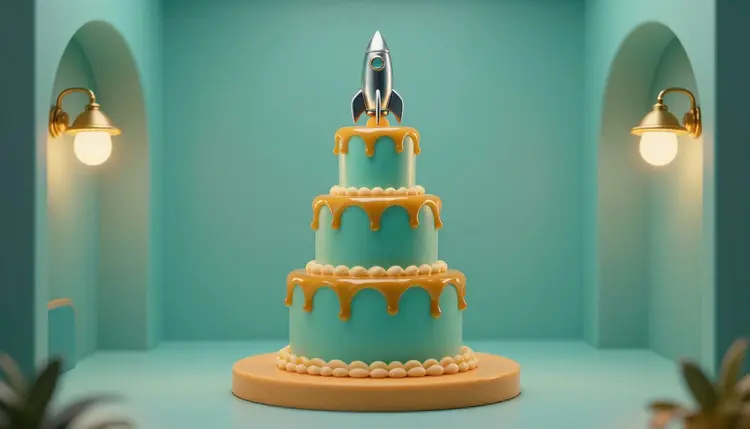
Ordering a custom cake is a strange kind of purchase. You describe it in words, a baker pictures something, and you find out whether the two pictures matched when the cake arrives. Image models close that gap before the order. You write the cake you imagine, get a picture in seconds, and bring that picture to the baker or keep it as your own baking plan. It shows you the idea. It does not prove the cake can stand up.
Most cake conversations go wrong in the same quiet way. You say rustic, three tiers, wildflowers, and your idea of rustic is not the baker's. A reference photo from the internet helps, but it is somebody else's cake, in somebody else's colors, at somebody else's size. What you want is a picture of your cake, and a text-to-image model can draw one from the same sentence you would have said out loud.
That works just as well if you are the one baking. Home bakers use a generated picture the way a designer uses a mood board: it settles the color of the icing, the number of tiers and where the flowers sit before a single egg is cracked. Picasso IA puts 502 models behind one interface, 212 of them in text-to-image, so you can run the same cake through FLUX, Seedream, nano banana or Imagen and keep whichever one understood you. The full catalog is open if you want to browse. New accounts get free credits, which is enough to find out whether a direction works before you spend anything.
A cake prompt works best when it reads like an order form. Say what the cake is, then how it looks, then the one thing it must not do. Models are good at materials and finishes, so name them: smooth buttercream, a naked cake with exposed sponge layers, a glossy mirror glaze, a rolled fondant finish, a drip of dark chocolate ganache.
Cover five things and you have a brief most models can follow: the number and shape of the tiers, the color palette, the decoration (fresh flowers, sugar flowers, berries, a topper), the surface finish, and the setting. For the setting, ask for a plain table and soft daylight, the way a baker photographs a finished cake. A busy party scene makes the model spend its effort on balloons instead of the cake you are trying to judge.
Tip: ask for the cake in the size you need, and say how many people it serves. A model that is told this is a small two-tier cake for about twelve guests draws proportions a baker recognizes. Without it, the cake tends to grow, because impressive tall cakes are what the training pictures reward.
Keep the prompt in plain sentences, and change one thing per run. If you swap the flowers and the color at the same time, you will not know which change made the picture better.
Rather than generating one cake and polishing it forever, run a quick lap through a few distinct directions with the same subject and see which one feels right. Each row below is a different angle, with the words that steer it and the question it should prompt for your baker.
| Angle | Prompt words that steer it | Ask your baker |
|---|
| Naked or semi-naked | exposed sponge layers, fresh berries, light cream, rustic | How do the layers stay fresh, and what holds them together? |
| Smooth buttercream | clean edges, matte pastel icing, simple piped border | Can you match this color, and does it hold in warm rooms? |
| Fondant sculpted | rolled fondant, figurines, sharp seams, themed details | Which parts are edible, and which are supports or props? |
| Mirror glaze | glossy glaze, deep jewel color, smooth dome, minimal | Is this finish realistic for my flavor and my date? |
| Floral and tiered | cascading sugar flowers, three tiers, soft greens | How many flowers are real, and how is the stack supported? |
Two habits speed this up. First, generate four variants for each angle and read them side by side. A tight spread tells you the prompt is clear, a wild one tells you the model is guessing and the brief needs another sentence. Second, keep a note of the prompt that produced the picture you like, because you will want to reuse it when you adjust a detail. For a related project, the birthday and holiday card page covers matching the card to the cake.
This is the loop that ends with a picture you can actually hand to someone, instead of a folder of nearly right cakes.
- Write the cake as an order. Occasion, number of servings, tiers, palette, decoration and surface finish, in two or three plain sentences.
- Generate three directions in the toolkit. Open the toolkit, pick a text-to-image model such as FLUX 2 Pro or Seedream 4.5, and make four images per direction so you compare styles instead of single lucky rolls.
- Edit the winner one detail at a time. Send the best picture to an editing model such as nano banana or Qwen Image Edit Plus and change one thing: the flowers, the color of the icing, the topper.
- Add the text separately if you need it. For a message on the cake, try a lettering-friendly model such as Ideogram v3 Quality, and proofread every letter, since writing is where models still slip.
- Show it to your baker, with questions. Share the picture as inspiration, ask what is possible for your date, budget and servings, and let the baker adjust the design.
The most common mistake is treating the image as a spec. A picture shows the surface of a cake. It does not show the dowels, the board, the filling that keeps a tier from sliding or the temperature the icing can stand. Bring it as a conversation starter, not as an order that has already been decided.
The second is asking for too much at once. A cake with five tiers, a waterfall of flowers, a sculpted figure and gold leaf is a lovely picture and a very hard week for a baker. Start from the simplest version of the idea you would be happy with, and add a decoration only when you can say why it matters.
The third is forgetting what the picture cannot know. It does not know your allergens, your flavors or your guest list, so a generated cake says nothing about whether the cake is nut-free, vegan or gluten-free. Say those requirements to the baker in words, and keep them separate from the visual brief. If you are planning a wedding, the wedding invitations page shows how to keep the look consistent across the stationery.
The fourth is skipping the cleanup. Models sometimes add a smear of cream, a candle that melts into the icing or a topper with an odd extra limb. Zoom in before you share the picture, and regenerate or edit anything that would confuse the person reading it. The effects page also collects one-click presets if you want a polished look for a menu or a celebration post.
An honest page about a cake tool has to say where the picture ends and the baking begins. Cakes are heavy, soft and sensitive to heat, and image models know none of that. Five limits to keep in mind:
- Structure and physics: models happily draw a top tier hanging half off the one below, or a ten-tier tower on a thin stand, and only a baker can tell you what the cake will actually bear.
- Edible or not: a picture does not separate sugar from plastic, wire, wood or fresh flowers that are not safe to eat, so ask which parts are edible.
- Color in real life: deep reds, true blacks and glossy glazes look easy on a screen and are hard in food coloring, and the finished color will differ from the pixels.
- Text and figures: long messages, names and detailed figurines often come out garbled or oddly proportioned, so treat them as a layout suggestion and have the baker confirm.
- Time, skill and price: the picture says nothing about how many hours the design takes, what your baker can do or what it costs, and that is the first thing to ask.
If you are a baker, do not show a generated picture as a photograph of work you made. Label it clearly as a concept or inspiration, and show real cakes for portfolios and orders. None of this makes the tool less useful. It simply means the final mile belongs to a person with an oven.
Can AI design a cake for me?
It can draw a convincing picture of one. Describe the tiers, colors, decoration and surface finish, and an image model returns a cake you can look at within seconds. What it cannot do is bake the cake or tell you that the design is physically possible. Use the picture to decide what you want and to explain it clearly, then let a baker confirm what is possible for your date, your servings and your budget.
Which AI model is best for cake design ideas?
There is no single best, which is the argument for a catalog. FLUX and Seedream models are strong all-round picture makers, Imagen is a solid option for clean, photographic results, and nano banana is handy for editing a picture you already like. A sensible session runs the same prompt through two or three of the 212 text-to-image models and keeps whichever one understood the brief best.
Can I show my baker an AI-generated cake picture?
Yes, and most bakers prefer a clear picture over a vague description. Present it as inspiration, not as a blueprint, and expect the baker to change things that would not survive transport or heat. Some bakers will not copy a design they did not create, and some will work from your picture, so ask politely when you book and let them say what they are comfortable with.
Will the real cake look exactly like the picture?
Probably not exactly, and that is normal. Colors on a screen differ from icing dyed with food coloring, sugar flowers are made by hand, and a model can draw shapes that gravity does not allow. The picture is closest as a guide to style, palette and general layout, and least reliable on fine detail, lettering and structure. Ask your baker which parts they can match and which they would change.
Can AI generate a cake with text on it, like a name or a message?
It can try, and short words often come out well on current models, with Ideogram v3 Quality built to handle lettering. Longer messages still break often enough that you should check every letter. Treat the text in the picture as a layout suggestion, and give the baker the exact wording as plain text, so there is no doubt about the spelling or the date.
Can I upload a photo of a cake and change it?
Yes. Image editing models accept a reference picture plus an instruction, so you can upload a photo of a cake you like, or one you baked, and ask for a different color, different flowers or another topper. Only use photos you own or have permission to use. If the cake belongs to another baker, treat the picture as a reference for your own design, not a copy.
Is it useful for bakers and cake decorators?
For a working baker, the value is at the consultation stage. A client who says something vintage, but softer can see three directions during the same conversation and point at the one they mean, which is faster than an exchange of emails. The picture does not replace your drawing, your costing or your experience of what a cake can carry. It replaces some of the back and forth.
Can it handle dietary needs like gluten-free or vegan?
The picture cannot. An image model draws how a cake looks, not what is inside it, so a cake that looks plain gives no information about allergens or ingredients. State every dietary requirement to your baker in words, ask how the cake will be made and stored, and rely on their answers, not on the picture. If an allergy is serious, treat the baker's confirmation as the only source.
Can I use the generated cake picture on a website or a menu?
You can use the pictures you generate in your own projects, but be honest about what they are. If you sell cakes, do not present a generated image as a photograph of a cake you made, since that misleads customers about what they will receive. Label it as a concept or an illustration, and check the current rules of any platform where you plan to post it.
How much does it cost to generate cake designs?
Generations are paid in credits, and the cost per image depends on the model and the settings you pick, so any precise number written here would be wrong within a month. Images sit at the cheap end of the catalog compared to video or 3D. New users get free credits to start with, and current plans are on the pricing page, which is the only place worth trusting for numbers.
Your cake deserves a picture before it deserves a deposit. Open the Picasso IA toolkit and see the first version of it in the next few minutes.