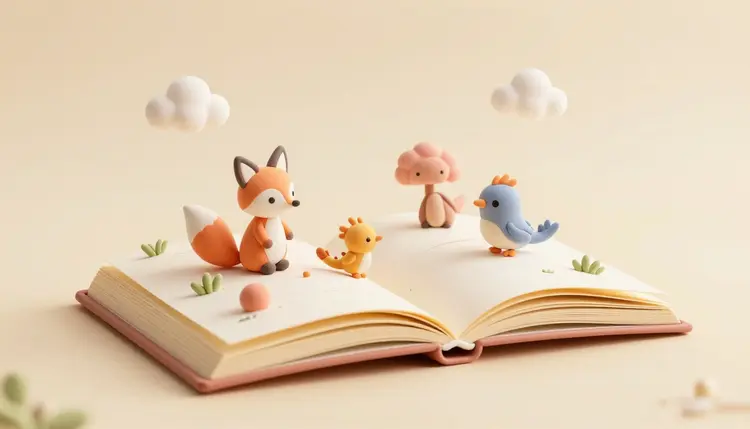
A picture book lives or dies on one thing a text-only draft cannot show you: whether the fox on page twelve still looks like the fox on page two. Hand-illustrating a full manuscript to find out takes weeks and a working relationship with an illustrator you may not have yet. Generating the same spreads with AI takes an afternoon, and it answers the harder question first, whether the story holds together as pictures, before anyone commits real illustration budget to it.
Most people who want a picture book are not choosing between AI and a career illustrator with budget to spare. They are choosing between AI and nothing, since a full manuscript dummy is expensive to commission on spec. Generating the spreads yourself changes that: draft the entire book, see whether the pacing works across pages, and only then decide whether to hire an illustrator or ship the AI art as is.
Picasso IA runs 488 models behind one interface, including FLUX, Seedream, Recraft and nano banana, so a manuscript can be tested across engines with different strengths in an afternoon; the full catalog is worth browsing first. New accounts get free credits, enough to draft a handful of spreads and see whether a character survives being repeated twenty times before you spend further.
Style carries more of a children's book than plot does, at least on first impression, because a reader picks the book up by its cover art before reading a line. The right words in a prompt steer a model toward a genuinely different look, not a filter over the same image, so test two or three styles before locking one in.
| Style | Prompt words that steer it | Best for |
|---|
| Soft watercolor | gentle washes, visible paper texture, muted palette | Bedtime stories, quiet moods |
| Clean vector | flat shapes, bold outlines, limited color palette | Board books, early readers |
| Warm gouache | chalky texture, saturated color, hand painted feel | Adventure and animal stories |
| Digital storybook | soft shading, rounded forms, bright even light | Series books, younger ages |
| Paper cutout | layered shapes, visible edges, collage depth | Folktales, seasonal stories |
Recraft tends toward the cleanest results in the vector and flat color lane, since it was built for graphic, art directed output rather than photographic detail; its SVG output helps if a printer wants scalable line art. Seedream and FLUX lean warmer and more painterly, closer to gouache or watercolor. None nails every style first try, so budget time to test before drafting the full book one direction.
This is the path from a manuscript and a character idea to a full set of draft spreads, using a reference image to hold the character steady from the first page to the last.
- Generate a character reference sheet. Describe your character in detail, species or appearance, colors, clothing, expression, and generate it against a plain background with FLUX or Seedream until one version feels right.
- Lock the style before the story. Run the same reference through two or three styles from the table above, and pick one before illustrating a page, since switching styles mid-book is far harder than switching early.
- Illustrate page by page with the reference attached. Feed the accepted character image into an editing model such as FLUX Kontext or nano banana with each page's scene description, so the character carries over instead of being redrawn.
- Check continuity across the spread order. Lay every page out in sequence and look for the character drifting in color, proportion or clothing; regenerate the outliers against the same reference rather than accepting the closest miss.
- Upscale and export for print. Run the finished set through an upscaling model for print resolution, and keep the reference image and your best prompts saved for later revisions.
Keep the Same Character Recognizable on Every Page
Consistency is the one requirement a children's book cannot skip, and it is also the part plain text-to-image prompting struggles with, since asking for the same fox twice tends to produce two different foxes. The fix is to stop describing the character from scratch each page and instead hand the model an image of it. Editing models such as FLUX Kontext and nano banana accept a reference photo plus an instruction, so the prompt becomes this character, now under a tree, rather than a fresh description to reinvent.
The same approach is covered in more depth for adult projects on the page about consistent AI characters, and it carries over directly: one accepted reference image, then an editing instruction per page that changes the pose, the scene and the lighting while leaving the character alone.
A reference image beats a longer description almost every time. Once your character looks right in one generation, stop retyping its details and start feeding that exact image back in for every page that follows.
Expect some pages to need a second pass. A hard action pose or an unusual camera angle can still pull a character's proportions off enough to read wrong next to its neighbors, so leave time to regenerate the two or three pages that do not match.
For a self-published author, the practical use is a full dummy: every spread illustrated well enough to show an editor or a print-on-demand service, before spending on a commissioned illustrator. That dummy also becomes the brief if you hire an illustrator later, since art directing finished pictures beats art directing a manuscript alone.
Small publishers use the same workflow earlier in acquisition, mocking up a manuscript in two or three styles before deciding whether it is worth commissioning full illustration. None of this replaces a professional illustrator for a book going to wide retail, where publishers generally expect human-illustrated art and disclose AI use when it appears; it replaces the guesswork rough thumbnails used to cover.
Choosing between a single art tool and a broad catalog matters here too, since a picture book needs cover art, interior spreads and maybe a back-cover illustration in one consistent voice. The Picasso IA vs Midjourney comparison covers that tradeoff, and the AI book cover design page focuses on the cover, which usually gets one extra round of polish.
An honest page names where a tool stops working, and for book art there are five recurring places.
- Hands, paws and feet under stress: action poses, climbing, jumping, gripping an object, still produce the occasional malformed limb, so review action spreads more carefully than a quiet standing scene.
- Text inside the illustration: signs, book titles or labels drawn into a scene often come out garbled, so keep in-image text minimal or add it separately in layout software.
- Perfect consistency across a long book: even with a reference image, a twenty-four page book usually produces two or three pages where the character drifts and needs a regeneration or touch-up.
- Copyright and platform disclosure: rules on AI-generated art vary by print platform and country, and some retailers require disclosure; check the platform you plan to publish through rather than assuming a blanket answer.
- A true house illustration style: a model can approximate watercolor or gouache, but it will not reproduce a specific illustrator's exact hand, so chasing one named artist's signature look still needs that artist.
None of this rules the tool out. It means the last polish pass, and the legal check on where you publish, still belong to a person.
Can I generate a full children's book with AI for free?
Picasso IA gives new accounts free credits, and a single illustration is one of the cheaper generations in the catalog, so drafting a handful of test spreads costs little to nothing. A full book runs past what free credits cover, since most need a dozen or more finished spreads plus a cover. Paid plans and current allowances are listed on the pricing page, since numbers there change too often to repeat safely here.
How do I keep the same character consistent across every page?
Generate one accepted reference image of the character first, then stop describing it from scratch. Feed that image into an editing model such as FLUX Kontext or nano banana for every new page, with an instruction describing the new pose, scene and lighting. The character carries over from the image rather than being reinvented by a text description each time, which is what plain text-to-image prompting struggles to do reliably.
Which AI model is best for children's book illustrations?
There is no single best model, which is the case for using a catalog rather than one tool. FLUX and Seedream tend toward warmer, painterly results that suit watercolor or gouache, Recraft leans clean and graphic with a genuine vector option, and nano banana is a strong workhorse for the reference-based edits that keep a character consistent. Testing the same reference across two or three of them before a full book is worth the extra minutes.
Can I get a clean vector illustration instead of a painted look?
Yes. Recraft is built for flat, art directed graphic output rather than photographic texture, and it can export scalable vector files, which matters if a printer wants line art rather than a raster image. It suits board books and simple shapes better than richly textured painterly scenes, so pick it deliberately for that look rather than expecting every style from one model.
Do I own the illustrations an AI model generates for my book?
That depends on where you live and publish, and the law is still settling in most countries. Several jurisdictions grant purely machine-generated images limited or no copyright protection on their own, which matters more for a book sold widely than for a personal project. Some print-on-demand platforms also require disclosure when interior art is AI-generated, so check the platform's current policy before you publish rather than assuming one rule applies everywhere.
Will a publisher accept AI-illustrated interior art?
It varies by publisher and platform, and policies are changing quickly. Some print-on-demand services accept AI art with disclosure, some traditional publishers still expect human-illustrated interiors for wide retail distribution, and a few reject AI art outright. Treat an AI-illustrated dummy as a strong pitch document regardless, since it shows an editor what the finished book could look like far better than a manuscript.
How many images do I need for a typical picture book?
Most standard picture books run between twenty-four and thirty-two pages, working out to twelve to sixteen full spreads once you count double-page illustrations, plus a front cover and often a back cover. Generating that many consistent pages takes real iteration, not one lucky prompt, so budget for regenerating a handful of pages that drift before calling the set finished.
Can I turn a real child's drawing into a finished illustration style?
Yes, using an image editing model rather than a pure text prompt. Upload the drawing as a reference image and ask an editor such as nano banana or FLUX Kontext to redraw it in a chosen style while keeping the composition recognizable. This works well for personalizing a book around a child's own doodle of themselves or a pet, since the model has something concrete to preserve rather than a description to invent from.
What happens if a page comes out with a mistake, like an extra finger or a warped object?
Regenerate that specific page rather than accepting it, since the reference-based workflow makes it cheap to try again. Keep the character reference, word the pose or the object more precisely, and generate a few more variants. For a stubborn detail, an editing model can target just the problem area with a focused instruction instead of regenerating the whole page.
How much does it cost to illustrate a full book this way?
Generations are billed in credits, and the cost per image depends on the model and settings chosen, so a specific number written here would be wrong within a month. Illustrations sit toward the cheaper end of the catalog compared with video or 3D. New accounts start with free credits, and current plan pricing lives on the pricing page, the only place worth trusting for numbers.
Your story already exists in your head. Open the Picasso IA toolkit and generate the first reference image and the first spread today, before the idea sits in a drawer another month.