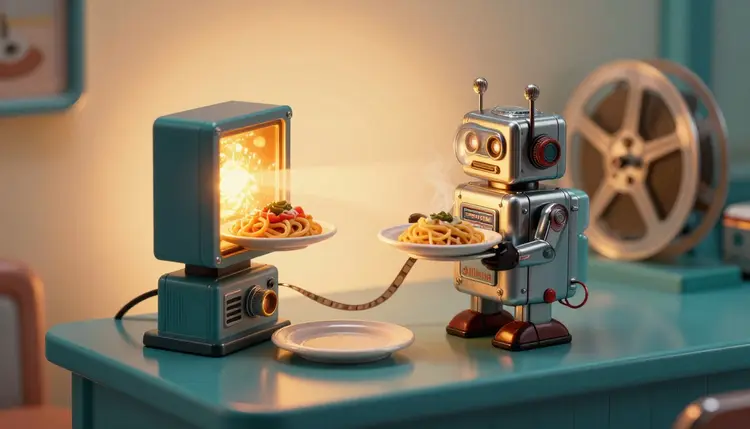
Most restaurants already own the raw material for a promo video: a decent phone photo of the special. What they lack is the hour it takes to film, edit and post a clip before service. Image-to-video models close that gap. You hand one the photo, describe a slow camera move and some atmosphere, and get a short vertical reel for tonight's dish, ready to caption yourself.
A still photo of a plate gets scrolled past. A clip with a slow push toward the pasta, a flicker of warm light and a bit of kitchen sound holds a thumb in place for a second or two longer, and on a feed that second is the whole job. The trouble is that filming food properly means lighting, a steady hand and someone to edit, and the daily special changes faster than that process can keep up.
Starting from a photo flips the workflow. The dish on screen is the dish your kitchen plated, because the photo is the first frame and the model only adds motion around it. That is a very different thing from generating a plate from a text description, which would show a dish you never cooked. If you have not got a good photo yet, the page on AI food photography for menus covers that step, and turning photos into videos explains the general method this page narrows to restaurants.
Picasso IA puts the video models in one place, so you can try the same photo on more than one engine. The catalog holds 502 models, 121 of them in text-to-video, which is where the image-to-video models live, and new accounts get free credits to test a direction before spending anything.
Two models do most of the work for this job, and they are good at different things. Kling v3 Video takes a start image, runs clips up to 15 seconds, offers 1080p in pro mode and can add ambient audio. Seedance 2.5 takes a first-frame image too and renders dialogue, sound effects and music in the same pass, with clips up to 30 seconds. The table compares the choices by what you are trying to post.
| What you are posting | Model to try first | Why | Watch out for |
|---|
| Silent story with your own music | kling-v3-video | Start image, up to 15 seconds, pro mode for 1080p | Check the plate edges in every frame |
| Reel with built-in kitchen sound | seedance-2.5 | Renders sound effects and music with the picture | Ambient sound is invented, not recorded in your kitchen |
| Two-shot story, plate then room | kling-v3-video | Multi-shot scripting, up to 6 scenes in one run | Keep each shot's prompt about one idea |
| Plate that appears and resolves | kling-v3-video | You can pin the first and last frame with two photos | Both photos must be real shots of the dish |
| Quick test before committing credits | seedance-2.5 | Lower resolution and shorter duration keep the test small | A rough clip tells you about the motion, not the final polish |
Run the same photo and the same motion sentence through two models before you decide. They interpret a camera move differently, and the better of the two is not always the more expensive one. You can browse the rest of the video models in the full catalog.
This is the loop that ends with a post you are comfortable putting your restaurant's name on. It assumes you have one good photo and about twenty minutes.
- Pick the photo that sells the dish. Choose a sharp, well-lit shot with the plate clearly visible and a clean background. A blurry or crowded photo gives the model nothing honest to animate.
- Open the toolkit and choose a model. In the toolkit, select kling-v3-video for a silent clip or seedance-2.5 if you want sound rendered with the picture, then attach the photo as the first frame.
- Describe the camera, not the food. Write one move and one mood, such as a slow push toward the plate with warm window light. Pick 9:16 for reels and stories, and a short duration for the first test.
- Review every second of the result. Pause on the plate and compare it to your photo: same toppings, same portion, same garnish. Regenerate or trim the clip if anything on the plate has changed.
- Add your own words and post. Put the dish name, the price and the allergen note in your caption or on-screen text. Add a voiceover or music if the clip came out silent, then check the platform's current requirements before you publish.
The prompt for a food clip is mostly about restraint. The photo already contains the dish, so your words should describe what moves around it. A good prompt names one camera move, one light source and one atmosphere: slow push-in, warm light from the left, quiet dining room behind. Everything else is the model improvising, and improvisation on a plate means a different dish.
Use the negative prompt where the model offers one, as Kling v3 Video does, to rule out the things that go wrong on food: extra ingredients, changing portion size, text on the plate, hands that appear from nowhere. For a drink or a dessert, ask for a camera drift rather than an action, because actions are where physics breaks.
Worth remembering: if the clip would make a guest say that is not what I got, the clip is wrong, however good it looks. The dish in the first frame is the promise, so check the last frame against the real plate before you post anything.
A shorter clip also protects you. A five second move across a plate has fewer chances to drift than fifteen seconds of invented camera work, and a promo reel rarely needs more. When you want more footage, generate two short clips of the same photo and cut between them.
Silent reels work on feeds where the sound is off, but a little audio makes a kitchen feel alive. Seedance 2.5 generates sound effects and music with the clip, and Kling v3 Video has an option for native ambient audio. Treat what comes out as atmosphere. A sizzle you did not record is still a sizzle you invented, which is fine for mood and wrong as a claim.
For a spoken line, pick a text-to-speech model from the catalog, such as one of the ElevenLabs models, and write a voiceover of two sentences: what the dish is and until when it is available. The AI voiceover for videos page walks through that step. Use a stock voice or your own, never the voice of a real person who has not agreed to it. For a music bed, the music models in the catalog, including minimax/music-2.6, generate a short instrumental, and background music for videos explains how to match it to the clip.
Allergen information never belongs inside the generated picture. Put it in the caption text you write yourself, in plain words, and keep it in step with your actual menu. Prices and opening hours go there too, because a generated frame can garble any text you ask it to draw.
An honest page says where the method stops being useful. For restaurant clips there are five places:
- Steam and smoke: models love to add steam, and it often rises from the wrong part of the plate or loops in a way no hot dish does, so ask for a still plate and add real steam in a short filmed clip if it matters.
- Pouring and drizzling: sauce, wine and olive oil are liquids moving in a pattern the model has to invent, and the result frequently looks like gel, so keep pours out of the prompt.
- Cheese pulls and stretching foods: a pizza slice or a melted mozzarella that stretches usually breaks, merges or changes shape, and a customer will remember what they thought they were ordering.
- Fine details and text: garnish counts, ramen toppings, menu boards and plate rims can shift between frames, and any lettering on a chalkboard or sign gets scrambled.
- People in the dining room: faces and hands of invented diners can look wrong, and a real identifiable person should never be generated or used without their permission.
If the dish depends on one of those moments, film it on a phone and use AI for everything around it. The tool is best at making a good photo move, not at producing food it has never seen.
Can AI make a promo video from a photo of my dish?
Yes. Image-to-video models such as Kling v3 Video and Seedance 2.5 accept a photo as the first frame and add motion, typically a slow camera move and some atmosphere. The result is a short clip, not a full commercial, so treat it as a social post for today's special. Check each second against the real plate before you publish, because the model can change garnish or portion size without telling you.
Which model is best for restaurant promo videos?
There is no single answer, which is why the catalog helps. Kling v3 Video suits silent clips you will score yourself, with pro mode for 1080p and up to 15 seconds. Seedance 2.5 suits reels where you want sound effects and music generated alongside the picture. A sensible session runs the same photo and the same motion sentence through both, then keeps whichever clip stays truest to the dish.
Will the dish in the video look like my real dish?
Mostly, because the photo is the first frame, but not guaranteed. Motion models can drift, adding toppings, shifting portions or softening edges as the clip runs. Compare the last frames to the photo and to the actual plate. If anything differs, regenerate with a shorter duration or a simpler camera move. The video should promise exactly what the kitchen sends out, and nothing more.
Can I add a voiceover or music to the video?
Yes. Seedance 2.5 renders sound with the picture, while a text-to-speech model and a music model from the catalog can add a separate voiceover and a background track to a silent clip. Keep the voiceover to a sentence or two. Use a stock voice or your own, never a real person's voice without their agreement, and keep the music light enough to hear the line.
What about steam, sauce pours and cheese pulls?
These are the weakest moments. Steam often rises from the wrong place, sauce can look like gel, and a melting cheese stretch tends to break or change shape. Leave them out of the prompt and ask for a gentle camera move over a still plate. If the moment is the selling point, film it for real on your phone and use AI for the surrounding shots.
Should I put allergen information in the video?
No. Do not rely on a generated frame to carry allergens, because any text the model draws can be wrong or scrambled. Write allergen and dietary details yourself in the caption or in on-screen text you add afterward, and keep them matching your actual menu. The video sells the mood of the dish. The accurate facts about what is in it stay in your hands.
What size and length should a restaurant reel be?
Pick the shape for where you post: 9:16 for reels and stories, 16:9 for a website or a screen in the dining room, and 1:1 for a feed grid. Both Kling v3 Video and Seedance 2.5 offer several aspect ratios. Short clips of a few seconds drift less than long ones. Check each platform's current requirements for length and format, since they change.
Can I use it for a delivery or takeaway menu?
Yes, the same photo can become a reel for the menu page or a delivery listing. The rule is the same: the picture must stay truthful about the item. Many delivery platforms have their own media requirements for photos and videos, so check the platform's current requirements before you upload. For menu stills rather than motion, see the page on food photography for menus.
Do I need filming skills to start?
You need one good photo, and that is a lower bar than filming. Shoot near a window, keep the plate centered and clear of clutter, and avoid harsh overhead flash. The model adds the motion. You supply the dish, the judgment about whether it still looks right and the caption. A short run through the five steps above is enough to make a first clip.
How much does it cost to make a restaurant promo video?
Generations are paid in credits, and the cost depends on the model and the settings you pick, such as duration and resolution, so a number written here would go out of date. Video costs more than a still image. New accounts get free credits to try an idea first, and the pricing page is the place for current plan details.
Tonight's special deserves more than a still photo on a story. Open the Picasso IA toolkit, attach the plate you are serving and see what a first clip looks like before the doors open.