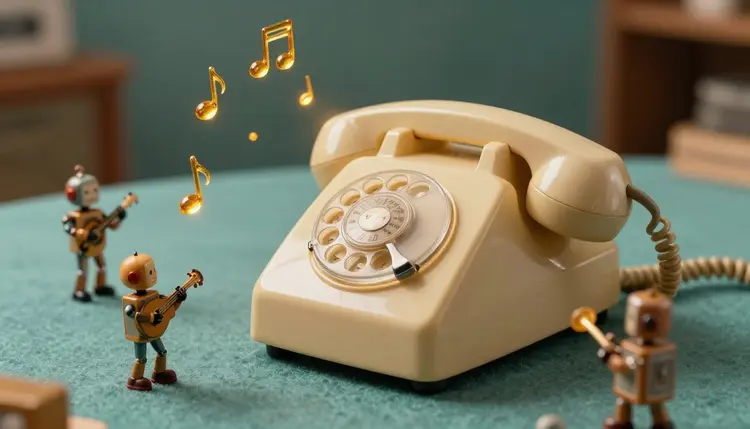
Most phones ship with the same dozen ringtones, and everyone has reached for their own pocket when a stranger's phone played one in a cafe. An AI ringtone maker fixes that in a modest way. You describe a few seconds of sound in a sentence, a music model generates instrumental clips, and you pick the one you would actually smile at when it rings. The last step, getting it onto your phone, happens outside Picasso IA.
Ringtone libraries are huge, but searching them is slow and the results blur together. What you usually have is a feeling, not a title: something cheerful but not annoying, something that sounds like a music box in a spaceship, something your grandmother can hear from the kitchen. A text-to-music model takes exactly that kind of description and turns it into audio, so you skip the scrolling and go straight to the sound.
It also lets you give each contact or alert its own personality. A short, bright motif for family, a calmer chime for work, a quirky one for the group chat. Picasso IA has 10 models in its AI music generation category and 24 in text-to-speech, all in the same toolkit, so the music, a spoken name and anything else you want to try live in one place. New accounts get free credits to test a few ideas first, and a short clip is a cheap way to find out how a music model hears your words.
A ringtone is heard in a pocket, a bag or a noisy room, so it is judged very differently from a song. It has to be recognizable in the first second, repeat well when it loops, and stay pleasant on the fortieth listen. That points toward a simple melody, a clear lead instrument and a clean start with no slow fade-in, because a quiet intro just sounds like silence.
Instrumental is the safe choice. Vocals and lyrics get tiresome fast and can sound odd cut in the middle of a phrase. If you want your own song as a ringtone, the song lyrics to music workflow makes full tracks, and you can lift one short section from it. For a clip that is meant to sound like a brand signature rather than a tune, the AI jingle maker page covers that angle.
Volume matters too. Phones play ringtones through a tiny speaker that is weak on deep bass, so a clip built on a low synth can sound thin or muddy there. Mid and high instruments, such as bells, marimba, piano and plucked strings, carry much better, and that is a useful rule when you write the prompt.
The same request lands differently depending on which sound family you aim at. Pick one family per batch, generate a few clips, and compare them side by side.
| Style | Prompt ingredients | What to watch for |
|---|
| Classic phone bell | bright bell tones, two-note repeat, clean attack | Can sound shrill at speaker volume |
| Retro arcade | chiptune square wave, quick arpeggio, playful | Busy patterns tire the ear quickly |
| Soft chime | glockenspiel or soft piano, gentle, short phrase | May vanish in a noisy room |
| Acoustic riff | plucked guitar or marimba, upbeat, light percussion | Needs a clear first beat to loop well |
| Cinematic sting | low synth swell, then a bright hit, dramatic | Slow builds waste the first seconds |
This is the path from an idea to a clip you can send to your phone. It needs a sentence and a few minutes, plus an audio editor you already trust for the final trim. Nothing here asks you to read music or own an instrument, only to listen carefully and say what you hear.
- Open the toolkit and choose a music model. Pick Stable Audio 2.5 or Lyria 2 from the music category in the toolkit, or compare more in the model catalog.
- Describe the sound in one sentence. Name the instrument, the mood and the pace, for example a bright marimba riff, playful, medium tempo, no vocals.
- Set a short length where the model allows it. Stable Audio 2.5 has a duration field in seconds, so ask for a short clip instead of a full track. Other models decide the length on their own.
- Generate several versions and listen on a speaker. Run the same prompt a few times, change one word between batches, and judge them at the volume a ringtone really plays.
- Download the clip, then trim and convert it. Cut it to the length your phone accepts and save it in the format your phone expects, using any audio editor or converter outside Picasso IA.
A ringtone prompt works best when it is concrete about sound and silent about story. Name one lead instrument, one mood word and a tempo feel, then add what to avoid. Lyria 2 has a negative prompt field, which is handy for pushing out vocals, drums or a long ambient intro. Stable Audio 2.5 accepts a seed, so when one clip is nearly right you can keep the seed and change a single word.
Judge every clip with your phone speaker, not your headphones. Headphones flatter thin, quiet sounds, and a ringtone that sounds lovely there can disappear in a kitchen or sound sharp in a pocket.
A full prompt can be as short as this: a playful xylophone riff with a light shaker, bright and bouncy, medium tempo, no vocals, no long intro. Change only the instrument in the next batch, say to a toy piano, and the difference between the two sets tells you what each word is doing. That habit of changing one thing at a time is worth more than any clever phrasing.
Two common mistakes show up again and again. The first is asking for a mood like epic or dreamy with no instrument, which returns a long cinematic wash with nothing to recognize. The second is keeping the whole generated track and expecting the phone to pick a good section, when the best few seconds usually sit somewhere in the middle.
A ringtone is a small file with strict habits, and a few of them sit outside what a music model does. Be honest about where the work leaves Picasso IA:
- Trimming and format: the model gives you a finished clip, not a ringtone file. Cutting it to your phone limit and converting it to the format your phone expects happens in other software.
- Phone rules: iPhone and Android each have their own length limits and file types, and they change between versions, so check what your phone currently accepts.
- Loop points: a clip that sounds good once can click or stumble where it repeats, and a model cannot promise a clean seam.
- Exact melodies: asking for a specific famous tune does not work reliably, and you should not try to copy a song you do not own.
- Contact-specific tones: you can generate one clip per person, but assigning them is a setting inside your phone, not something this page does for you.
Can AI make a ringtone for my phone?
It can make the sound. A music model generates a short instrumental clip from your description, and you download it. Turning that clip into a ringtone your phone accepts, meaning trimming it and saving it in the right format, is done with a separate audio editor or converter. So the creative part happens in Picasso IA and the phone setup happens on your side.
Which Picasso IA model is best for ringtones?
There is no single best one, so try two. Stable Audio 2.5 is useful for ringtones because it has a duration field in seconds and a seed for repeating a result. Lyria 2 produces stereo instrumental audio and has a negative prompt, which helps when you want to keep vocals or drums out. Run the same sentence through both and keep the one that sounds clearer on a speaker.
How long should a ringtone be?
Short, usually somewhere from a few seconds to about half a minute, but the real limit is set by your phone, and it differs between iPhone and Android and between versions. Check the current requirements in your phone settings or manual. A practical habit is to generate something short, then trim it to a section that starts right on a clear beat.
Can I use my own voice or a spoken name in the ringtone?
Only your own voice, or a fictional or synthetic voice you are allowed to use, never the voice of a real person without their permission. A text-to-speech model in the toolkit can read a name or a short phrase, and you can combine it with the music in an audio editor. Keep it short, because a spoken line repeated every few seconds gets old fast.
Can I make a ringtone from my favorite song?
Not with this workflow, and you should be careful here. A music model generates new original audio, it does not copy a specific recording, and prompting it to imitate a famous track tends to give an unreliable result and can raise rights questions. If you want a song you love as your ringtone, look at what your phone or the music store legitimately offers for that. Use AI for something new that captures the same mood, such as the same tempo and instruments, without copying the tune.
Can the ringtone have lyrics or vocals?
Some music models can generate sung vocals, but for a ringtone it is rarely a good idea. A vocal line gets cut in the middle of a phrase when you trim it, and lyrics become irritating after a few repeats. Instrumental clips are easier to loop and easier to live with. If you want words, a short spoken tag from a text-to-speech model is safer than a sung hook.
How do I get the clip onto my iPhone or Android?
That happens outside Picasso IA. Download the clip, trim it with an audio editor, convert it to the file type your phone uses, then add it through your phone or its companion software. The steps change between phone makers and software versions, so follow the current instructions from your phone manufacturer instead of an old tutorial.
Can I make different ringtones for different contacts?
Yes, in two parts. You can generate as many clips as you like, one sound family per person, and name the files clearly. Then you assign each one to a contact in your phone settings. Keep them distinct in instrument rather than just in melody, because in a pocket you hear the timbre first and the tune second.
Is it free to generate ringtones?
New accounts get free credits, which is enough to test a few clips. After that, generation costs credits, and the cost depends on the model and the settings you choose. Audio clips are short, but check the current numbers on the pricing page instead of trusting any figure written here, because plans change.
Can I use an AI ringtone commercially or sell it?
Playing one on your own phone is the simple case. Selling ringtones, bundling them in an app or using them in a product is a different matter, and the rules depend on the model you used and the country you work in. Check the terms of the model and of the store where you would sell, and ask a qualified professional if real money is involved.
Ready to hear your own phone ring differently? Open the Picasso IA toolkit, describe the sound and generate your first few clips.