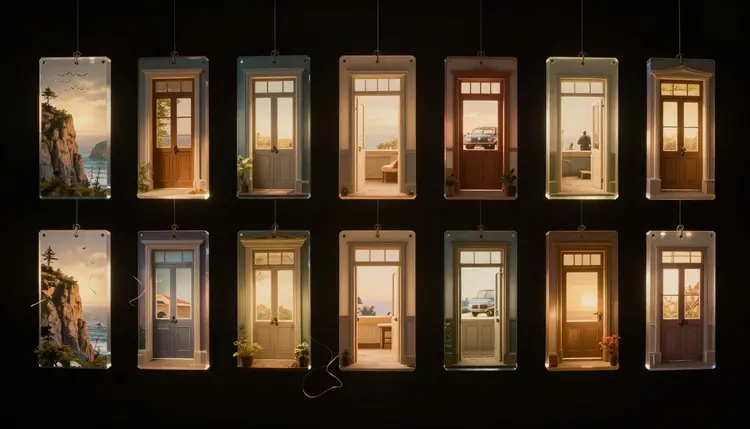
A storyboard's job is not to look beautiful, it is to stop a crew from discovering on set that nobody agreed on the shot. AI storyboards turn a shot list into a sequence of panels in minutes instead of days, so a director, a client or a two-person ad team can see the coverage before a single light gets rigged.
What a Storyboard Is Actually For
A storyboard is a communication tool, not a piece of finished art. Its job is to answer three questions before money moves: what is in frame, where does the camera sit, and what happens between this shot and the next. A director argues with themselves before they argue with a crew. A client approves a concept without reading a script cold. A cinematographer plans lenses and lighting shot by shot instead of guessing on the day.
None of that requires the panel to look like a finished frame. Storyboard artists have always drawn rough, fast sketches, stick-figure blocking with an arrow showing camera movement, because detail slows the one thing a storyboard needs to do well: get the idea across fast enough that a room full of people agree on it in one meeting. AI panels raise the visual bar without changing that job. A generated panel can show a believable location, a plausible actor and real light, but it is still there to communicate a plan, not to replace the photography.
Nobody on a real production expects the storyboard to be the shot; they expect it close enough that everyone pictures the same scene. Picasso IA panels are built for that bar, fast, consistent, good enough to align a team, not a substitute for a cinematographer's judgment on the day.
Every panel starts from two ingredients: a short framing instruction and a short action instruction. "Wide shot, kitchen, morning light" is the framing. "Two people arguing across the counter, one gesturing" is the action. Combine them into one sentence and a text-to-image model has enough to generate a usable panel, because the framing tells it where the camera is and the action tells it what is happening in front of the lens.
The mistake most first-time users make is writing a paragraph instead of a line. A storyboard prompt should read like a shot list entry, not a scene description. Strip out backstory and dialogue, and keep only what a camera operator needs: shot size, angle, subject, action, and the one detail that matters most, a prop, an expression, a direction of movement.
On Picasso IA, panel generation happens in the Toolkit, where a model such as FLUX, Seedream or nano banana turns that one-line prompt into a panel in under a minute. Because generation is fast and cheap next to a real setup, generate three or four versions of any shot that matters, an establishing shot or a key reveal, and pick the one that reads clearest.
Pro tip: write the action as a single, present-tense verb phrase rather than a sentence with multiple clauses. "Woman opens the door, hesitates" generates more reliably than "a woman who has been waiting outside slowly opens the door before deciding whether to step in," because the model has fewer competing details to reconcile.
A sequence only reads as a sequence if the panels look like they belong to the same film. That means locking a small set of descriptors, art style, color palette, lighting mood, and repeating them in every prompt for the project rather than writing each panel's style from scratch. A phrase like "flat comic-panel line art, muted blue-grey palette, soft top light" appended to every shot does more for continuity than any single clever prompt.
Characters are the harder part. A generated panel does not remember what the same character looked like three panels ago unless you tell it, so describe them the same way every time, hair, build, wardrobe silhouette, in every prompt where they appear. For a character recurring across many panels or a whole episode, the dedicated workflow for keeping a character consistent across images covers the technique in more depth.
Locations need the same discipline. If a scene returns to the same kitchen across five shots, repeat the same three or four defining details, window position, counter material, wall color, in each prompt rather than trusting the model to remember them. It will not always deliver a fully matching room, but naming the fixed details every time gets closer than naming them once and hoping.
Different shot types need different information in the prompt, because a wide shot lives or dies on the environment while a close-up lives or dies on the expression. Naming the shot type explicitly, rather than describing it in general terms, gives the model a strong starting point.
| Shot type | What to specify | What it communicates |
|---|
| Wide establishing shot | Full location, time of day, scale of the space, where people sit within it | Where the scene happens and how big the world is |
| Close-up | Face, expression, what the eyes are doing, minimal background detail | Emotion and reaction in a single beat |
| Over-the-shoulder dialogue | Both characters, which one is foreground, eyeline direction, framing tightness | Who is speaking, who is listening, and the power balance between them |
| Action or movement shot | Direction of motion, blur or freeze intent, camera angle relative to the action | Energy, speed and physical stakes |
| Insert or detail shot | The single object in frame, nothing else, tight crop | A fact the audience needs without a face in the room |
Run the scene through two or three of these shot types before committing. Seeing a wide and a close-up of the same moment side by side often reveals which one carries the beat, a decision worth making on a screen instead of on a call sheet.
Where AI Storyboards Stop Being Useful
An honest tool page says where the tool's usefulness ends. A generated panel is a planning aid, and five limits are worth knowing before anyone treats it as more than that.
- It plans the shot, it is not the shot: a panel communicates framing and blocking, it does not substitute for the cinematographer's lighting, lens and camera movement decisions made on location.
- Actors, props and locations are approximations: the person, object or room in a panel is a placeholder for casting, art department and scouting to fill, not a commitment to what will actually appear.
- Continuity is not guaranteed panel to panel: an actor's exact wardrobe, hairstyle or prop position can drift between panels even with a consistent style prompt, so do not read fine continuity into the sequence.
- It replaces the rough sketch pass, not the on-set eye: a generated panel does the job of a storyboard artist's quick pencil pass; it cannot replace a director's judgment once a real camera is on a real location.
- Faces and hands can still misread on close inspection: at storyboard viewing size this rarely matters, but a panel blown up for a client deck can show the same generation artifacts as any AI image.
None of these limits change what the tool is for, agreeing on a plan cheaply before a crew and a cast get booked. They define where the plan stops and the filmmaking begins.
Storyboard a Scene in Five Steps
The whole process for a short scene takes well under an hour once the shot list exists, and most of that time goes into deciding what the shots should be, not waiting on generation.
- Break the script into individual shots. Read the scene and mark every place the camera would logically cut, an entrance, a reaction, a reveal, before writing a single prompt.
- Write a one-line framing and action description per shot. Keep each line to shot size, subject and action only, the same discipline a real shot list already demands.
- Generate each panel with a consistent style prompt. Reuse the same style, character and location descriptors across every panel so the set reads as one film, not ten unrelated images.
- Arrange the panels in sequence. Lay them out in shot order, numbered, so gaps in coverage or awkward cuts become visible before anyone is on location to discover them.
- Review the full sequence with the crew before the shoot. Walk the department heads through the panels in order and let changes happen on a screen, where they cost nothing, instead of on a call sheet, where they cost the day.
Can AI actually replace a professional storyboard artist?
For most independent productions and ad shoots, yes, for the planning function a storyboard exists to serve. What it replaces is the fast, rough sketch pass that communicates framing and blocking to a small team. It does not replace a storyboard artist's deeper skill on a large production, translating a director's visual language across hundreds of panels with consistent hand-drawn continuity, a different and more specialized job than generating individual planning panels quickly.
Will the actor in my storyboard look like my actual cast?
Not unless you describe them that way, and even then only approximately. A generated panel shows a plausible person occupying the role, not a likeness of anyone specific. Treat the person in the panel as a stand-in for blocking and framing, the way a stand-in walks a mark during rehearsal, rather than as a preview of how your cast member will actually look on the day.
How many panels does a typical scene need?
There is no fixed number, it depends on how many distinct camera setups the scene has. A two-person dialogue scene might need four or five panels, a wide, an over-the-shoulder on each character, and a reaction shot. An action sequence needs considerably more, since every change in camera position or movement direction is worth its own panel. Storyboard the scene the way you would actually shoot it, one panel per setup.
Can I storyboard an entire short film this way?
Yes, in sections. Break the script into scenes, storyboard one at a time so the style descriptors and character notes stay manageable, and assemble the finished panels into one document at the end. Holding consistency across a full film's worth of prompts in one pass is harder than doing it scene by scene, checking each set against the last before moving on.
Does the panel need to match the exact location I plan to shoot in?
No, and it usually cannot, since the location may not be scouted yet when the storyboard gets made. The panel's job is to communicate the kind of space, size, light, layout, not the specific address. Once the real location is confirmed, the framing decisions still transfer, even though the walls in the photo will not match the walls on the day.
What is the fastest way to get a consistent art style across a whole board?
Write the style phrase once, save it, and paste the identical wording into every panel's prompt for that project. Resist the temptation to vary the wording per shot, since even small changes can shift the palette or line quality enough to make panels look like they came from different projects.
Can I use AI storyboards to pitch a project to a client before it is greenlit?
Yes, and this is one of the strongest uses of the workflow. A client reading a script has to imagine the visuals; a client looking at eight to ten panels sees a version of them already. It turns an approval meeting from an act of imagination into a reaction to something concrete, which tends to produce faster, more specific feedback than a script read alone.
Do I need any drawing or design skill to make one?
No. The prompt does the describing and the model does the drawing. What helps far more than drawing skill is shot-list literacy, knowing what a wide, a close-up and an over-the-shoulder actually communicate, since that is the knowledge that turns a script into good prompts.
Can the same panels be turned into an animated previs instead of a static board?
Not directly, but a strong panel is a good starting frame for an image-to-video model if a production wants motion in its previs. That is a separate step, worth trying only once the static sequence is already approved, since animating a shot list that is still changing wastes generation on frames that will be redone.
Is Picasso IA free to try for storyboarding a scene?
New accounts get free credits, enough to storyboard a full scene and judge whether the workflow fits how a project plans shots. Beyond that, generation draws on the same credit system used across every model on the platform, and current plans are listed on the pricing page.
The script is already written and the shot list is already in your head, the only thing missing is a way to see it before the crew shows up. Open the Toolkit and turn the first scene into a sequence of panels.