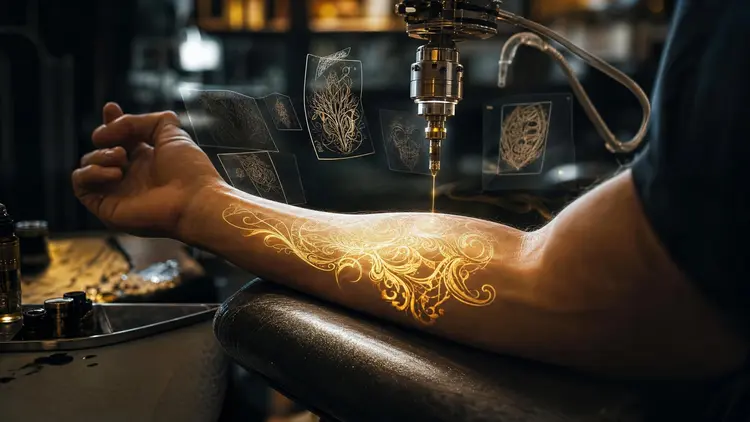
A tattoo is a design decision you cannot undo with an eraser, which is why most people carry an idea around for months before committing to it. An AI tattoo generator shortens that limbo. You describe the concept in a sentence, get a sheet of visual options in under a minute, and keep iterating the style until the version on screen matches the one in your head, before an artist ever draws a line.
Browsing tattoo boards shows you other people's tattoos. What you want is yours: your subject, your style, sized for your forearm rather than a stranger's ribcage. Text-to-image models happen to be very good at this, because a tattoo brief is exactly the kind of input they consume best, a subject plus a style plus a constraint, written in plain words.
Picasso IA runs 488 models behind one interface, including FLUX, Seedream and nano banana, so you can test the same idea across engines with different strengths instead of learning one tool's quirks; the full catalog is browsable if you want to see what else is in there. New accounts get free credits, which is enough to find out whether a direction works before you spend anything. And because a generation takes seconds, changing your mind is cheap, in a way a studio deposit is not.
Style vocabulary does more work than any other part of a tattoo prompt. The same snake reads completely differently as fine line, as American traditional, or as blackwork, and models respond to these terms because they were trained on labeled examples of each. Keep the subject fixed and rotate the style words until one direction clearly wins.
| Style | Prompt words that steer it | Common first placement |
|---|
| Fine line | thin single-needle lines, minimal shading, delicate | Wrist, forearm, collarbone |
| American traditional | bold outlines, limited palette, old school flash | Upper arm, calf |
| Geometric | symmetry, dotwork, precise repeating patterns | Forearm, chest |
| Blackwork | solid black ink, high contrast, negative space | Sleeve, back |
| Watercolor | soft ink washes, color splashes, no hard outline | Shoulder, thigh |
Two habits speed this up. First, ask for the design on a plain white background, the way flash sheets are drawn, so you judge the artwork itself and not a rendered scene around it. Second, generate four variants per prompt and read them side by side; a tight spread means the prompt is precise, a wild one means the model is guessing and the brief needs another sentence. The effects page collects preset looks, and skimming it is a faster way to discover style vocabulary than guessing at adjectives.
This is the workflow that ends with a usable design rather than a folder of almost-right images. It assumes nothing more than an idea and ten minutes.
- Write the idea down in plain words. Subject, mood, and the elements that must appear. A sentence like a snake wrapped around a dagger, minimalist, black ink only, is already a complete brief.
- Generate a first batch in two or three styles. Keep the subject fixed, swap the style words between batches, and make four images per style so you compare directions instead of single lucky rolls.
- Iterate on the winner with an editing model. Feed the best result back through an image editor such as nano banana and change one thing at a time: line weight, shading density, the detail that bothers you.
- Preview it on skin. Upload a photo of the actual body part and ask the editor to place the design on it, matched to the curve of the limb and the light in the photo.
- Export at full resolution for your artist. Upscale if the lines look soft, then bring the clean version and the on-skin mockup to the consultation as a brief, not as a stencil.
The widest gap between imagining a tattoo and wearing one is placement. A design that looks balanced as a flat image can fight the shape of a shoulder or disappear into the inside of a wrist. Image editing models close most of that gap. Upload a photo of the real body part, hand over the design, and the model wraps the artwork around the limb, keeps your skin tone underneath, and matches the ambient light well enough to be convincing at a glance.
Editors like nano banana and qwen-image-edit take this kind of instruction as a plain sentence, so the request stays simple: place this tattoo design on the outer forearm in the second photo, about twelve centimeters tall. Run it at two or three sizes, because scale changes the character of a design more than most people expect.
Pro tip: photograph the body part the way you would check it in a mirror, relaxed, in daylight, from about a meter away. Editing models match the light in the photo you give them, so a harsh flash selfie produces a preview that flatters the contrast and lies about how the design will actually read.
Treat the preview as a decision aid, not a promise. Ink spreads slightly over the years, and your artist will adjust the drawing for how skin ages. The mockup answers the placement question; the artist answers the longevity one.
For working artists the value sits at the consultation stage, not the drawing stage. When a client says something Japanese-inspired with a koi, but softer, that sentence can become six visual directions during the appointment itself, and the client points at what they mean instead of describing it, which is information a sketch session rarely produces this fast.
Artists drafting flash sets or design series also lean on reference-image workflows to hold one visual identity across many pieces. The technique is the same one used for consistent AI characters: lock the reference image, vary the pose and the composition. The AI draft never replaces the stencil, since any serious artist redraws the design for transfer paper, needle groupings and the client's actual anatomy. What it replaces is the fourth revision email.
For a studio choosing tools, the real decision is between a single-model subscription and a catalog. The Picasso IA vs Midjourney breakdown walks through it; the short version is that style range across 488 models favors a catalog, while a studio committed to one house look can live happily inside one model.
An honest tool page says where the tool stops working. For tattoo design there are five places:
- Fine detail at small scale: a model will happily render detail that no needle can hold at three centimeters, so intricate concepts need to be planned larger or simplified by your artist.
- Long lettering: short words come out clean on newer models like FLUX, but full quotes still produce malformed letters often enough that you must proofread every character.
- Stencil readiness: the output is artwork, not a stencil; line weights are painted rather than vectored, and an artist has to redraw them before anything touches transfer paper.
- Originality: models learn from existing tattoo photography, so a generic prompt drifts toward familiar conventions; distinctive results come from specific briefs and your own reference images.
- Strong compound curves: on-skin previews handle forearms and shoulders well but smear or exaggerate designs on knees, elbows and ribs, where skin folds in two directions at once.
None of these is a reason to skip the tool. They are the reasons the final mile still belongs to a human with a machine in their hand.
Is there a free AI tattoo design generator?
Picasso IA gives new accounts free credits, and generating tattoo concepts is one of the cheaper things you can do with them, since single images cost less than video or 3D work. That is enough to test an idea across a few styles and models and see whether the direction holds. Past the free credits, paid plans are listed on the pricing page, and they change often enough that quoting numbers here would only mislead you.
Can I generate a tattoo design from a photo instead of a text prompt?
Yes. Image editing models accept a reference image plus an instruction, so you can upload a photo of your dog, a drawing you love, or an existing tattoo and ask for it redrawn as fine line, traditional or blackwork artwork. For personal subjects this usually beats text-only prompting, because the model preserves the specific face or object instead of generating a generic one from a description.
Which AI model is best for tattoo designs?
There is no single best, which is the argument for a catalog. FLUX models produce clean linework and handle short lettering well, Seedream is strong on detailed illustrative work, and nano banana is the workhorse for edits like placing a finished design on a skin photo. A sensible session runs the same prompt through two or three of the 488 models and follows whichever one understood the brief.
Can I see what a tattoo would look like on my own body?
As a mockup, yes. Upload a photo of the body part, provide the design, and an editing model places it on the skin with believable wrapping and lighting. That answers the questions that matter before a consultation: roughly this size, roughly this spot, too dense or not dense enough. It is not a guarantee of how ink settles into skin, which depends on your artist, your skin and time.
Will a tattoo artist mind if I bring an AI-generated design?
Most artists strongly prefer a clear visual reference over a vague description, and an AI draft is exactly that. Bring it as a brief, not a finished order: the artist still needs to redraw it for stencil transfer, adjust line weights for how ink holds, and adapt the shape to your anatomy. A minority of artists decline to work from AI imagery on principle, so mention it when booking rather than at the appointment.
Who owns an AI-generated tattoo design?
It depends on where you live, and the law is still settling. Several jurisdictions give purely machine-generated images limited or no copyright protection, which for a personal tattoo rarely matters in practice, since nobody litigates over the artwork on your own arm. If you are an artist selling flash built on AI drafts, treat the draft as raw material, rework it substantially, and check the rules that apply in your country before charging for it.
How do I get a clean design my artist can turn into a stencil?
Ask for it in the prompt: solid black linework, plain white background, no shading gradients, drawn like a flash sheet. That gets you close to transfer-ready art. Then run the result through an upscaling model so the lines stay crisp at print size, and use a background removal model if you need the design fully isolated. Your artist does the final conversion; your job is handing over clean, high-contrast source material.
Can I reuse the same design at a different size or placement?
Yes, and this is where reference-based editing earns its keep. Keep the original design file, upload it together with a photo of the new body part, and ask the editor to place it there at the new size. Because the design enters as an image rather than as a prompt, it stays the same design instead of becoming a new interpretation, which matters when you are planning matching pieces or a series inked over several sessions.
Does AI handle lettering and script tattoos?
Better than it used to, with limits. Current models render short words and dates reliably, FLUX especially, but long quotes still produce broken letters often enough that you should check every character before showing anyone. For ornate script, a lettering-focused tattoo artist will usually out-draw the model, so use AI for the layout and placement preview and let the artist own the calligraphy.
How much does generating tattoo designs cost?
Generations are paid in credits, and the cost per image depends on the model and the settings you pick, so any precise number written here would be wrong within a month. Images sit at the cheap end of the catalog compared to video or 3D generation. New users get free credits to start with, and current plan pricing lives on the pricing page, which is the only place worth trusting for numbers.
Your idea deserves better than staying a description. Open the Picasso IA toolkit and turn it into the first sheet of real options in the next five minutes.