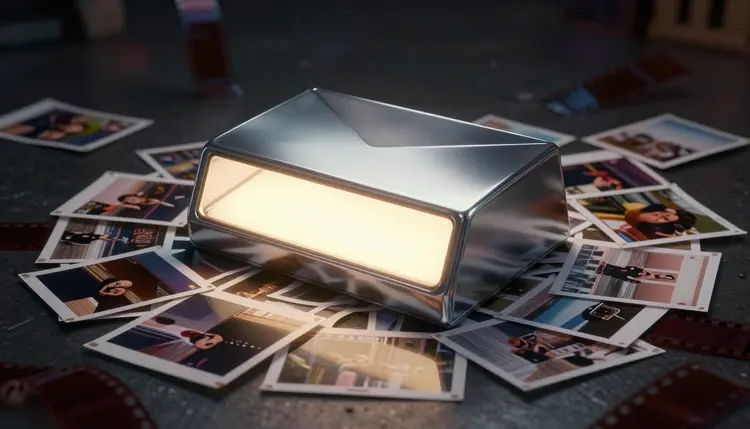
A thumbnail gets judged in under a second, at a size smaller than a postage stamp, next to a dozen others fighting for the same thumb. Most of what you agonized over while editing, the pacing, the b-roll, the color grade, is invisible at that size. What survives the shrink is contrast, one clear subject, and a color the feed around it does not have. Generating several directions from the same idea lets you test which one survives before you publish.
What Makes a Thumbnail Work at Postage Stamp Size
A thumbnail is not a poster. It is read in a fraction of a second, competing against nine or ten others on the same screen. The ones that win share a short list of traits: one obvious focal point, a value contrast strong enough to separate the subject from the background even in grayscale, and a palette that does not disappear into the platform's own interface.
The ones that lose share the opposite traits: a face buried in a wide shot, three competing focal points, text and subject fighting for the same corner, or a palette so close to the background it reads as a gray smear from three feet away. Most fail not from bad composition but because they were composed for full screen and never tested at the size they would actually be seen.
Text-to-image generation suits this well because it starts from a description of the idea, not from footage you have to crop and hope works. Describe the subject, mood and framing, and the model returns a composition built around one focal point from the first draft, instead of a video frame forced into working as a poster.
The fastest way to find a strong thumbnail is to stop looking for one and generate several. A kitchen renovation video can be pitched as a shocked reaction face, a dramatic before-and-after split, or a single striking object shot of the finished counter. Each direction sells the same video differently, and you cannot know which wins the feed until you see them side by side.
On Picasso IA this happens in the Toolkit, where a text-to-image model such as FLUX, Seedream or nano banana turns a description into a finished frame. With 488 models in the catalog, you can run the same brief through more than one and compare results before a full batch. New accounts get free credits, so testing a few directions costs nothing.
Pro tip: before judging any thumbnail on your monitor, shrink it to roughly the size it will actually appear at, a few hundred pixels wide, and look at it from across the room or on your phone's lock screen preview. A version that looks sharp and dramatic at full size regularly turns muddy once it is that small, and the only reliable way to catch that is checking at real size before you publish.
Once you have four or five candidates, the winner is usually obvious within seconds of comparing them small. Keep that one, and keep the prompt that produced it, so the next video can reuse the same visual formula instead of starting from a blank page.
A thumbnail's job is to represent the video accurately at a glance, not promise something the video does not deliver. A shocked face over a subject nobody reacts to, or a before-and-after split where the after image never appears, earns a click once and loses a subscriber. Viewers who feel misled close the tab fast, and that drop-off is exactly the signal platforms use to stop recommending a video.
The fix is not to make thumbnails duller, it is to make them accurate. If the video contains a dramatic reveal, a reaction face pointed at that reveal is honest marketing. If it is a calm tutorial, an exaggerated shocked expression is a mismatch the viewer notices fast and remembers next time. Generated art can exaggerate lighting and composition freely; it should not exaggerate what actually happens on screen.
This matters more on platforms that explicitly police clickbait thumbnails, where mismatched cover art and content can get a video demonetized or throttled regardless of how well it performs. Treat the thumbnail as the first sentence of the video, not a separate advertisement for it.
Naming a style beats describing forty details, since the model has seen thousands of labeled examples of each one. These five cover most of what creators reach for.
| Style | Ask the model for | Genres it fits |
|---|
| Reaction and expressive face | wide eyes, open mouth, strong light on the face | vlogs, storytime, reaction and commentary channels |
| Bold graphic or single object | one object, hard shadow, saturated flat background | tech reviews, unboxings, tutorials, comparisons |
| Before-and-after split | matching camera angle on both halves, clear midline | renovation, fitness, transformation content |
| Dramatic establishing shot | wide environment, strong horizon, moody light | travel, gaming, cinematic and documentary-style vlogs |
| Text-driven layout | empty area reserved for text added later in an editor | listicles, news roundups, ranking and countdown videos |
The text-driven layout deserves a note: the model generates the art and the empty space for text, but the letters get added afterward in an editor, since text-to-image models are unreliable at rendering crisp typography directly into the frame.
The full loop from idea to finished thumbnail usually takes ten to fifteen minutes, most of it spent comparing candidates rather than generating them. Credits are only spent on generation, and you can check what a run costs on the pricing page first.
- Describe the video's core idea in one sentence. Name the subject, the emotion or moment you want to capture, and the setting, the way you would pitch the video to a friend in ten seconds.
- Generate several distinct directions. Run that idea through two or three of the styles above, reaction, object, or establishing shot, rather than four variations of one composition.
- Shrink each candidate to thumbnail size and compare. View them at a few hundred pixels wide, side by side, and drop anything that reads as a gray smear at that size.
- Pick the clearest one, not the prettiest one. The winner is whichever image you identify correctly in under a second from across the room, even if a busier version looked more impressive full size.
- Add any title text in a video editor. Overlay the headline, branding or episode number in your editing software, keeping the text large enough to read at the same small size you tested the art at.
An honest tool page tells you where the tool breaks. Generated cover art is a fast way to explore composition and mood, and it has real limits worth knowing before you build a channel's identity around it.
- No text overlays: the model generates the image, not the headline on top of it, so titles and branding still get added afterward in an editor.
- Faces won't match yours: a generated reaction face is a stock expression built from the prompt, not your own face, unless you start from a reference photo through an image-editing model.
- Small-size checking is mandatory: a composition that looks striking at full resolution can collapse into an unreadable smear once shrunk to feed size, and skipping that check is the top reason a thumbnail underperforms.
- Consistency takes deliberate reuse: the model has no memory of your last thumbnail, so a recognizable channel look comes from reusing the same prompt structure on purpose, not automatically.
- It cannot judge what will perform: the model has no data on your audience, so the winner between two strong candidates is still a decision you make, informed by what has worked on your channel before.
None of these limits change the tool's actual job, generating several honest, high-contrast directions cheaply before you commit to one; they define where the job ends. Beyond thumbnails, the model catalog covers the video and subtitle models that finish the upload, and faceless video creation covers the workflow end to end.
Can AI actually generate a usable YouTube thumbnail from just a text prompt?
Yes. A text-to-image model reads a description of the subject, mood and framing and returns a composed image built around a single focal point, the core requirement of a working thumbnail. Check it at small size before you trust it, since a prompt that sounds strong on paper does not always survive being shrunk to feed width, but the starting point is genuinely usable, not a rough sketch to rebuild.
Does the AI add my video's title text onto the thumbnail?
No, and that is intentional. Text-to-image models are unreliable at rendering crisp, correctly spelled typography, so the model's job here is the visual composition and any empty space reserved for text. The headline, episode number or channel branding gets layered on afterward in a video editor or a dedicated thumbnail tool, where the text stays sharp and easy to edit.
Will a generated reaction face actually look like me?
Not unless you give it a reason to. A pure text-to-image prompt produces a plausible expressive face, not a likeness of yours. If you want the thumbnail to feature you, start from a reference photo and use an image-editing model that accepts an input image alongside the text instruction, keeping your features while adjusting expression or setting.
How many thumbnail directions should I generate before choosing one?
Three or four distinct directions is usually enough to find a clear winner, and going much beyond that adds comparison time without adding a better option. The key word is distinct: four variations of the same composition with minor palette tweaks teach you less than three genuinely different approaches, such as a reaction face, an object shot and an establishing shot, judged against each other at real thumbnail size.
Is using an AI-generated thumbnail against a platform's rules?
Generally no, as long as the thumbnail represents the video honestly. Most platforms restrict misleading thumbnails, not the tool used to make them, so a generated image that accurately reflects the video's content is treated the same as a photographed or designed one. The risk is not the generation method, it is a mismatch between what the thumbnail promises and what the video delivers, which platforms watch for through drop-off patterns.
What size and aspect ratio should a video thumbnail be?
Most major platforms expect a roughly 16:9 landscape frame, and generating at that ratio saves an awkward crop later that can cut off your focal point. Resolution matters less than you might expect, since the image displays small regardless; what matters is that the composition still reads clearly once scaled down.
Can I keep a consistent visual style across every thumbnail on my channel?
Yes, by reusing the same prompt structure rather than just the same rough idea. Write one detailed template describing your palette, lighting and composition rules, then swap only the subject and setting per video. Because the description stays consistent, the outputs land in the same visual family, which is what makes a channel's thumbnails recognizable as a set.
Which models on Picasso IA work best for thumbnail generation?
Text-to-image models built for clean composition are the right starting family, with FLUX, Seedream and nano banana as common starting points among the 488 models in the catalog. If the thumbnail needs your own face or an existing product photo, switch to an image-editing model that accepts a reference image instead, since the two families solve different halves of the problem.
Is Picasso IA free to try for thumbnail generation?
New accounts receive free credits, enough to generate and compare several directions across a couple of videos before deciding whether the workflow earns a place in your process. After that, generation costs credits and plans are listed on the pricing page. There is no separate thumbnail-only tier; the same credits work across every image, video, audio and 3D model.
Can I turn a finished thumbnail into a short animated preview?
Yes. Feed your chosen still into an image-to-video model and ask for subtle motion, a slow push toward the subject or a gentle parallax between layers, and you get a short clip some platforms use as a hover preview. Keep the motion restrained, since a thumbnail's job is to read instantly, and a preview that moves too much undoes the clarity you just built.
Your next video already has an idea worth pitching in one sentence. Open the Toolkit and generate three directions for it before you edit, so the cover art is ready the moment the video is.