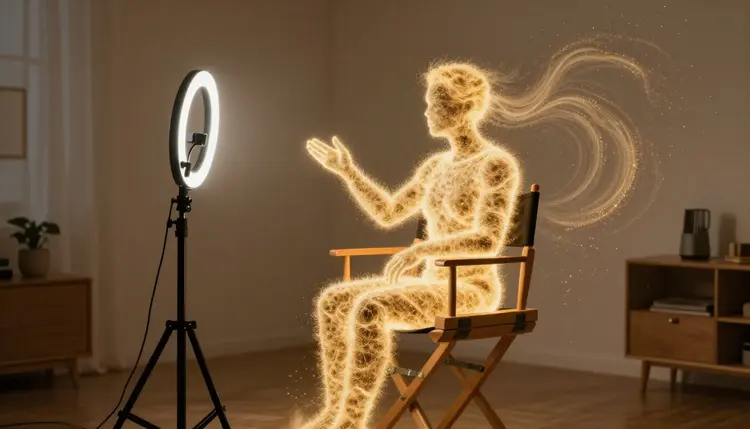
Faceless channels are not a loophole in YouTube's algorithm, they are one of the platform's oldest and most durable formats: a narrator's voice over footage, carrying a top-10 countdown, a true-crime retelling, or an explainer, with nobody ever stepping in front of a lens. Text-to-video and text-to-speech now make that format practical for one person working from a laptop instead of a studio and a cast.
Compilation, countdown and narrated story channels existed long before generative video, built by editors who never appeared on camera, licensing stock footage and recording voiceovers in a spare room. What changed is the cost of the footage, not the format itself. A channel that once needed a stock-footage subscription and hours of clip-hunting per video can now generate scene-specific visuals directly from the script.
The appeal is practical, not aesthetic. Nobody has to manage lighting or a webcam, and nobody needs a face that reads well on camera, which rules out capable writers who would otherwise never start a channel. Production also scales differently: a script-and-generated-scenes format can output more videos per week than a filmed one, since nothing depends on one person's camera-day energy.
None of that means faceless is easier than filming, it means the difficulty moves. A talking-head channel lives on presence. A faceless channel lives on the words and pacing, because no personality on screen can carry a weak script through a slow stretch.
The single biggest mistake new faceless creators make is treating visuals as the product and the script as a formality. It is the reverse. A viewer retained past the first fifteen seconds is retained because the narration kept delivering, not because a clip looked expensive. A flashy generated shot cannot rescue a script that meanders, and a plain shot rarely hurts a script that moves.
Write for the ear before the eye. Faceless scripts are read aloud by a synthetic voice, so sentences that look fine on a page can sound clumsy spoken, run-ons especially. Short, declarative sentences narrate better than long qualified ones, and a script split into clearly separated beats, one idea per paragraph, maps naturally onto one generated scene per beat later.
Structure matters as much as sentence length. A countdown needs its hook and number-ten reveal inside the first ten seconds or the viewer moves on. A story video needs a clear stake established early: what is being solved or explained, and why the viewer should keep listening. None of this is specific to AI production, it is how narrated video has always worked; generation removes the excuse of lacking footage for a script that is otherwise ready.
Once the script is locked, the loop from words to a finished export is short and repeatable, whether the video runs three minutes or twenty.
- Write and time the script. Finish the full script first, read it aloud once for pacing, and split it into scenes at natural sentence or paragraph breaks so each chunk maps to one visual later.
- Generate the narration. Run the script through a text-to-speech model in the Toolkit, choosing a voice that matches the channel's tone, and listen to the full narration before touching visuals, since pacing problems are far cheaper to fix here than after scenes exist.
- Generate visuals scene by scene. Turn each script beat into a short prompt describing the shot, and generate it with a text-to-video or image-to-video model, keeping style words consistent across every scene so the finished cuts belong to the same video.
- Assemble narration and visuals in an editor. Import the narration track and clips into video-editing software, trim each clip to its beat, and add music, sound effects and captions.
- Export and check pacing on a full watch-through. Watch the assembled video start to finish at normal speed before publishing, since problems in rhythm and clip length only become obvious once narration and footage are actually running together.
A finished video still needs a thumbnail, covered separately in AI video thumbnails.
Matching Visual Style to a Content Genre
The right visual style depends on what the channel is narrating, and mismatching the two makes a video feel amateur even when the script is strong. A countdown wants pace and variety; a true-crime retelling wants restraint.
| Content genre | Best visual style | Narration pace |
|---|
| Top-10 or listicle | Bright, varied scenes, one distinct shot per entry | Quick, energetic |
| True-crime style retelling | Muted tones, static or slow-panning shots, dim interiors | Slow, deliberate |
| Motivational | Wide landscapes, silhouettes, golden-hour lighting | Steady, building |
| Explainer or educational | Clean diagrams, simple objects, flat lighting | Even, unhurried |
| Story narration | Scene-matched settings that shift with the plot | Varies with the story |
Naming a visual style in every scene prompt, not just choosing it once, keeps a video coherent. Repeating the same lighting and color words scene after scene reads as one video; changing style language halfway through reads as two videos spliced together.
Consistency is the hardest part of faceless production, and the part viewers notice first, even when they cannot say exactly what looks wrong. A video that jumps from warm, grainy footage to cold, clean footage between two consecutive scenes reads as unfinished, whatever either shot looks like alone.
The fix is procedural, not artistic. Lock a short style phrase, lighting, palette, camera distance, before generating a single scene, and reuse that exact phrase in every scene prompt. If the channel has a recurring character or setting, keep a reference image and describe it identically each time rather than from memory, since small wording drift compounds into visible drift across a video.
Pro tip: generate all of a video's scenes in one sitting, back to back, rather than spreading production across several days. Style language tends to drift subtly session to session as you refine prompts, and a video generated in one continuous pass stays far more visually coherent than one generated in pieces over a week.
A faceless production loop built on generated narration and visuals still leans on real software and real judgment at several points, and pretending otherwise leads to a worse video, not a faster one.
- Assembly needs a real editor: generating narration and clips gets you raw materials, not a finished video, and stitching ten or twenty generated scenes into a paced, captioned export still requires actual video-editing software, this is not a full non-linear editor.
- Platform policy is a moving target: rules around disclosing AI-generated or AI-narrated content differ by platform and change over time, so check the current policy before publishing rather than assuming last year's rules still apply.
- Visual drift needs a human check: generated scenes occasionally vary in tone or detail even with a locked style phrase, so review every clip before it goes into the timeline rather than trusting the batch blind.
- A synthetic voice is not a personality: narration carries information well, but channels built on humor or opinion usually need more character in the script itself to compensate for the absence of a face and live delivery.
- Long-form pacing is still a skill: generation removes the footage bottleneck, not the editing bottleneck, so a ten-minute faceless video takes real editing time even after every scene and line already exists.
Do I need to show my face anywhere in the video?
No, that is the entire premise of a faceless channel. The narrator's voice comes from text-to-speech, the visuals come from generated scenes, and nothing in the pipeline requires a camera pointed at a person. Many established faceless channels have run for years without a single frame of anyone's face, using only narration and footage, plus occasionally a logo or animated mascot as the recurring identity.
Can Picasso IA generate an entire video automatically from one prompt?
Not as a single click, and treating it that way produces a worse video than working through the loop scene by scene. The reliable path is to write the full script first, generate the narration in the Toolkit, then generate visuals one scene at a time so each shot matches its line of narration, and finally assemble everything in video-editing software. Each generation step is fast; the sequence is what takes the time.
How long should a faceless video's script be before I start generating anything?
Finish and time the entire script before generating a single scene. A script read aloud at a natural pace runs roughly 130 to 150 words per minute, so a ten-minute video needs around 1,300 to 1,500 words. Generating visuals against an unfinished script almost always means redoing scenes once the pacing or structure changes, which costs more time than finishing the writing first.
Will the AI narration sound robotic instead of natural?
Voice quality varies by model, and the catalog includes text-to-speech options with different tones and delivery styles rather than one default voice. Listening to the full narration track before generating any visuals is the best way to catch pacing or emphasis problems early, since a voice that sounds fine on a short test line can reveal awkward phrasing once it reads a full paragraph. Trying two or three voices on the same script first is worth the extra few minutes.
How do I keep characters or settings looking the same across a whole video?
Lock a short, specific style description before generating the first scene, covering lighting, color palette and camera distance, and reuse that exact wording in every scene prompt for the video. For a recurring character or location, keep a reference image and describe it identically each time rather than from memory. Generating all scenes for one video in a single session also helps, since style language drifts subtly across sessions spread over several days.
Who owns the video once it is generated and published?
You do. Video, narration and images generated through Picasso IA belong to the account that generated them, with no requirement to credit the platform or the underlying model. What you publish, and under what disclosure rules, is between you and the platform you upload to, since disclosure requirements for AI-assisted content vary by platform and change over time.
Will YouTube or TikTok flag or demonetize AI-narrated videos?
Platform policy on AI-generated and AI-narrated content differs by platform and has changed more than once already, so check the current policy on the platform you are publishing to rather than relying on older information. Being transparent about how a video was made, where a platform asks for disclosure, is generally safer than not disclosing and hoping it goes unnoticed. Policy here is genuinely still moving, so verify any specific rule before you rely on it.
What does it cost to produce one faceless video with Picasso IA?
Cost depends on script length, since narration and each generated scene consume credits, and a longer video with more scenes costs more than a short one. New accounts receive free credits, enough for several test scenes, and current pricing for narration and video models is listed on the pricing page, since per-model pricing can change.
Do I still need video-editing software, or does this replace it entirely?
You still need it. Generating narration and scene visuals produces raw materials, not a finished export, and assembling them, trimming clips, adding captions and music, and pacing the cuts, is real editing work done in real software. Treat generation as a way to skip filming and stock footage, not a way to skip editing.
Does this only work for top-10 lists, or can I do other genres?
Any genre built around narration over visuals works, top-10 lists are simply the most common starting point because the format is short and forgiving. True-crime-style retellings, motivational content, explainers and story narration all follow the same script-narration-visuals-assembly loop, with the visual style and pace adjusted to fit the genre, as in the table above. The loop does not change; the tone of the prompts and the voice you choose do.
Your next video starts with a script, not a camera. Write it, generate the narration and scenes in the Toolkit, and see the first faceless cut assembled before the day is out.