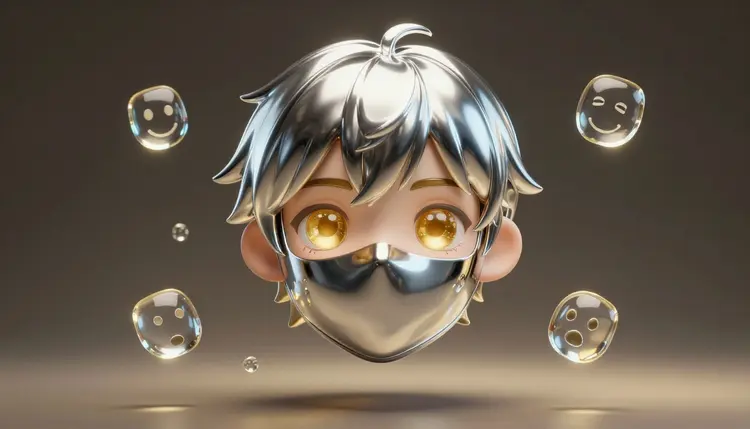
Most people who want to become a VTuber get stuck before the first stream, on the character itself. Commissioning a full model is a real expense, and drawing one yourself takes years. AI image models cover the first stretch: you describe the character, see a dozen faces in an afternoon, pick one, and build its expressions and outfits from that single image. Picasso IA does the artwork. The live movement comes later, in other software.
A streaming character has to do two jobs at once. It has to be memorable at thumbnail size, and it has to survive being looked at for three hours a day. Both are design problems, and design problems are cheaper to solve when you can see twenty options instead of imagining one. Text-to-image models are good at exactly this stage, because a character brief is plain language: species or human, hair, eyes, outfit, mood, art style.
Picasso IA puts 502 models behind one workspace, including 212 text-to-image models, so the same character idea can be tried on engines with different strengths, such as flux-2-pro for clean illustration or seedream-4.5 for detailed rendering. New accounts get free credits, which is enough to find out whether a concept holds before you spend anything. The full catalog lists everything that is available.
One boundary up front, because it decides what you should expect. Picasso IA does not do live rigging, face tracking or real-time animation. It will not make your character blink when you blink. That job belongs to VTuber software that reads your webcam and moves a rigged model. What Picasso IA produces are the images that software needs: the base design, the expression variants and the cutouts. If you only want a still avatar for a profile, the page on profile pictures and avatars is the shorter route.
The most useful first image is not a pretty portrait, it is a reference sheet: the character from the front, neutral expression, plain background, nothing covering the face. Everything you make later is edited from this image, so it has to be clear. Ask for a front view, symmetrical pose, soft even lighting, flat color blocks and a plain light background.
Write the character down as a short fixed description and reuse it word for word: for example, a fictional fox-eared streamer with silver bob hair, one gold eye and one dark eye, a charcoal bomber jacket with gold zipper. Small choices make a character recognizable, so give it one asymmetry, one signature color and one accessory. Those three details are what your viewers will remember, and what you will check every later image against.
Generate in batches of four, throw most of them away, and keep the one where the face reads clearly. When the base is close, move to an editing model, because it changes one thing and leaves the rest alone, which a fresh text prompt never does.
An expression set is the same face in different moods: neutral, happy, surprised, annoyed, sad, plus whatever your channel needs. There is more than one way to produce it, and they trade control against consistency.
| Approach | Where it shines | The catch |
|---|
| Edit the base image with nano-banana | Changes only the expression and keeps hair, outfit and palette intact | Needs a gentle instruction, one change at a time, or details drift |
| Edit with qwen-image-edit | Good at following precise written changes to a face | Check small marks like freckles and accessories on every result |
| Re-prompt from text with flux-2-pro | Fresh, high quality drawings with room for new poses | The face is reinterpreted each time, so consistency is the weak spot |
| Use ideogram-character from the base image as the reference | Keeps the character recognizable across new poses and scenes | Better for poses and scenes than for subtle mouth and eye changes |
| Edit, then cut out with bria/remove-background | Gives you transparent PNGs of every variant | Hair edges and glow effects need a visual check on a dark and a light backdrop |
For a streaming set the first row is the one most people end up using. Feed the approved base image to the editor, ask for a closed-eye smile or a wide-eyed gasp, and compare the result with the base before you accept it. The effects page also holds one-click looks worth trying on a finished piece, and the page on consistent AI characters goes deeper on keeping one design stable across many images.
This is a path from a blank page to a folder of files you can import into your streaming software. It assumes you are designing a fictional character, not copying a real person.
- Write the character brief. Open the toolkit, pick a text-to-image model such as flux-2-pro or seedream-4.5, and describe your character from the front on a plain background, with the one asymmetry, one signature color and one accessory you chose.
- Generate batches and pick the base. Make four images per round, change one detail at a time, and keep the single image where the face is clearest. Save it as your reference sheet.
- Build the expression set. Attach the base image to nano-banana or qwen-image-edit and ask for one expression per run: happy, surprised, annoyed, sad, and any custom ones. Always compare against the base before keeping a result.
- Add outfits and props. Use the same editors to swap the jacket for a stream outfit, add headphones or a seasonal accessory, keeping the face and hair untouched, and save each variant under a clear file name.
- Cut out and export. Run each keeper through bria/remove-background to get a transparent PNG, check the edges on a dark and a light background, then import the files into your VTuber software for rigging.
Once the character is stable, the same references feed the rest of your channel. Outfit variants are the easiest win: ask the editor to change clothing only and state what must not change, the face, hair color and accessories. A seasonal outfit and a casual one keep a channel looking alive without redesigning anything.
Emotes and badges are the other obvious use. A cropped face with one exaggerated expression works well small, and the page on stickers and emoji packs covers how to size those. Panel art and a banner can reuse the same palette and the same character in a new pose. If you want a clean image with no background to place in scenes, remove the background and keep the transparent version.
Keep one master file per character that never gets edited: the front view, neutral, flat lighting. Every expression and outfit should be made from that file, not from the previous edit. Editing an edit compounds small errors, and by the fifth generation the eyes are a different shape.
Two mistakes come up again and again: fine detail that vanishes at stream size, and poses where hair or hands cover the mouth so the expression cannot be read. Describe the style once, in the same words, every time.
Honesty about the limits saves you a wasted week. Here is where the process stops being a one-afternoon job:
- No live rigging or tracking: Picasso IA generates images, not a movable model. Turning your artwork into something that follows your face is done by VTuber software, and that step needs separated parts and a rig that this workflow does not produce.
- Layers are not automatic: the layerize model extracts text layers from flat graphics, it does not split a character into hair, eyes and mouth. Parts for a rig usually have to be separated by hand in an image editor or generated as separate pieces.
- Consistency drifts: even with a reference, eye shape, hair strands and small marks change between generations, so you review every image and redo the ones that wandered.
- Mouth shapes are fragile: speech needs a clean closed, open and in-between mouth, and models sometimes add teeth, tongue or extra lines that look fine in a still and wrong when animated.
- Likeness stays fictional: design an original character. Do not ask for a real streamer or any identifiable person, and if you base the look on your own face, keep it your own.
The finished avatar is a collaboration between generated artwork, some manual cleanup and the right software.
Can Picasso IA rig or animate my VTuber avatar?
No. Picasso IA generates the artwork: the character design, expression variants, outfits and transparent cutouts. It does not do live rigging, face tracking or real-time movement. For that you import your images into VTuber software that reads your webcam and drives a rigged model.
How do I keep my VTuber character looking the same across images?
Start from one clean master image, then make every variant by editing that file instead of prompting from scratch. Models such as nano-banana and qwen-image-edit take a reference plus a short instruction, so the face and outfit stay put while one detail changes. Reuse the same written description every time, and compare each result with the master. Expect to discard a few outputs.
Which models work best for designing a VTuber character?
There is no single winner, which is why a catalog helps. flux-2-pro and seedream-4.5 are good for first designs, nano-banana and qwen-image-edit are the working editors for expressions and outfits, ideogram-character helps keep the look steady in new poses, and bria/remove-background handles cutouts. A sensible session tries the same brief on two engines and keeps whichever one understood the character.
How many expressions does a VTuber model need?
It depends on the software and your channel, so check the documentation of the VTuber program you plan to use. Most creators start small, with a neutral face plus a few reactions such as happy, surprised, annoyed and sad, then add custom ones later. A short, clean set beats a long, uneven one.
Can I get separated layers like hair, eyes and mouth?
Not directly. The layerize model separates text layers from flat graphics, so it will not cut a character into body parts. Picasso IA can give you transparent cutouts of whole images with bria/remove-background, and you can generate pieces such as eyes open and closed as separate edits. Splitting art into rig-ready parts is usually finished by hand in an image editor or by a rigging artist.
Can I base the avatar on my own face?
You can use a photo of yourself as a reference if you want the character to resemble you, and only yourself. Do not upload a photo of another person or ask for a known streamer, actor or public figure. Many creators prefer a fully fictional design anyway.
Can I get a transparent background for my avatar?
Yes. Run the finished image through bria/remove-background to get a transparent PNG. The model keeps soft edges such as hair by default, and you can switch partial transparency off for hard edges. Always check the cutout over both a dark and a light background, since glow effects, thin hair strands and semi-transparent accessories are where leftover fringes tend to show.
Is it okay to use an AI-generated avatar on Twitch or YouTube?
Platform rules about AI content and about which assets you may use change, so read the current requirements of the platform you stream on before committing to a design. Also check the usage terms for the generated artwork and the rules that apply where you live. If you plan to sell merchandise or take commissions with the character, review those terms carefully first.
Can the avatar have different outfits for different streams?
Yes, and outfits are among the easiest edits. Attach the master image to an editor such as nano-banana, ask it to change only the clothing, and name what must stay the same: face, hair color and accessories. Save each outfit as its own file with a clear name. Layered clothing drifts more than plain pieces.
How much does it cost to design a VTuber avatar?
Every generation costs credits, and the cost depends on the model and the settings you choose, so a precise number here would go stale. Image models sit at the lower end of the catalog compared with video work, and new accounts start with free credits. Current plans are on the pricing page, which is the only place worth trusting for numbers.
Your character is already somewhere in your head. Open the Picasso IA toolkit, describe it, and see its first faces before the day is over.