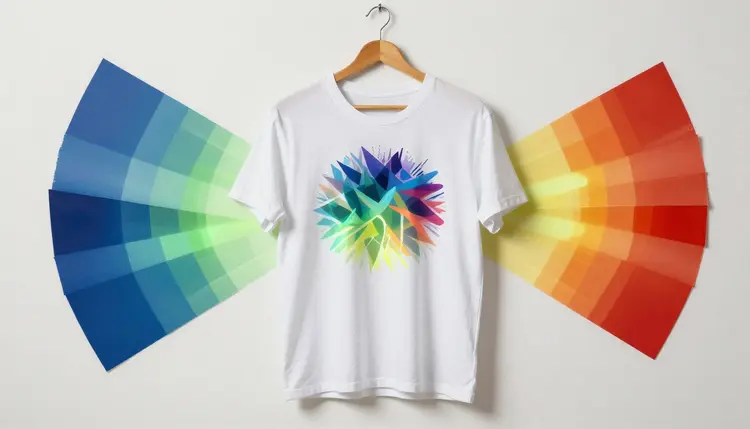
A print-on-demand shop lives or dies on how many decent designs it can put in front of buyers each week, and commissioning an illustrator for every t-shirt idea does not scale to that pace. Generating artwork from a text prompt turns the problem into a numbers game: describe a concept, get a transparent, high-resolution file back in seconds, and only pay for a print run once you know a design earns a click.
Print on demand already removes the inventory risk that used to gate merch businesses, no upfront stock, no unsold boxes of a design nobody wanted. What it does not remove is the design bottleneck: someone still has to produce enough sellable artwork to fill a storefront, and one freelance illustrator can only turn around so many concepts a week at a price that leaves room for margin.
Text-to-image generation attacks that bottleneck directly. A prompt describing a mascot, a slogan treatment or a pattern produces a finished piece of artwork in under a minute, and nothing stops you from running the same idea through five phrasings to see which composition reads best at t-shirt size. The economics shift from "which one design should I commission" to "which ten should I let the market decide on."
On Picasso IA, generation happens in the Toolkit, where models such as Seedream, FLUX and nano banana handle illustration and character work. New accounts start with free credits, so a first batch costs nothing but a few minutes, and the full catalog of 488 models sits one click away in all models if a style needs a different specialist.
A design that looks great on screen can still print badly if it does not match what your fulfillment platform expects from an apparel file. Three requirements come up in almost every print-on-demand workflow.
A transparent background is not optional for apparel and totes. The platform lays your artwork over a photo of the actual garment color, so a file with a white or colored box behind it prints as a visible rectangle instead of ink on fabric. If your generator does not output a clean alpha channel, a background removal pass before upload is a five-minute fix.
Resolution has a floor, and it depends on the print area. A design covering most of a large t-shirt front needs far more real pixels than a small badge on a tote corner or a wraparound mug graphic, because the platform stretches your file across a physical inch count, not a screen. Generate at the highest resolution your model supports, then check that against the platform's stated minimum for the product.
A baked-in drop shadow is worth avoiding on apparel specifically. Shadows that look natural against a white canvas fight whatever garment color a customer picks, reading as a dirty patch on a black shirt or vanishing on a dark one. Save shadow effects for products printed on a fixed white surface, like a poster or a mug wrap.
Print-on-demand trends move in weeks, not seasons. A niche hobby, a meme format or a holiday theme has a window, and by the time you have sketched and finalized one hand-illustrated concept, that window can already be closing.
Generating artwork compresses the cycle. Instead of betting a week of design time on one direction, you can produce ten variations in an afternoon, list the strongest handful, and let clicks and saves tell you which composition, palette or slogan resonates before you spend on a sample or paid promotion. A design that does not land cost you a prompt, not a commission fee.
This also reshapes seasonal refreshes. A base concept, a mascot or a typographic layout, can be regenerated in five palettes and two compositions in the time it used to take to mock up one, turning a bestseller's holiday update into a routine task.
Pro tip: keep one element of a winning design fixed, the character, the layout or the color story, and only vary the rest between generations. A shop that regenerates everything from scratch ends up with a scattered catalog; one that iterates on a recognizable core builds a style customers start to recognize.
The same artwork does not always work across every product. Print area shape, background handling and viewing distance change what makes a design succeed.
| Product Type | Background Requirement | Design Consideration |
|---|
| T-Shirt | Fully transparent | Bold, high-contrast shapes read best at a distance and across garment colors |
| Hoodie | Fully transparent | Simpler compositions survive a fabric texture and a smaller usable print area |
| Mug | Flat or wraparound | Design must work bent around a curved surface, so keep key elements away from the seam |
| Poster | Solid or full-bleed background | Fine detail and color depth matter more since posters are viewed up close |
| Tote Bag | Fully transparent | A single centered motif tends to outperform an edge-to-edge pattern on canvas |
Running a concept through this list before generating a batch saves rework: a pattern designed for a poster's full bleed usually needs a different treatment to work as an isolated tote motif, and it is faster to plan for that upfront than to discover it after a design looks finished.
The full loop from idea to uploaded file usually takes fifteen to thirty minutes once you have a product type in mind, and you can check what a generation costs on the pricing page before running a batch.
- Pick a product type and its print area requirements. Note the transparency, resolution and shape constraints before writing a prompt, since they decide how you compose the artwork.
- Generate several design directions. Write one solid prompt, then run it through four or five phrasings or color variations rather than starting over each time.
- Choose the strongest and confirm a clean transparent background. Zoom in on the edges of the subject; a halo of stray pixels usually means the background needs another pass.
- Check the design at the platform's minimum resolution. Compare your file's pixel dimensions against the stated minimum for that product size, not against what looks sharp on your monitor.
- Upload and review the platform's mockup. Every platform generates its own preview on the actual product; treat that mockup as the real test before the listing goes live.
An honest tool page tells you where the shortcuts end. Five limits show up consistently in print-on-demand work, and none go away with a better prompt.
- No mockup is included: generation gives you the flat artwork file, not a photo of it on an actual shirt or mug, so a separate mockup tool or the platform's own preview still needs checking before a listing goes live.
- Text is a placeholder, not final copy: lettering baked into a design frequently misspells words or warps letterforms under close inspection, so treat any text in the output as rough, never as something to ship as-is.
- Trademark risk stays with you: nothing stops a model from drifting close to an existing character, logo or brand, and confirming a design does not resemble something already trademarked is your responsibility.
- Screen color and printed color can differ: what looks right on your monitor can print a shade warmer or cooler on fabric or ceramic, so ordering one physical sample before a full batch is worth the cost.
- Resolution has a real ceiling: a generated image only contains so many actual pixels, and stretching it far past that ceiling for a large product like a poster produces a soft result, not a sharp one.
None of these limits change what the tool is good for, producing a wide field of testable concepts cheaply; they mark where a human check still has to happen before a design goes to print. For background cleanup specifically, transparent PNG generation goes deeper on isolating a subject, and the product photography workflow fits better for photoreal shots of a finished product.
Does the generated background come out actually transparent, or do I need to remove it myself?
It depends on the model and the prompt. Some editing models output a clean alpha channel when asked for an isolated subject on a transparent background, while others return a flat image with a solid color behind it that then needs a removal pass. Either way, zoom into the edges of the exported file before uploading, since a near-invisible halo of leftover pixels is a common, easy-to-catch issue.
What resolution do I need for a print-on-demand shirt design versus a mug?
There is no single number, since it depends on the print area and the platform's own requirements, which vary by provider. A large front-chest shirt design generally needs the most pixels of any common product, while a small mug wrap or tote motif can work with less. Generate at the highest resolution your model supports, then check that against the platform's stated minimum.
Can I generate readable text like a quote or slogan directly in the design?
You can try, but treat any text that comes back as a placeholder rather than a finished asset. Generated lettering frequently misspells words, drops letters or warps the typeface under close inspection, especially in longer phrases. The reliable workflow is to generate the artwork and illustration elements with AI, then add or clean up any text separately in a design tool where you control the exact font and spelling.
How do I know if a design is too similar to an existing trademark?
There is no automated check built into generation, so this is a manual review before listing anything for sale. Look closely at any character or logo-like element for resemblance to existing brands, franchises or public figures, and when in doubt, regenerate with a more distinct prompt. This responsibility does not go away because the artwork was AI-generated.
Can Picasso IA generate the product mockup too, like a shirt on a model?
The Toolkit generates the flat artwork file itself, not a photo of it on a real product. For a realistic mockup, most sellers use their fulfillment platform's built-in mockup generator, which places your file on a product photo automatically, or a dedicated mockup tool. Treat generation and the mockup step as two separate parts of the workflow.
How many design variations should I generate before choosing one to sell?
There is no fixed number, but batches of five to ten around one core concept tend to work better than one design at a time. Vary a single element, palette, composition or phrasing between runs so you can tell what changed the result. Listing several strong candidates and watching which gets clicks is a more reliable signal than picking a favorite first.
Will the colors in my generated file match what actually prints on the shirt or mug?
Approximately, not exactly. Screens display color differently from how ink sits on fabric or glaze on ceramic, so a vivid color on your monitor can print warmer, cooler or more muted depending on the material. Most fulfillment platforms offer a physical sample at production cost, and ordering one before a full listing is the only way to see the true printed color.
Which models work best for print on demand artwork?
Models built for illustration and character work tend to produce the cleanest merch results, since flat, high-contrast artwork prints better than photorealistic detail. On Picasso IA, Seedream, FLUX and nano banana are common starting points in the Toolkit, with 488 models available if a style calls for something else.
Can I reuse the same character or mascot across multiple products?
Yes, and it is one of the more effective ways to build a recognizable shop identity instead of a scattered catalog. Keep the character description, palette and pose language consistent across prompts, reusing the same wording each time. Results will not be pixel-identical, since each generation is independent, but a consistent prompt keeps the character recognizable across a shirt, a mug and a tote.
Is this free before I commit credits to a full batch of designs?
New accounts start with free credits, enough to generate and compare several concepts before deciding whether the workflow fits your shop. Beyond that, generation draws from paid credits, listed on the pricing page. There is no separate print-on-demand tier; the same credits work across every model.
Your next bestseller is a prompt away, not a commission away. Open the Toolkit and generate a first batch of concepts before you spend anything on a print run.