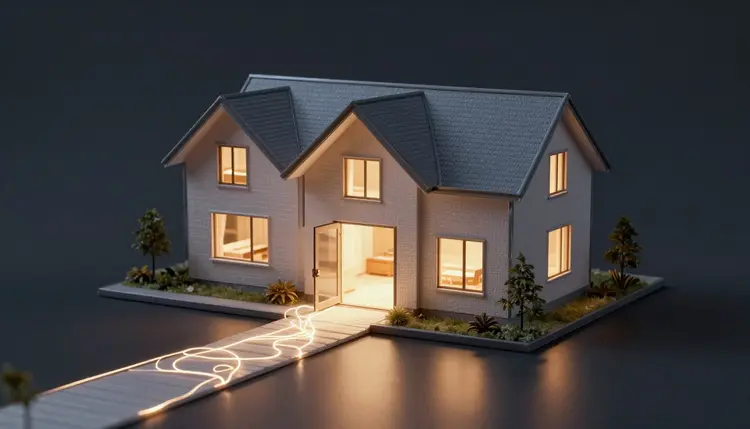
A property listing lives or dies in its first ten seconds online, and most agents still lead with a static photo grid that buyers scroll past in a blink. A walkthrough video keeps people looking longer, but hiring a videographer for every new listing is not realistic on a standard commission. Picasso IA turns the photos you already shot into a narrated, moving video, animating gentle motion room by room and adding a calm voiceover that describes exactly what those photos show.
The pipeline behind a photo-based tour has three jobs, and understanding them helps you get a result that looks intentional rather than gimmicky. First, an image-to-video model reads each still photo and animates a small amount of camera motion inside it, a slow push into the room or a gentle pan across it, the kind of movement a real estate photographer makes with a slider or a gimbal. Second, a text-to-speech model turns a written script into a narrated voiceover, in a calm, professional tone rather than an excited ad-read. Third, you sequence the animated clips and the narration into one continuous video, so the viewer experiences the property as a single walk rather than a slideshow of disconnected rooms.
None of these three steps needs a film crew or a microphone, just photos you likely already have and about thirty minutes to assemble them into a video worth linking from the listing page.
A flashy video is not a useful one, and the difference matters more in real estate than almost anywhere else, because the viewer is deciding whether to spend an afternoon touring the property in person. Three things separate a video that helps that decision from one that just looks busy.
The first is room sequence. Buyers navigate a home the way they would walk it: through the entry, into the main living space, through the kitchen, down the hall to the bedrooms, and finally outside. A video that jumps from the primary bedroom to the kitchen to the garage and back to the living room forces the viewer to rebuild the floor plan in their head, and most give up and close the tab. Order your clips the way a real showing would move.
The second is narration that adds information instead of adjectives. "Beautiful, spacious, must-see" tells the viewer nothing they cannot see for themselves. A voiceover that says "the kitchen was renovated with quartz counters and opens directly onto the dining area" tells them something the photo alone might not make obvious. Narrate facts, not enthusiasm.
The third is pacing. Quick cuts and fast zooms read as disorienting in a home tour, because the viewer is trying to judge scale and layout, not chase excitement. Slow, steady motion on each shot lets a buyer actually evaluate the space.
Pro tip: write the narration script before you animate a single photo. Scripting first forces you to decide the room order and the exact claims you will make about each space, and it is far easier to reorder a paragraph of text than to re-cut a finished video.
Real estate marketing carries legal weight that a product demo or a travel reel does not. Misrepresenting a property, describing a feature that is not there, implying a room is larger than it is, or hiding a defect behind clever framing, is not just a trust problem, it is a fair housing and consumer protection issue in most jurisdictions, and agents can be held professionally liable for it.
The rule for this workflow is simple and non-negotiable: every claim the narration makes must be visibly true in the actual listing photos. If the script says "renovated bathroom with a walk-in shower," the photo you animate for that line must show a renovated bathroom with a walk-in shower, not a different, nicer bathroom, and not a shower that was later demolished. If you would not put a claim in the written listing description without checking it against the property, do not put it in the video narration either.
The same discipline applies to the motion itself. Animating camera movement from a still photo is not the same as filming a continuous walkthrough, and the video should never be presented as one. A gentle push into a room shows that room; it does not reveal what is around a corner the photo did not capture. Treat the animation as a moving photograph, not as filmed footage.
Different rooms sell on different things, and a script that treats every room the same way wastes the strongest selling point of each one. The table below is a starting point for what the motion and the narration should emphasize per space.
| Room type | What the motion should show | What the narration should emphasize |
|---|
| Entryway and living room | A slow push inward, establishing scale and light | Layout, natural light, flow into adjoining rooms |
| Kitchen | A gentle pan across counters and cabinetry | Countertop material, storage, appliances included |
| Bedroom | A slow push toward the window | Room dimensions, closet space, natural light |
| Bathroom | A steady, static or near-static shot | Fixtures, renovation status, storage |
| Exterior and curb appeal | A slow push or pan across the facade | Lot size, parking, condition of the exterior |
Curb appeal earns a special mention: it is usually the first shot a viewer sees and the one that decides whether they keep watching, so give the exterior clip the same care as the interior's best room, the same way a strong opening frame carries a video in AI video thumbnails.
A photo-based tour is genuinely useful, but it is not a substitute for tools built to solve the problems it cannot. Being upfront about the boundaries protects your listing and your reputation.
- Not a real walkthrough: the video animates motion from still frames, it does not capture continuous depth the way an actual filmed walkthrough or a 3D matterport-style scan does, and it should be labeled and sold as a photo-based tour, not as either of those.
- Source photo quality sets the ceiling: a dim, cluttered or poorly framed photo will produce dim, cluttered or awkward motion, since the model can only animate what is actually in the frame.
- Numbers must match the listing exactly: square footage, lot size, bedroom and bathroom counts, and any other factual claim in the narration must match the official listing details, never an estimate or a rounded figure.
- It cannot show what was never photographed: a missing shot of a garage, a basement or a backyard means that space is absent from the video, not implied by the animation of a neighboring room.
- It will not fix a bad photo shoot: dark rooms, cluttered counters and awkward angles in the source photos carry straight through into the finished video, so the underlying photography still needs to be decent.
Building the video is mostly decision-making, not technical work, and a first attempt usually takes thirty to forty-five minutes once you have the listing photos in hand.
- Select and order the photos in a logical room sequence. Choose one strong photo per room, and arrange them the way a buyer would actually walk the property: entry, living areas, kitchen, bedrooms, bathrooms, then exterior.
- Write accurate narration for each room. Describe only what the corresponding photo actually shows, using the same facts you would put in the written listing, and keep the tone calm and informative rather than promotional.
- Animate gentle motion on each photo. In the Toolkit, run each still through an image-to-video model and ask for slow, steady camera movement, a push or a pan, never a fast zoom or a spin.
- Add the narration as a voiceover. Generate the script as speech and lay it under the corresponding animated clip, matching each line of narration to the room it describes.
- Review the full sequence for accuracy before publishing. Watch the finished video against the actual listing description line by line, and fix or remove any claim the photos do not clearly support.
Once you have built one, the same five steps apply to the next listing, and the time saved compounds: the script format and room order logic carry over.
Is a photo-based walkthrough video the same as a real filmed walkthrough?
No, and it should never be marketed as one. A photo-based video animates motion inside each still photo, a push or a pan, but it does not capture continuous depth the way a camera physically moving through a space does. Label it honestly as a photo-based tour. It is a strong upgrade over a static photo grid and a real time and cost saver compared to hiring a videographer, but it is a different product from a filmed walkthrough or a 3D scan, and buyers should know which one they are watching.
How many listing photos do I need to make a good video?
Between eight and fifteen usually covers a typical home well: one or two strong shots for the entry and living room, two or three for the kitchen, one per bedroom, one per bathroom, and one or two exterior shots. Fewer than that and the video feels thin; many more and it starts to run long for a viewer who is deciding whether to click through, not watch a documentary.
Can I use this for a video I am not licensed to make claims in, like a commercial listing?
The workflow itself has no restriction, but the honesty rule applies with even more weight to commercial and any licensed listing, since misrepresentation exposure is higher and the audience is often more sophisticated. Treat every narration line as a statement you would be comfortable defending to a broker or a regulator, and when in doubt, describe less rather than embellish.
What happens if a room was renovated after the photos were taken?
Re-shoot that room before making the video, or leave it out of the sequence entirely. Narrating a renovation the current photos do not show is exactly the kind of mismatch between claim and evidence that causes trust and legal problems in real estate marketing, regardless of how the video was produced.
Does the narration need to sound like a specific voice or accent?
No, pick whatever voice tone fits your market and brand; a calm, clear, professional register works for most listings regardless of accent or gender. What matters far more than the voice's character is the accuracy of the words it is reading, since a confident, polished voiceover reading an inaccurate claim is worse than a plain one reading an accurate script.
Can I add background music to the finished video?
Yes, and a quiet instrumental bed under the narration is standard practice for listing videos. Keep the music low enough that the narration stays easy to follow, since the words are doing the actual selling work and music that competes with them undermines the video rather than polishing it.
Should the video include the asking price?
That is a listing strategy decision, not a technical one, and practice varies by market and agent. If you include it, keep it accurate to the current listing price at the moment of publishing, and update or pull the video if the price changes.
How long should a finished walkthrough video be?
Most effective listing videos run sixty to ninety seconds for a typical home, long enough to sequence every major room without dragging. Larger or more distinctive properties can justify two to three minutes, but past that length, viewers who were going to book a showing have usually already decided, and the extra runtime mostly serves as background for people who were never going to buy.
Is Picasso IA affiliated with any real estate platform or MLS?
No. Picasso IA is a general-purpose generation tool with 488 models covering image, video, audio and 3D, and real estate video is one use of it among many others on the platform. It is not built or licensed by any listing portal or MLS, and using it does not connect to or publish directly on those platforms; you export the finished video and upload it wherever your listing lives.
Do I need a large budget to try this for one listing?
No. New accounts get free credits, enough to build and test a full walkthrough video for one property before you decide whether the workflow fits your process. Beyond that, generation costs credits and current plans are on the pricing page, with no separate real estate tier since the same credits work across every model in the catalog.
Your listing photos are already sitting on your phone or in a shoot folder, and the first video costs nothing to try. Open the Toolkit, animate your strongest room shot, and see how much further a moving, narrated clip carries a listing than a photo grid ever did.