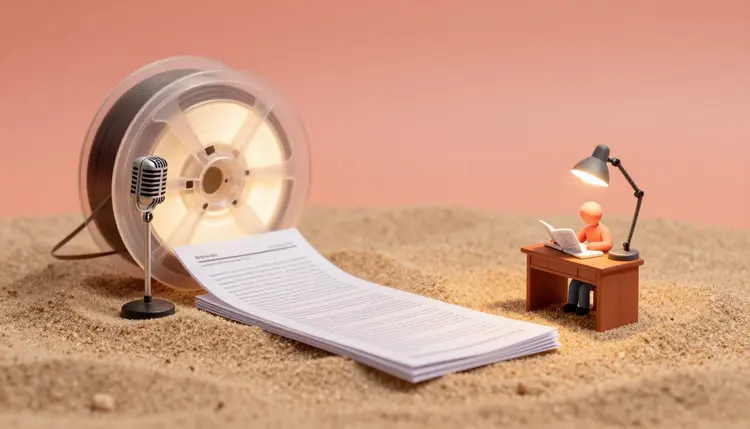
A webinar usually ends the same way: an hour of good material, a recording nobody rewatches, and a slide deck that means little without the voice. The recording already contains an article, though. Transcribe it, restructure the transcript into something written to be read, add a header image, and you have a post you can edit and publish. Here is how to do it on Picasso IA, and where it still needs you.
Why Turn a Webinar into an Article
A webinar is a spoken first draft. The speaker already did the hard part: picking the topic, finding the examples, answering the questions that mattered. What a recording lacks is findability. Nobody searches for the third segment of a video, and few people will give up an hour to find out whether it covers their problem. An article fixes both: it can be skimmed in a few minutes, found through search, quoted, linked to and corrected when the facts change.
Doing it by hand is slow for a boring reason, which is typing. Most of the effort goes into getting words out of audio, and only then into the real editorial job. On Picasso IA the work splits cleanly. openai/gpt-4o-transcribe turns the audio into text, anthropic/claude-sonnet-5 restructures that text into an article, and an image model makes the header. All three run in the toolkit, one workspace inside a catalog of 502 models, so nothing has to be exported from one tool and imported into another. New accounts get free credits, enough to try the whole chain on a short clip first.
Start from the audio. Export the audio track, or upload the video file directly if its format is supported: the model page lists mp3, mp4, mpeg, mpga, m4a, ogg, wav and webm. Set the spoken language with its ISO-639-1 code (en for English, es for Spanish), because the model page says that improves accuracy and speed. The optional prompt field is where you help with what the model cannot guess: speaker names, product names, acronyms, the odd term of art. A line such as a webinar about warehouse planning with two speakers, terms: SKU, pick path, slotting is plenty.
Run a short clip first. Two minutes from the middle of the recording show you how the model copes with your speakers, the room audio and your jargon before you spend credits on the whole file. If a long file is awkward to upload, split the recording at a natural break, transcribe the parts and join the text afterwards.
Then read the transcript against the recording in a few places. You are hunting for misheard names, numbers that came out wrong and sentences that belong to someone else. Do not count on the transcript to say who is speaking; add speaker labels yourself wherever it matters, because the next step depends on knowing who said what. If you only want the text of a conversation, the interview transcription page covers the same first step on its own.
From Webinar to Article in Five Steps
This is the walkthrough on Picasso IA. It assumes a recording you have the right to reuse and about an afternoon.
- Get consent and gather the source. Confirm that the speakers, and any attendees who spoke, agree to their words being republished, then collect the audio and the slide deck.
- Transcribe with openai/gpt-4o-transcribe. Open the toolkit, choose the model, upload the audio, set the language code and add a prompt listing names and terms.
- Restructure with anthropic/claude-sonnet-5. Paste the transcript and ask for an outline first, then a draft that follows the outline, written for readers and not for listeners.
- Edit by hand and check every quote. Compare names, numbers and claims against the recording, cut what was only said because the room was there, and add the sources the speaker mentioned out loud.
- Make the header image and publish. Generate a cover with an image model such as flux-2-pro or seedream-5-pro, describing the topic as a scene with no text in it, and set the title in your own editor.
One transcript can become several different pieces, and the shape you choose changes what the model keeps and what it cuts. Decide first, then ask.
| Format | What you ask the model for | Works best when | Watch out for |
|---|
| Recap post | Key points in the order of the talk, short sections | Readers missed the live session | Reads like minutes if nothing is cut |
| How-to article | Steps pulled from the demo, one idea per step | The webinar showed a process | Steps the speaker only did on screen |
| Q&A roundup | Each audience question as a heading, with a tight answer | The questions were the best part | Questions need rewording and context |
| Opinion piece | One argument, with the speaker's examples as evidence | One speaker with a clear stance | Their view reads as your brand's view |
| Interview feature | Edited exchanges between host and guest | Two voices in a real conversation | Every quote must be verified |
A webinar with slides often keeps its best content on screen: the demo, the chart, the before and after. The transcript holds what was said, not what was shown, so paste in the slide text or describe the demo in a sentence before you ask for the draft. If what you need is a record of decisions rather than a publishable article, meeting notes from audio is the shorter route.
Spoken language is a different thing from written language. People restart sentences, say as I mentioned earlier, ask whether everyone can see the screen, and answer a question that nobody reading will have heard. Tell the model to cut filler and housekeeping, to keep the speaker's way of explaining things, and to write for a named reader with a target length. Ask for the outline before the draft so you can reorder sections while it is still cheap to do so.
Tell the model it may only use what is in the transcript, and to mark anything it is unsure about instead of smoothing it over. A fluent paragraph that is slightly wrong is worse than a clumsy one that is right, because you will not catch it on a quick read.
For a long transcript, work one section at a time instead of pasting everything at once, and carry the outline forward so the sections still fit together. For the header, describe the topic as a physical scene or an object, keep any lettering out of the prompt because image models draw text unreliably, and use fictional figures or none, never a picture that pretends to show a real speaker. Once the article is live, the same material can go further: turn the post into a podcast episode or cut the recording into short clips.
Where Webinar to Blog Post Stops Working
This workflow saves the typing and the blank page. It does not remove the editor, and there are five places where that shows.
- Spoken language does not survive intact: a transcript reads as rambling even when the talk was good, so expect to rewrite for rhythm, cut tangents and reorder points the speaker made out of sequence.
- Consent and ownership: the speakers did not necessarily agree to be published, and a guest or customer on the recording may own their words or their slides, so ask before you publish and credit them by name.
- What was shown, not said: the audio has no demo, chart or screen recording in it, and a model summarizing the transcript will paper over that gap with confident filler unless you supply the missing piece.
- Quotes and numbers: transcription can mishear a figure and a rewrite can quietly change a claim, so every direct quote and every statistic has to be checked against the recording before it goes live.
- Sameness: if every webinar becomes the same recap with the same headings, readers notice, and search engines treat thin rewrites of a talk accordingly, so add something the recording did not have.
None of this is a reason to skip the workflow. It is the reason the last pass belongs to a person who was there or who can listen back.
Can I turn a webinar recording into a blog post with AI?
Yes. The practical route is a chain of three steps: transcribe the audio, have a language model restructure the transcript into an article, and generate a header image. All of it runs in the Picasso IA toolkit. The AI produces a first draft and a transcript, and you do the editing, the fact check and the publishing, which is where the quality of the final post comes from.
Which models do I use to turn a webinar into an article?
A reasonable starting set is openai/gpt-4o-transcribe for the transcript, anthropic/claude-sonnet-5 for the restructuring and the draft, and an image model such as flux-2-pro or seedream-5-pro for the header. You can swap any of them for another model in the catalog if the first result is not right, and the all-models page lists what else is available in each category.
Do I need the speakers' permission to publish their webinar as an article?
You should get it. Speakers agreed to a live event, not necessarily to a written post that stays online and gets quoted, and a guest may have rights over their words or slides. Ask in writing, tell them where the article will appear, offer to let them read it before it goes live, and credit them by name. This is general information, not legal advice, so check the rules where you publish.
How accurate is the transcript, and what should I check?
It depends on the audio, the accents and how much jargon there is, so test a short clip before the full file. Whatever the result, check proper names, product names, numbers and any sentence you plan to quote directly. Setting the language code and listing names and terms in the prompt field helps, but it does not replace listening back to the parts that matter.
Can the AI write the article in a different language than the webinar?
A language model can write in another language from the transcript, and that is a quick way to get a first version for a second audience. Treat it as a draft: have a fluent reader check idioms, terminology and tone before you publish, and keep the original language code for the transcription step so the source text is accurate in the first place.
How long should the article be compared with the webinar?
Shorter than the transcript, usually by a lot. A spoken hour contains repetition, housekeeping and answers to live questions that do not belong in writing. Decide the length from what the reader needs, tell the model the target and the structure, and let it cut. A recap can be brief, while a how-to built from the demo may need to be longer than you expect.
What do I do with the slides and the demo?
Bring them in by hand. The transcript only holds what was said, so paste in the slide text, or write a sentence describing what the demo showed at each point, before you ask for the draft. Screenshots and charts from the deck can go into the article if you own them and the speakers are fine with it, and they often make the post better than the narration alone.
How do I stop the article from sounding like a transcript?
Tell the model what to cut: filler words, restarts, references to the chat or the screen, and answers that only made sense live. Ask for short sections with clear headings, a named reader and a target length. Then read it aloud once. Anything you stumble on, rewrite. A first pass from a model usually fixes the grammar but leaves the rhythm of speech, and the rhythm is your job.
Can I make the header image with Picasso IA?
Yes. Describe the topic as a scene or an object in the prompt, run it through an image model such as flux-2-pro or seedream-5-pro, and keep any title text out of the generation, since image models draw letters unreliably. Add the headline in your own editor. Use fictional figures or none at all, and never an image that appears to show a real speaker.
How much does it cost?
Each step uses credits, and the cost depends on the model and the settings, so the transcript, the rewrite and the image are billed separately. New accounts start with free credits, which is enough to test the chain on a short clip. For current plans, see the pricing page, the only place worth trusting for numbers.
Your recording already holds the article. Open the Picasso IA toolkit, upload the audio and get the first transcript before the day is over.