An art book lives on pacing. A quiet portrait, then a wide room, then a close detail of a sleeve or a hand, then a long breath of empty wall before the next spread. If you are planning a book like that around suggestive, adult glamour, you do not need a studio or a booking calendar to see whether the idea holds together. You need a set of images that feel like they were shot on the same day, with the same woman, under light that was chosen on purpose.
This page walks through that project from the first note to the last export. It uses Seedream 4.5 and Recraft v4.1 Pro to make the portraits, Picasso Image Editor Pro to refine them, and optionally a video model to turn one frame into a short moving clip. Everything stays provocative and never explicit: satin, lace, silk robes, coats thrown over bodysuits, candlelight and blinds. Every character is a fictional adult.
A concept is not a finished book. It is a believable sample of one: enough spreads to show a publisher, a printer, a collaborator or just yourself what the book would feel like. That changes what you ask of the images. You are not chasing one perfect poster. You are building a sequence in which each frame has a job.
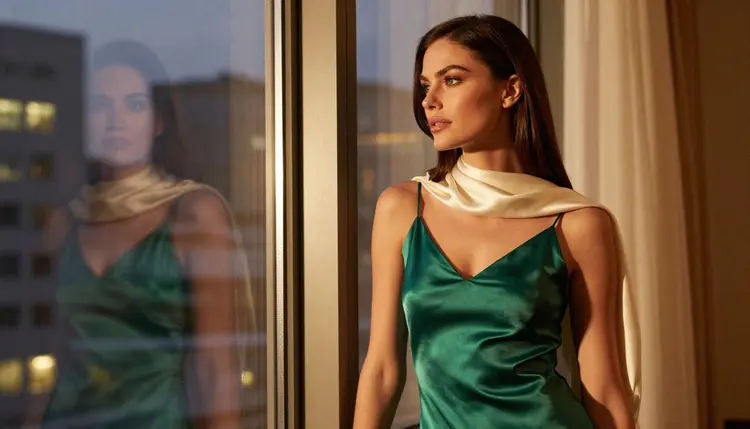
A workable sample has about a dozen frames. Think in roles instead of counting. One wide opening frame that sets the mood. One full-length standing portrait. One seated three-quarter portrait. A waist-up frame in warm light. A candid walking shot. A profile against a window. A wide environmental portrait with a lot of empty space. A tight detail of fabric or a single hand. An over-the-shoulder glance. A quiet frame of the woman looking away, out of a window. Those ten roles already feel like a rhythm when you flip through them.
Format matters more than people expect. Art books are usually bound with a gutter down the middle, so a portrait that puts the face dead center can lose it in the fold. Ask for the subject off to one side and keep a large band of calm wall, floor or sky on the other. That negative space is where a margin, a caption or just breathing room will live later. Landscape frames suit double-page spreads; a tall crop suits a single page. Generate in the shape you plan to print and you will crop less.
Consistency is the real requirement. A reader should believe the same woman walks through every page. That means a fixed written description (hair, eye color, makeup, build), a short list of wardrobe pieces that repeat in different combinations, and a limited palette. Burgundy, ivory, black and emerald satin will read as one book. Ten unrelated colors will read as ten shoots.
Finally, decide early what the book is not. A portrait book with no lettering in the images keeps every frame reusable, because any title or caption is added later in layout. Tell the generator plainly that there is no text, no book, no frame and no logo in the scene. The pictures are the content; the book is what you build around them.
Picasso IA keeps a short list of models it has tested with adult prompts, repeatedly, and watched generate instead of reject. Confirmed does not mean a published setting of the model's maker, who can change it at any time. It means the app saw it work. For a portrait book, three of those models matter most, and the rest are useful for motion.
| Model | Best for | Format |
|---|
| Seedream 4.5 | Photoreal portraits and wide editorial frames | Image, 4K |
| Recraft v4.1 Pro | Illustrated or design-led spreads and print-ready pages | Image, 2K |
| Picasso Image Editor Pro | Editing an existing image: wardrobe, light, small fixes | Image edit, unlimited tag |
| LTX 2.3 Pro | Moving a concept frame into a clip | Video from text, 4K |
| Picasso IA Video | Animating a still or writing a clip from text | Video from text or image, unlimited tag |
| Seedance 2.5 Lite | Short quiet clips | Video, up to 10 seconds, unlimited tag |
Seedream 4.5 is the workhorse for this project. It is a text-to-image model with 4K output, and it handles the things an art book leans on: skin and fabric texture, a believable lens, a window that actually lights the room. If your concept is photographic, start there. Recraft v4.1 Pro is the better choice when the book leans toward illustration or graphic design, or when you want print-ready images at 2K with clean edges.
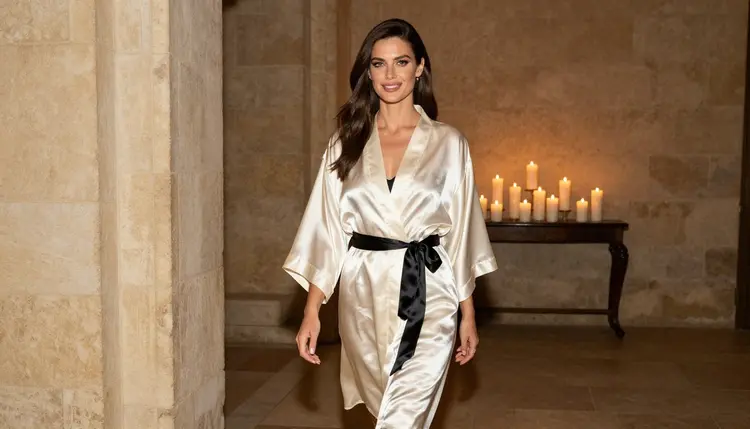
Picasso Image Editor Pro is where the set becomes consistent. You attach a frame you like and change one thing: a different robe, a warmer lamp, a smoother background. It carries the infinity tag in the catalog, which means it does not spend credits on the plans that include unlimited generation (details are on the pricing page). That makes it a comfortable place to iterate.
Other models in the full catalog are untested for adult prompts, which is different from filtered. Qwen Image 2 is one worth a try for a different look, and Picasso Video (Pruna P-Video) is another for clips. Run a prompt and see. If a model declines, the app shows a message titled "Content Not Supported by This Model" and suggests models that accept adult prompts, with your prompt carried over so you retype nothing.
The route from idea to a sheet of consistent spreads is short. Do the steps in order, and keep the written description from step two open the whole time, because every later step reuses it.
- Plan the set. Write a one-page shot list with ten roles (wide opening, full-length, seated, waist-up, walking, profile, environment, detail, over-the-shoulder, window), and choose a palette of three or four wardrobe colors.
- Write the character and scene description. Describe one fictional adult woman in fixed words (hair, eyes, makeup, build) and save that paragraph. Add a separate line for light and lens that you change per frame.
- Generate the key image. Open the toolkit, choose Seedream 4.5 or Recraft v4.1 Pro, paste the character paragraph with the wide opening scene, and generate until one frame sets the tone for the book.
- Build the rest of the set consistently. Attach the key image as a reference (it gets an @1 badge on models that accept several inputs), refer to it in the prompt, and write each remaining role with the same character paragraph and a new pose, light and lens.
- Refine and export. Open the best frames in Picasso Image Editor Pro to fix a strap, match skin tone between frames or calm a busy corner, then export each image and line them up as spreads in your layout tool.
Good prompts for a book are specific about the things a photographer would decide, and quiet about everything else. Start with the character paragraph, then the wardrobe, then the place, then the light, then the lens, then the framing. In that order, the model has a clear picture before it reaches the details.
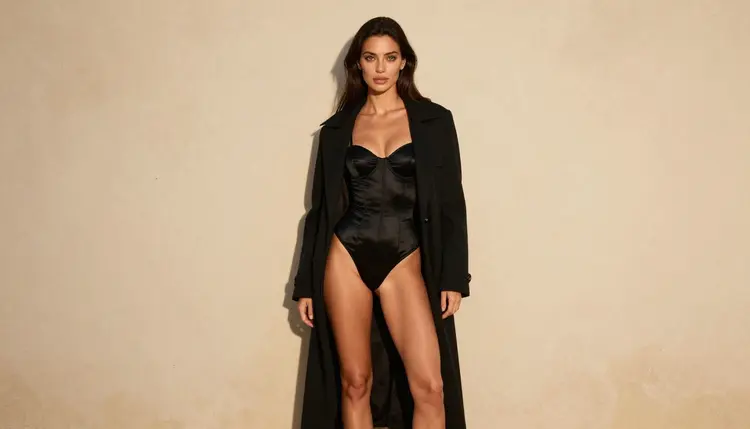
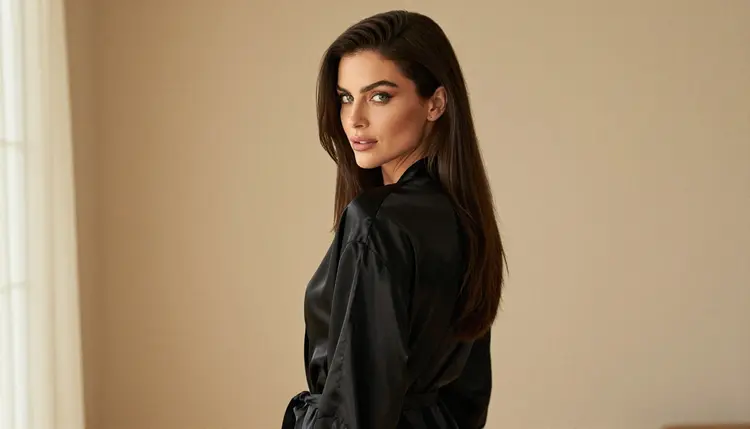
For a full-length standing portrait you might write: a fictional adult woman with long sleek dark-brown hair and green eyes, polished glamour makeup, black satin corset bodysuit under an open camel coat, standing against a pale plaster wall, late-afternoon side light, 50mm lens, subject on the left third, large empty wall on the right, no text. Notice that the last clause does real work. It protects the gutter and the margin.
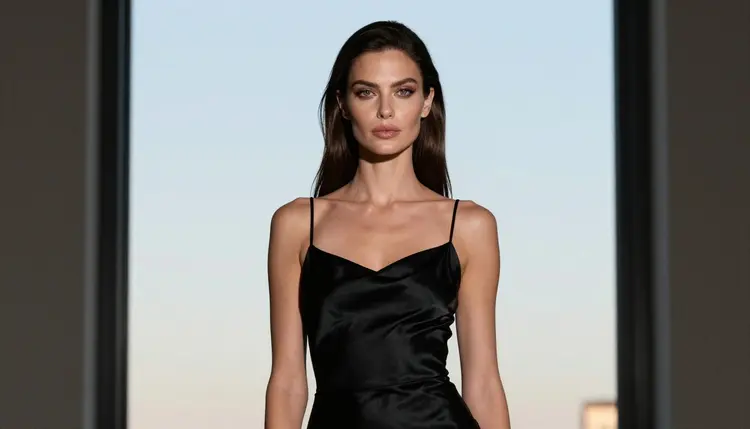
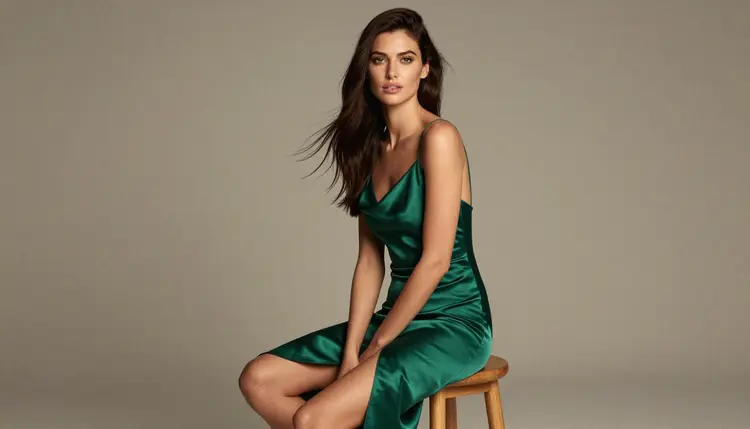
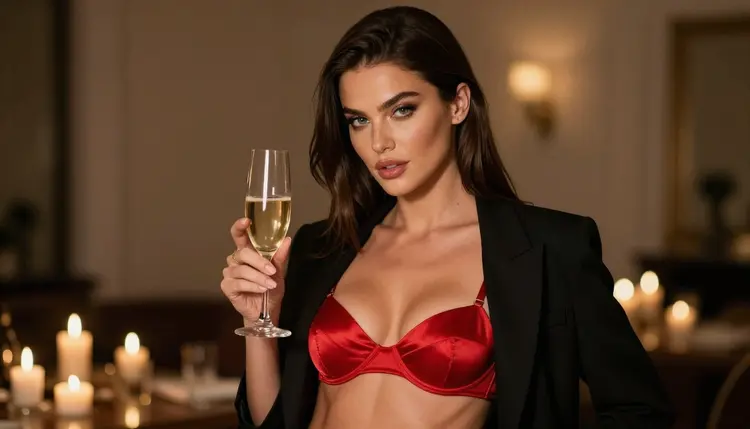
A seated portrait wants a different feel. Try an emerald satin slip dress, a plain wooden stool, soft diffused studio daylight and a longer lens, around 100mm, so the background falls away. A waist-up frame by candlelight can use a red satin bralette under a closed blazer and a glass of champagne on the table, with warm flame light on one side of the face and the other side falling into shadow. Candlelight is forgiving, and it gives the book a late-evening chapter.
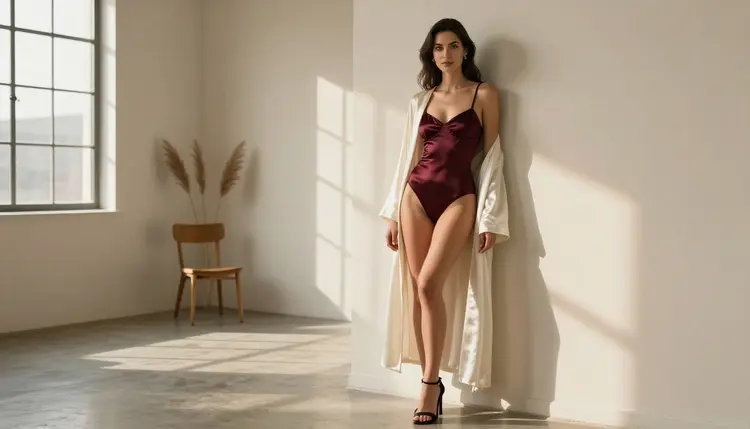
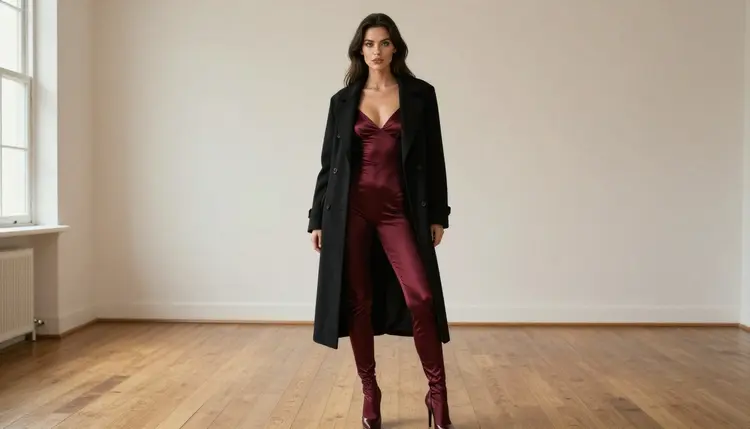
For a wide environmental frame, think of a gallery room. A burgundy satin bodysuit under a long black coat, an empty floor, window light from the left, a 50mm lens and a lot of air above the head. The woman is small in the frame on purpose. This is the page where the book exhales.
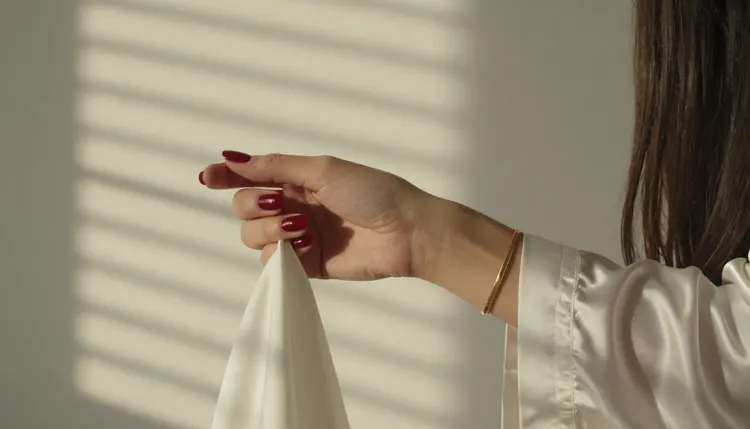
Detail shots are what make a book feel considered. Ask for exactly one hand holding the sleeve of an ivory satin robe, red nails, hard morning sun through blinds in stripes, a 135mm lens. Say one hand, because generators sometimes add extras when you leave the count open. A back-turned glance works the same way: a black satin robe, soft window light, a 35mm lens, her head turned over the shoulder toward the camera.
To keep one woman across all of these, copy the character paragraph word for word into every prompt and change only wardrobe, place, light and lens. When a frame drifts (a different jaw, a different hair part), attach the key image as a reference, point to it as @1 in the prompt, and ask for the same woman in the new setting. Then use Picasso Image Editor Pro to pull that frame closer to the others instead of regenerating from zero.
Stills can become motion when a spread deserves it. Picasso IA Video takes a still or a text prompt and returns a clip, and it is marked unlimited in the catalog. LTX 2.3 Pro makes 4K video from text. Seedance 2.5 Lite is listed up to 10 seconds. For a book concept, keep clips slow: curtains moving, a robe settling, candle flames, a head turning a few degrees. A short loop beside a still is a strong way to present the concept to a collaborator. If you want to extend the project into other formats, the pages on a personal art zine and bedroom wall art use the same plan with different crops.
This is for adults only. You must be 18 or older to use the section, and everything it makes is meant for adult audiences. Treat the book the same way: it is not for children or for any space where children are expected.
Every person in these images is a fictional adult. Do not use the name, face or likeness of a real person, and do not write prompts that describe anyone who could read as a minor. If a character description drifts toward that, rewrite it. The set in this project uses one invented woman in her thirties, and that is the whole cast.
What you create is private by default. It is tied to your account and not published or shown to others. Whether it stays that way after you export is up to you. Printing, selling or posting a book is a separate step with separate rules: printers, marketplaces and social platforms each have their own content policies, and those can change. Check the rules of wherever you publish before you commit to a print run or a launch date. Picasso IA does not make that decision for you, and finishing a set here does not promise that any outlet will accept it.
A new account can try a few generations for free on selected models: Picasso IA Image, Picasso Image Editor Pro, Picasso IA Video and Seedance 2.5 Lite. It is a small free trial, enough to test a character paragraph and see how a frame turns out. It does not cover the whole catalog. Plans, credits and the unlimited tag are explained on the pricing page.
Credits vary by model and by options such as resolution or duration, so a 4K frame and a short clip do not cost the same. Plan the book in two passes: a cheap pass to lock the character and the palette, and a careful pass on the frames you intend to keep.
Beyond the confirmed list, a few models are worth a try for different looks. Qwen Image 2 may give you a different color feel for the same character paragraph. Seedream 5 and Nano Banana are other image options in the catalog. All of these are untested for adult prompts, so run one prompt first. If you want to see the whole range, browse the full catalog. When the portrait set is done, a similar plan works for an album cover concept or an indie book teaser, where you reuse the same woman and change the layout.
What is an art book concept made of images?
It is a sample set of portraits and details laid out like spreads, enough to show what a full book would feel like. You make the images in the toolkit, pick the order, and add titles or captions later in layout, since the pictures themselves carry no text.
How many images do I need for a concept?
A dozen frames is a good target, but think in roles instead of counts: a wide opener, a full-length, a seated portrait, a waist-up, a walking shot, a profile, an environment, a detail and a quiet window frame. Ten roles already give a convincing rhythm.
Which model should I start with?
Start with Seedream 4.5 for photographic portraits, since it makes 4K images from text. If your book leans toward illustration or design, try Recraft v4.1 Pro, which makes print-ready images at 2K.
How do I keep the same woman in every frame?
Save one written character paragraph and paste it into every prompt, changing only wardrobe, place, light and lens. Attach your best frame as a reference, call it @1 in the prompt, and use Picasso Image Editor Pro to correct drift.
How do I leave room for margins and the gutter?
Say it in the prompt: subject on the left third, a large band of empty wall on the right, no text. Generate landscape frames for double pages and tall crops for single pages, and you will crop less when you lay out the book.
Can I turn a portrait into a short clip?
Yes. Picasso IA Video accepts a still or a text prompt, LTX 2.3 Pro makes 4K video from text, and Seedance 2.5 Lite is listed up to 10 seconds. Keep motion slow, such as curtains, candle flames or a head turn.
Is this content explicit?
No. It is provocative and never explicit: lingerie, satin, robes, coats, glamour and implied intimacy. Everything is 18+, and every character is a fictional adult, never a real person and never anyone who could read as a minor.
What happens if a model refuses my prompt?
The app shows a message titled "Content Not Supported by This Model" and recommends models that accept adult prompts. Your prompt is carried over, so you do not retype it. Rewording the wardrobe or the pose sometimes helps too.
Are my images private?
Yes, by default. What you create is tied to your account and is not published or shown to others. Where you share it later, and under which rules, is your decision, so check the rules of the place you publish.
Is there a free way to try it?
A new account gets a small free trial on selected models, including Picasso Image Editor Pro and Picasso IA Video. For plans and what the unlimited tag covers, see the pricing page, and to browse other models, open the full catalog.