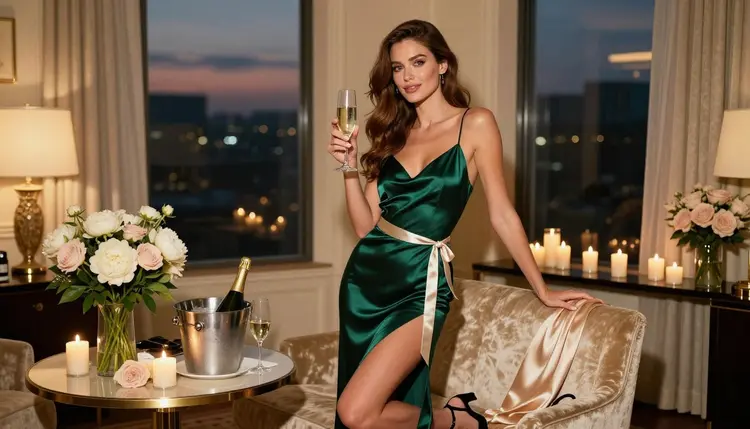
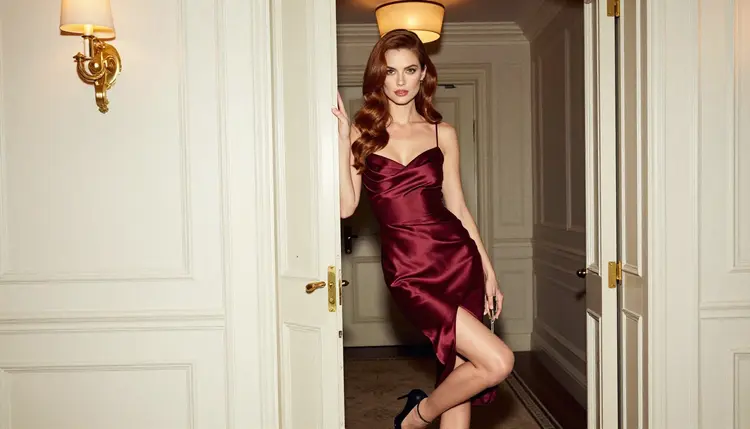
A bachelorette party invitation has a small job: tell eight or ten friends where to be, when, and what mood to bring. The picture on it does most of the talking. A flat template with clip art says "dinner and drinks". A glamour photo of a woman in a satin slip with a champagne flute and a ribbon sash across her torso says "this will be a night to remember" before anyone reads the date.
This guide shows how to build that picture with Picasso IA: flirty, suggestive, adults only, and entirely fictional. You will see which confirmed models fit an invitation, how to write the scene, how to keep the same woman across every frame of a set, and how to finish the files so they are ready for a group chat, a printed card or a short animated teaser.
Before you open the toolkit, decide what the invitation actually has to carry. A bachelorette invitation is usually one hero image plus two or three supporting frames. The hero sits behind the date, the place and the dress code. The supporting frames go into a digital RSVP page, a story post or the back of a printed card.
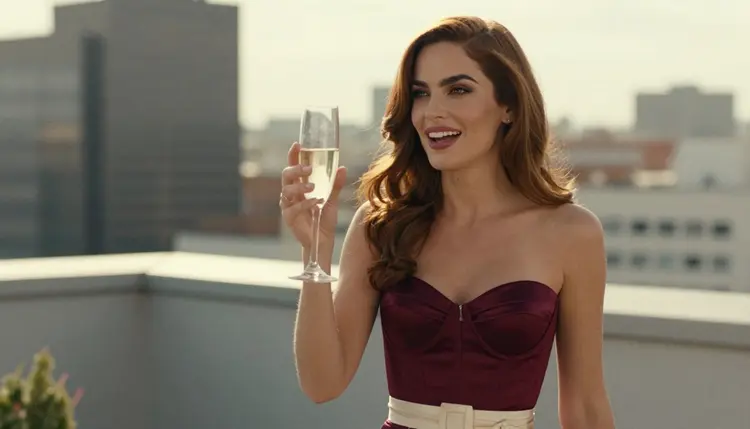
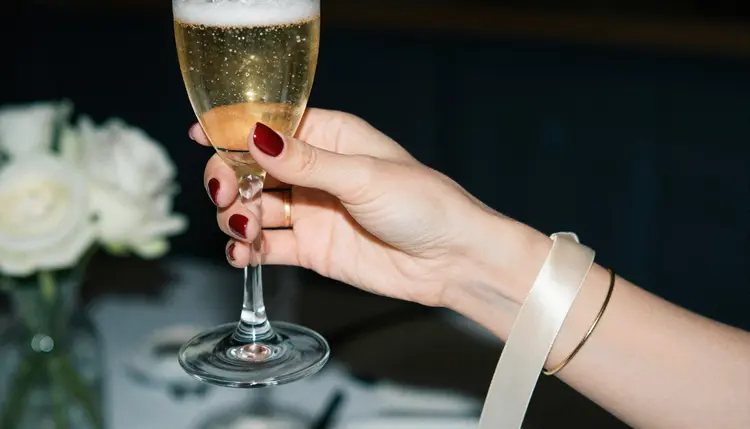
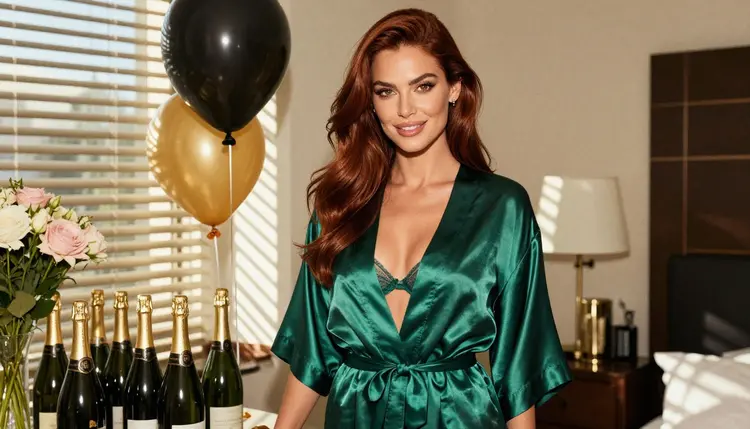
A good starting set looks like this: one wide, mood-setting frame (a hotel suite at dusk, champagne in an ice bucket, peonies on the table), one waist-up portrait with a toast, one detail shot of a hand holding a flute, and one full-length frame for the cover of a printed card. Four images are enough for most invitations. Making more gives you room to choose.
Format matters as much as content. Decide early whether the final piece is landscape (a banner or a link preview), portrait (a phone story) or print. Generate the key image in the shape you need most and leave empty space where the text will go: a dark wall, a curtain, a blurry window. Text you add later in your layout tool will read much better than text you ask a model to draw.
Consistency is the other requirement. All the frames should show the same woman, the same sash, the same champagne and the same warm light, so the set feels like one evening photographed by one photographer. You get that by repeating the same character description word for word in every prompt and changing only the shot, the wardrobe piece and the light. The planning section below shows exactly how.
Wardrobe sets the tone of the whole invitation. Satin slips, lined lace lingerie under a robe, a corset top, a swimsuit for a pool-deck party and a cocktail dress all work as flirty and glamorous without crossing the line this section of Picasso IA keeps: provocative, never explicit. A plain ribbon sash in ivory is a cheap way to say "bride-to-be" without any text in the image.
Picasso IA marks six models as confirmed for adult prompts. "Confirmed" means the team tested adult prompts against that exact model many times and watched it generate instead of reject. It is not a published setting of the model's maker, who can change it at any time. Every other model in the catalog is untested: worth a try, not confirmed either way.
| Model | Best for | Format |
|---|
| Seedream 4.5 | Photoreal hero frames and portraits | Text to image, 4K |
| Recraft V4.1 Pro | Illustrated or design-led invitation art | Print-ready images, 2K |
| Picasso Image Editor Pro | Fixing and restyling an existing frame | Photo editing, unlimited tag |
| LTX 2.3 Pro | Animated teaser from a text description | Text to video, 4K |
| Picasso IA Video | Turning a still or a prompt into a short clip | Text or image to video, unlimited tag |
| Seedance 2.5 Lite | Short looping clips for a story post | Video, up to 10 seconds, unlimited tag |
For the invitation itself, Seedream 4.5 is the natural first choice. It is a text to image model that works up to 4K, so one prompt gives you a frame large enough to crop into a banner, a portrait story and a card front. It suits the photographic look this page is about: warm lamp light, a shallow depth of field, satin catching the highlights.
Recraft V4.1 Pro is the one to pick when you want the invitation to look designed rather than photographed: a flat glam illustration, a pin-up poster feel, a champagne-gold palette. Its catalog description says print-ready images at 2K, which suits a card that will leave the screen. Picasso Image Editor Pro is the finishing tool: change a dress color, remove a stray object from a table, soften a background. It carries the unlimited tag, so you can iterate without watching the clock.
The video models are optional. If you want the invitation to move, Picasso IA Video accepts text or an image, and Seedance 2.5 Lite is listed up to 10 seconds, which is plenty for a looping toast. LTX 2.3 Pro makes 4K video from text. If you want to try an untested model, such as another image model from the full catalog, treat it as an experiment: run the same prompt and compare. Nothing about it is promised either way.
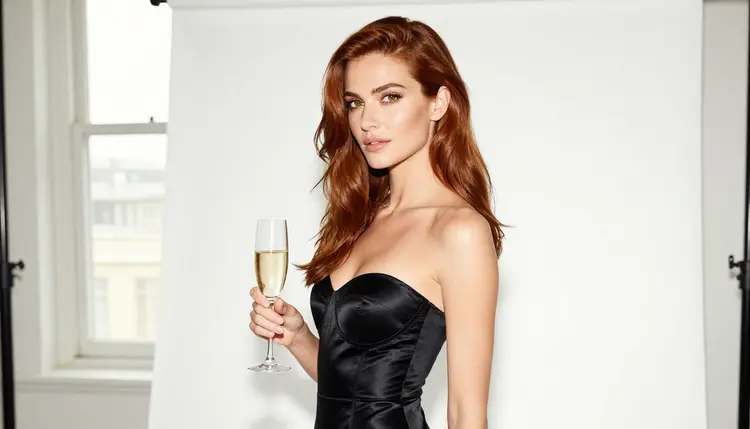
The workflow is short. You can finish a full set in one sitting, because the heavy decisions (the woman, the sash, the light) are made once at the start and then reused.
- Plan the set. Write down the event, the mood and the four frames you need: wide hero, waist-up toast, hand detail, full-length card cover. Note where the text will sit in each.
- Describe the woman and the scene. Write one fixed paragraph: hair, eyes, makeup, outfit, sash, setting, light and lens. Save it, because you will paste it into every prompt.
- Generate the key image. Open the toolkit, choose Seedream 4.5 and run the hero prompt. Keep the result you like best as the reference for the rest.
- Build the rest of the set. Attach the key image as a reference, keep the character paragraph and change only the shot, the wardrobe piece and the light for each new frame.
- Refine and export. Open the frames in Picasso Image Editor Pro to fix small details, then export at the size your layout needs and add the date, the place and the dress code in your design tool.
A prompt for an invitation is a photo brief. Name the shot, the woman, the outfit, the props, the light and the lens, then say how it should feel. Here is a hero prompt in that structure: "Raw film photograph, wide frame of a bachelorette evening in a hotel suite. A woman with long chestnut hair and polished glamour makeup stands full length in an opaque emerald satin slip dress with a thin ivory ribbon sash across her torso, holding a tall champagne flute. Ice bucket, peonies, lit candles, cream curtains, city dusk in the window. Warm tungsten lamp light, 85mm lens, fine film grain. Confident, flirty, glamorous. Fictional adult."
The words that matter are the concrete ones: opaque satin, ribbon sash, tungsten light, 85mm. Vague words like "beautiful" or "party vibe" give the model nothing to hold. Say what is in the hand, what is on the table and where the light comes from. If you want the face to read as a mature adult, say so plainly in the prompt, and keep every character an adult.
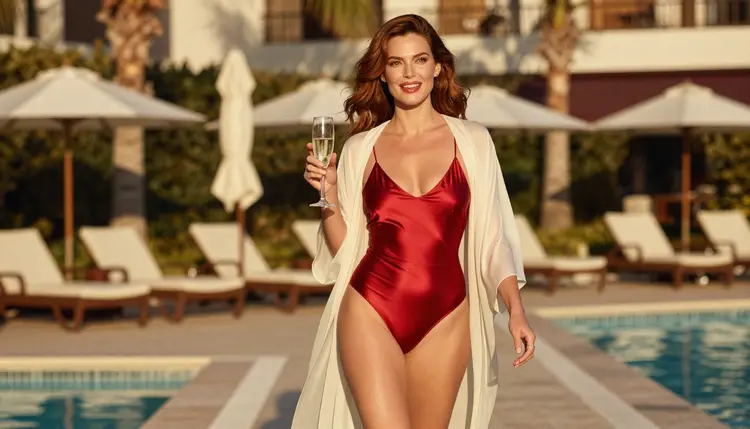
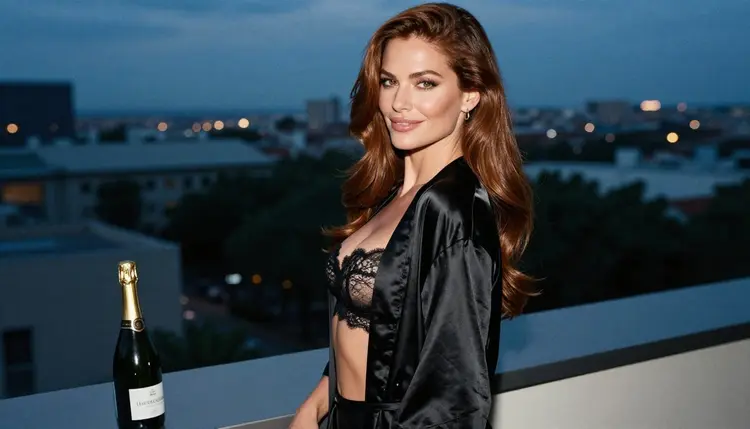
To keep the same woman across the set, copy the character paragraph into each prompt without rewording it. Then vary three things only. Change the shot (waist-up, over the shoulder, full length), the wardrobe piece (burgundy corset top, black satin robe, red swimsuit with an ivory wrap) and the light (golden hour on a rooftop, blue hour by a window, warm lamps indoors). When a model accepts several inputs, attach your key image: each attached image gets an @1, @2 badge, and you can write "same woman as @1" in the prompt. Picasso IA translates that reference to the syntax each model understands.
Plan the angles like a small photo shoot. A few that work well for invitations:
A waist-up shot on a terrace at golden hour with the flute raised, backlit so the hair glows. An over-the-shoulder frame in a satin robe at blue hour, a sultry glance back toward the lens. A detail shot of one manicured hand holding the stem of a flute, a slim gold bracelet and the ivory ribbon, with blurred white roses behind. A profile silhouette by a bright studio window. A candid walking shot on a pool deck in a satin swimsuit and silk wrap. Each one can sit behind text in a different way, so decide where the date goes before you generate.
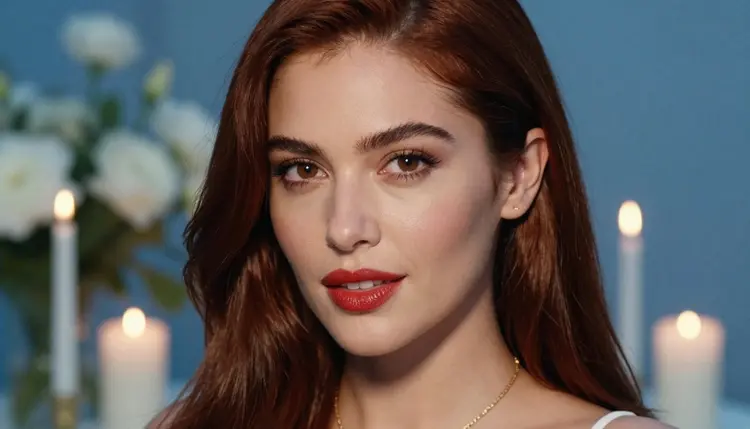
For the close-up, ask for a tight portrait with red lips, a delicate necklace and candle bokeh. Close-ups are where a set holds together or falls apart, because small differences in the face show up fast. If the face drifts, return to the key image as a reference and shorten the prompt, since long prompts with conflicting details tend to pull a model in different directions.
Stills can become clips when it makes sense. A toast, a ribbon moving in a breeze or a slow push toward the woman at the window works well as a short loop. Give Picasso IA Video or LTX 2.3 Pro the still, describe one simple motion and keep the rest of the scene unchanged. One motion per clip gives cleaner results than three.
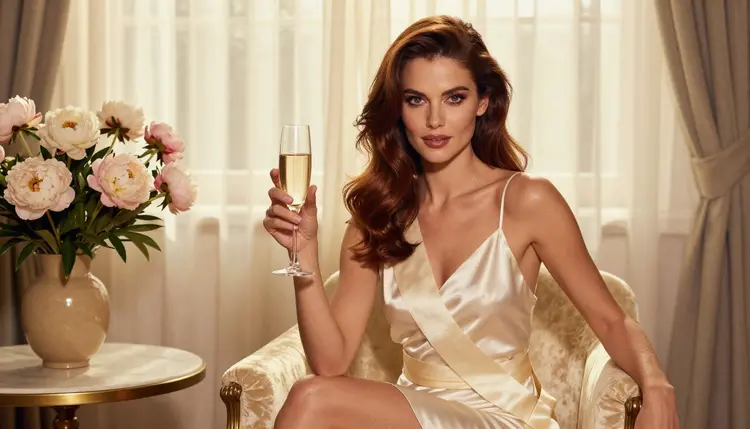
If you are making related pieces, the same character paragraph travels well. A poster for the party venue wall pairs with a poster print project, and a thank-you note after the weekend fits a greeting card project. Reuse the woman, the sash and the light, and the whole weekend looks like one brand.
Picasso IA is for adults. You must be 18 or older to use the NSFW section, and everything on this page assumes that. If you are not an adult, close the page.
Every character you create is a fictional adult. Never use a real or identifiable person, never a celebrity and never a photo of someone you know without being clear that you are making a fictional character instead. No one who could read as a minor belongs in a prompt or in a result, and a bachelorette party is an adult event, so keep the whole set clearly adult in face, styling and setting.
What you create is private by default. It is tied to your account and not published or shown to others. Sharing is your decision, and the invitation goes only to the people you send it to.
One more point about where the image ends up. A group chat, a printed card, a venue and a social network each have their own rules about suggestive content. Check the rules of wherever you publish or print before you commit to a design, and keep a tamer version of the invitation ready for places that ask for it. Policies change, so check the current rules each time.
If a model refuses a prompt, the app shows a message titled "Content Not Supported by This Model". It recommends models that accept adult prompts and carries your prompt over, so nothing is retyped. You do not need to rewrite the scene from scratch; pick one of the suggested models and run it again.
A new account can try a few generations for free on selected Picasso IA models: Picasso IA Image, Picasso IA Editor Pro, Picasso IA Video and Seedance 2.5 Lite. It is a small free trial, enough to test a hero prompt and see how the set feels. Plans, credits and the details of unlimited generation are on the pricing page. Credits are spent per generation and vary by model and by options such as resolution or duration, so check before you plan a large batch.
Models marked with the infinity tag in the catalog do not spend credits on the plans that include unlimited generation. That is useful for an invitation, where you want to try ten variations of a toast before you pick one. Picasso Image Editor Pro, Picasso IA Video and Seedance 2.5 Lite carry that tag.
When you want to look beyond the six confirmed models, the full catalog lists hundreds of models. Any model outside the confirmed list is untested for adult prompts: worth a try, with no promise either way. A practical method is to take your finished hero prompt, run it on an untested model and compare the result with Seedream 4.5. If it works, keep it. If the app shows the refusal message, take the suggestion and move on.
Related ideas from the same section: a convention badge uses the same single-character, single-light approach at a smaller size, and a fanfiction cover shows how to build a portrait cover around one fictional adult character.
Can I make a bachelorette party invitation with NSFW images on Picasso IA?
Yes. You can generate flirty, suggestive glamour images of fictional adults, such as a woman in a satin slip with a champagne flute and a ribbon sash. The pictures stay provocative but never explicit, and Seedream 4.5 is a good first model to try for the hero frame.
Which model should I use for the main invitation image?
Start with Seedream 4.5, a confirmed text to image model that works up to 4K. If you want an illustrated, design-led look, try Recraft V4.1 Pro, which is listed for print-ready images at 2K.
How do I keep the same woman in every frame of the set?
Write one fixed character paragraph and paste it into every prompt unchanged. Then change only the shot, one wardrobe piece and the light. When a model accepts several inputs, attach your best frame as a reference and write "same woman as @1" in the prompt.
Can I put the date and names inside the image?
It is better to add text afterward. Leave an empty area such as a curtain or a blurry window in the prompt, then place the date, the place and the dress code in your layout tool. Text typed in a design tool is sharper and easier to correct than text drawn by a model.
Can I turn the invitation into a short animated clip?
Yes. Give Picasso IA Video or Seedance 2.5 Lite your still and describe one simple motion, such as a toast or a ribbon moving in a breeze. Seedance 2.5 Lite is listed up to 10 seconds, which suits a looping story post.
Can I use a photo of the real bride or her friends?
No. Picasso IA's adult content is for fictional characters only. Never use a real or identifiable person, and never anyone who could read as a minor. Create a fictional adult woman instead, and keep the invitation clearly fictional.
How do I fix a small detail without regenerating the whole image?
Open the frame in Picasso Image Editor Pro. It is an editing model, so you can change a dress color, remove a stray object from the table or soften a background while keeping the rest of the picture. It carries the unlimited tag.
What happens if a model refuses my prompt?
The app shows a message titled "Content Not Supported by This Model". It recommends models that accept adult prompts and carries your prompt over, so you do not retype anything. Pick one of the suggested models and run the same scene again.
Is there a free way to try this before paying?
A new account gets a small free trial on selected models: Picasso IA Image, Picasso IA Editor Pro, Picasso IA Video and Seedance 2.5 Lite. Details on credits and unlimited generation are on the pricing page, so check them before you plan a large batch.
Are my invitation images private, and who can use this?
What you create is private by default and tied to your account. The NSFW section is for people aged 18 or older, and every character must be a fictional adult. Before you print or post the result, check the rules of the place where it will appear.