A storyboard is a row of still frames that shows how a short scene moves: where the camera starts, who walks into the shot, what the light does, where the scene ends. For an adult video project it saves you from guessing. You decide the nine frames first, check that the character, the wardrobe and the mood hold together, and only then spend generations on motion. This guide builds a nine-frame storyboard of one fictional adult character with Picasso IA, using confirmed uncensored image models for the stills and Picasso IA Video or LTX 2.3 Pro when you are ready to turn frames into clips.
Everything here stays provocative and never explicit: robes, slips, lamp light, window light, implied intimacy. Every character is a fictional adult, and what you make is private by default.
What a Video Storyboard Needs
A storyboard is a deliverable with a fixed shape, so decide the shape before you generate anything. For this project the shape is nine frames in the same 16:9 format, one fictional adult character, one location that changes with the light, and one line of action under every frame. Nine is a good number because it fits on a single page, covers a full beat (arrival, tension, release) and gives a video model enough variety to cut between.
The first thing to fix is the character. Write a short, repeatable description: age range (mid thirties or older is a safe, clear choice), skin tone, hair, build, and one or two details that read at a glance, such as freckles, natural curls or laugh lines. Then fix the wardrobe. Opaque satin robes, lined silk slips, a cardigan over a camisole, an open linen shirt over a lined bralette: wardrobe is what carries the adult mood without crossing the line, and it is also what keeps frames consistent from one to the next.
The second thing to fix is the shot list. A storyboard that repeats the same medium shot nine times is not a storyboard. Mix the frame types the way a film editor would want them:
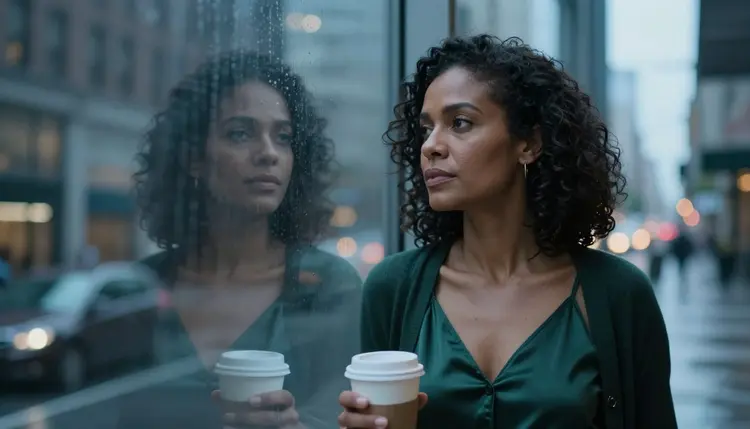
A wide establishing frame that sets the room and the mood. A wide environmental portrait that places the character inside it. A medium shot from the waist up. A tight close-up on the face. An over-the-shoulder frame that shows what the character is doing. A profile silhouette against a window or a flame. A reflection in a mirror or glass. A low-angle full-length frame. A candid walking shot. An overhead angle to close the sequence. That is ten ideas for nine slots, so drop the one that does not serve your scene.
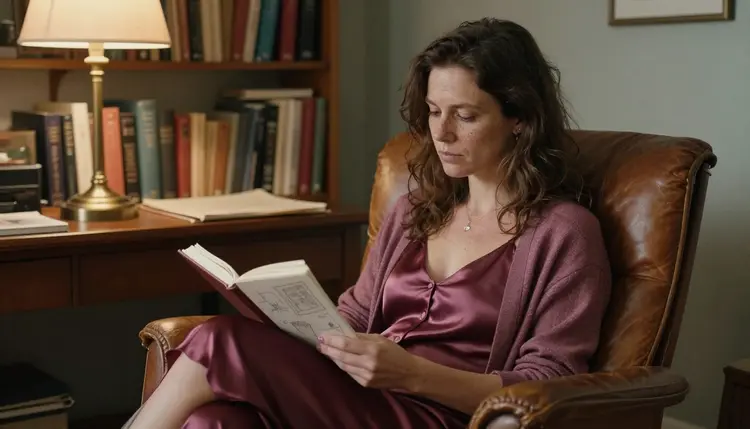
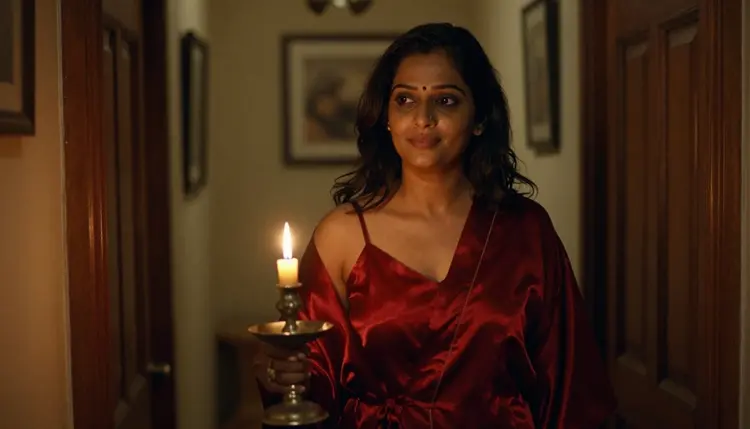
The pictures on this page are examples of what each kind of frame looks like: a wide hero frame, a lamplit environmental portrait, a waist-up balcony shot, a close-up, an over-the-shoulder view, a candlelit silhouette, a window reflection, a low-angle rooftop frame, a hallway walk and an overhead frame. Use them as a reference for composition, not as a script. Your own storyboard can tell any scene you like.
The third thing to fix is the light. Light is the cheapest way to show time passing across nine frames. A scene can open in overcast soft daylight, move into warm tungsten lamp light, then candlelight, then the cool blue-hour ambient light of the evening. Name the light in every prompt, because a model that is not told will pick one for you and the frames will drift apart.
Confirmed Models for a Storyboard
Picasso IA marks six models as confirmed. Confirmed means Picasso IA tested adult prompts against that exact model repeatedly and watched it generate instead of reject. It is not a published setting of the model's maker, who can change it at any time. Three of them make and fix stills, and three make video, which is exactly the split a storyboard needs.
For the nine stills, Seedream 4.5 is the natural first choice. It is a photoreal text to image model that works at 4K, which suits the film-photograph look a storyboard benefits from: natural light, a real lens, visible grain. If you prefer a drawn, graphic storyboard in the style of a designer's pitch board, Recraft V4.1 Pro is the better fit, since it is strong on illustration and design and produces print-ready images at 2K.
Picasso Image Editor Pro is the model you reach for after the stills exist. It edits an image you already have, and it carries the infinity tag in the catalog, which means it does not spend credits on the plans that include unlimited generation. That makes it the right place for the small corrections every storyboard needs: a different robe color, a window moved out of the background, a lamp warmed up.
For the clips, the three video models cover different jobs. Picasso IA Video turns text or an image into video and also carries the infinity tag, so it suits quick tests of how a frame moves. LTX 2.3 Pro makes 4K video from text and is the one to use when a scene is final. Seedance 2.5 Lite is listed up to 10 seconds, which is long enough for a single shot in a sequence. If sound matters to your project, how to make an NSFW AI video with sound covers it, and NSFW video with LTX 2.3 Pro goes deeper on that model.
Every other model in the catalog is untested: worth a try, not confirmed either way. Seedance 2.5 from ByteDance is a different model from Seedance 2.5 Lite, and so are Nano Banana and the Flux family. If you want to try one, NSFW video with Seedance 2.5 explains what to expect, and the full catalog shows everything you can pick from.
Five Steps to Build the Storyboard
The workflow is short. You write the plan first, because a plan is cheap and a generation is not, and you only move on when the frame in front of you matches the plan.
- Plan the sequence. Write nine lines, one per frame: the shot type, the light and one action. Put the scene in a single place so the background stays believable, and decide which frames you will turn into clips later.
- Write the character and scene description. Draft one reusable block with the age range, skin tone, hair, wardrobe and setting of your fictional adult, and keep it word for word in every prompt.
- Generate the key frame. Open the toolkit, pick Seedream 4.5 and make the wide hero frame first. Run it a few times until the character and the room are right.
- Build the rest of the set. Change only the shot type, the light and the action, and keep the reusable block. Where a model accepts several inputs, attach the key frame as a reference and refer to it as @1 in the prompt.
- Refine with Picasso Image Editor Pro and export. Fix wardrobe, color or background in the frames that drifted, then download the nine stills in order and, if you like, send the best ones to a video model.
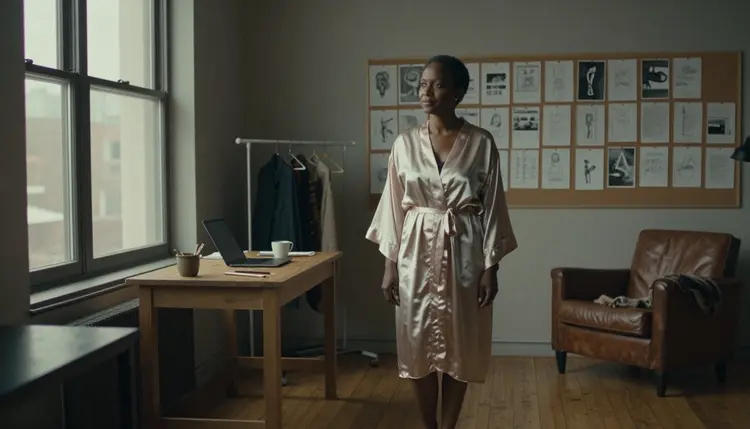
A good storyboard prompt reads like a line from a shot list. It names the frame type, the character, the wardrobe, the place, the light and the lens, in that order. Here is a first frame in that shape: a wide mood-setting frame of a West African woman in her late thirties standing at a tall steel-framed window in a converted loft studio, wearing an opaque champagne satin robe over a dark lined silk slip, barefoot on an oak floor, a cork wall of pinned sketches behind her, overcast soft daylight from the left, 50mm f/1.4, film photograph with visible grain.
Notice what the prompt does not contain. It has no explicit wording, and it does not need any. The adult mood comes from wardrobe, a slow pose and the light. A robe that is opaque and lined, a cardigan over a slip, a coat over a satin dress: these keep the frame provocative and inside the rules, and they also look more like a real film still than a bare description would.
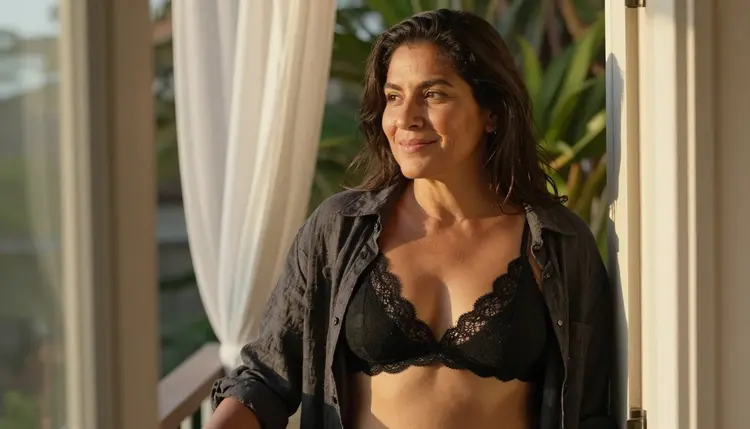
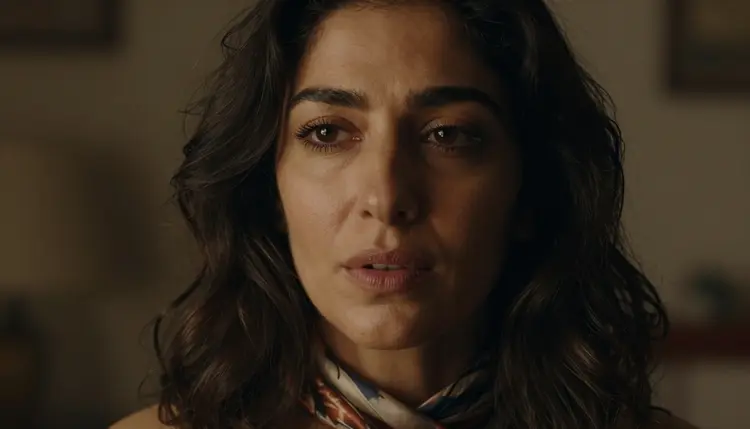
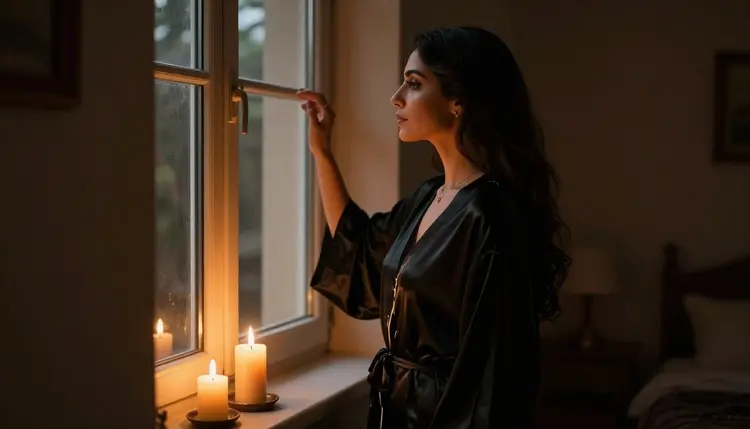
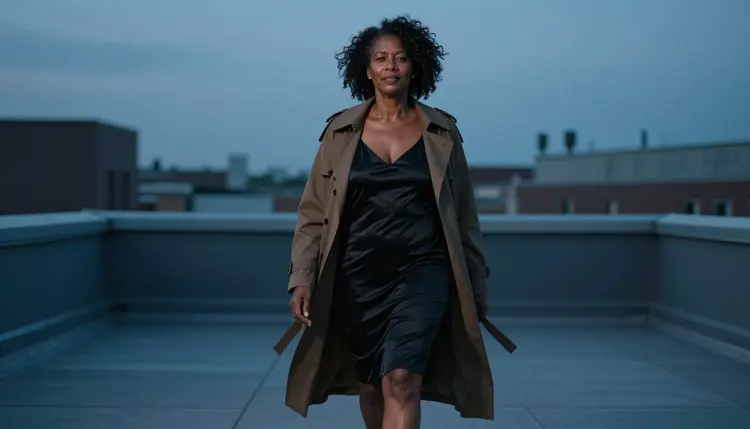
Here are four more frames in the same style, to show how a sequence changes. A medium shot, waist up, of a Latin American woman in her mid thirties leaning in a balcony doorway in an open linen shirt over a lined black bralette, glancing back, late-afternoon side light, 100mm macro f/2.8. A tight close-up of a Middle Eastern woman in her early thirties with a silk scarf loose on her shoulders, lips slightly parted, eyes past the lens, warm tungsten lamp light. A profile silhouette of the same woman in a long black silk robe beside a window with candles on the sill, candlelight only, 24mm f/2.8. A low-angle full-length frame of a Black woman with natural curls in her late thirties in a black satin slip dress under a camel trench coat, walking across a rooftop terrace in cool blue-hour light.
Keeping the same character across nine frames is the hard part of any storyboard. These habits help. Repeat the character block exactly, including the order of the words. Keep the wardrobe fixed for the whole scene unless the story calls for a change, and name the fabric and color every time. Change one thing per frame (shot, light or action), not three. Generate a few versions of the key frame and pick the strongest before you build the others, then attach it as a reference with the @1 badge in the toolkit on models that accept several inputs. Picasso IA translates that reference into the syntax each model understands.
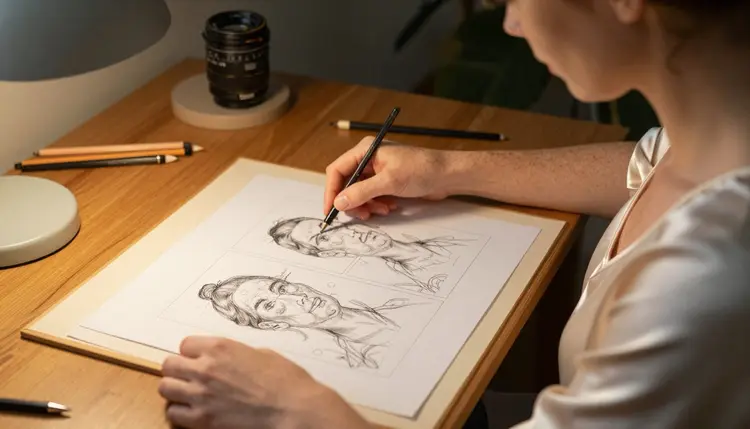
Props are the quiet tool of a storyboard. A notebook of sketched frames, a cup of coffee on a windowsill, a candle holder carried down a dim hallway, a printed frame being pinned to a board: each gives the character something to do, and something to do is what turns a pose into a beat. In the over-the-shoulder frame above, the action is a woman pinning a frame onto a board. A video model reads that as motion waiting to happen.
Moving from stills to clips is optional, and it is best done after the storyboard is locked. Pick the frames where motion carries the story: the walk down the hallway, the glance back from the balcony, the slow turn toward the window. Send those to Picasso IA Video, which takes an image or text, to test the movement. When a shot is final, rebuild it with LTX 2.3 Pro for 4K video from text, or try Seedance 2.5 Lite for a clip of up to 10 seconds. For a wider view of the options, top 5 NSFW image to video AI tools compares tools built for that step, and the NSFW AI image and video generator shows how the two kinds of work fit in one place.
This is an 18+ project. Picasso IA is for adults, and the content you build here is for adult audiences only. If you are not an adult, or the place where you are reading this does not allow adult content, close the page.
Every character is a fictional adult. Never use a real or identifiable person, never a celebrity, and never anyone who could read as a minor. Describe ages in the mid twenties or older, and favor details that make adulthood plain: a late-thirties character with laugh lines reads clearly as an adult, while a vague description does not. If a result looks ambiguous, discard it and write the prompt again.
What you create is private by default. It is tied to your account and not published or shown to anyone else. When a model refuses a prompt, the app shows a message titled "Content Not Supported by This Model", recommends models that accept adult prompts and carries your prompt over, so you do not have to retype it.
Finally, check the rules of wherever you publish. A storyboard may end up in a video, a pitch deck or a shared folder, and every platform, store and print service has its own adult-content policy that can change. Picasso IA cannot promise that any of them will accept a given result, so read the current rules before you upload.
A new account can try a few generations for free on selected models: Picasso IA Image, Picasso IA Editor Pro, Picasso IA Video and Seedance 2.5 Lite. That is a small free trial on selected models, not on the whole catalog, so it works best for testing your first key frame and one or two clips before you commit to a larger set. Details on plans and what each generation costs are on the pricing page. Credits vary by model and by options such as resolution or duration, and models with the infinity tag do not spend credits on the plans that include unlimited generation.
Beyond the six confirmed models, the catalog holds hundreds more. They are untested: worth a try, not confirmed either way. If you want a different look for the stills, try an untested photoreal or illustration model with the same prompt you used on Seedream 4.5 and compare the two side by side. For video, Sora 2 NSFW video explains how that route differs. If an untested model refuses a prompt, the app shows the same message and sends you to models that accept adult prompts, so a failed try costs you little time.

What is an NSFW video storyboard?
It is a sequence of still frames that plans an adult-themed video before you make it: nine pictures of a fictional adult character in one scene, each with its own shot type, light and action. You use it to check the look and the order before you generate any motion.
How many frames should the storyboard have?
Nine works well for a short scene because it covers a full beat and fits on a single page. If your scene is longer, build it in blocks of nine rather than stretching one set. The count is yours to choose, and the method stays the same.
Which model should I use for the stills?
Start with Seedream 4.5 for photoreal frames at 4K. If you want a drawn, design-led look, try Recraft V4.1 Pro. Both are on the confirmed list, which means Picasso IA has tested adult prompts against them repeatedly.
How do I keep the same character in every frame?
Write one description block with age range, skin tone, hair, wardrobe and setting, and paste it into every prompt unchanged. Change only the shot, the light and the action. In the toolkit, you can also attach your best frame as a reference and call it @1 on models that accept several inputs.
Can I turn the storyboard into a video?
Yes. Send the frames where movement matters to Picasso IA Video to test them, then rebuild the final shots with LTX 2.3 Pro or Seedance 2.5 Lite. Seedance 2.5 Lite is listed up to 10 seconds per clip.
What do I do when a frame is almost right?
Open it in Picasso Image Editor Pro and describe the change, such as a darker robe or warmer lamp light. Editing keeps the rest of the frame intact, which is usually faster than generating the whole image again.
What kind of prompts keep it within the rules?
Describe wardrobe, pose, light and mood: satin robes, lined slips, cardigans, candlelight, a glance over the shoulder. The content is provocative and never explicit, and all characters are fictional adults. Prompts that describe anyone who could read as a minor, or a real person, are not allowed.
Is what I generate private?
Yes. Generations are private by default: they are tied to your account and are not published or shown to others. What you do with the files afterward is up to you, so check the rules of any platform before you upload them.
Is there a free way to try this?
A new account gets a small free trial on selected models, including Picasso IA Image, Picasso IA Editor Pro, Picasso IA Video and Seedance 2.5 Lite. Other models spend credits that vary by model and options, and the pricing page explains how plans work.
Does Picasso IA allow real people or anyone who looks like a minor?
No. The project is 18+ only, and every character must be a fictional adult. Never use a real or identifiable person, and never anyone who could read as a minor. If a result looks ambiguous, delete it and rewrite the prompt with a clearly adult character. See the full catalog for models that suit your style.