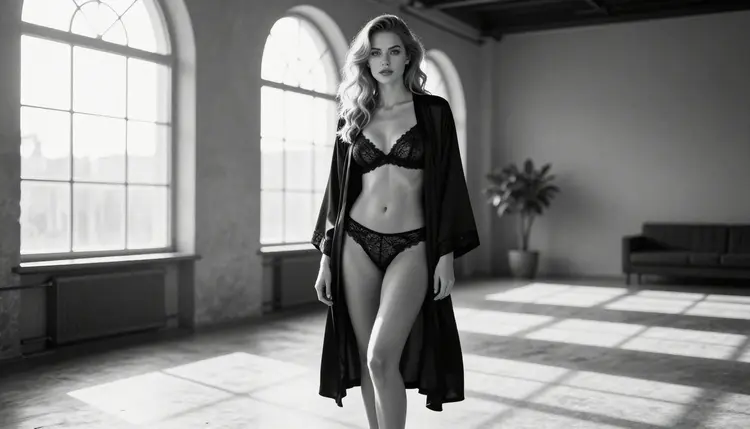
Black and white changes how a glamour portrait reads. Without color, the eye goes straight to shape, texture and light: the sheen of a silk slip, the weave of lace, the line of a collarbone catching a window. This page shows you how to make NSFW black and white portraits of fictional adults with Seedream 4.5, and how to word the prompts so the result looks like a scan from a roll of 35mm film instead of a desaturated color picture.
You will find the models that work for this look, a five step workflow, a set of prompt ideas built around wardrobe and light, and the rules that apply to everything you make. Everything stays suggestive and flirty, never explicit, and every character is an invented adult.
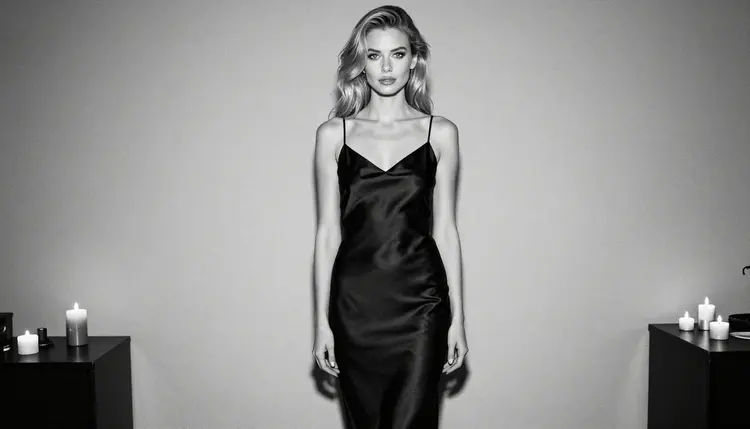
A good monochrome portrait is built on contrast, not on the lack of color. Film photographers of the studio era lit their subjects with one strong source and let the shadows fall where they would. The result was a clear gradient from bright skin to deep black fabric, and that gradient is what you want the model to reproduce. When you ask for it in the prompt, you get a picture with weight and mood.
Seedream 4.5 is a text to image model that creates images up to 4K, and it is one of the models Picasso IA has tested repeatedly with adult prompts. It handles fine texture well, which matters in black and white: satin highlights, lace patterns, loose strands of hair and the grain of a darkroom print all depend on detail. If the base image is soft, a monochrome conversion looks flat. If it is sharp, the same conversion looks like a print.
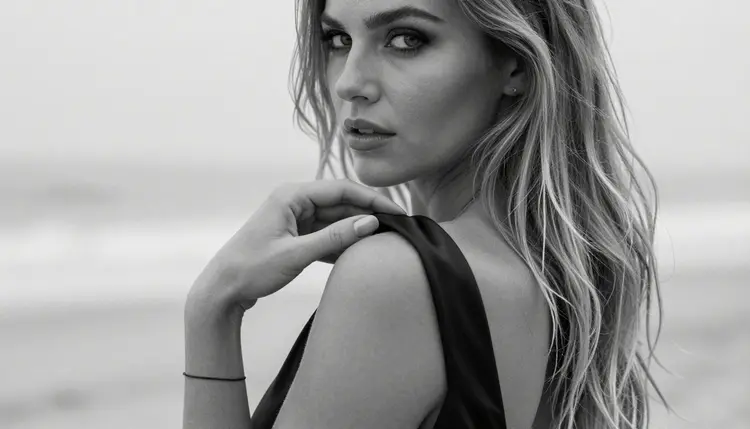
The word to put in the prompt is the medium, not the color. Write "black and white film photograph", "monochrome", "visible film grain" and "strong contrast". Then describe the scene with tones instead of hues: black satin, white linen, charcoal lace, pale marble, deep shadow. If a color word slips in, such as a red robe or a golden light, the model may try to keep a trace of it. Replace every color word with black, white or grey and the output stays clean.
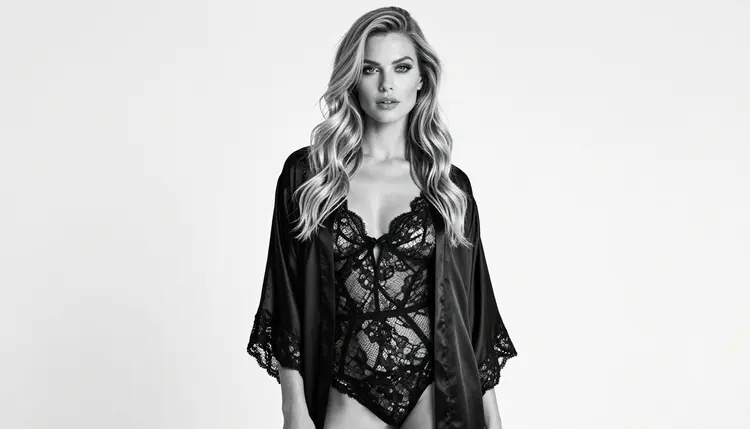
Wardrobe carries most of the look. Silk robes, slips, lace bodysuits and corset tops all photograph well without color because each material reflects light differently. Silk gives long soft highlights. Lace gives a pattern that breaks the light into small points. Cotton and linen give a matte surface that sits quietly next to the shine. Mixing two of these in one frame gives the picture depth without needing a second light.
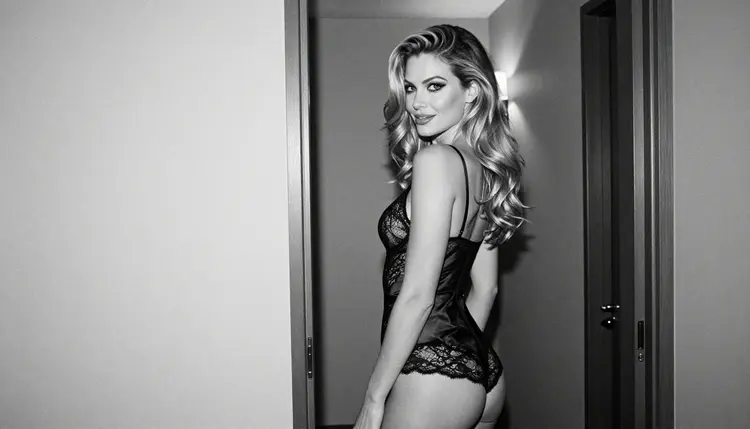
Light does the rest. Window light from one side, a single tungsten lamp, candles on a staircase, hard sun cut into stripes by blinds: each of these has a distinct black and white signature, and you can name it in the prompt. The lens helps too. A long focal length such as 85mm or 135mm compresses the face and blurs the background, while a 24mm or 35mm shows the room and makes the model a figure inside a space.
Picasso IA keeps a short list of confirmed models. Confirmed means that adult prompts were tested against that exact model many times and it generated the picture instead of rejecting it. It is the result of Picasso IA's own testing, not a setting published by the model's maker, who can change the model at any time. You can read how this works on the page about what confirmed means.
For black and white portraits the main model is Seedream 4.5. Recraft V4.1 Pro is a useful second choice when you want a graphic, print-ready result, and Picasso Image Editor Pro handles the edits after the first render. The two video models in the table are there for the day you want to animate a portrait.
The catalog holds hundreds of other models, and most of them are untested for adult prompts. That is not a warning. It means Picasso IA has not confirmed them either way, so a model such as Qwen Image 2 may be worth a try for a monochrome look. If one of them returns a refusal, the app shows a message titled "Content Not Supported by This Model" and suggests models that accept adult prompts, with your prompt carried over. You can browse the options in the full catalog.
The workflow below takes you from an empty prompt box to a finished black and white portrait. It is the same loop each time, so after the first picture you can repeat it in a few minutes.
- Open the toolkit and pick Seedream 4.5. Go to the toolkit, choose the text to image mode and select Seedream 4.5 from the model list.
- Describe wardrobe and setting. Write one sentence for the outfit, such as a black satin slip under an open silk robe, and one for the place, such as a bedroom with tall windows and a plain wall.
- Set the light and the film look. Name the light source and the lens, then add black and white film photograph, monochrome, visible grain and strong contrast.
- Generate and review. Check the hands, the edges of the fabric and the face before anything else. If a strap merges with skin or a finger count is wrong, note it for the next pass.
- Refine or switch. Fix a small detail with Picasso Image Editor Pro, or run the same prompt on Recraft V4.1 Pro if you want a more graphic print.
If you want to keep the same woman across several pictures, attach one of your results as a reference. In the toolkit each attached image gets an @1 badge, and you can write "the woman in @1" in the next prompt. Picasso IA translates that reference into the syntax of the model you picked, but only models that accept several inputs show the badges.
Each idea below names wardrobe, set, light and angle. Paste one as a starting point and change one element at a time, so you learn which part of the prompt moves the picture.
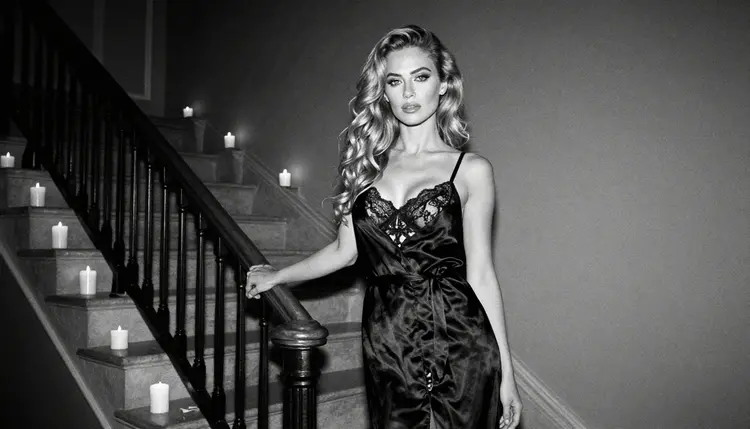
Candlelit slip. A full-length standing portrait of a woman in a black satin slip, standing in a dark room lit only by candles, 100mm lens, shallow depth of field, black and white film photograph, heavy grain, deep shadows. The candle flames give small hard highlights on the satin and leave the walls almost black.
One hand on a strap. A close detail of one hand lifting the strap of a black silk slip, a warm tungsten lamp as the only light, 100mm macro, monochrome, sharp texture. Keep it to a single hand in the frame and the model has fewer chances to get anatomy wrong. Detail shots like this one are also the quickest way to test how well your prompt describes fabric.
Doorway over the shoulder. A woman seen over her shoulder in a doorway, wearing a silk robe, tungsten light from inside the room, 24mm lens, black and white, high contrast. The wide lens includes the door frame, which gives the picture lines and a sense of place.
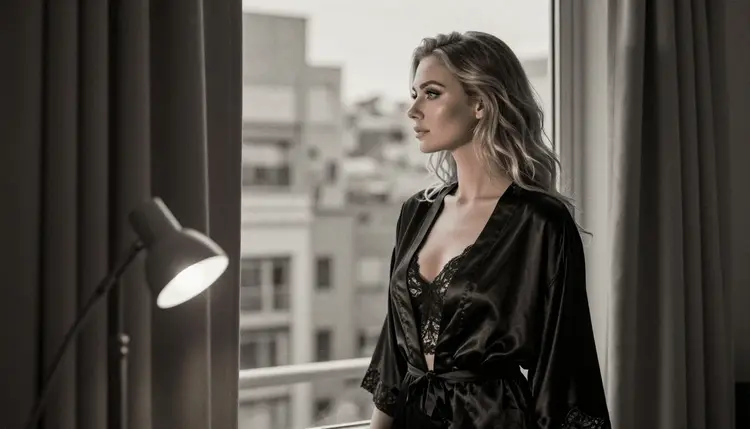
Looking out of the window. A portrait of a woman in a satin robe looking out of a tall window, 135mm lens, soft lamp light behind the camera, monochrome film grain. She looks outside, so there is no mirror and no second face to render. The long lens flattens the street behind the glass into soft grey shapes.
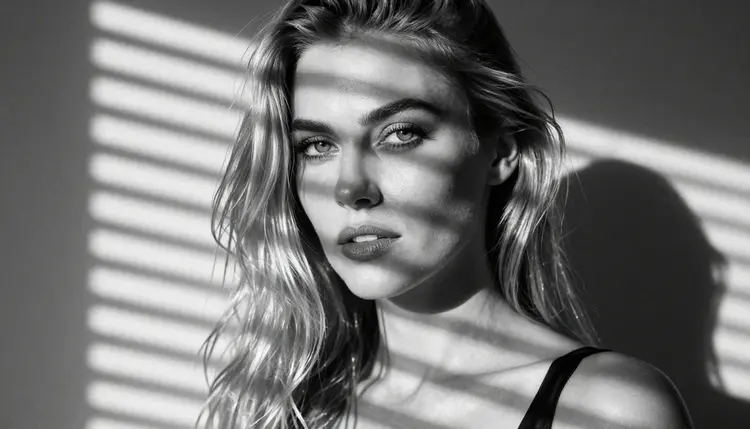
Stripes of morning sun. A tight close-up of a face with hard sun coming through blinds, 70mm lens, black and white, strong contrast. The slats paint bands of shadow across the cheek and eyes. This is the most graphic prompt of the set, and it works because the light itself is the subject.
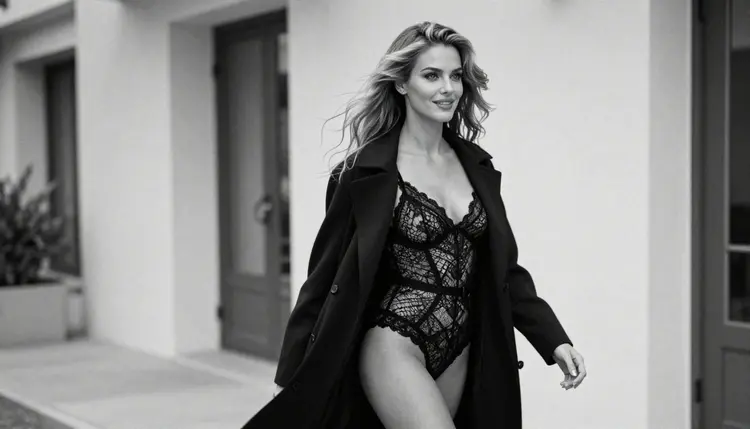
Walking in a coat. A candid three-quarter shot of a woman walking in a lace bodysuit and an open long coat, soft window light from the left, 50mm f/1.4, monochrome. Ask for motion in the coat and a little blur in the background, and the picture reads as a moment caught between two frames.
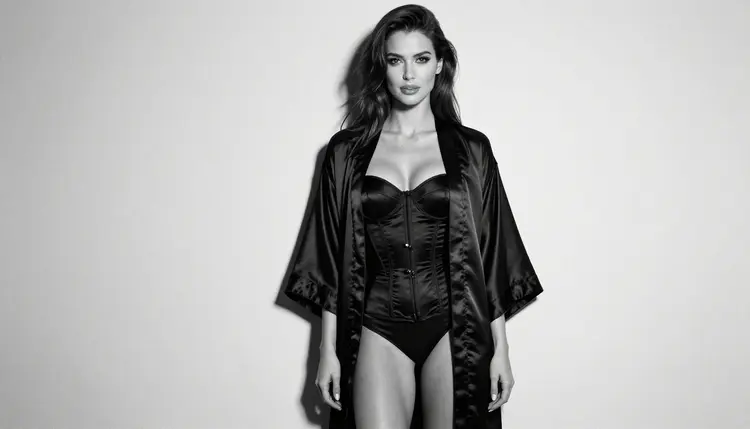
Corset top against a studio wall. A standing three-quarter portrait of a woman against a plain studio wall, wearing a black satin corset top and an open silk robe, soft side light, eye-level 85mm lens, monochrome film grain. A plain wall keeps all the attention on the fabric and the pose.
Candlelit staircase. A wide environmental portrait of a woman on a grand staircase in a silk robe, candles on the steps, 35mm lens, black and white. Here the room matters as much as the person. Mention the banister, the marble and the dark top of the stairs so the model fills the frame with texture.
Profile silhouette. A side profile of a woman against a bright white studio backdrop, soft diffused daylight, 24mm lens, black and white, high key. The figure turns almost black against the white, and the outline of the hair and shoulders does the work of a face.
Everything on this page is for adults only. You must be 18 or older to use these prompts and models, and the pictures are meant for adult viewers.
Every character you create is a fictional adult. Do not use the name or likeness of a real person, and do not write prompts about anyone who could read as a minor. Describe invented people through wardrobe, pose and light, and keep the tone suggestive and romantic, never explicit.
What you make is private by default. Generations are tied to your account and are not published or shown to others, so you decide what happens to a picture after it is made.
A new account can try a few generations for free on selected models: Picasso IA Image, Picasso Image Editor Pro, Picasso IA Video and Seedance 2.5 Lite. It is a small free trial on selected models, not on the whole catalog. The pricing page explains how credits work and which models carry the infinity tag, which means no credits are spent on the plans that include unlimited generation.
Seedream 4.5 itself spends credits, and the amount depends on the options you choose. If you want to test the black and white look before spending anything, start with the trial models and then move to Seedream 4.5 for the final render.
Once you have a portrait you like, there are a few natural next steps. Take the same mood to a different medium with the sibling pages on watercolor portraits and oil painting portraits. For a color version of the same idea, read the guide to realistic portraits. If you like the lace and silk wardrobe, the page on lingerie photos has more outfit ideas. Other models, such as Seedream 5 or Nano Banana, are untested for adult prompts and worth a try if you want to compare.
Which models can make NSFW black and white portraits?
Six models are confirmed in Picasso IA: Seedream 4.5, Recraft V4.1 Pro, Picasso Image Editor Pro, LTX 2.3 Pro, Picasso IA Video and Seedance 2.5 Lite. For still portraits, Seedream 4.5 is the first choice. Every other model in the catalog is untested, which means it is worth a try but not confirmed either way.
Why use Seedream 4.5 for monochrome?
It creates 4K images from text and keeps fine texture, which is what a black and white picture needs. Satin highlights, lace patterns and film grain all depend on detail, and a sharp source gives a monochrome result with real depth instead of a flat grey look.
How do I word a prompt so the picture is black and white?
Name the medium: black and white film photograph, monochrome, visible grain, strong contrast. Then replace every color word with black, white or grey, for example black satin or charcoal lace. A stray color word can pull the model back toward a color picture.
Can I put two characters in one scene?
Yes, but keep the prompt simple: describe each adult once, give each a position and keep the light the same for both. If you want a single subject with more styling options, the page on selfie style portraits is a good companion. Both characters must be fictional adults.
What happens when a model refuses a prompt?
The app shows a message titled "Content Not Supported by This Model". It recommends models that accept adult prompts and carries your prompt over, so you do not have to type it again. You can then pick one of the confirmed models and generate with a single click.
Are the characters real people or adults only?
Everything is adults only (18+) and fictional. Never use a real or identifiable person, and never describe anyone who could read as a minor. Prompts that break these rules are outside what this page or the tool is for.
Are my black and white portraits private?
Yes. Generations are private by default: they are tied to your account and are not published or shown to other people. You choose what to do with each picture after it is made.
Can I turn a portrait into a video?
Yes. Take your favorite picture to Picasso IA Video, which makes clips from text or an image, or to LTX 2.3 Pro for 4K video from text. Describe a slow movement, such as a curtain moving or a head turning toward the window, and keep the black and white film look in the prompt.
How do I change one detail without redoing the picture?
Open the image in Picasso Image Editor Pro and describe only the change, such as a different strap or a cleaner hand. It edits the existing image, so the rest of the portrait, including the grain and the light, stays as it was.
Can I try this before paying?
A new account gets a small free trial on selected models, including Picasso IA Image, Picasso Image Editor Pro, Picasso IA Video and Seedance 2.5 Lite. The trial does not cover the whole catalog. See the pricing page for how credits and unlimited models work, then open the toolkit to start.