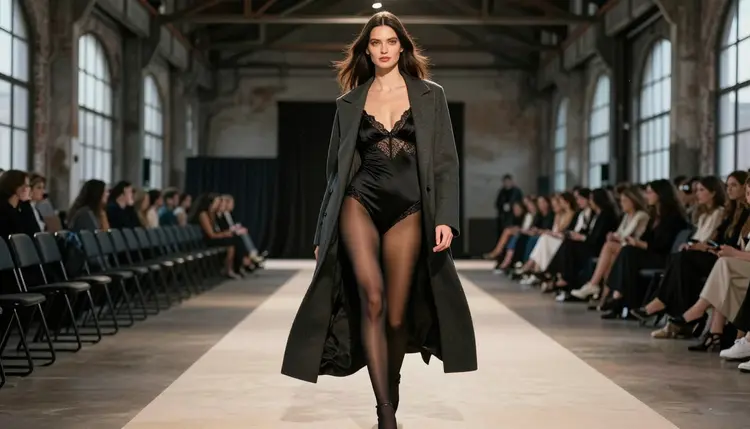
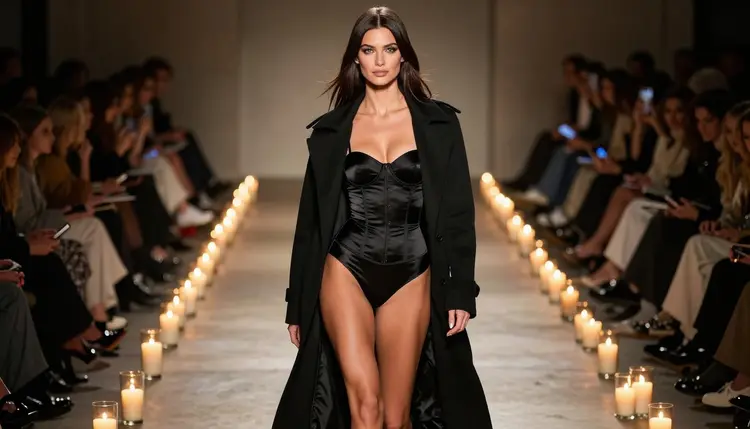
A runway walk is one of the easiest ideas to animate from a single picture. The motion is simple and predictable: a person walks toward the camera, turns at the end of the platform and walks back. A coat swings, heels strike the floor, light slides across satin. You do not need a crew, a venue or a casting call. You need one good still image of an adult model in a lingerie-inspired outfit, a long coat and a warehouse set, plus a video model that can turn that frame into a few seconds of movement.
This page shows how to make an NSFW catwalk video from one image with Picasso IA. The main model is Picasso IA Video, which takes text or an image as input and is one of the models the app lists as confirmed for adult prompts. You will also see where Seedance 2.5 Lite and LTX 2.3 Pro fit, how to write the motion prompt, and which rules apply. Everything here is suggestive and glamorous, never explicit, and every character is a fictional adult.
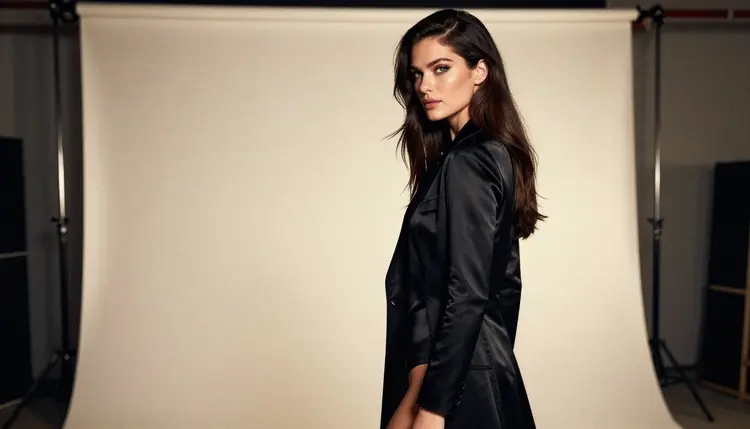
A catwalk is a controlled scene. The set has a few fixed elements: a long runway, a back wall, a line of light and one subject. When a video model starts from a still frame, fewer moving parts means fewer surprises. The face stays the same, the outfit stays the same and the background does not have to be invented from scratch. The model only has to add a walk.
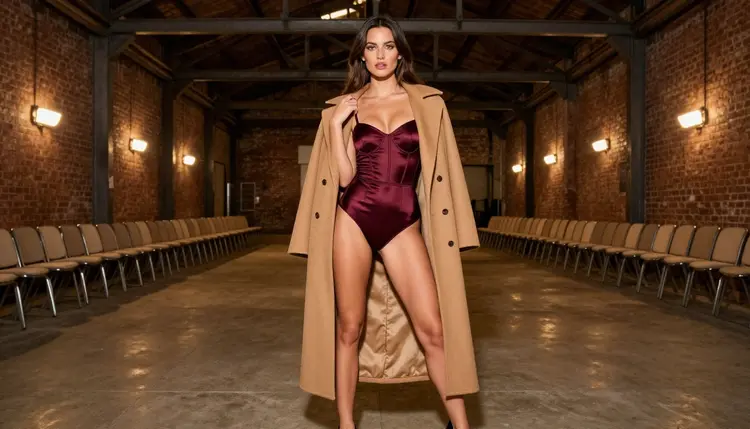
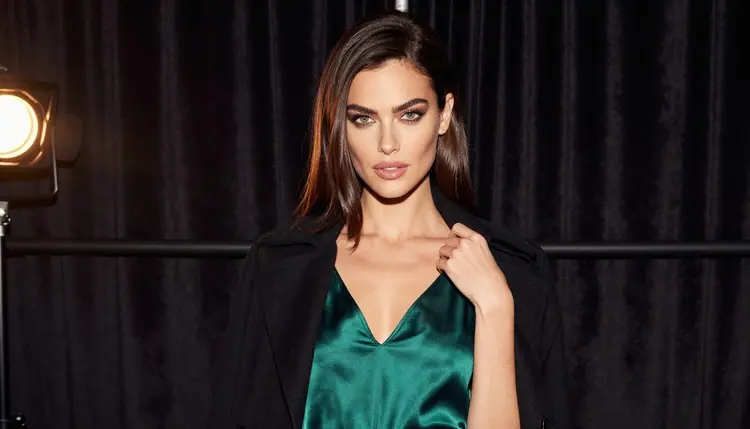
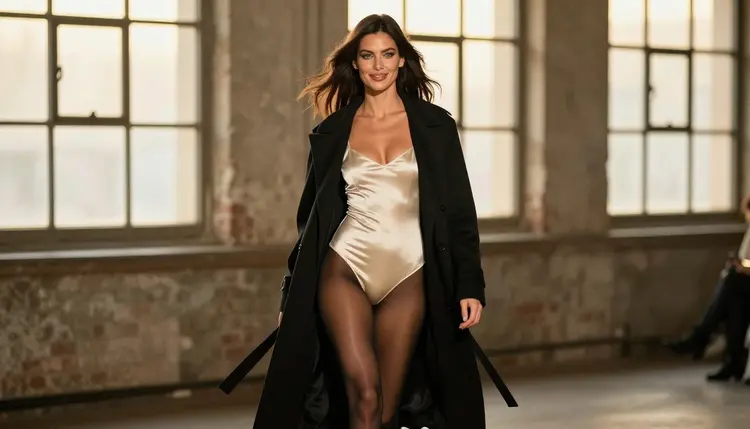
The look itself is built from contrast. A black satin bodysuit with lined lace trim, stockings and stiletto heels sits under a long wool coat worn open. The coat does most of the work in motion, because a heavy fabric that swings behind the model reads as movement even in a short clip. Burgundy, emerald and ivory satin give you color variations without changing the structure of the scene.
The setting matters as much as the outfit. A brick warehouse with steel beams and arched windows gives the runway a fashion-show feel without any logos or signs. Soft daylight from the windows, or tungsten lamps along the platform, keeps skin and fabric readable. When you start from a frame like this, the video prompt can stay short, because the image already carries the wardrobe, the light and the angle.
Picasso IA Video is the natural first choice here because it accepts an image as the starting point. You upload the still, write a sentence about what should move, and the model returns a clip. Because the catalog marks it with the infinity tag, it does not spend credits on the plans that include unlimited generation, which makes it practical for the trial and error that a walk cycle usually needs. Details on that sit on the pricing page.
If you do not have a still image yet, make one first. Seedream 4.5 creates 4K images from text and is on the confirmed list, so it is a good source frame. You can read more about the general image and video workflow in the NSFW AI image and video generator guide.
Picasso IA keeps a short list of models it has tested with adult prompts, repeatedly, and watched generate instead of reject. Confirmed does not mean a setting published by the maker of the model, and a maker can change its rules at any time. It means the app's own tests passed. For a catwalk video, three video models and three image models matter.
Use Picasso IA Video when you already have the frame and want that exact woman, outfit and warehouse to move. Use Seedance 2.5 Lite when you prefer to describe the whole scene in a sentence and keep the clip short. Use LTX 2.3 Pro when you want to write the runway from scratch and care about resolution. The step by step for that model is in NSFW video with LTX 2.3 Pro.
Every other model in the catalog is untested for adult prompts. That is not a warning, only a lack of confirmation: other video models in the full catalog may accept a catwalk prompt just fine, and they are worth a try if you want a different motion style. Treat them as experiments and keep the confirmed models as your fallback.
The flow is short. You start with one image, you describe the movement, you check the result and you repeat with small changes. The five steps below follow that order.
- Open the toolkit and pick the model. Go to the toolkit, choose Picasso IA Video and attach your still frame as the starting image. If you have no image yet, generate one with Seedream 4.5 first.
- Write the motion, not the outfit. The picture already shows the wardrobe, so describe what changes: the model walks toward the camera along the runway, the coat swings, her heels strike the floor, she pauses at the end and turns.
- Set the camera and the light. Name one camera behavior, such as a slow dolly back that keeps the model centered, and repeat the light from the image, for example soft daylight through arched windows.
- Generate and review. Watch the clip twice. Check hands, the edge of the coat, the lace trim on the bodysuit, the feet on the floor and whether the face stays the same from the first frame to the last.
- Refine or switch. If one detail is wrong in the still, fix it with Picasso Image Editor Pro and run the video again. If the motion is the problem, try Seedance 2.5 Lite or rewrite the prompt with a simpler movement.
If a model refuses a prompt, the app shows a message titled "Content Not Supported by This Model". It recommends models that accept adult prompts and carries your prompt over, so you do not have to type it again.
These ideas are written for image to video. Each one assumes you attach a still frame of the same adult model and describe only what moves. Copy a prompt, change the wardrobe words to match your own image, and keep the sentences short.
The first idea is the straight walk. Prompt: the model in a black satin bodysuit and an open charcoal wool coat walks down a warehouse runway toward the camera, coat swinging behind her, soft daylight from tall windows, steady camera at eye level. This is the baseline. If it works, every other idea is a variation of it.
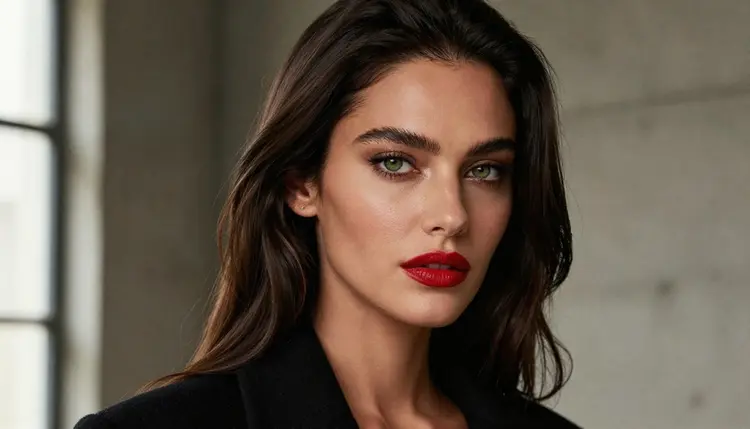
The second idea is the turn at the end of the platform. Prompt: she stops at the end of the runway, pauses for a beat, turns on her heel and walks back, the coat swirling around her, burgundy satin visible under the coat, tungsten lamps flickering along the platform. A turn is a good test because the fabric has to follow the body.
The third idea is the backstage entrance. Prompt: waist-up shot, the model in an emerald satin slip pushes a velvet curtain aside, a black coat resting on her shoulders, she steps toward the light, warm lamp glow, slow push in. It works as a short opening clip before the runway itself.
The fourth idea is the golden hour walk. Prompt: three-quarter view, ivory satin bodysuit and a long black coat, she walks along the runway with the low sun behind her, hair moving slightly, warm backlight through the arched windows. Backlight gives the coat an outline, which helps the motion read.
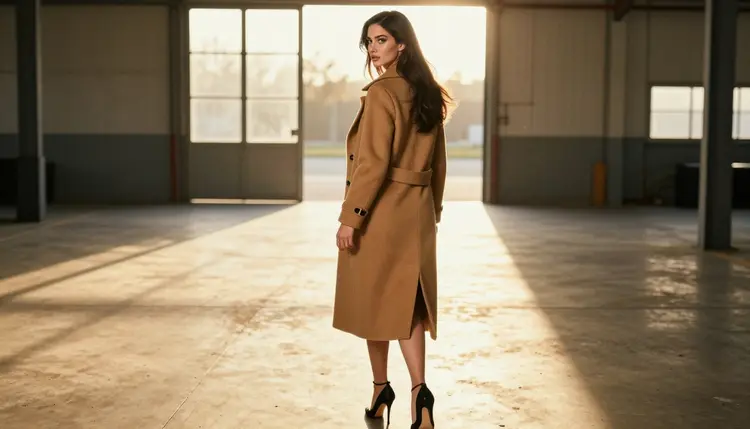
The fifth idea is the over-the-shoulder glance. Prompt: from behind, the model in a camel coat and heels walks toward the end of the runway, looks back over her shoulder once, then continues. Keep the camera still. One glance is enough, and asking for more usually makes the face drift.
The sixth idea is the candlelit finale. Prompt: full-length frame, black corset bodysuit with an open black coat, she stands at the end of the runway among candles, takes one slow step forward, the flames moving softly, camera drifting back. Candlelight is warm and low, so keep the movement slow.
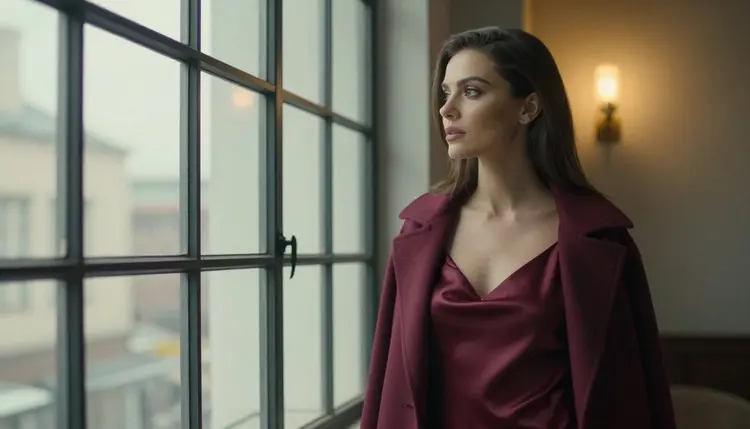
The seventh idea is the window pause. Prompt: the model in a burgundy satin slip stands by a tall arched warehouse window, coat on her shoulders, turns her head slowly toward the glass and back, tungsten light, minimal camera movement. It is a quiet cut to place between two walking clips.
For more wording that carries over to other scenes, see 15 NSFW image to video prompts that work. If you want a different kind of motion from the same still, the dance version uses the same method with a different movement.
This page is for adults. Picasso IA is an 18+ product, and the catwalk look described here is about wardrobe, light and attitude: lingerie-inspired outfits, coats, heels, satin, a confident walk. It stays on the suggestive side and does not go further.
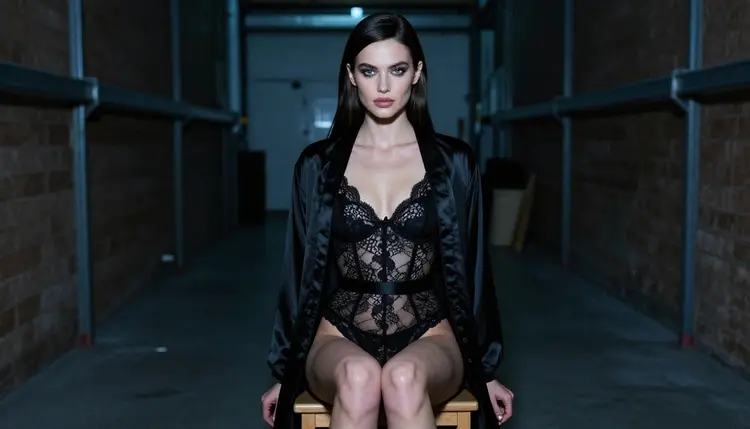
Every person in these pictures and clips is a fictional adult. Do not use the face or body of a real person, a celebrity or anyone you know, and do not write prompts about a real name. Do not describe anyone who could read as a minor. If an image or a clip could be read that way, discard it.
What you create is private by default. It is tied to your account and is not published or shown to others. What you do with a clip after you download it is your responsibility, so check the rules of any site or app where you plan to post it.
A new account can try a few generations for free on selected models, and Picasso IA Video and Seedance 2.5 Lite are among them. It is a small free trial on selected models, not on the whole catalog, so check the pricing page for the details before you plan a longer session. Models with the infinity tag do not spend credits on the plans that include unlimited generation.
A sensible order is to start with Picasso IA Video, because it handles the still frame directly. If you like the walk but want a shorter, punchier clip, try Seedance 2.5 Lite. If you want to describe the whole runway in text and aim for 4K, use LTX 2.3 Pro, and check the cost for your settings in the toolkit before you generate.
Beyond those three, the full catalog holds hundreds of models. The ones that are not on the confirmed list are untested for adult prompts, which means they may or may not accept your wording. That is a reason to try them, not a reason to avoid them. When one of them declines a prompt, the app tells you and points to confirmed models.
For a broader overview of tools that turn pictures into clips, read how Picasso IA Video turns an NSFW image into video. If you need a still photo of the model before you start, use Seedream 4.5, and use Recraft V4.1 Pro if you also want poster artwork for the show.
Which models are confirmed for an NSFW catwalk video?
For video, the app lists Picasso IA Video, Seedance 2.5 Lite and LTX 2.3 Pro as confirmed, and for images Seedream 4.5, Recraft V4.1 Pro and Picasso Image Editor Pro. Confirmed means Picasso IA tested adult prompts against them and they generated instead of rejecting. A maker can change its rules later.
Why start with Picasso IA Video?
It accepts a still image as the input, so the model, outfit and warehouse you already like are the starting frame of the clip. It also takes text, and it is marked unlimited in the catalog, which helps when a walk cycle needs several attempts. Details are on the pricing page.
How should I word the motion prompt?
Describe movement, not wardrobe. Say who walks, in which direction, what the coat does, where she stops and how the camera behaves. One camera move and one action per clip works best. Repeat the light from the image, such as soft daylight or tungsten lamps, and keep sentences short.
Can I put two people on the runway?
You can try it, but a single walker is more reliable, and the pictures on this page use one model. For a clip with a second character, start from a frame that already contains both and keep the movement simple. The dance video guide covers moving figures in more detail.
What happens when a model refuses my prompt?
The app shows a message titled "Content Not Supported by This Model". It recommends models that accept adult prompts and carries your prompt over, so you do not retype anything. Pick one of the suggested models and run the same text again, or soften the wording.
Are the characters adults and fictional?
Yes. Every character is a fictional adult, there is never a real or identifiable person, and no one who could read as a minor. Do not upload photos of real people and do not use real names in prompts. Picasso IA is for adults only, 18+.
Are my videos private?
By default, yes. What you create is tied to your account and is not published or shown to others. You decide what to download and where to share it, and you are responsible for following the rules of any platform you post on.
How do I make the clip longer or sharper?
Seedance 2.5 Lite is listed up to 10 seconds, and LTX 2.3 Pro creates 4K video from text. Picasso IA Video handles text or image input. Each model has its own options in the toolkit, and the cost in credits changes with settings such as resolution or duration.
Can I fix one detail of the still before animating?
Yes. Picasso Image Editor Pro edits an existing image, so you can correct a strap, a hand or the lace trim, then send the corrected frame to Picasso IA Video. Fixing the still first is faster than hoping the video model repairs it while the model walks.
Can I try this before paying?
A new account can try a few generations for free on selected models, including Picasso IA Video and Seedance 2.5 Lite. The free trial is small and limited to those models. The pricing page explains what costs credits and which models carry the infinity tag, so read the pricing page first.