Every figure drawing session starts with the same problem: you need a body in a clear pose, with readable light, and you need it right now. Stock photo sites give you a handful of angles and rarely the wardrobe you want to study. Hiring a model is a real option, but it does not help when you want ten quick gestures at midnight. This page shows how to build your own sheet of pose references with AI: one fictional adult woman, clothed in satin, lace and silk, photographed from the angles an artist actually needs.
The result is a set of reference photos for drawing practice. You will study the weight line, the tilt of the shoulders, how fabric falls over a hip or gathers at a waist, and how a single light source shapes a form. The style is glamour and boudoir: lingerie, robes, slip dresses, bodysuits. It is provocative in mood and never explicit, and every character is a fictional adult. You can run all of it in the toolkit from a browser, with nothing to install.
A pose reference sheet is a small, boring deliverable on purpose. Its job is to be useful, not beautiful. Before you generate anything, decide what the sheet has to teach you. Most artists work with a sheet of eight to twelve images that cover four things: standing poses, seated poses, a walking or turning gesture, and a few close views for the face and shoulders.
Think in terms of the questions your drawing will ask. Where does the weight sit? Which hip is lifted? How far does the head tilt from the line of the shoulders? A good reference answers those questions at a glance, so the framing matters more than the mood. Full-length frames show the whole gesture. Three-quarter views show how volumes overlap. Profile views show the curve of the spine. A tight portrait helps with the neck, the jaw and the way hair falls.
Consistency is the second need. If the model changes face and build in every image, you cannot compare poses and your hand starts to learn the wrong proportions. Keep one fictional woman across the sheet: same hair, same build, same makeup, and describe her the same way in every prompt. The images on this page follow that rule, and the same woman appears in every frame.
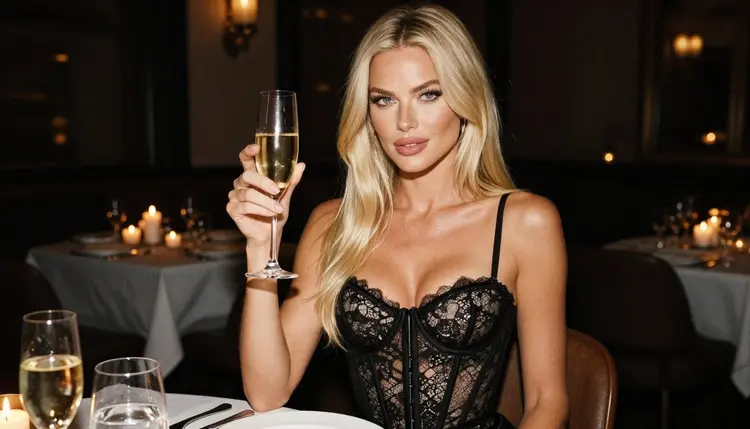
Light is the third need. Study sheets work best with one clear source, such as window light from the left, a low golden sun behind the subject, or candlelight. Flat, even light hides form. Hard side light shows planes, which is what you want when you practice values and shadow shapes.
Formats come last. For a printed sheet or a tablet reference, a wide frame works well. For a quick gesture warm-up you may want a smaller image that loads fast. Picasso IA lets you pick the model first and the options after, so you can choose the output that fits how you draw.
Picasso IA keeps a short list of models it has tested with adult prompts and watched generate instead of refuse. That is what "confirmed" means here: it is Picasso IA's own testing, not a published setting from the model's maker, and the maker can change it. Six models are confirmed. Three make images and three make video.
| Model | Best for | Format |
|---|
| Seedream 4.5 | Photoreal reference photos from text | Text to image, 4K |
| Recraft V4.1 Pro | Clean line-friendly images and design sheets | Print-ready images, 2K |
| Picasso Image Editor Pro | Changing wardrobe or background on an existing image | Image editing, unlimited tag |
| LTX 2.3 Pro | Turnaround clips of one pose | 4K video from text |
| Picasso IA Video | Short clips from text or from your still | Text or image to video, unlimited tag |
| Seedance 2.5 Lite | Quick motion tests | Video up to 10 seconds, unlimited tag |
For photographic pose references, Seedream 4.5 is the natural first pick. It makes images from text at 4K, so you get enough detail to zoom into a hand, a fold of satin or the line of a collarbone. Write one precise prompt, keep the wardrobe opaque and fully described, and you get a clean, photoreal frame.
Recraft V4.1 Pro fits when you want a more designed look. It is described as producing print-ready images at 2K and is strong on illustration and design, which makes it a good choice for a contact sheet you plan to print and pin next to your easel. Picasso Image Editor Pro is the one to open after the first image exists: it edits an existing picture, so you can adjust the robe color, the background or a prop without rebuilding the whole prompt.
The video models are optional. A clip of a standing pose with a slow camera move gives you a free turnaround. LTX 2.3 Pro makes 4K video from text, Picasso IA Video works from text or from a still image, and Seedance 2.5 Lite is listed up to 10 seconds.
Models outside that list are untested. Qwen Image 2 is one worth a try for images, and Picasso Video (Pruna P-Video) is an untested option for clips. Untested means exactly that: not confirmed either way. If one of them refuses a prompt, the app tells you and points you to a confirmed model. You can browse them all in the full catalog.
Work in this order and the sheet comes together in one sitting. The first step is paper, the rest happen in the toolkit.
- Plan the sheet. Write down the poses you want: for example standing with weight on one leg, seated upright on a stool, walking, looking back over the shoulder, profile against a light. Add a light setup for each one.
- Write the character description. Describe one fictional adult woman in a single paragraph: hair, eye color, makeup, build, and the age you want, mid twenties or older. Reuse that paragraph word for word in every prompt.
- Generate the key image. Pick Seedream 4.5, paste the character paragraph, then add one pose, one outfit, one light and a lens such as 85mm. Check proportions and hands before you go on.
- Build the rest of the set. Change only the pose, outfit and light line for each new frame. Keep the character paragraph untouched, and attach your key image as a reference on models that accept several inputs.
- Refine and export. Open the best frames in Picasso Image Editor Pro to fix a color or a background, then download the images and arrange them into your sheet.
A prompt for a reference photo has five parts: who, pose, wardrobe, light and camera. Keep them in that order and the model has less room to drift. A working example: "Raw photograph, a woman in her thirties with long platinum-blonde hair, light eyes and polished glamour makeup, seated upright on a wooden stool, three-quarter view, red satin bodysuit, crossed knees, soft window light from the left, 85mm lens, fine film grain."
Notice what the example leaves out. There is no mood adjective stack and no story. Drawing practice does not need a story. It needs a clear gesture and a clear light, so spend your words on the pose: which leg carries the weight, where the hands rest, where the eyes look.
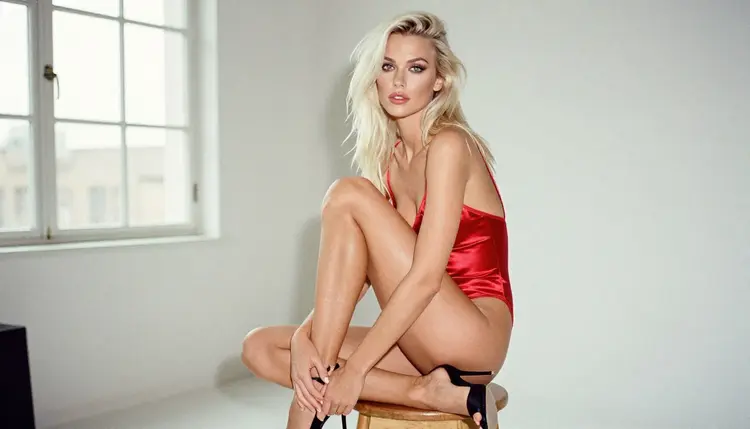
A seated pose on a stool is a classic study. The spine stays upright, the knees cross, and the volume of the thighs overlaps the lower leg, which is hard to draw from imagination. Ask for an eye-level three-quarter view so the overlaps are visible. Window light from the left will give you a light side and a shadow side that you can rough in with two values.
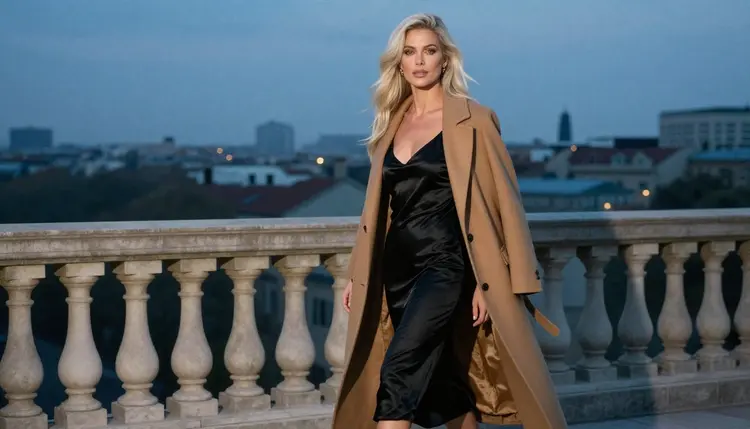
Movement studies need a different prompt. For a walking pose, ask for a candid three-quarter walking shot and name the coat or robe, because fabric in motion shows direction. A camel coat over a black satin slip on a terrace at blue hour gives you cool ambient light and a clear stride. Fast gesture drawing, thirty seconds or a minute per sketch, works well with this kind of frame.
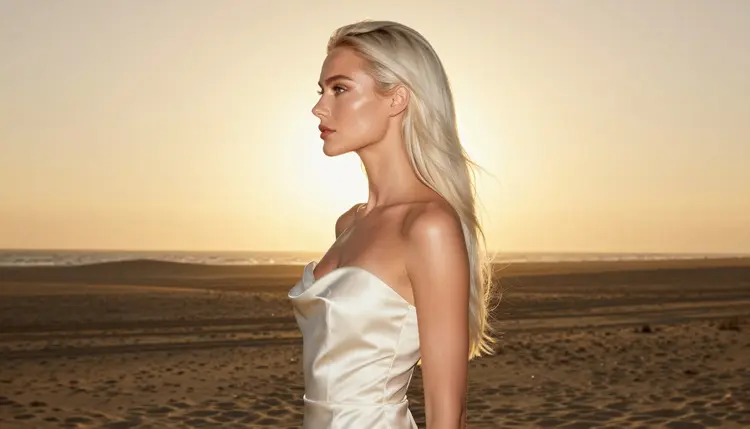
Profile silhouettes train a different skill: reading the outline. With the sun behind the subject at golden hour, the body becomes a shape against light, and you can study the curve from the neck to the lower back without interior detail. An ivory satin gown works well because the cloth separates cleanly from the dunes or the sky behind it.
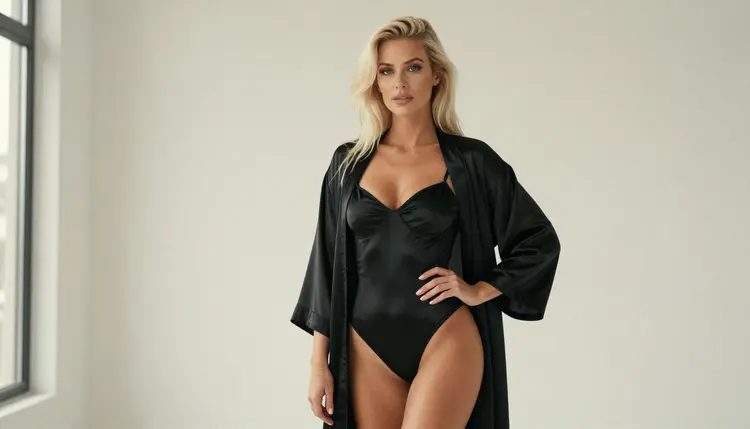
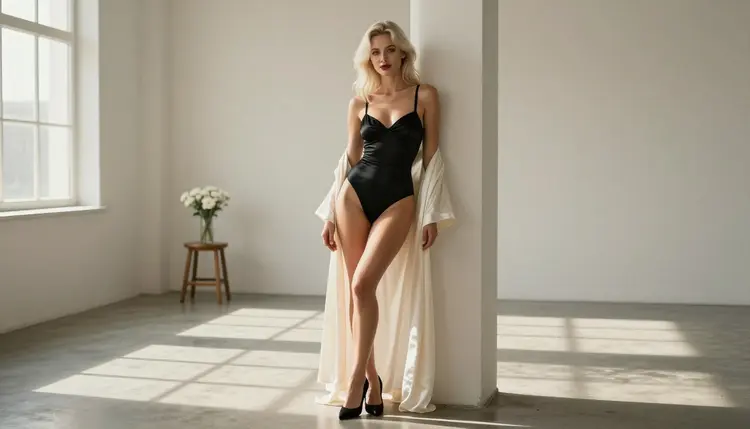
A standing frame with a hand on the hip is the standard contrapposto study. One shoulder drops, the opposite hip lifts, and the head counterbalances. Ask for a full-length standing frame in soft overcast or window light so the shadows stay gentle and the line of action is easy to trace with a pencil. A black satin bodysuit with a long open robe keeps the body readable while the robe adds drape to practice.
To keep the same woman across the sheet, copy the character paragraph exactly and change only the other lines. If a frame drifts, regenerate it rather than patching the prompt with more adjectives. When you want to see a pose in motion, send a finished still to Picasso IA Video and ask for a slow camera move around the subject. For a sharper 4K clip, describe the pose in text for LTX 2.3 Pro. Pull a frame from the clip when you want a new angle.
If you work as a photographer or you build pose lists for other artists, the sibling pages go deeper. NSFW AI Pose Library for Photographers covers organizing poses as a reusable library, NSFW Art From a Reference Pose shows the reverse direction, from a pose to finished art, and Top 6 NSFW AI Pose Ideas for Portraits lists specific poses to start from.
This is an 18+ project. Picasso IA's adult features are for adults only, and the pose sheets you build here are for adult artists studying adult figures.
Every character is a fictional adult. Never use a real or identifiable person as a subject, and never ask for anyone who could read as a minor. Describe your model as a woman or a man in her or his mid twenties or older, and keep it that way in every prompt. Do not use a celebrity name or a photo of someone you know as a reference.
What you create is private by default: it is tied to your account and not published or shown to others. If you share a sheet, that is your decision. Before you post it anywhere, check the rules of wherever you publish, because each site and each print service sets its own limits on adult content. Picasso IA cannot promise that any platform will accept a given image.
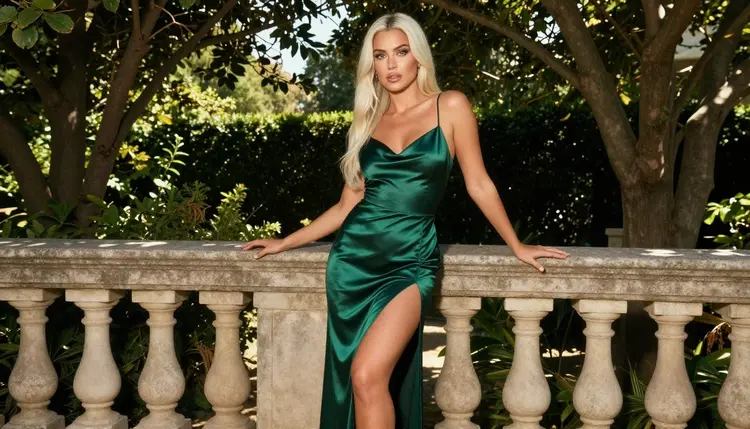
A new account can try a few generations for free on selected models: Picasso IA Image, Picasso Image Editor Pro, Picasso IA Video and Seedance 2.5 Lite. It is a small free trial on selected models, not on the whole catalog. Plans, credits and the unlimited tag are explained on the pricing page. Models that carry the infinity tag do not spend credits on the plans that include unlimited generation.
Credits for other models vary with the model and with options such as resolution or duration, so a quick check of the options before you press generate saves surprises. Seedream 4.5 and Recraft V4.1 Pro are confirmed but are not in the free trial, so plan your first test frames with that in mind.
Beyond the confirmed list, two untested models are worth a try for this project. Qwen Image 2 is an image model that may give you a different look for the same pose prompt. Picasso Video (Pruna P-Video) is a video option for short clips. Neither is confirmed, so treat the first run as a test. If a prompt is refused you will see the message "Content Not Supported by This Model", with recommended models and your prompt carried over, so nothing has to be retyped.
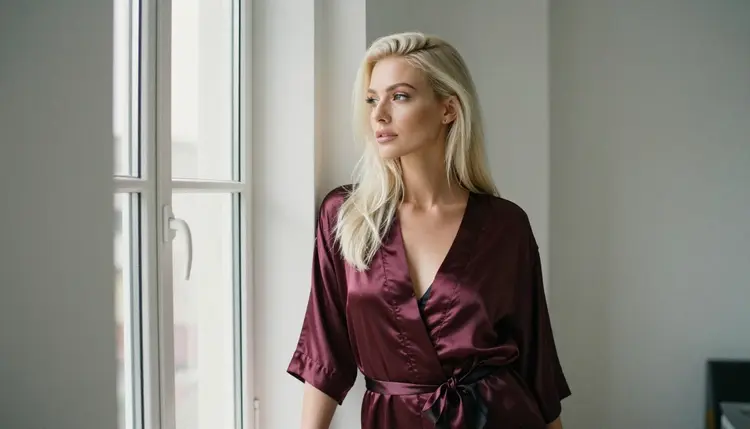
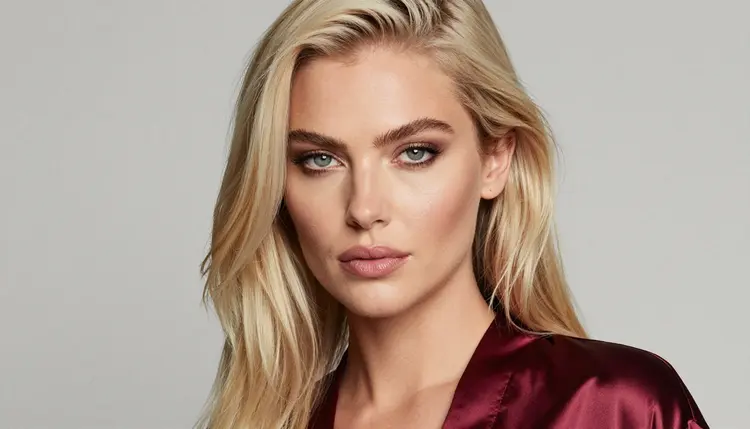
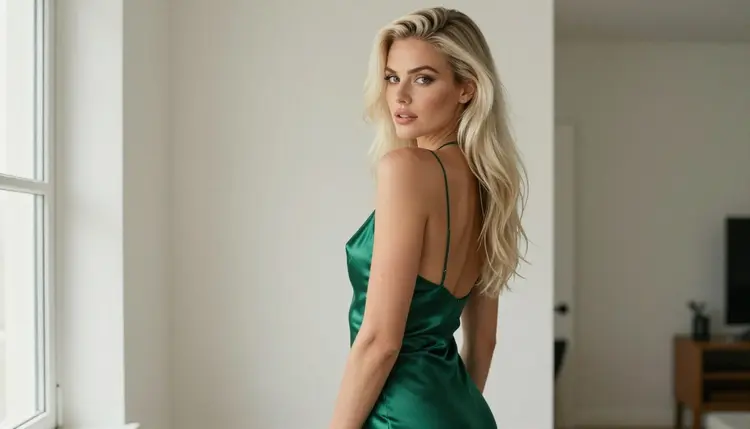
A last tip for the sheet itself: put a window frame in the set. A woman looking out of a studio window in a burgundy satin robe shows the back of the neck, the turn of the shoulder and the fall of the robe, three things that are hard to find in standard stock photos. Open the full catalog when you want to compare other image models on the same prompt, and keep notes on which ones keep your character stable.
What is an NSFW pose reference for drawing practice?
It is a photo or AI image of a clothed fictional adult in a clear pose, used as a study for figure drawing. The style is glamour and boudoir, with satin, lace and robes, provocative in mood and never explicit. You draw from it the way you would from a model in a life drawing session.
Which model should I start with?
Start with Seedream 4.5 for photoreal references at 4K. It is one of the six models Picasso IA has confirmed with adult prompts. If you prefer a more designed look, try Recraft V4.1 Pro, which makes print-ready images at 2K.
How many poses should a sheet have?
Eight to twelve is a practical size. Cover standing, seated, walking, looking back and profile, then add one or two close views for the face and shoulders. A smaller sheet is fine for a warm-up, and you can always add frames later using the same character paragraph.
How do I keep the same woman in every image?
Write one character paragraph with hair, eyes, makeup and build, and paste it unchanged into every prompt. Change only the pose, outfit, light and camera lines. On models that accept several inputs, attach your best frame as a reference and call it with its @1 badge in the prompt.
Can I use a photo of a real person as a reference?
No. Use fictional characters only. Never upload or describe a real or identifiable person, and never request anyone who could read as a minor. Picasso IA's adult features are 18+ and the characters are fictional adults, in their mid twenties or older.
Can I make the poses move?
Yes, with a video model. Send a finished still to Picasso IA Video or write the pose as text for LTX 2.3 Pro, then ask for a slow camera move. A short turnaround clip lets you pick a new angle without a fresh prompt.
How do I change the outfit without starting over?
Open the image in Picasso Image Editor Pro and describe the change, such as a different robe color or a plainer background. It edits an existing picture, so the pose and the face stay as they are while you adjust the details.
What happens if a model refuses my prompt?
The app shows a message titled "Content Not Supported by This Model". It recommends models that accept adult prompts and carries your prompt over, so you do not retype anything. Models outside the confirmed list are untested, so a refusal on one of them is a cue to switch to a confirmed model.
Is my reference sheet private?
Yes. Generations are private by default: they are tied to your account and not published or shown to others. Sharing is your own choice. If you post a sheet, check the rules of the site where it will live first, since adult content limits differ from place to place.
Is there a free way to try it?
A new account can try a few generations for free on selected models, including Picasso IA Image, Picasso Image Editor Pro, Picasso IA Video and Seedance 2.5 Lite. See the pricing page for how credits and unlimited generation work, and the toolkit to start.